AllShare Cast ™: Refleja tu iPhone en cualquier Smart TV al instante
Experimenta la libertad de la transmisión inalámbrica. Lleva tus fotos, videos y juegos a la pantalla grande sin hardware costoso ni cables enredados, compatible con Samsung, Roku, LG y más.
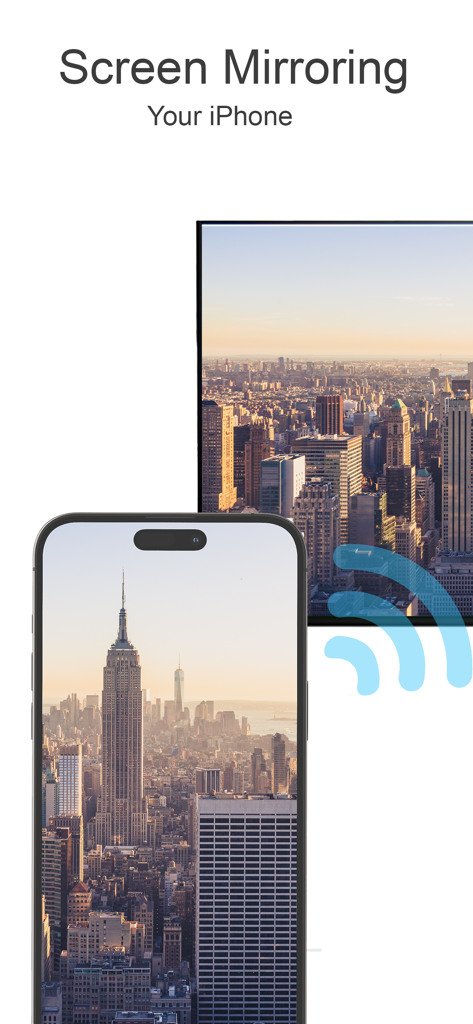
Un iPhone reflejando una foto de un paisaje urbano en la pantalla de un Smart TV
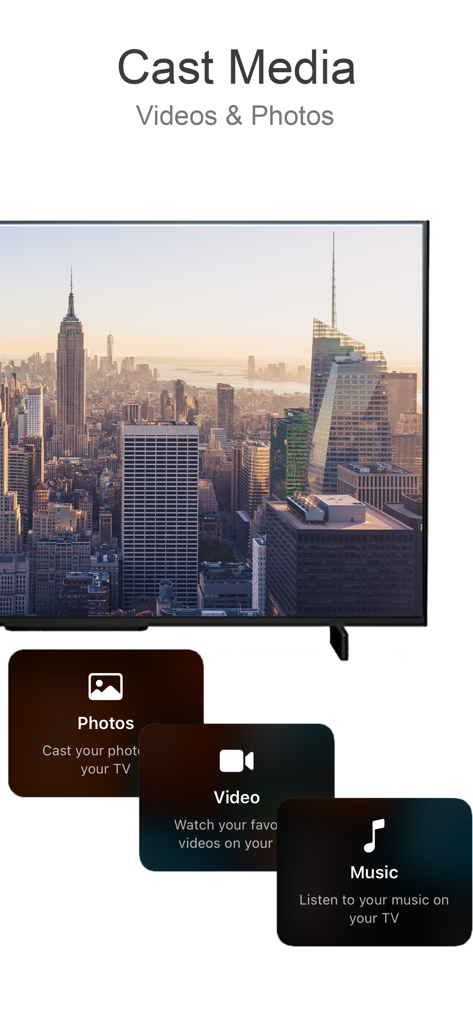
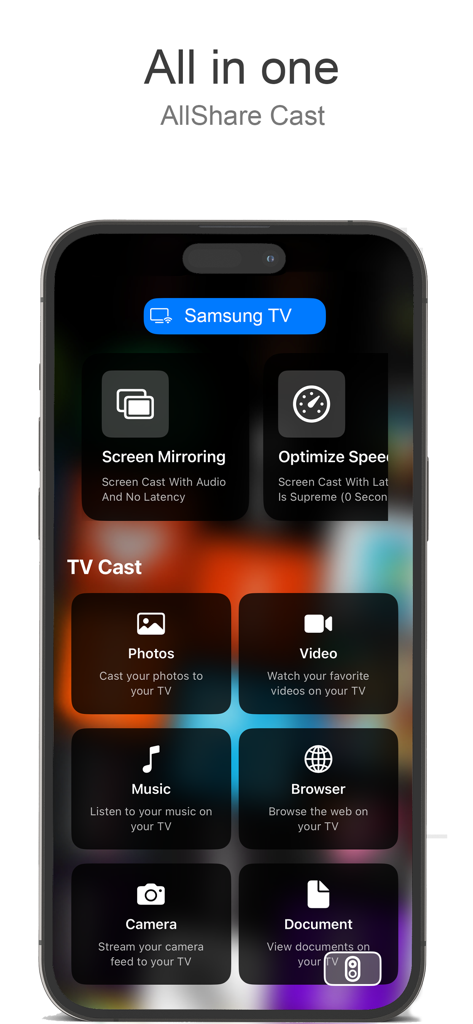
Interfaz de la aplicación AllShare Cast mostrando opciones para transmitir fotos, videos y música a un televisor
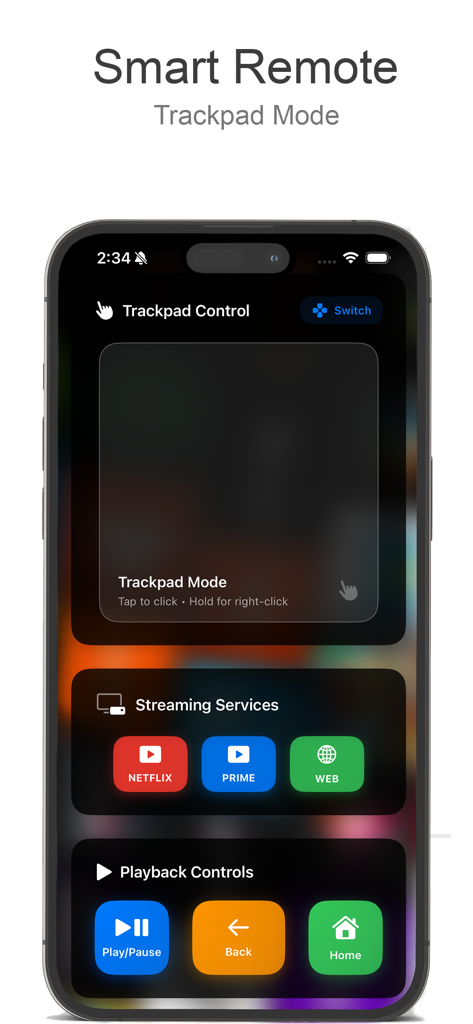
Pantalla de smartphone mostrando el control remoto inteligente de AllShare Cast con panel táctil y controles de reproducción.
Interfaz de la aplicación AllShare Cast en iPhone mostrando reflejo de pantalla y opciones de transmisión de medios.
Desbloquea todo el potencial de tu TV
Las herramientas que hacen destacar esta app, elegida por 24K+ usuarios.
🌐
Sincronización Universal de TV
¿No tienes Apple TV? No hay problema. Conéctate sin problemas con Samsung, LG, Roku y Chromecast en segundos.
🚀
Reflejo sin Retardo
Transmite juegos, videollamadas y aplicaciones en tiempo real. Experimenta la potencia de tu teléfono a escala cinematográfica.
🎬
Transmisión de Medios con un Solo Toque
Transforma tu sala en un cine. Comparte fotos, videos caseros y música con claridad de alta fidelidad.
Sobre la app
Todo lo que necesitas saber sobre AllShare Cast ™.
Descripción
Transform your TV into a smart, interactive screen with our easy-to-use screen mirroring and casting app. Designed to make sharing your favorite media effortless, our app allows you to cast photos, videos, music, and even web content directly from your phone to your TV. Whether you’re looking to enjoy personal memories on a bigger screen, present slideshows, or enjoy streaming content without restrictions, this app turns your TV into the ultimate multimedia center.
Key Features:
Instant Screen Mirroring:
Mirror your phone’s screen to your TV in real-time. With ultra-low latency, you can enjoy gaming, video calls, presentations, and more on a larger screen without interruptions. Screen mirroring is perfect for family gatherings, work meetings, or online learning—whatever you want to display, show it clearly and in high resolution.
Photo & Video Casting:
Bring your memories to life by casting your phone’s photos and videos directly to your TV. Relive family vacations, birthdays, and special events with vibrant clarity. With just a tap, share those moments with everyone in the room, no cables required.
Stream Online Content:
Take your favorite online videos and websites directly from your phone to the big screen. Browse through YouTube, Vimeo, and other video streaming platforms on your phone, and play content on your TV for an immersive experience. No need for separate apps or confusing setups—just select the content, cast, and enjoy.
Audio & Music Playback:
Fill the room with your favorite playlists by casting music from your phone to the TV. Connect to high-quality speakers for an immersive sound experience. Whether it’s for a workout, a family gathering, or relaxing alone, bring your music to life on larger speakers and experience every beat.
Easy Remote Control:
Use your phone as a remote to control your TV’s settings, such as adjusting volume, navigating apps, and more. This feature eliminates the need for additional remotes and keeps everything accessible from your phone, making it simpler to find what you want and enjoy your content uninterrupted.
Seamless Connectivity with Multiple Devices:
Our app supports various devices and TV brands, including Samsung, Roku, LG, Sony, Chromecast, and more. Connect with ease and switch between devices as you need. With universal compatibility, our app ensures you can use it with any major TV brand without hassles.
Web Content Projection:
Enjoy the convenience of browsing the internet from your phone and displaying it on the TV. Read news articles, view recipes while cooking, watch tutorials, or explore websites with family and friends. The bigger screen means everyone can see and enjoy the content at the same time.
How It Works:
Connect to the Same Wi-Fi Network:
Ensure both your phone and TV are connected to the same Wi-Fi network to enable fast and secure connectivity.
Select Your Media:
Choose photos, videos, music, or online content from your phone to cast.
Cast with a Single Tap:
Tap the cast icon, select your TV, and enjoy your content on the big screen instantly.
Ideal For:
Family Gatherings:
Share photos and videos with everyone in the room, bringing family memories to life on the big screen.
Gaming Enthusiasts:
Get a bigger view for mobile gaming, with minimal lag and better visuals, so you can immerse yourself in the gameplay.
Business & Education:
Use the screen mirroring function for presentations, educational content, or virtual meetings, making it easy to collaborate with others and share visual aids.
Movie Nights & Streaming Enthusiasts:
Turn any night into movie night by streaming your favorite films, series, and videos from your phone to the TV, creating a cinematic experience right at home.
Última versión
2.1
Tamaño
6.2 MB
Fecha de lanzamiento
28 oct 2024
Cierra la brecha entre tu iPhone y tu TV
Deja de luchar con cables y hardware incompatible. Únete a más de 24.000 usuarios y descarga AllShare Cast ™ hoy mismo para reflejar tu pantalla y transmitir tu contenido favorito a cualquier Smart TV en segundos.
FAQ
Preguntas Frecuentes
Todo lo que necesitas saber sobre AllShare Cast ™
¿Qué es AllShare Cast™?
AllShare Cast™ transforma tu televisor en una pantalla inteligente e interactiva, lo que permite compartir fácilmente fotos, videos, música y contenido web desde tu teléfono. Funciona como un centro multimedia.
¿Puedo duplicar la pantalla de mi iPhone en el televisor con AllShare Cast™?
Sí, AllShare Cast™ ofrece duplicación de pantalla instantánea para tu iPhone en tu televisor en tiempo real. Admite juegos, videollamadas y presentaciones con alta resolución y latencia ultrabaja.
¿AllShare Cast™ admite la transmisión de fotos y videos a mi televisor?
Sí, AllShare Cast™ te permite transmitir las fotos y videos de tu teléfono directamente a tu televisor. Revive recuerdos familiares con una claridad vibrante, compartiendo momentos con todos en la sala.
¿Qué marcas de televisores son compatibles con AllShare Cast™?
AllShare Cast™ admite varias marcas de televisores, incluidas Samsung, Roku, LG, Sony y Chromecast. Ofrece compatibilidad universal para una conexión perfecta con las principales marcas de televisores.
¿Puede AllShare Cast™ transmitir contenido en línea a mi televisor?
Sí, AllShare Cast™ te permite transmitir videos y sitios web en línea desde tu teléfono a la pantalla grande. Navega por YouTube, Vimeo y otras plataformas para una experiencia inmersiva.
¿AllShare Cast™ incluye una función de control remoto?
Sí, AllShare Cast™ cuenta con un control remoto fácil de usar, que te permite usar tu teléfono para ajustar el volumen, navegar por las aplicaciones y administrar otras configuraciones del televisor. Esto elimina los controles remotos adicionales.
¿Cómo conecto mi teléfono y mi televisor usando AllShare Cast™?
Para conectarte usando AllShare Cast™, asegúrate de que tanto tu teléfono como tu televisor estén en la misma red Wi-Fi. Luego, selecciona tus medios, toca el icono de transmisión y elige tu televisor.
¿Puede AllShare Cast™ proyectar contenido web en mi televisor?
Sí, AllShare Cast™ permite la proyección de contenido web. Puedes navegar por Internet desde tu teléfono y mostrar noticias, recetas, tutoriales o explorar sitios web en la pantalla de tu televisor.
¿AllShare Cast™ admite la reproducción de audio y música en el televisor?
Sí, AllShare Cast™ admite la reproducción de audio y música. Puedes transmitir listas de reproducción desde tu teléfono a tu televisor y conectarte a altavoces de alta calidad para una experiencia de sonido inmersiva.
¿Es AllShare Cast™ adecuado para jugar?
Sí, AllShare Cast™ es ideal para los entusiastas de los juegos. Proporciona una vista más grande para los juegos móviles con un mínimo retraso y mejores efectos visuales, mejorando la experiencia de juego inmersiva.
App information, icons, screenshots, and descriptions displayed on this page are sourced from the Apple App Store and are the property of their respective developers. Download estimates and rankings are based on MWM's proprietary models and may not reflect actual figures. This page is provided for informational and analytical purposes only.
Believe this page infringes your intellectual property? File a dispute