Arduino Manager

Arduino Manager

Descargar en App Store
Logo de Arduino Manager

Arduino Manager: El Panel de Control Profesional Definitivo para Tus Proyectos IoT

Potencia tus inventos DIY con visualización de datos en tiempo real, controles de widgets personalizados y un Generador de Código inteligente. Dirige sin problemas Arduino, ESP32 y Raspberry Pi Pico desde tus dispositivos iOS favoritos.

Editor

Fabrizio Boco

Categoría

Productivity

Descargas

121K+

Valoración

3.0/5

Total valoraciones

100

Idiomas

2

Tu Centro de Mando de Proyectos

Descubre la interfaz utilizada por 121K+ usuarios.

Interfaz de la aplicación Arduino Manager que muestra varios widgets de control como gráficos, interruptores y medidores para un proyecto de microcontrolador
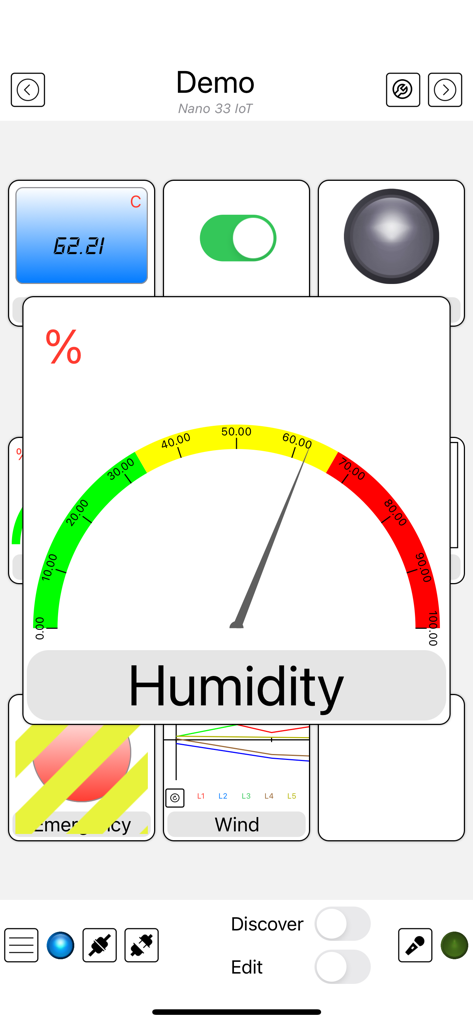
Interfaz de la aplicación Arduino Manager que muestra varios widgets de control como gráficos, interruptores y medidores para un proyecto de microcontrolador

Interfaz de la aplicación Arduino Manager que muestra un medidor de humedad y varios widgets de sensores IoT
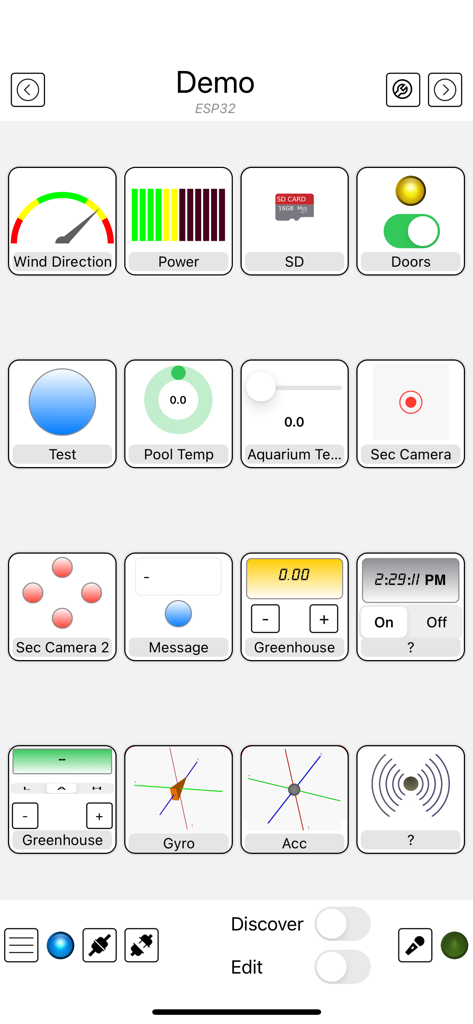
Interfaz de la aplicación Arduino Manager que muestra un medidor de humedad y varios widgets de sensores IoT

Interfaz de la aplicación Arduino Manager que muestra una cuadrícula de widgets personalizados para controlar y monitorear proyectos electrónicos DIY
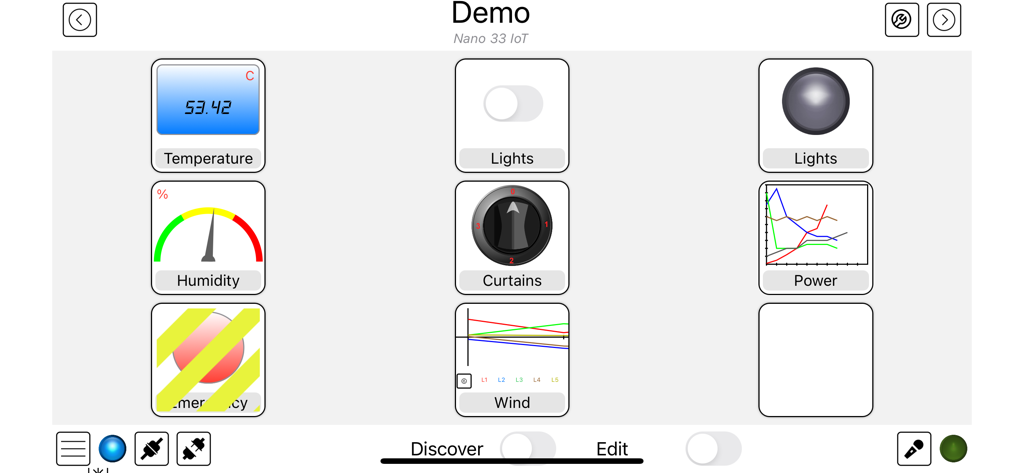
Interfaz de la aplicación Arduino Manager que muestra una cuadrícula de widgets personalizados para controlar y monitorear proyectos electrónicos DIY

Interfaz del panel de control de Arduino Manager con widgets para control de temperatura, humedad e iluminación.
Interfaz del panel de control de Arduino Manager con widgets para control de temperatura, humedad e iluminación.

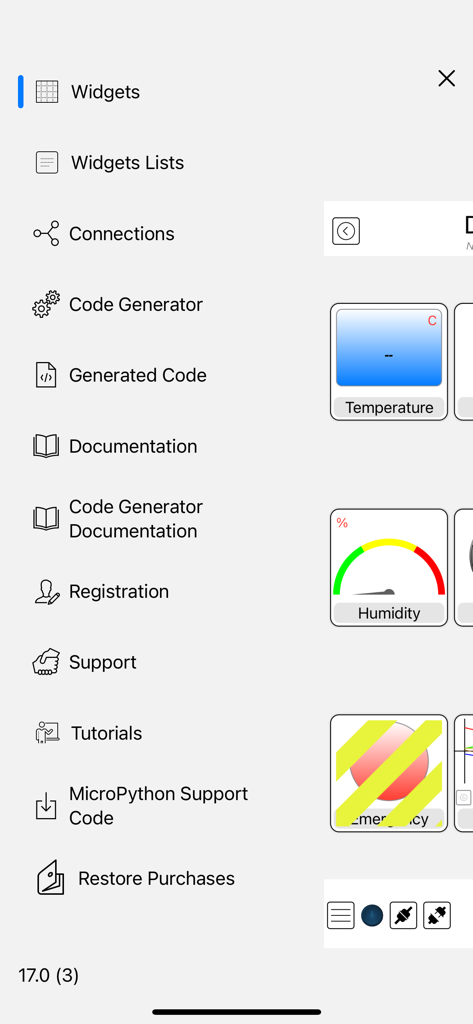
Menú lateral de la aplicación Arduino Manager con opciones de generación de código y configuración de widgets.

Menú lateral de la aplicación Arduino Manager con opciones de generación de código y configuración de widgets.

Crea Más Inteligente, Codifica Más Rápido

Las herramientas que hacen destacar esta app, elegida por 121K+ usuarios.

Generación de Código Instantánea

Omite el tedioso código repetitivo. Genera automáticamente el puente de comunicación entre tu hardware y tu dispositivo iOS para que tu proyecto funcione en minutos, no en horas.

📊

Paneles de Control de Datos Profesionales

Visualiza tus datos con gráficos en tiempo real, registros de consola y widgets interactivos. Convierte tu proyecto DIY en un centro de mando pulido y de alto rendimiento.

🔌

Conectividad Universal

Una aplicación para cada placa. Ya sea que uses ESP32, Arduino UNO o Raspberry Pico, conéctate sin esfuerzo a través de WiFi, Bluetooth o Ethernet con sincronización completa de iCloud.

Amada por usuarios en todo el mundo

Con la confianza de 121K+ personas que aman esta app.

"

"Arduino Manager es un cambio absoluto de juego para mis proyectos de domótica. El Generador de Código me ahorró horas de programación manual, y el Widget de Gráficos proporciona un nivel de visualización de datos que normalmente tarda semanas en construirse desde cero. Convierte mis sensores DIY en un sistema de monitoreo de nivel profesional en mi iPad."

Kevin R.
"

"He probado docenas de aplicaciones de IoT, pero ninguna maneja la variedad de placas como esta. Ya sea que esté usando un ESP32 para mi iluminación o un Pico W para mi robótica, la interfaz es impecable. El Control de Robot es muy divertido de usar, y poder activar comandos desde mi Apple Watch hace que mis proyectos se sientan como el futuro."

Marcus T.

Sobre la app

Todo lo que necesitas saber sobre Arduino Manager.

Descripción

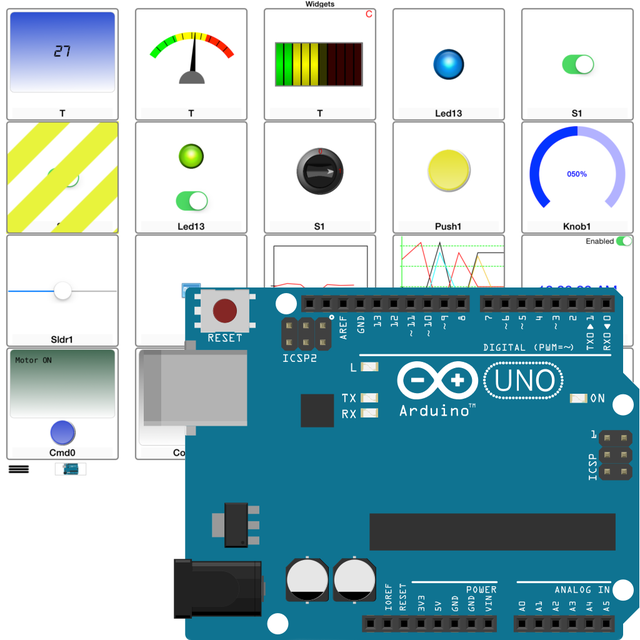
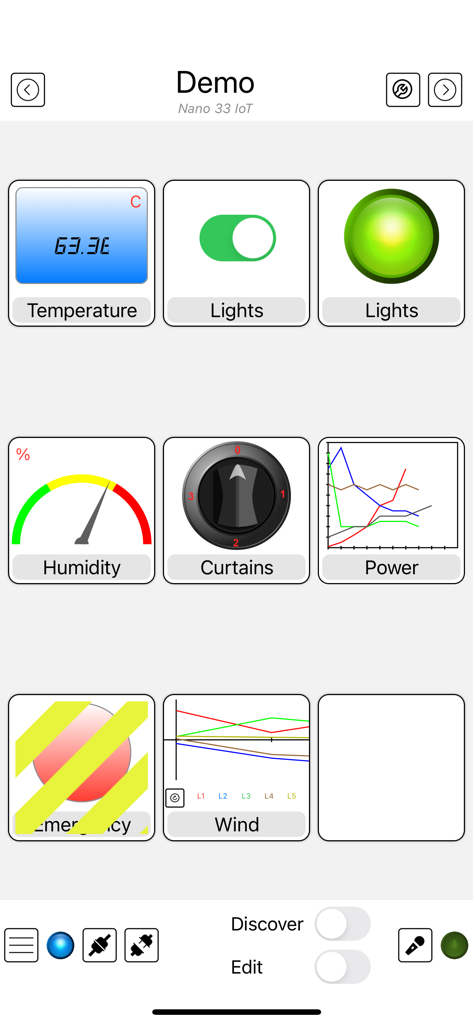
Supported Boards: UNO R4 WiFi, UNO R3, Nano, MEGA2560, ESP32, ESP8622, Zero, MKR1000, Nano 33 IoT, Teensy e nRF52 BLE, Raspberry Pico Pi W (also using SDK). ESP32, Raspberry Pico and Pico W with MicroPython. Arduino Manager is an app to control the Arduino board and receive information from it through: - Ethernet Shield (arduino.cc) - HM-10 / HM19 - Adafruit * WINC1500 WiFi * CC3000 WiFi * nRF52 BLE * nRF8001 Bluefruit LE * LE SPI Friend The app shows a grid and tapping on it you can insert specialized widgets to send and receive information from Arduino. For a better visualization or control, each widget can be zoomed by the means of a double tap on it; tap on Configure for configuring the widget itself. Some widgets are: - Display Widget: shows values coming from your Arduino (i.e. Temperature). It can show numbers with 0,1,2,3 decimal digits or rolling text - LED Widget: shows a LED that can be turned on and off through digital values from Arduino - Switch Widget: sets a digital value to Arduino - Switch & LED Widget: a combination of the two previous widgets to save space when they are used together with the same variable - Push Button Widget: temporarily sets a digital value to Arduino - Knob Widget: sets a non-digital value to Arduino - SD Widget: shows the list of files in the root of SD Card and selecting a file it shows the content - Graph Widget: graphs values in (almost) real time coming from your Arduino (e.g. instantaneous temperature) - Logged Data Graph Widget: graphs up to 5 values logged onto the SD Card attached to Arduino. Libraries have helping functions to log data onto the SD Card - Alarm Widget: configures an alarm on the Arduino board which is then fired at the desired time. The alarm is fired even if the iOS device is not connected and retained across power off - power on cycles - Command Widget: allows to send a command (text message) to Arduino once the yellow button is tapped. You can add more Command Widgets to send different commands - Rover Controller Widget: allows driving a rover robot just rotating the device - Sound Alarm Widget: sounds an alarm each time the associated condition is verified - Threshold Widget: allows setting a threshold to the Arduino board (e.g. the room temperature under which the board has to start an heater) - Console Widget: helps the user to debug the Arduino code, receiving and displaying debugging messages Other widgets are available, please see support site. Each widget is associated with a name and a variable (i.e. name: Temperature, variable: T). The variable is either written or read by the sketch running on the board allowing the iOS app receiving information from Arduino or controlling it. The app can be easily connected to more boards, each page of widgets can connects to a different board at the same time. User can easily manage different lists of widgets and switch among them in order to control different projects. Any widget list can be shared between own devices via iCloud and/or other users via an email message. Many Arduino libraries are available to easily integrate your own projects with Arduino Manager. Libraries, related documentation, demo sketches and a video tutorial are available for free from my site. Available In-App purchases: - Code Generator: allows to generate the communication infrastructure between the Arduino board and iOS device and the code for each chosen widget in order to simplify the programming effort on Arduino board. - PIN Code Generator: allows the user to associate a pin to each Widget and generate the code to manage that pin. In most cases this avoid writing any code - Voice Commands: You can now control most of the AM features by mean of voice commands (in English only). It also unlocks Voice Commands Widget Continuous use of background location can decrease battery life.

Última versión

23.2.0

Tamaño

29.8 MB

Fecha de lanzamiento

31 ene 2012

Toma el Control de Tus Creaciones

Deja de perder tiempo con código repetitivo de comunicación. Descarga Arduino Manager y convierte tu iPhone o iPad en un centro de mando de nivel profesional para tus proyectos hoy mismo.

Descargar en App Store