Best Typing Lessons and Test

Best Typing Lessons and Test

Descargar en App Store
Logo de Best Typing Lessons and Test

Mejores Lecciones y Pruebas de Mecanografía: Domina la Mecanografía con un Método Dirigido por Profesores

Deja de buscar las teclas. Nuestro enfoque único de 'dedo meñique primero' y las lecciones codificadas por colores ayudan a estudiantes y adultos a crear memoria muscular perfecta para escribir más rápido y con mayor precisión en cualquier dispositivo.

Descargar en App Store

Editor

Tamber Schorey

Categoría

Education

Descargas

324K+

Valoración

4.6/5

Total valoraciones

1K+

Idiomas

1

Un Vistazo a la Maestría

Descubre la interfaz utilizada por 324K+ usuarios.

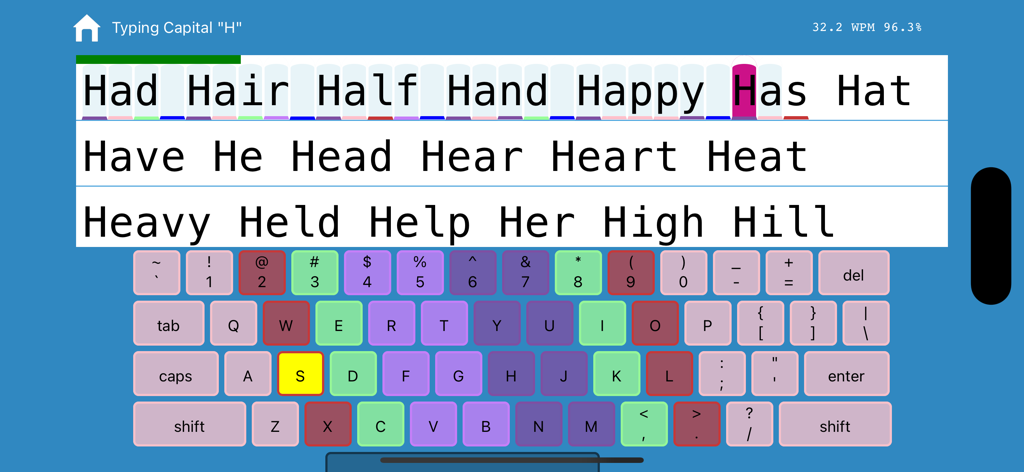
Interfaz de la aplicación de mecanografía que muestra un teclado codificado por colores y práctica de palabras con estadísticas en tiempo real
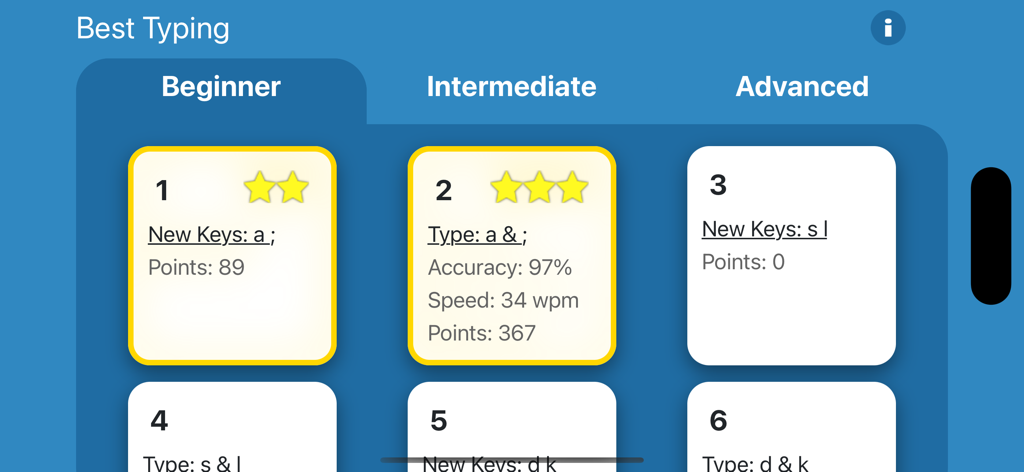
Interfaz de la aplicación de mecanografía que muestra un teclado codificado por colores y práctica de palabras con estadísticas en tiempo real

Pantalla de selección de lecciones de mecanografía para principiantes que muestra estrellas de progreso y estadísticas de velocidad de escritura
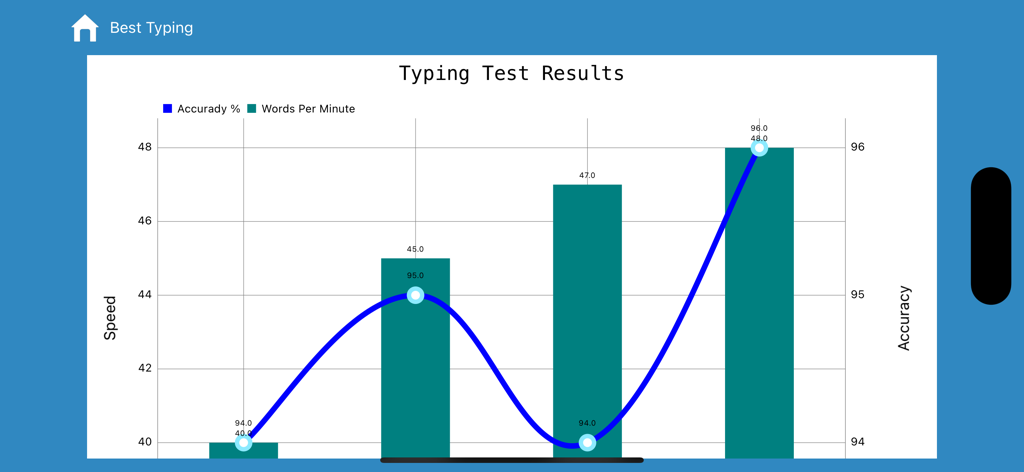
Pantalla de selección de lecciones de mecanografía para principiantes que muestra estrellas de progreso y estadísticas de velocidad de escritura

Un gráfico que muestra los resultados de las pruebas de escritura con progreso de palabras por minuto y porcentaje de precisión
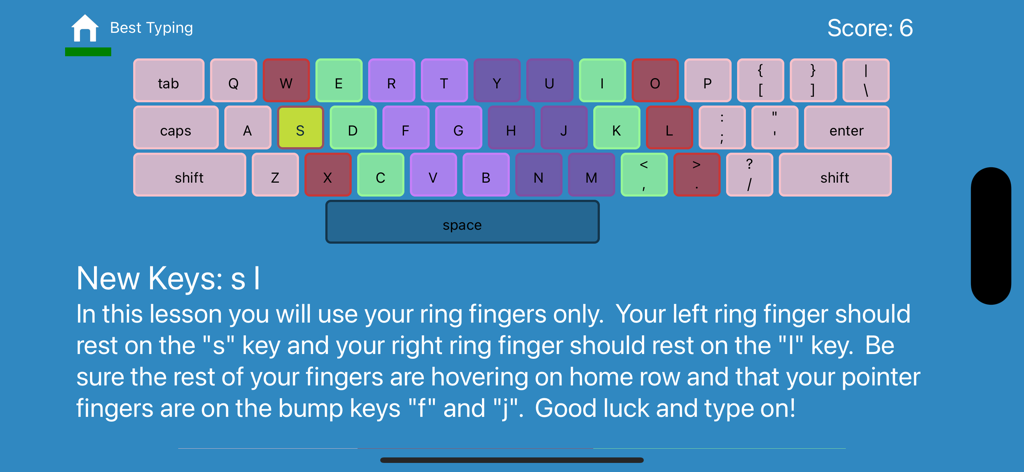
Un gráfico que muestra los resultados de las pruebas de escritura con progreso de palabras por minuto y porcentaje de precisión

Interfaz de una lección de mecanografía que muestra un teclado codificado por colores e instrucciones para usar los dedos anulares para escribir s y l
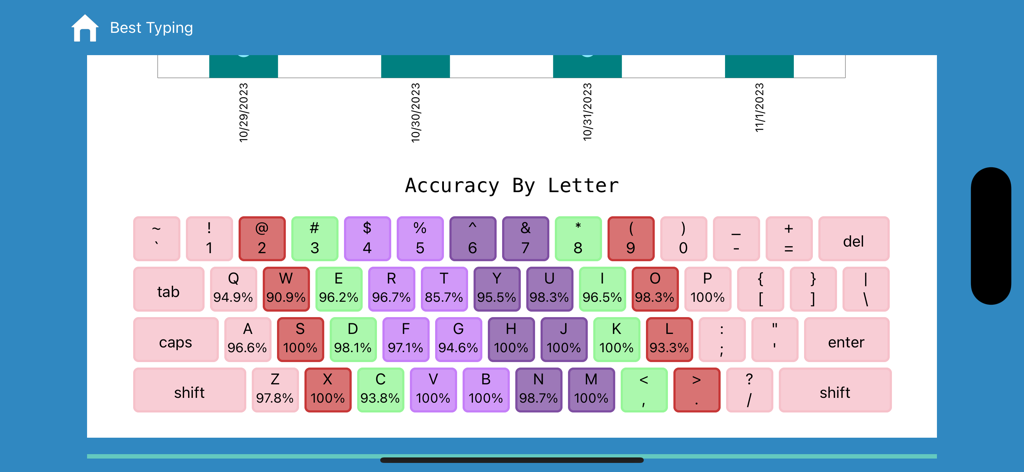
Interfaz de una lección de mecanografía que muestra un teclado codificado por colores e instrucciones para usar los dedos anulares para escribir s y l

Un teclado codificado por colores que muestra los porcentajes de precisión de escritura para cada letra en la aplicación Best Typing

Un teclado codificado por colores que muestra los porcentajes de precisión de escritura para cada letra en la aplicación Best Typing

Domina la Velocidad de Escritura Profesional

Las herramientas que hacen destacar esta app, elegida por 324K+ usuarios.

🖐️

El Método 'Dedo Meñique Primero'

Corrige permanentemente los hábitos de 'buscar y picar' con nuestra metodología única que desarrolla la memoria muscular en tus dedos más débiles primero para un dominio total del teclado.

📊

Seguimiento Preciso del Rendimiento

Identifica exactamente dónde necesitas mejorar con informes de precisión letra por letra y estadísticas detalladas de tus últimas 10 pruebas de escritura cronometradas.

📱

Tu Laboratorio de Mecanografía Portátil

Aprende en cualquier lugar en tu iPhone o iPad. Optimizado tanto para pantallas táctiles como para teclados Bluetooth para convertir tu dispositivo móvil en una estación de trabajo de alto rendimiento.

Sobre la app

Todo lo que necesitas saber sobre Best Typing Lessons and Test.

Descripción

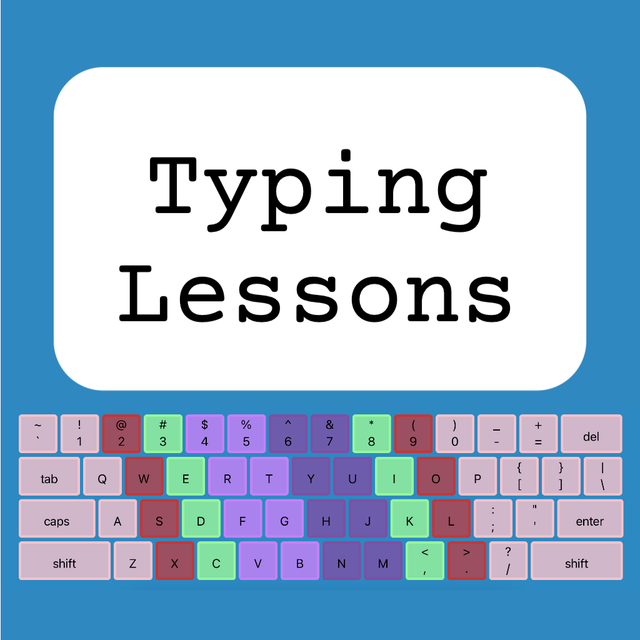
Best Typing Lessons and Test will teach you how to touch type quickly without looking at the keyboard. The program is designed to work for all students and skill levels, whether you are beginning as a kid or an adult. A benefit of this app is that it can work on your phone or a tablet and you don’t need to have a computer online (having a Bluetooth keyboard is ideal, but the program can work without one too). After teaching middle school Computer Applications and typing for the past several years I realized that many of the free online typing programs had several flaws. The biggest problem I found was that many of my students would never learn to use the correct fingers to type with when only using the most popular sites. The main problem that I discovered was that the online typing tutors almost always teach the pointer fingers first, and for students who are already used to hunting and pecking they don’t transition to the less used fingers redly. To the best of my knowledge this app and accompanying website www.freetypinglessons.club has the only method that begins teaching the pinkies first and then proceeds to the fingers that students are already used to using. I have found that this method breaks bad habits early and sets students up to successfully type while using the correct fingers. I have also made the learning process easier by color coding the keys creating an alliterating pneumonic device to assist with learning (Pink - pinkies, Red - ring fingers, Mint-Green - middle fingers, and Purple - pointers). The introductory lessons are designed for learners to develop correct muscle memory when typing the keys. The process systematically begins with home row weak fingers, and then adds top row and bottom row in a way that will teach correct finger position automatically and help break bad typing habits naturally. As the lessons progress to beginner and intermediate typing lessons students will type text that works on proper reaches. Some programs deviate from this method at this point and prefer to type words first, however this program focuses on teaching muscle memory and proper keying technique, so many letter combinations are systematically introduced so as to help students master the entire keyboard. Aside from the lessons, students may take a timed typing test. Test options include beginner (lowercase only), intermediate (capitals and lowercase), and advanced (includes numbers and symbols). The typing test duration can be setup for between one and five minutes long, and your results are displayed instantly. Other benefits of this typing program are that it tracks how long is spent on each individual lesson, and it tracks the total amount of time typed overall. Data from each key is recorded, and you can identify your percentage accuracy for each letter of the alphabet. Students earn points for each letter correctly typed, and stars are earned for finishing lessons with a high degree of accuracy. In addition to these features you can view your typing test statistics which will show up to the last 10 tests that you have taken. It’s my pleasure to be a middle school typing teacher and to provide this app developed from my years of experience. I know you will find learning to type beneficial in your life and if this app helps I hope you give it a positive rating. Please don't hesitate to contact me if you have questions, suggestions, or need support via email: squadtiming@gmail.com

Última versión

2.1.0

Tamaño

24.7 MB

Fecha de lanzamiento

6 jun 2019

¿Listo para Dominar el Teclado Como un Profesional?

Únete a más de 324.000 estudiantes y profesionales que utilizan nuestro método probado y desarrollado por profesores para corregir malos hábitos y aumentar tu velocidad de escritura hoy mismo.

Descargar en App Store

App information, icons, screenshots, and descriptions displayed on this page are sourced from the Apple App Store and are the property of their respective developers. Download estimates and rankings are based on MWM's proprietary models and may not reflect actual figures. This page is provided for informational and analytical purposes only.

Believe this page infringes your intellectual property? File a dispute