Book Writer
Book Writer
Descargar en App Store

Esta página no es una página oficial de la aplicación ni de su desarrollador, sino una publicación editorial independiente creada con fines informativos y de comentario. Salvo que se indique expresamente lo contrario, ni la aplicación ni su desarrollador están afiliados, respaldados, patrocinados, autorizados ni conectados oficialmente con MWM, Apple, Google Play, el editor de la aplicación ni su desarrollador, y nada en esta página implica que la aplicación haya sido desarrollada utilizando los servicios de MWM. Todas las marcas comerciales, logotipos, capturas de pantalla y demás contenidos son propiedad de sus respectivos propietarios.


Logo de Book Writer
Descargar en App Store

Book Writer

Desde proyectos de aula hasta recuerdos profesionales, capacita a estudiantes y creadores para construir libros interactivos, publicar en ePub y dar vida a las historias con facilidad.

Cifras Clave

Descargas

132K+

Valoración

3.3/5

Total valoraciones

300

Editor

Good Effect

Categoría

Education

Idiomas

5

Última versión

4.924

Tamaño

72.4 MB

Fecha de lanzamiento

3 dic 2011
Funciones

Fomenta la Creatividad en Cada Aula y Hogar

La forma más intuitiva de convertir pensamientos en libros digitales interactivos. Diseñado para educadores, estudiantes y creadores de recuerdos para compartir sus historias con el mundo.

Rica Narración Multimedia

Da vida a los proyectos arrastrando y soltando fotos, videos, grabaciones de voz y música directamente en tus páginas para una experiencia verdaderamente interactiva.

Diseñado para Jóvenes Creadores

Nuestra interfaz amigable para niños elimina la curva de aprendizaje técnico, permitiendo a los estudiantes concentrarse en organizar sus pensamientos y expresar su imaginación.

Las siguientes capturas de pantalla y la descripción provienen directamente del listado oficial de la tienda de la aplicación y son propiedad del desarrollador.

App Store

Capturas
Book Writer - Pantalla de bienvenida de la aplicación Book Writer mostrando su ícono naranja y texto introductorio para crear libros
Pantalla de bienvenida de la aplicación Book Writer mostrando su ícono naranja y texto introductorio para crear libros

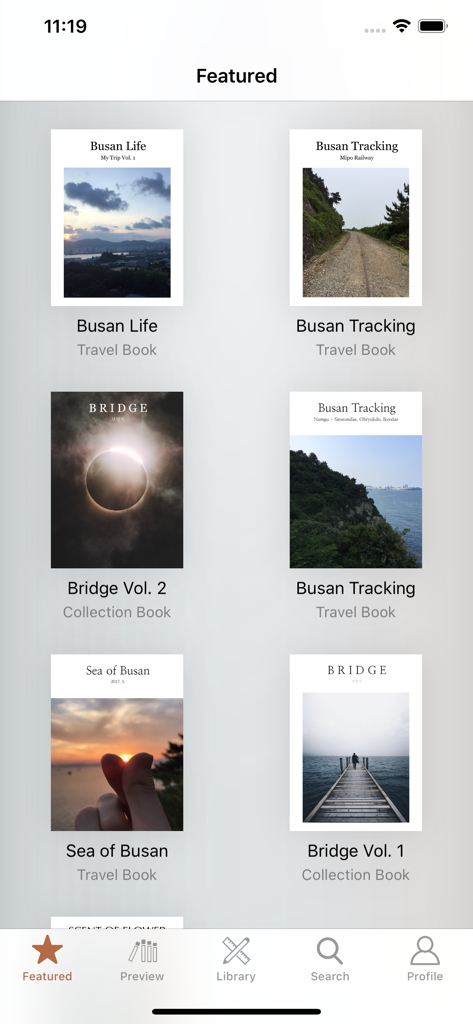
Book Writer - Una galería que muestra libros de viajes y colecciones destacados dentro de la aplicación Book Writer
Una galería que muestra libros de viajes y colecciones destacados dentro de la aplicación Book Writer

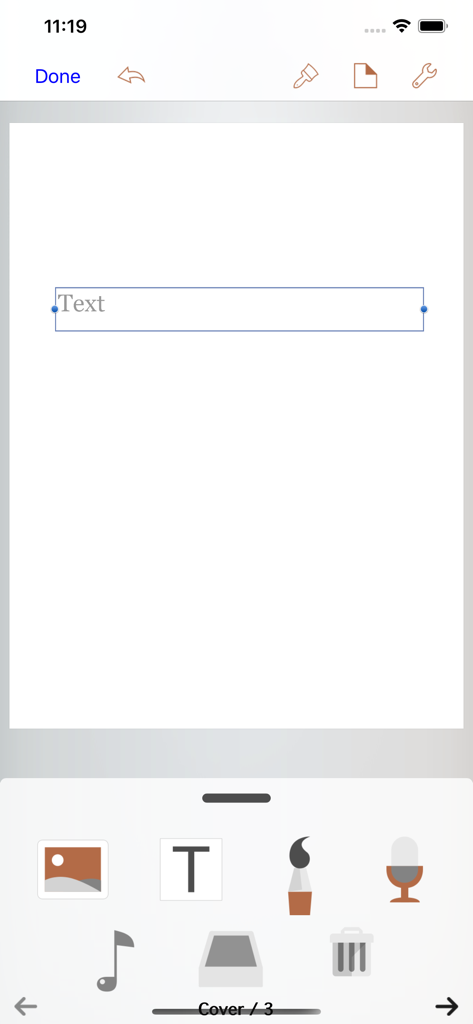
Book Writer - La interfaz del editor de la aplicación Book Writer mostrando herramientas de creación multimedia y un cuadro de texto en una página en blanco.

La interfaz del editor de la aplicación Book Writer mostrando herramientas de creación multimedia y un cuadro de texto en una página en blanco.

Descripción

Take Note, Organize Thoughts, Make a Book. Share with the World. Make your own book with Book Writer. Anyone can easily make a book. Make an interactive book and enjoy making and reading the books you made! You can use it in school, work, and at home to make all types of books such as photo book, recipe book, diary, PR booklet, PDF documents, and etc. Making a multimedia book You can add pictures, text, voice recordings, songs, and videos on the page. You can use the camera to take pictures or videos and add them right on to the book. You can draw image and edit image using Pen Tool. Provides interactive functions such as item connection and auto play to make your book more fun. Easy and intuitive interface Children of all ages can easily use the interface. Use the Item Bar to add items to the page by drag&drop. All text are shown on the page in real time with the In-Page text editor that is provided. Use the Undo function to return to the previous work. Share your books You can share your book with others using Book World. Join the Book World and upload your book to Book World, and follow your favorite author. Books in Book World can be read on diverse smartphone, PC and Mac. You can share your book with Book Writer on Dropbox, iTunes or via E-mail. Read through iBooks The books made with Book Writer can be read through iBooks. You can read your book in Book Writer directly, or Book World web reader. Paperbook publish service You can publish your book to paperbook using Paperbook publish service. Published books can also be seen in Book World via smartphone, PC, Mac. In Class Book Writer is being used in many countries by thousands of people for educational use. Book Writer helps students to make a book by organizing their thoughts. With an intuitive interface, anyone can easily express and organize their thoughts. 50% discount for educational institutions. Use App Store Volume Purchase Program to purchase Book Writer. For more details - http://www.apple.com/itunes/education/ Main Functions Templates are provided to make books of different styles and formats. Choosing a layout style automatically relocates your items. Use drag & drop to easily add items. You can use the photos from Photo Library to add to the book, or can add pictures taken directly from camera. Pictures can be moved, the size can be adjusted, and you can rotate or crop the pictures by touching. Text box item can be added to the page to input text. Supports fonts and styles of various types. You can draw image and edit image using Pen Tool. You can add videos from your album or you can directly record videos with your camera to add them. Use recorder to record your voice and add to the book, or add music from Music Library to your book. Bring any music from Music Library to add as your background music. Use the auto play function to automatically play the media at the time you want. Item connection function is provided to connect your pictures or text to sound items. The Undo function allows you to return to your previous work. Use the Page Editor to add or delete pages or change the order of the page by using drag & drop. You can combine two books together. The completed book can be read in ‘Reading Mode’. Books that have been created can be shared via Book World, iTunes, E-mail, Dropbox, etc. Share your book with others using Book World. And can be read on many smartphone, PC, Mac. You can publish your book to paperbook using Paperbook publish service. Save your book as a PDF document or you can use AirPrint or use Export to print the books The standard E-book format, epub, is supported to read the made books with iBooks and you can register your books on iBookstore. Book Writer supports the fixed-layout format of iBooks. The fixed-layout format is not ideal for books with long text like novels. Online support is included. Please visit our homepage - http://goodeffect.com

Download

Descargar en App Store

Esta página no es una página oficial de la aplicación ni de su desarrollador, sino una publicación editorial independiente creada con fines informativos y de comentario. Salvo que se indique expresamente lo contrario, ni la aplicación ni su desarrollador están afiliados, respaldados, patrocinados, autorizados ni conectados oficialmente con MWM, Apple, Google Play, el editor de la aplicación ni su desarrollador, y nada en esta página implica que la aplicación haya sido desarrollada utilizando los servicios de MWM. Todas las marcas comerciales, logotipos, capturas de pantalla y demás contenidos son propiedad de sus respectivos propietarios.








