Brother iPrint&Scan

Brother iPrint&Scan

Descargar en App StoreDescargar en Google Play
Logo de Brother iPrint&Scan

Brother iPrint&Scan: Impresión y Escaneo Inalámbricos Simplificados

Imprime documentos, escanea a la nube y envía faxes directamente desde tu dispositivo móvil. Elimina el intermediario del ordenador con la herramienta definitiva de productividad para tu impresora Brother.

Editor

Brother Industries, LTD.

Categoría

Utilities

Descargas

16M+

Valoración

2.7/5

Total valoraciones

16K+

Idiomas

21

Eficiencia en Movimiento

Descubre la interfaz utilizada por 16M+ usuarios.
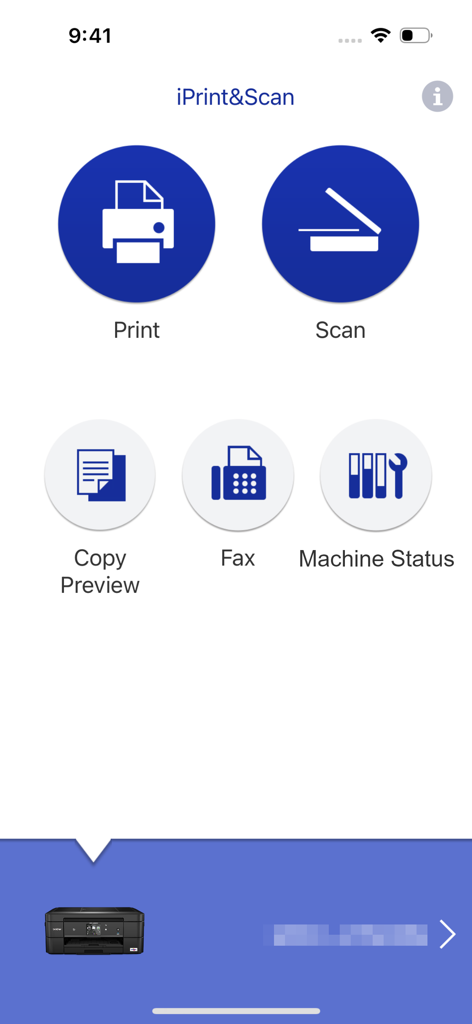
Interfaz principal de la aplicación Brother iPrint and Scan con opciones de impresión y escaneo

Interfaz principal de la aplicación Brother iPrint and Scan con opciones de impresión y escaneo

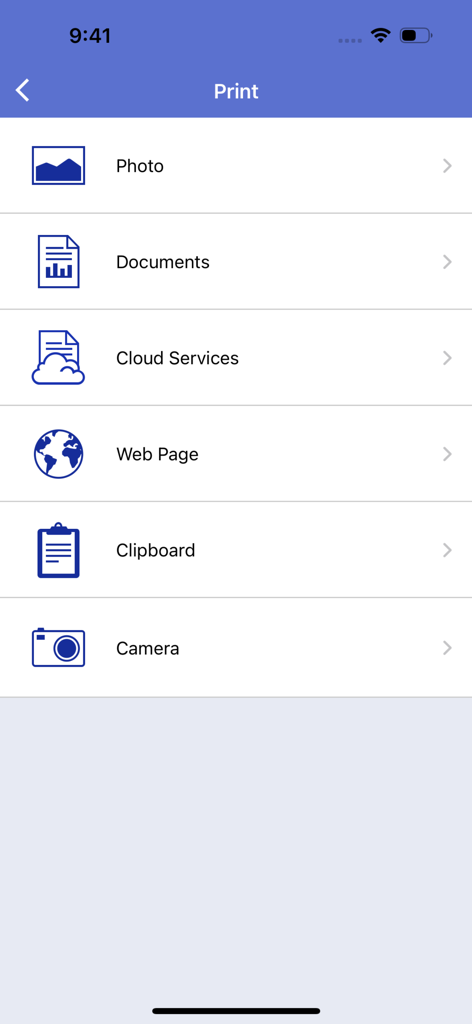
Pantalla principal del menú de impresión de la aplicación Brother iPrint and Scan mostrando opciones para imprimir fotos, documentos, archivos en la nube, páginas web y más.

Pantalla principal del menú de impresión de la aplicación Brother iPrint and Scan mostrando opciones para imprimir fotos, documentos, archivos en la nube, páginas web y más.

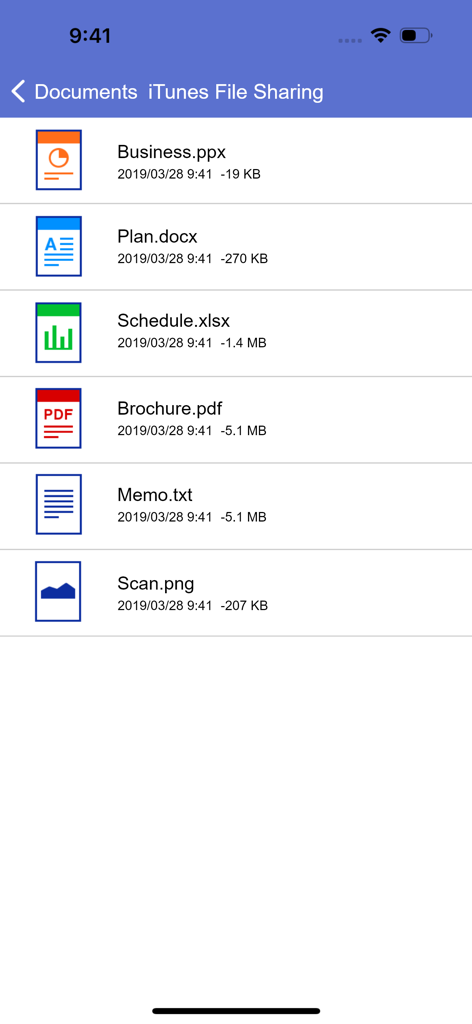
Lista de documentos en la aplicación Brother iPrint and Scan mostrando archivos PDF, Word y Excel para impresión móvil

Lista de documentos en la aplicación Brother iPrint and Scan mostrando archivos PDF, Word y Excel para impresión móvil

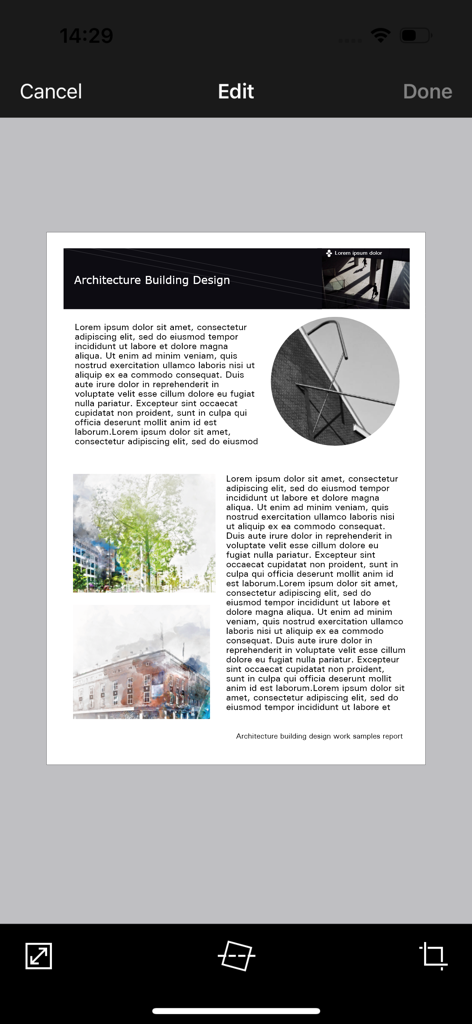
Interfaz de la aplicación móvil Brother iPrint and Scan mostrando un documento en edición con herramientas para recortar y enderezar

Interfaz de la aplicación móvil Brother iPrint and Scan mostrando un documento en edición con herramientas para recortar y enderezar

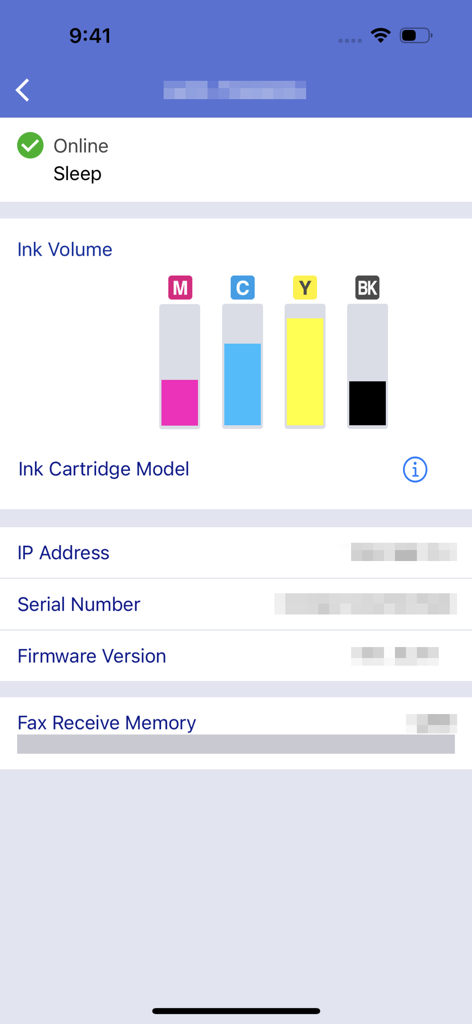
Interfaz de la aplicación Brother iPrint and Scan mostrando los niveles de volumen de tinta y el estado de la máquina

Interfaz de la aplicación Brother iPrint and Scan mostrando los niveles de volumen de tinta y el estado de la máquina

Domina tu Oficina desde tu Bolsillo

Las herramientas que hacen destacar esta app, elegida por 16M+ usuarios.

📲

Impresión en la Nube con un Solo Toque

Imprime contratos, etiquetas de envío y documentos directamente desde iCloud, Dropbox o OneDrive en segundos.

📄

Escaneo Móvil Inteligente

Digitaliza papeles sobre la marcha. Escanea directamente a tu teléfono, edita para mayor claridad y envía por correo electrónico como PDF sin ordenador.

📠

Fax Remoto y Mantenimiento

Gestiona faxes legales y monitoriza los niveles de tinta de forma remota para estar siempre preparado para tu próximo gran proyecto.

Análisis de reseñas

Información de las reseñas de usuarios.

Puntuación de sentimiento

31%
Negativo

Resumen

The app receives mixed feedback, with users often praising its ease of use, simple setup, and effective wireless printing capabilities for various document and image types. Many find it convenient for printing remotely, even with older printers. However, a significant number of users report persistent connectivity issues, particularly following iOS updates (e.g., iOS 26), and general unreliability. Frustrations also stem from perceived missing features like comprehensive paper size options, consistent double-sided printing controls, and limitations in scanning functionality, alongside reports of app crashes and version-specific bugs on devices like iPhone 17.

Temas comunes

Connectivity(4)
Ease of Use & Setup(3)
Wireless Printing(3)
Image Manipulation(2)
Paper Size Options(1)
iOS Compatibility & Bugs(1)

Sobre la app

Todo lo que necesitas saber sobre Brother iPrint&Scan.

Descripción

Brother iPrint&Scan is a free app that enables you to print from and scan to your iOS device (iPhone / iPod touch / iPad). Use your local wireless network to connect your iOS device to your Brother printer or all-in-one. Some new advanced functions have been added, including edit, fax send, fax preview, copy preview, and machine status. Visit your local Brother website for a list of supported models. [Key Features] - Easy to use menu. - Simple steps to print your favorite photos, web pages and documents (PDF, Word, Excel®, PowerPoint®, Text). - Print photos directly from your iPhone camera. - Print PDF files or Microsoft® Office documents or Text files by starting the app from "Open in..." - Print your documents and photos directly from the following cloud services: Dropbox™, OneDrive, Evernote®. - Print what you copied to the clipboard. - Use iTunes File Sharing to send compatible files (PDF, Word, Excel®, PowerPoint®, Text, JPEG, PNG, TIFF) to iPrint&Scan for convenient printing at a later time. - Scan directly to your iPhone/iPod touch/iPad. - Save scanned images to your photo album, iCloud or Facebook / X / Flickr accounts or send them in an E-mail (PDF, JPEG). - Print scanned images saved to iCloud from this app. - Automatically search for supported devices on a local wireless network. - No computer and no driver required. *To save scanned images directly to Facebook / X / Flickr, you must first register your accounts on your mobile device. [Advanced Functions] (Only available on new models.) - Edit previewed images using the editing tools (scale, straighten, crop) if necessary. - Send a fax directly from your mobile device. (This app feature requires access to the address book of your mobile device.) - View received faxes stored on your machine on your mobile device. - The copy preview function enables you to preview an image and edit it if necessary before copying to avoid copy errors. - View the machine’s status such as ink/toner volume and error messages on your mobile device. *Compatible functions will depend on the selected device. [Compatible Print Settings] - Paper Size - 4" x 6" (10 x 15cm) Photo L (3.5" x 5" / 9 x 13 cm) Photo 2L (5" x 7" / 13 x 18 cm) A4 Letter Legal A3 Ledger - Media Type - Glossy Paper Plain Paper - Copies - Up to 5 [Compatible Scan Settings] - Document Size - A4 Letter 4" x 6" (10 x 15cm) Photo L (3.5" x 5" / 9 x 13 cm) Card (2.4" x 3.5" / 60 x 90 mm) Legal A3 Ledger - Scan Type - Color Color (Fast) Black & White [Access Permission Information] You must check and allow the essential access permissions below to use Brother iPrint&Scan service. Essential Permission • Contact information: access to your contact numbers is needed when you use functions like fax, but you can limit access to the specific contact necessary for the service. Optional Permission • Location information: It is requested only when you use device search features like Wi-Fi Direct, Bluetooth, or NFC. Optional data is required to use the corresponding function, and even if permission is not granted, services other than the corresponding function can be used. *Compatible settings will depend on the selected device and function. *Evernote is a trademark of Evernote Corporation and used under a license. *Microsoft, Excel, and PowerPoint are either registered trademarks or trademarks of Microsoft Corporation in the United States and/or other countries. *To help us improve the application, send your feedback to Feedback-mobile-apps-ps@brother.com. Please note that we may not be able to respond to individual emails.

Última versión

6.15.4

Tamaño

37.4 MB

Fecha de lanzamiento

29 jul 2010

Toma el Control Total de tu Impresora Brother en Cualquier Lugar

Únete a más de 16 millones de profesionales y familias que han abandonado el ordenador. Imprime documentos, escanea a la nube y envía faxes directamente desde tu teléfono para un flujo de trabajo fluido y centrado en el móvil.

Descargar en App StoreDescargar en Google Play
FAQ

Preguntas Frecuentes

Todo lo que necesitas saber sobre Brother iPrint&Scan

¿Qué es Brother iPrint&Scan?

Brother iPrint&Scan es una aplicación gratuita que permite a los usuarios imprimir y escanear desde sus dispositivos iOS. Se conecta a impresoras y equipos multifunción Brother compatibles a través de una red inalámbrica local.

¿Cómo imprimo documentos usando Brother iPrint&Scan?

Sí, Brother iPrint&Scan permite imprimir fotos, páginas web y documentos como archivos PDF, Word, Excel, PowerPoint y de texto. Los usuarios también pueden imprimir desde servicios en la nube como Dropbox.

¿Puede Brother iPrint&Scan escanear imágenes a mi dispositivo iOS?

Sí, Brother iPrint&Scan permite escanear directamente a iPhone, iPod touch o iPad. Las imágenes escaneadas se pueden guardar en el álbum de fotos, iCloud o compartir a través de correo electrónico, cuentas de Facebook, X o Flickr.

¿Brother iPrint&Scan soporta la impresión en la nube?

Sí, Brother iPrint&Scan soporta la impresión de documentos y fotos directamente desde servicios en la nube. Los servicios compatibles incluyen Dropbox, OneDrive y Evernote.

¿Qué formatos de archivo son compatibles con Brother iPrint&Scan para imprimir a través de Compartir Archivos de iTunes?

Brother iPrint&Scan soporta archivos compatibles como PDF, Word, Excel, PowerPoint, Texto, JPEG, PNG y TIFF para imprimir a través de Compartir Archivos de iTunes.

¿Puedo verificar el estado de mi impresora Brother con iPrint&Scan?

Sí, Brother iPrint&Scan permite a los usuarios ver el estado del equipo, incluyendo los niveles de tinta o tóner y los mensajes de error, directamente en su dispositivo móvil.

¿La aplicación Brother iPrint&Scan es gratuita para descargar y usar?

Sí, Brother iPrint&Scan es una aplicación gratuita. Permite imprimir y escanear desde dispositivos iOS sin ningún costo.

¿Brother iPrint&Scan requiere una computadora o controlador para operar?

No, Brother iPrint&Scan no requiere una computadora ni ningún controlador para su funcionamiento. Se conecta directamente a dispositivos Brother compatibles a través de una red inalámbrica local.

¿Puedo enviar faxes usando la aplicación móvil Brother iPrint&Scan?

Sí, los usuarios pueden enviar faxes directamente desde su dispositivo móvil utilizando Brother iPrint&Scan. Esta función está disponible en modelos nuevos y requiere acceso a la agenda del dispositivo.

¿Qué funciones avanzadas de edición están disponibles en Brother iPrint&Scan?

Brother iPrint&Scan ofrece herramientas de edición avanzadas para las imágenes previsualizadas. Los usuarios pueden escalar, enderezar y recortar imágenes según sea necesario, asegurando una salida óptima antes de imprimir o copiar.

¿Qué permisos de acceso solicita Brother iPrint&Scan?

Brother iPrint&Scan requiere acceso a información de contacto esencial para funciones de fax e información de ubicación opcional para funciones de búsqueda de dispositivos como Wi-Fi Direct o Bluetooth.

¿Cómo se conecta Brother iPrint&Scan a una impresora Brother?

Brother iPrint&Scan se conecta a una impresora o equipo multifunción Brother utilizando la red inalámbrica local. La aplicación busca automáticamente los dispositivos compatibles en la red.

App information, icons, screenshots, and descriptions displayed on this page are sourced from the Apple App Store and are the property of their respective developers. Download estimates and rankings are based on MWM's proprietary models and may not reflect actual figures. This page is provided for informational and analytical purposes only.

Believe this page infringes your intellectual property? File a dispute