ClinoScope

ClinoScope

Descargar en App Store
Logo de ClinoScope

ClinoScope: Inclinómetro 3D Profesional para Nivelación de Precisión

Transforme su iPhone en una herramienta de alta precisión para la construcción, la calibración de audio y los deportes. Rastree cabeceo, balanceo y guiñada con gráficos en tiempo real y capture pruebas de trabajo con instantáneas con marca de tiempo.

Descargar en App Store

Editor

TOON,LLC

Categoría

Utilities

Descargas

2K+

Valoración

1.0/5

Total valoraciones

0

Idiomas

1

Precisión Visualizada

Descubre la interfaz utilizada por 2K+ usuarios.
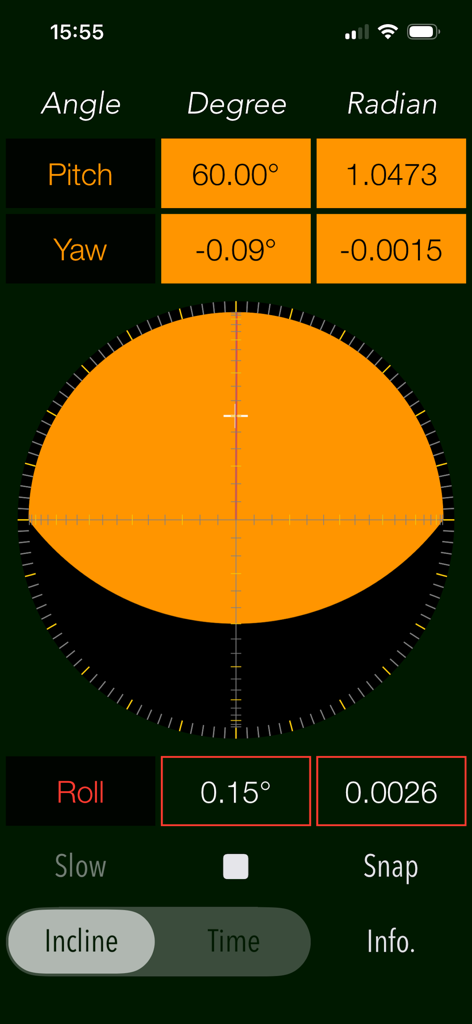
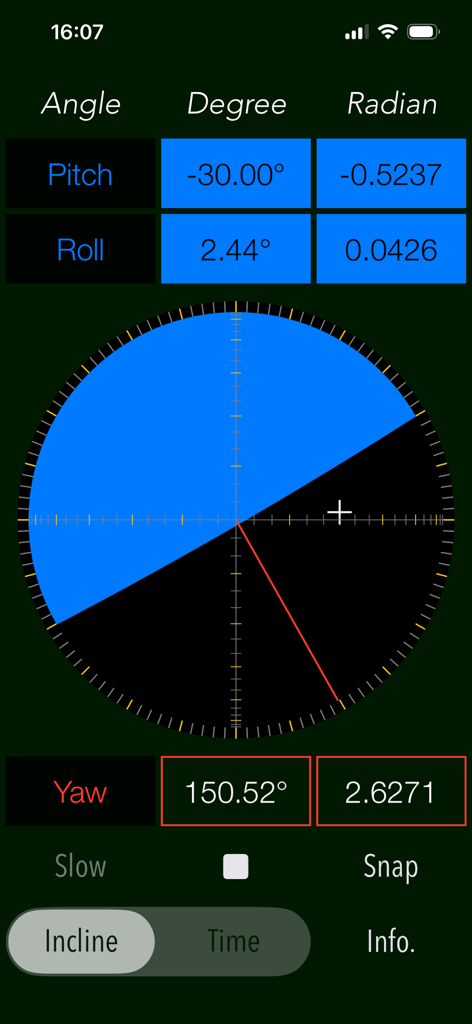
Interfaz del inclinómetro 3D ClinoScope que muestra mediciones de cabeceo, guiñada y balanceo en tiempo real

Interfaz del inclinómetro 3D ClinoScope que muestra mediciones de cabeceo, guiñada y balanceo en tiempo real

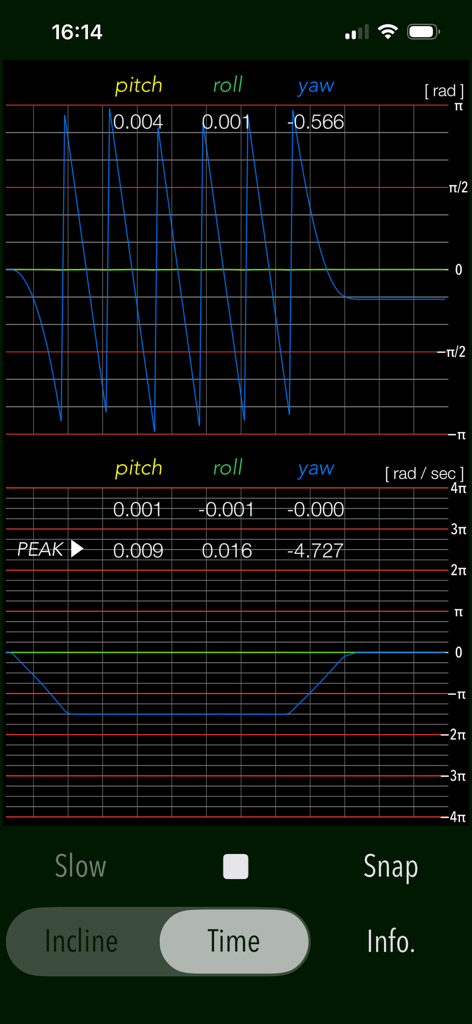
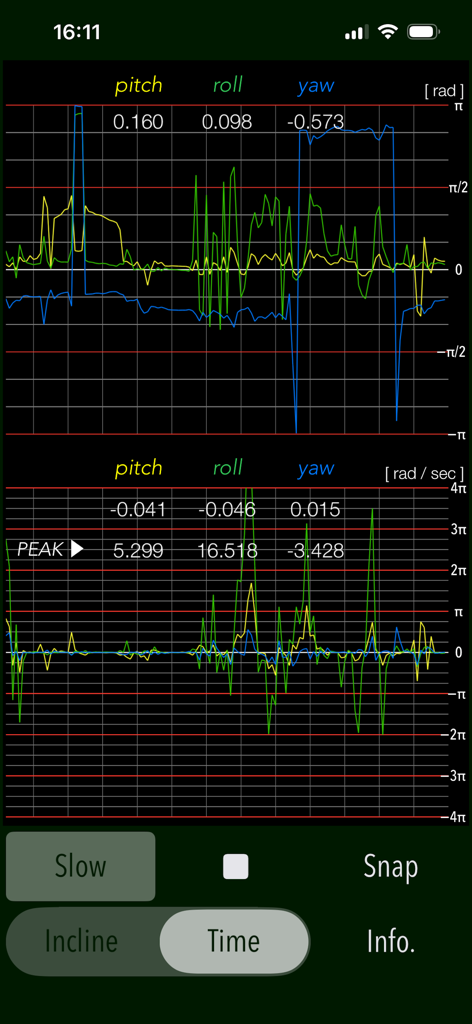
Gráfico en tiempo real de los sensores de cabeceo, balanceo y guiñada en la aplicación ClinoScope

Gráfico en tiempo real de los sensores de cabeceo, balanceo y guiñada en la aplicación ClinoScope

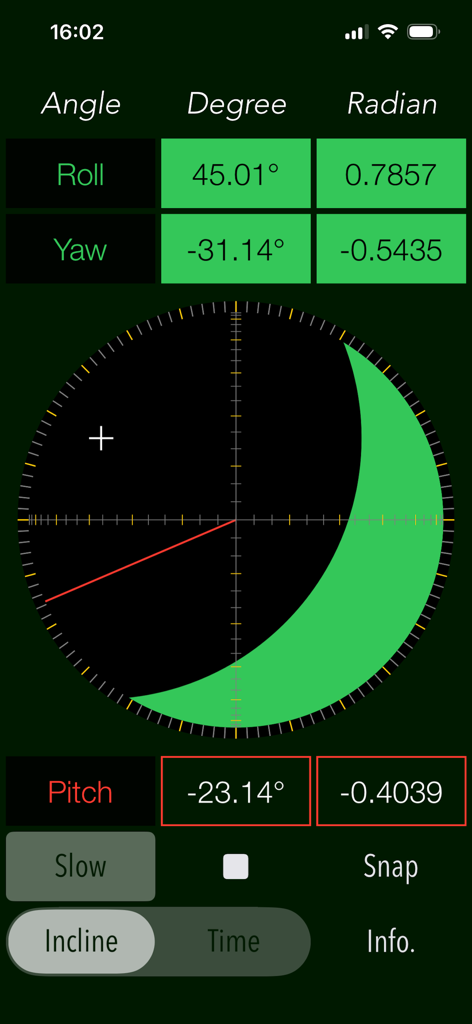
Interfaz de la aplicación ClinoScope que muestra la inclinación 3D con mediciones de cabeceo, balanceo y guiñada

Interfaz de la aplicación ClinoScope que muestra la inclinación 3D con mediciones de cabeceo, balanceo y guiñada

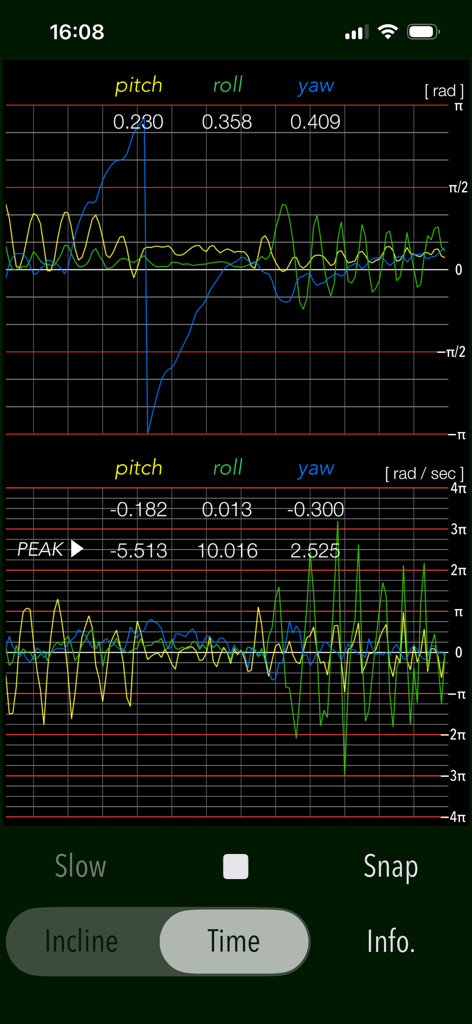
Gráficos de medición de cabeceo, balanceo y guiñada en tiempo real en el modo TIME de la aplicación ClinoScope

Gráficos de medición de cabeceo, balanceo y guiñada en tiempo real en el modo TIME de la aplicación ClinoScope

Interfaz de la aplicación ClinoScope que muestra mediciones del inclinómetro tridimensional para balanceo, guiñada y cabeceo en grados y radianes

Interfaz de la aplicación ClinoScope que muestra mediciones del inclinómetro tridimensional para balanceo, guiñada y cabeceo en grados y radianes

Gráficos en tiempo real de los ángulos de cabeceo, balanceo y guiñada y la velocidad angular en la aplicación ClinoScope

Gráficos en tiempo real de los ángulos de cabeceo, balanceo y guiñada y la velocidad angular en la aplicación ClinoScope

Domine cada Ángulo con Precisión Profesional

Las herramientas que hacen destacar esta app, elegida por 2K+ usuarios.

🎯

Detección de 3 Ejes de Alta Precisión

Aproveche los sensores internos de su iPhone para obtener datos de inclinación de grado clínico en cabeceo, balanceo y guiñada con retroalimentación visual en tiempo real.

📊

Seguimiento de Movimiento en Tiempo Real

Utilice el modo TIME para graficar la velocidad angular y la estabilidad, proporcionando la información científica necesaria para la calibración de equipos delicados.

Prueba de Trabajo Documentada

Capture y guarde instantáneamente las mediciones con marcas de tiempo y datos de orientación para verificar la precisión de la nivelación para los clientes o registros del proyecto.

Sobre la app

Todo lo que necesitas saber sobre ClinoScope.

Descripción

"ClinoScope" is a handy incline analysis tool that measures tilt angles and the three-dimensional inclination of objects relative to gravity, using your iPhone’s accelerometer and gyro sensors. You can quickly check slopes in various places, like uneven floors, leaning buildings, or leveling equipment. It can display the current terminal posture in real time by two measurement modes: INCLINE mode for inclinometer readings and TIME mode for a gyro-positioning time graph. Features: - Optimized for iPhone, Compact code size. - Measurement of three-dimensional angles of elevation, slope or inclination. - Inclination measurement function (INCLINE) - Gyro-positioning time graph function (TIME) - Switching function of sensor sampling period (SLOW): fast 10Hz / slow 1Hz - Snapshot (SNAP): Capture the measurement results to Photos. Applications: - Measurement of tilt states, such as furniture and floors. - Adjustment of the horizontal reference level when installing the equipment. - Measuring angle on moving vehicles. - Setting adjustment, such as audio equipment. - Use in various Sports, for example, measurement of the green inclination angle of the golf. Functions: 1) INCLINE (3-dimensional inclinometer) INCLINE mode utilizes the information of the acceleration sensor and operates as the three-dimensional inclinometer. It displays the angle and gradient in visually in accordance with the spatial attitude of the iPhone devices. The measurement display is slightly different by the terminal posture state (FaceUp, Portrait, Landscape) as follows: - FaceUP (Terminal horizontal, Flat): FaceUP is the state that the terminal has become horizontal to the ground plane. In this case, it appears the angle of pitch and roll in the arc, and the angle of yaw in the circle needle. It also displays the cross mark (+) on the position of the zenith (or the nadir), such as seeing the terminal from directly above. - Portrait (Vertical possession): Portrait is a state that you have hold the terminal to the vertical. The lower side of the Home button is standard. In this case, it appears the angle of pitch and yaw in the arc, and the angle of the roll in a circle needle. - Landscape (Horizontal possession): Landscape is the state that you have got sideways a terminal, the home button right side will be the standard. In this case, it appears the angle of roll and yaw in the arc, and the angle of the pitch in the circle needle. 2) TIME (time graph) TIME mode is used to see in real time the data of the 3-axis (pitch / yaw / roll) angle and the angular velocity output from the gyro sensor to display the graph. Please use this mode in the state of FaceUP. - Angle display: pitch: -π/2 - π/2 [rad] (-90° - +90°) yaw: -π - π [rad] (-180° - +180°) roll: -π - π [rad] (-180°- +180°) - Acceleration: pitch/yaw/roll: -4π(-12.56) - +4π(12.56) [rad/sec] 3) Snapshot Measurement results can be saved as a picture image in the Photo Library. Time stamp and device orientation information will also be displayed. # Display of device orientation: - Flat: indicates terminal horizontal and is synonymous with FaceUP. - Portrait: indicates Vertical possession. - Landscape: indicates Horizontal possession. Note: - Avoid using the device with excessive acceleration as it may cause device malfunction. - To ensure accurate posture measurement, turn off “Portrait Orientation Lock” in the iPhone's Control Center. Please visit our iOS app support page for more information on this app.

Última versión

7.0

Tamaño

0.4 MB

Fecha de lanzamiento

26 abr 2016

Precisión en su Bolsillo. Resultados en los que Puede Confiar.

Ya sea que esté nivelando un sitio de trabajo profesional, calibrando audio de alta gama o leyendo el green, obtenga la precisión basada en datos que necesita. Descargue ClinoScope y transforme su iPhone en un inclinómetro 3D de nivel profesional hoy mismo.

Descargar en App Store

App information, icons, screenshots, and descriptions displayed on this page are sourced from the Apple App Store and are the property of their respective developers. Download estimates and rankings are based on MWM's proprietary models and may not reflect actual figures. This page is provided for informational and analytical purposes only.

Believe this page infringes your intellectual property? File a dispute