CuadraTurnos PMM PRO - Policía

CuadraTurnos PMM PRO - Policía

Descargar en App Store
Logo de CuadraTurnos PMM PRO - Policía

CuadraTurnos PMM PRO - Policía: El Gestor Profesional de Turnos Creado para las Fuerzas del Orden

Toma el control de tu horario rotativo, realiza un seguimiento de compañeros y estadísticas de patrulla, y equilibra tu servicio con tu vida, todo en una aplicación segura y sin anuncios diseñada para la 'Thin Blue Line'.

Descargar en App Store

Editor

SY Technologies & Computer Solutions Spain, S.L.

Categoría

Productivity

Descargas

16K+

Valoración

3.5/5

Total valoraciones

0

Idiomas

2

Precisión en Cada Turno

Descubre la interfaz utilizada por 16K+ usuarios.
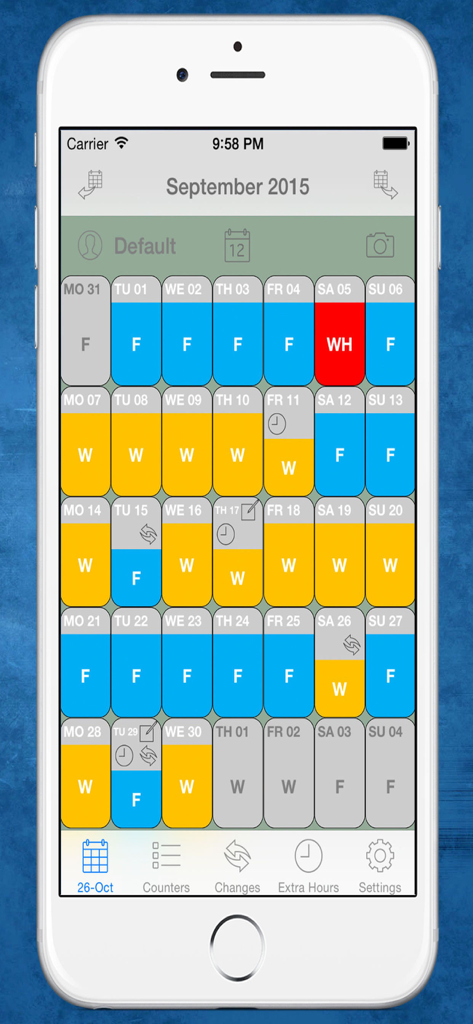
Vista de calendario mensual que muestra turnos de trabajo y días de descanso codificados por colores para agentes de policía

Vista de calendario mensual que muestra turnos de trabajo y días de descanso codificados por colores para agentes de policía

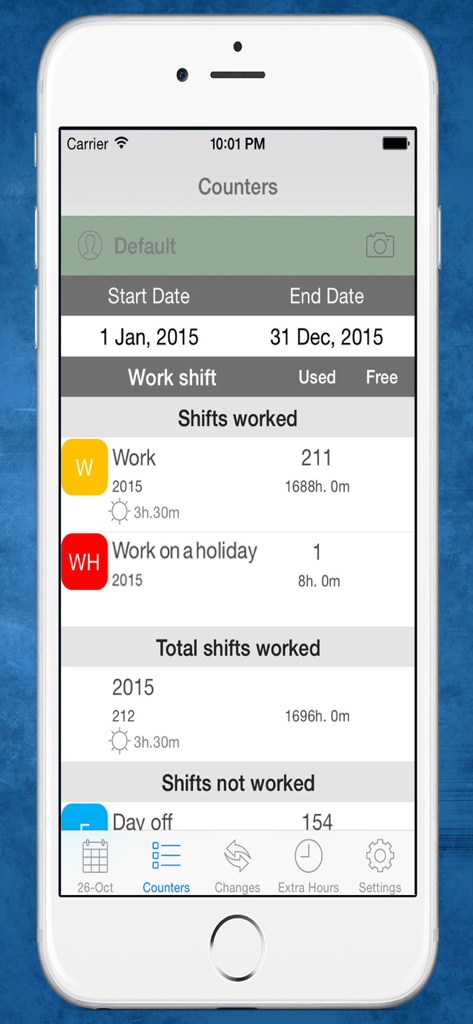
Pantalla de estadísticas de la aplicación CuadraTurnos PMM PRO que muestra turnos de trabajo policial y total de horas trabajadas durante el año.

Pantalla de estadísticas de la aplicación CuadraTurnos PMM PRO que muestra turnos de trabajo policial y total de horas trabajadas durante el año.

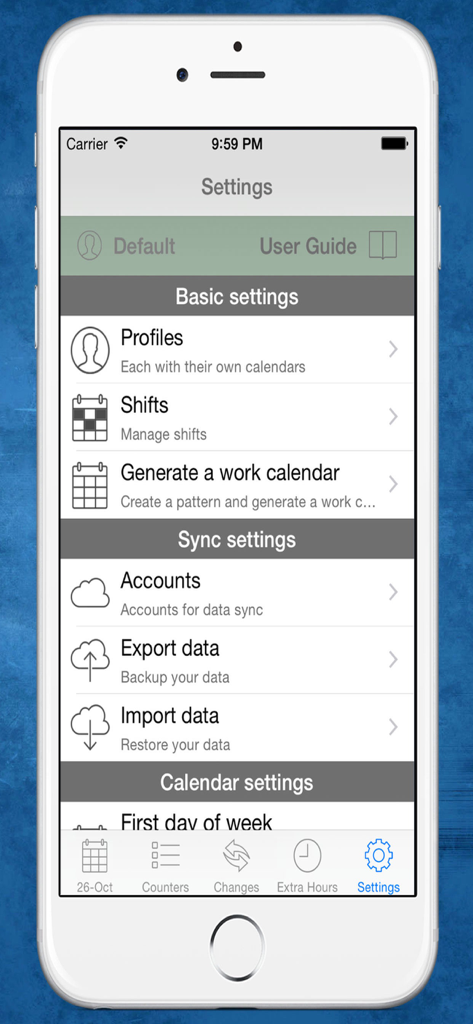
Pantalla de configuración de la aplicación de policía CuadraTurnos PMM PRO que muestra opciones de gestión de perfil y turnos

Pantalla de configuración de la aplicación de policía CuadraTurnos PMM PRO que muestra opciones de gestión de perfil y turnos

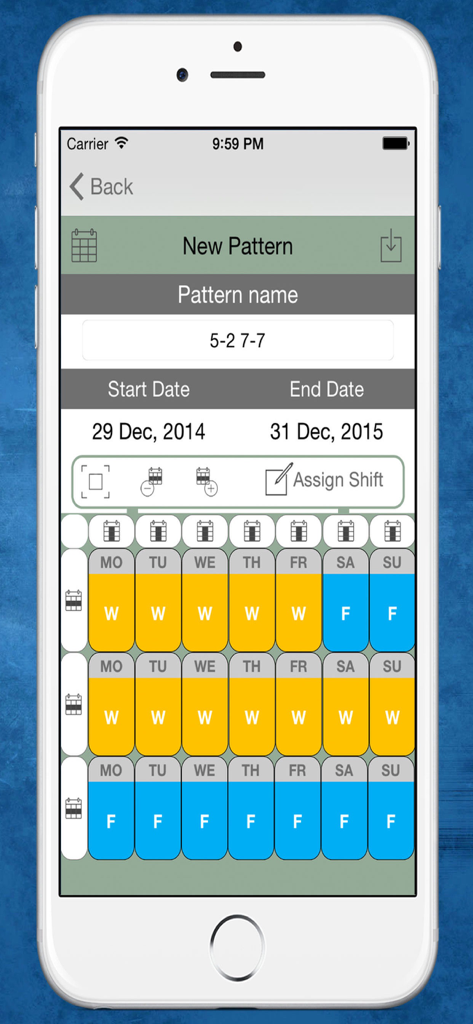
Interfaz para crear un nuevo patrón de turnos de trabajo en la aplicación CuadraTurnos PMM PRO que muestra un horario de varias semanas de trabajo y días libres

Interfaz para crear un nuevo patrón de turnos de trabajo en la aplicación CuadraTurnos PMM PRO que muestra un horario de varias semanas de trabajo y días libres

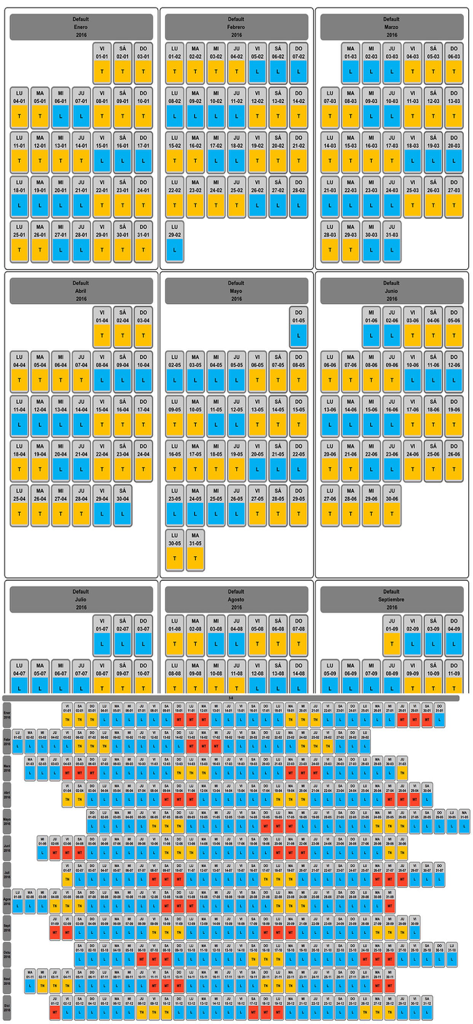
Calendario de rotación de turnos mensual y anual para agentes de policía con días de trabajo y descanso codificados por colores

Calendario de rotación de turnos mensual y anual para agentes de policía con días de trabajo y descanso codificados por colores

Toma el Mando de tu Calendario de Servicio

Las herramientas que hacen destacar esta app, elegida por 16K+ usuarios.

📅

Patrones de Patrulla Automatizados

Genera el calendario de todo el año en segundos configurando rotaciones personalizadas como turnos 4-on/2-off o Panamá, para que puedas planificar el tiempo en familia con meses de antelación.

👮

Registros de Servicio Profesionales

Documenta detalles críticos de cada jornada, incluyendo el nombre de tu compañero, el ID del vehículo y el tipo de patrulla para asegurar que siempre estés preparado para futuros testimonios judiciales.

📊

Seguimiento de Horas Extras y Productividad

No pierdas ni un céntimo rastreando horas extra y trabajos secundarios con contadores integrados que resumen automáticamente tus días de trabajo, horas extras y estadísticas de patrulla.

Sobre la app

Todo lo que necesitas saber sobre CuadraTurnos PMM PRO - Policía.

Descripción

Languages: English and Spanish. This version is an adapted version for police, in which, besides having your shift calendar always with you, you can have important policial information associated with each service as the partner with whom to perform the service, type of service provided (patrol by car , by motorbike, on foot, ...), vehicle used, ... You will also have access, apart from statistics of workdays and days off, to other statistics, called productivity, where it shows the number of days they have patrolled by car, by motorbike, on foot, .... Shift Cal - Cuadra Turnos is an essential app designed for people with shift work. This app will help you manage and organize your work schedule in a simple and intuitive way and will let you take it in your iPhone or iPad. - PRO VERSION - No ads. - Create your own work calendar from the 'Settings' tab by clicking 'Generate work calendar' option and setting up a pattern. - Set your work shift in a particular day: just make a long press or a double tap on that day in the calendar and choose among the different types of day available. - PRO VERSION - You can set up to 3 shifts per day. - Create and modify all types of day you need: From the 'Shifts' option in the Settings tab. - App comes with the following 'shifts' already created (T-work, TF-Work on a holiday, L-Day off, LF-Day off on a holiday, V-holidays). - PRO VERSION - Create as many work calendars as you need (peers, family, ...) from the 'Settings' tab by clicking 'Profiles' option. - PRO VERSION - Manages shifts, patterns and notes independently in each profile. - PRO VERSION - Compare work calendars of the existing profiles from the 'Settings' tab by clicking 'Compare Work Calendars' option. - PRO VERSION - Quick access buttons to annual view, compare profiles and screenshot at the top of the main screen. (Filter by months / years) - Manage daily data fields: You can set the visibility and order of data fields in workdays and in days off. - PRO VERSION - It's allow to create new daily data fields and also editing existing data daily fields. - You will find statistics of workdays, hours worked and overtime in COUNTERS tab. - Control your shift changes and the partner with whom you do it from the CHANGES tab, the calendar displays a small icon in the day on which you have made ​​a shift change. - Control overtime you make. The calendar displays a small icon in the day on which you have made overtime, you will find summarized information in day detail and more information in EXTRA HOURS tab. - Write down as many notes as you need for each day of the week and you can even set a start and end time for each note as if it were an organizer. The calendar displays a small icon in the day on which you have notes. - PRO VERSION - Set notifications in the notes to be notified on the date and time specified. - You will have an overview of your year calendar: To access, simply click the 'Year View' button. - You can export and import your data: you can make backups of your data and restore them whenever you want, even in different devices. Backup files are compatible with all Shift Cal - Cuadra Turnos apps. - Export and import your data via Dropbox. - PRO VERSION - To recover data from the Free version just export the data from the Free version and restore it in the PRO version. - Screenshot: generates a png image or pdf file of the tab in which you are or year view which you can share via bluetooth, email, whatsapp ... - Associate images/photos to a day is possible. (Only 1 image/photo by day in free version). - Productivity information available.

Última versión

2.31

Tamaño

36.7 MB

Fecha de lanzamiento

2 dic 2015

Toma el Mando de tu Turno y de tu Vida

Únete a miles de profesionales de las fuerzas del orden que confían en CuadraTurnos PMM PRO para rastrear sus horas extras, gestionar rotaciones complejas y mantenerse sincronizados con sus compañeros y familias. Sin anuncios: solo las herramientas que necesitas para el trabajo.

Descargar en App Store

App information, icons, screenshots, and descriptions displayed on this page are sourced from the Apple App Store and are the property of their respective developers. Download estimates and rankings are based on MWM's proprietary models and may not reflect actual figures. This page is provided for informational and analytical purposes only.

Believe this page infringes your intellectual property? File a dispute