ES file explorer: El administrador de archivos de nivel de escritorio para tu iPhone
Toma el control total de tu almacenamiento móvil. Organiza, visualiza y analiza sin esfuerzo tus documentos, fotos y multimedia con una interfaz potente diseñada para una máxima productividad y velocidad.
Editor
alkesh dudhat
Categoría
Utilities
Descargas
27K+
Valoración
2.4/5
Total valoraciones
0
Idiomas
15
Tus Archivos, Visualizados
Descubre la interfaz utilizada por 27K+ usuarios.
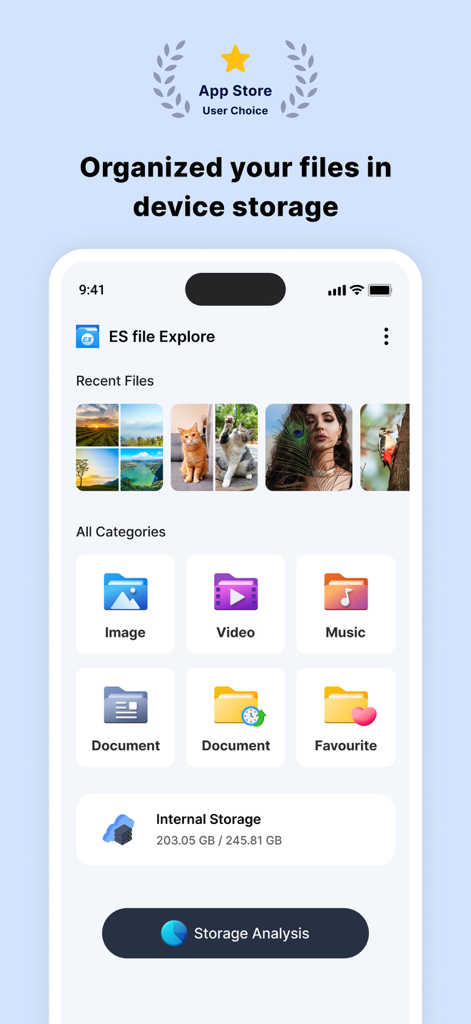
Panel de ES File Explorer que muestra categorías de archivos y análisis de almacenamiento en un iPhone
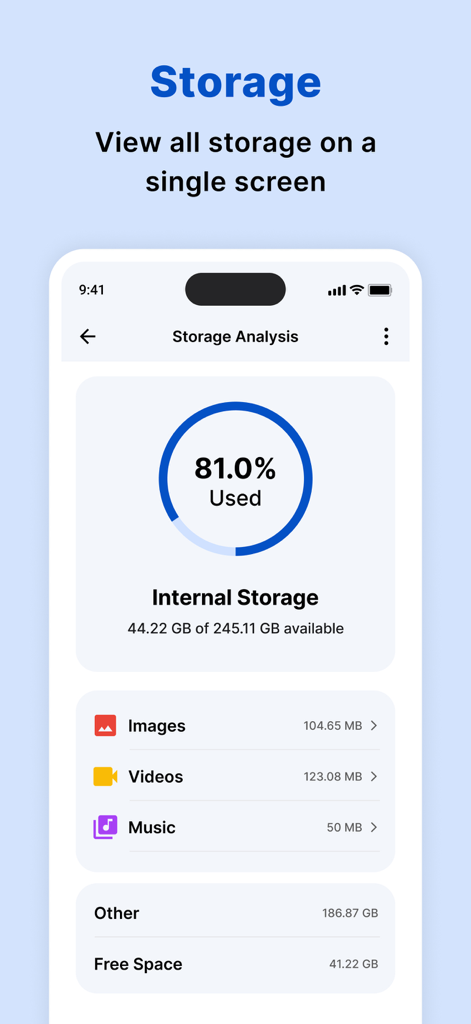
Panel de análisis de almacenamiento que muestra el uso del almacenamiento interno y el desglose de categorías
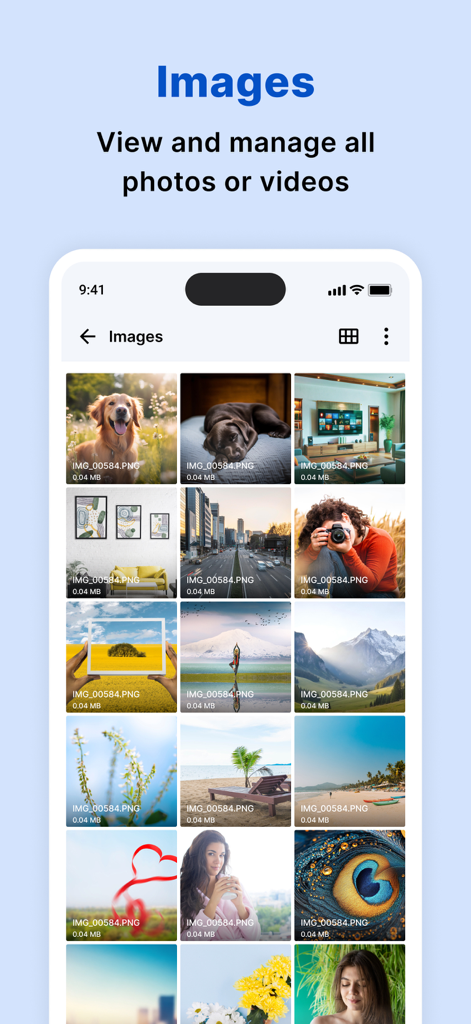
Aplicación ES file explorer que muestra una cuadrícula organizada de imágenes y fotos en un iPhone
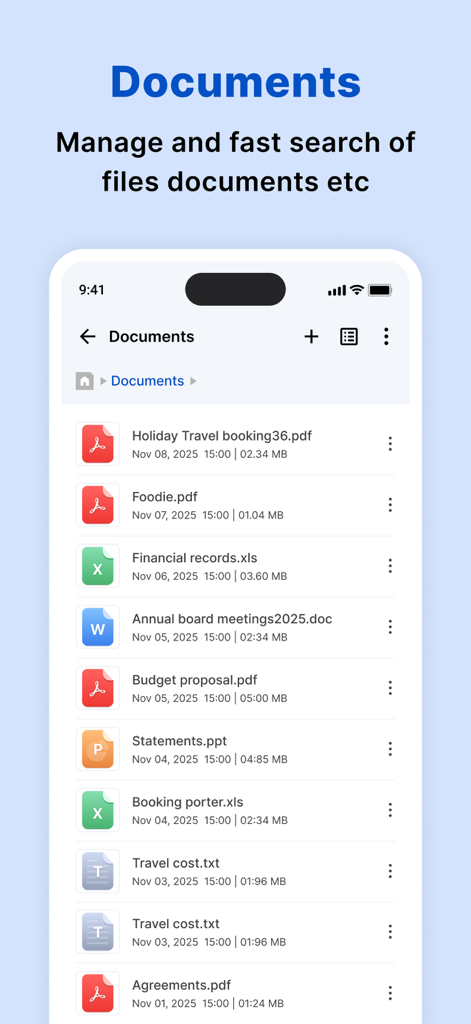
Una lista de varios documentos, incluidos archivos PDF y Excel, en la aplicación ES file explorer.
Interfaz del reproductor de video HD integrado de ES File Explorer que muestra a una persona nadando bajo el agua.
Toma el mando total de tu almacenamiento móvil
Las herramientas que hacen destacar esta app, elegida por 27K+ usuarios.
📊
Análisis Inteligente de Almacenamiento
Identifica al instante archivos grandes y desorden con un panel visual para recuperar el valioso espacio de tu iPhone y optimizar el rendimiento.
📁
Organización de Nivel de Escritorio
Navega por tus archivos con una estructura familiar basada en carpetas y categorías inteligentes que facilitan la búsqueda de documentos y multimedia recientes.
⚡
Reproductor Multimedia Integrado
Abre y reproduce cualquier formato de video, audio o documento directamente dentro de la aplicación, sin tener que cambiar entre diferentes herramientas de terceros.
Sobre la app
Todo lo que necesitas saber sobre ES file explorer.
Descripción
My Files helps you manage and organise any file stored on your device.
Using My Files, you can view your images, videos, audio files and documents,To find the My Files folder, search using the app search or in the default iPhone folder on your apps screen.
My Files sorts your files into categories, such as Images, Videos, Audio and documents. If you have recently opened a file and are trying to locate it, tap “recents” to access or delete the file.
My Files can perform an analysis of the storage usage of the files stored on your device.
How to manage files on your iPhone?
iPhone devices have a My Files app to access and manage files such as documents, pictures, videos, audio files, and documents.One of the strengths of My Files app is that the manager has a very simple interface. This simplicity turns out to be highly useful to help you find any element you're looking for in seconds. Another interesting aspect is that it displays the files you've modified recently to access them more quickly.
features:
• Built-in viewers and players for various file types: click to play music/videos, check image(s) and document(s)
• Quick browsing through categories like: file type, downloads, recent files, and large files.
• Check available storage with just a glance on a simple dashboard.
• Search your photos by date, size, date created, date opened.
• Multiple selection and various sorting support.
My Files helps you manage and organise any file stored on your device.
Using My Files, you can view your images, videos, audio files and documents,To find the My Files folder, search using the app search or in the default iPhone folder on your apps screen.
My Files sorts your files into categories, such as Images, Videos, Audio and documents. If you have recently opened a file and are trying to locate it, tap “recents” to access or delete the file.
My Files can perform an analysis of the storage usage of the files stored on your device.
How to manage files on your iPhone?
iPhone devices have a My Files app to access and manage files such as documents, pictures, videos, audio files, and documents.One of the strengths of My Files app is that the manager has a very simple interface. This simplicity turns out to be highly useful to help you find any element you're looking for in seconds. Another interesting aspect is that it displays the files you've modified recently to access them more quickly.
festures:
• Built-in viewers and players for various file types: click to play music/videos, check image(s) and document(s)
• Quick browsing through categories like: file type, downloads, recent files, and large files.
• Check available storage with just a glance on a simple dashboard.
• Search your photos by date, size, date created, date opened.
• Multiple selection and various sorting support.
Subscription Details:
Payment will be charged to iTunes Account at confirmation of purchase
Subscription automatically renews unless auto-renew is turned off at least 24-hours before the end of the current period
Account will be charged for renewal within 24-hours prior to the end of the current period, and identify the cost of the renewal
No cancellation of the current subscription is allowed during active subscription period
Any unused portion of a free trial period, if offered, will be forfeited when the user purchases a subscription to that publication, where applicable
Note:-
Privacy Policy: https://www.privacypolicycenter.com/alkesh_dudhat_ios/privacy.html
Terms of use: https://www.privacypolicycenter.com/view_custom.php?v=TXlabGhTL1NMSU14Q0Z1Rk1oS2NVZz09&n=Terms-Of-Use
Última versión
2.1
Tamaño
43.7 MB
Fecha de lanzamiento
21 abr 2022
Toma el control total del almacenamiento de tu iPhone hoy mismo
Únete a miles de usuarios que han cambiado el desorden digital por una organización de nivel de escritorio. Descarga ES File Explorer y empieza a gestionar tus archivos como un profesional.
App information, icons, screenshots, and descriptions displayed on this page are sourced from the Apple App Store and are the property of their respective developers. Download estimates and rankings are based on MWM's proprietary models and may not reflect actual figures. This page is provided for informational and analytical purposes only.
Believe this page infringes your intellectual property? File a dispute