Gestor de Archivos: Visor de Documentos: El Centro de Mando Definitivo para tu Espacio de Trabajo Móvil
Transforma tu iPhone y iPad en una estación de trabajo profesional. Gestiona sin esfuerzo el almacenamiento en la nube, descomprime archivos complejos y protege tus datos sensibles con la herramienta todo en uno diseñada para usuarios avanzados digitales.
Editor
SUNSHINE SOFTWARE LABS YAZILIM LIMITED SIRKETI
Categoría
Utilities
Descargas
22K+
Valoración
4.4/5
Total valoraciones
100
Idiomas
1
Tu Oficina Móvil, Visualizada
Descubre la interfaz utilizada por 22K+ usuarios.
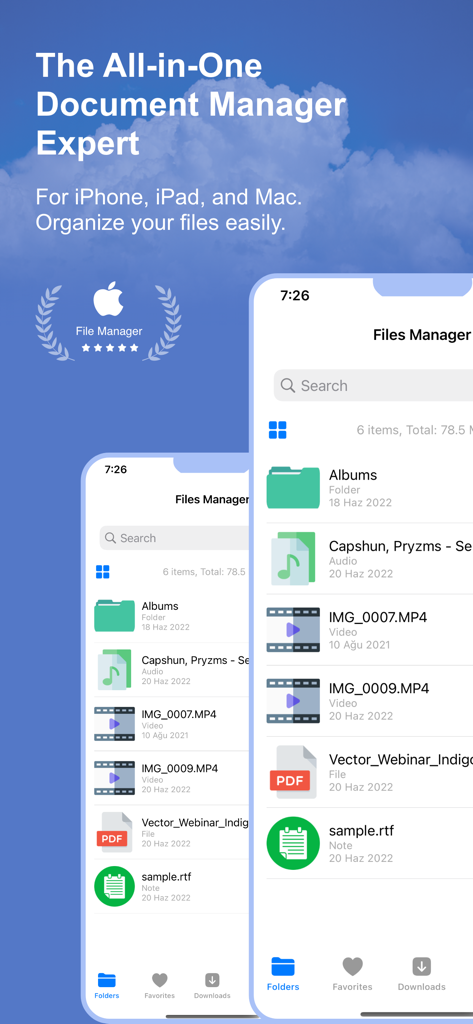
Interfaz de la aplicación Gestor de Archivos en iPhone mostrando varios tipos de archivos y funciones de organización de documentos
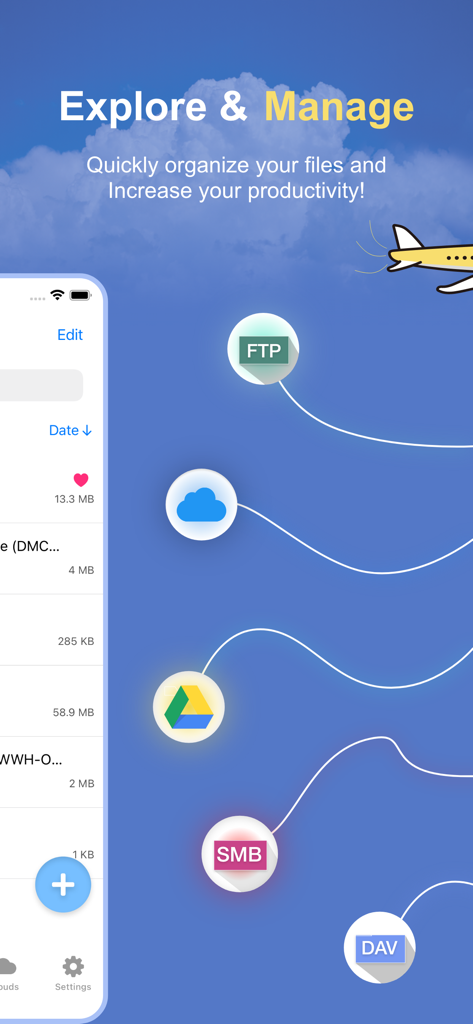
Captura de pantalla de la aplicación Gestor de Archivos mostrando el encabezado Explorar y Gestionar con iconos de almacenamiento en la nube como FTP y Google Drive
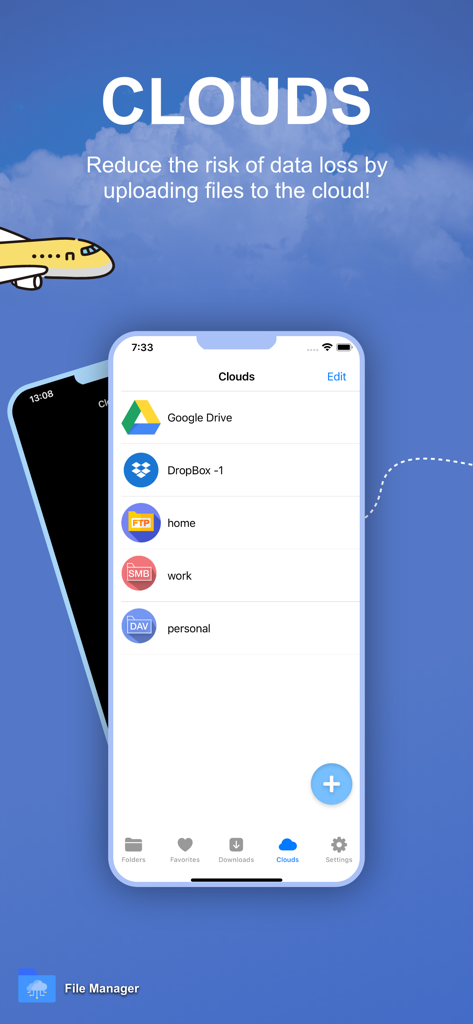
Interfaz mostrando múltiples servicios de almacenamiento en la nube integrados en la aplicación Gestor de Archivos, incluyendo Google Drive y Dropbox
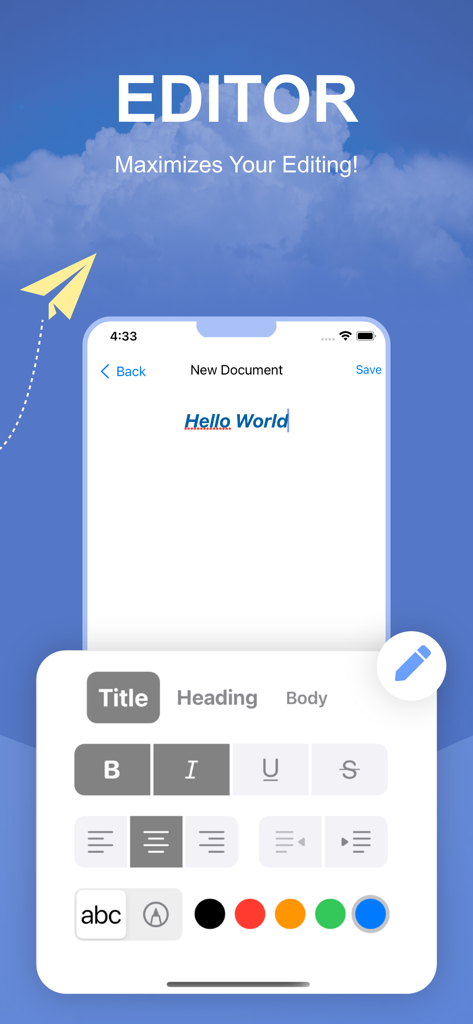
Interfaz de editor de texto enriquecido profesional en la aplicación Gestor de Archivos con varias herramientas de formato y opciones de color
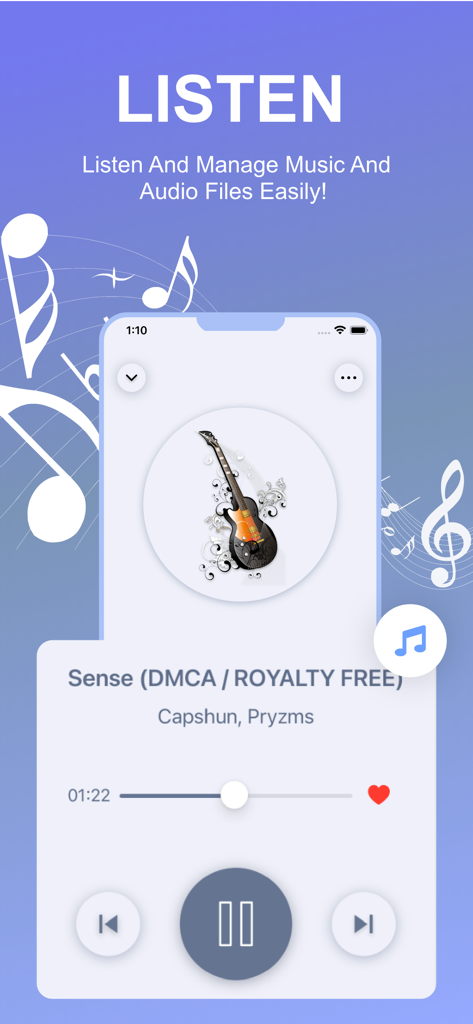
Función de reproductor de música y audio integrada en la aplicación Gestor de Archivos mostrando detalles de la pista y controles de reproducción.
Interfaz de la aplicación Gestor de Archivos destacando la función de reproducción de video con una vista nocturna de la ciudad
Interfaz de la aplicación iOS mostrando configuraciones de privacidad con protección de código de acceso, Touch ID y Face ID.
Tu Centro de Mando Móvil Profesional
Las herramientas que hacen destacar esta app, elegida por 22K+ usuarios.
☁️
Dominio Unificado de la Nube
Accede a Dropbox, Google Drive y servidores FTP en una sola interfaz. Deja de cambiar de aplicación y gestiona toda tu vida digital desde un único panel optimizado.
🔒
Seguridad de Nivel Bóveda
Mantén los documentos profesionales sensibles y los archivos privados a salvo de miradas indiscretas. Protege carpetas individuales con protección integrada de Face ID y Touch ID.
🚀
El Kit de Productividad Definitivo
Descomprime archivos RAR/7z, edita documentos de texto y anota PDFs sobre la marcha. Es la navaja suiza esencial para el profesional moderno centrado en lo móvil.
Sobre la app
Todo lo que necesitas saber sobre File Manager: Documents Viewer.
Descripción
File Manager & Cloud Organizer – the ultimate file management powerhouse for your iOS devices! This comprehensive app is designed to give you complete control over your files, whether stored locally on your iPhone or iPad or across multiple cloud platforms. Say goodbye to file chaos and embrace seamless organization with this versatile, user-friendly tool.
With File Manager & Cloud Organizer, you can effortlessly link and manage multiple cloud services such as Dropbox, Google Drive, SMB, FTP, WEBDAV, and more, all in one place. It also offers flawless integration with the native iOS Files app, enabling easy uploading and downloading of files between apps and cloud storage with just a few taps.
Whether you're at home, in the office, or on the go, File Manager & Cloud Organizer, makes organizing, viewing, and managing your files a breeze. This free app guarantees secure, fast, and efficient file management, all while providing a highly intuitive and streamlined experience.
### Key Features:
- PDF Reader: Instantly view and navigate through PDF files with the built-in reader, making it easy to access and read documents on the fly.
- Multiple Cloud Support: Connect and manage files across Dropbox, Google Drive, FTP, SMB, WEBDAV, and other cloud services in a single app, ensuring you always have access to your data, no matter where it’s stored.
- Media Player Integration: Enjoy your music and videos directly within the app, without the need for additional media players.
- Audio Recorder: Record high-quality audio directly within the app, ideal for capturing lectures, meetings, or voice memos.
- Rich Text Editor: Create and edit text documents right inside the app with the integrated text editor.
- Image Viewer: Seamlessly view and browse through image files without leaving the app.
- Uncompression Tool: Unzip and extract files from popular formats such as **Zip, Rar, and 7z**, making file extraction easier than ever.
- Effortless File Management: Copy, move, and share multiple files and folders with simple drag-and-drop functionality.
- Advanced Security: Safeguard your sensitive files with **Touch ID** or **Face ID** protection, giving you peace of mind knowing your files are secure.
- Powerful Search: Find any file in seconds with the built-in search tool, designed to sift through thousands of files and folders quickly.
- Custom Sorting: Sort your files by **Name, Date, Size, or Type**, allowing for personalized file organization and easy access to what you need.
- Folder Management: Easily create, rename, and organize folders to keep your digital workspace clean and efficient.
- File Import & Export: Import files from other apps or save them to your device effortlessly.
- URL Downloader: Download files directly from a URL, making it easier than ever to access web-based files.
- Offline Access: Download important files to your device for offline access, ensuring you’re never without your documents, even when there’s no internet connection.
File Manager & Documents truly is the all-in-one file management solution for iOS users. Whether you're a professional needing to organize work documents or just looking to keep your personal files in order, this app provides everything you need.
Take charge of your digital life today with File Manager & Cloud Organizer – the ultimate tool for file organization and productivity. Download now and experience unparalleled convenience and control over your files!
Auto-Renewable Subscription Terms:
- The payment will be charged to your Apple ID Account at confirmation of purchase.
- The subscription renews automatically unless the auto-renew is turned off at least 24 hours before the end of the current billing period.
- Your account will be charged for renewal within 24 hours before the end of your selected subscription.
- Your subscriptions can be managed, and auto-renewal can be turned off by going to your App Store Account Settings.
Terms: https://sunshine-dev.com/?page_id=98
Última versión
1.21.3
Tamaño
26.1 MB
Fecha de lanzamiento
23 jun 2022
Toma el Control Total de tu Oficina Móvil
Únete a más de 22,000 usuarios avanzados que han puesto fin al caos de archivos. Protege tus documentos, unifica tus nubes y desbloquea una productividad de nivel profesional en tu iPhone y iPad hoy mismo.
App information, icons, screenshots, and descriptions displayed on this page are sourced from the Apple App Store and are the property of their respective developers. Download estimates and rankings are based on MWM's proprietary models and may not reflect actual figures. This page is provided for informational and analytical purposes only.
Believe this page infringes your intellectual property? File a dispute