
Esta página no es una página oficial de la aplicación ni de su desarrollador, sino una publicación editorial independiente creada con fines informativos y de comentario. Salvo que se indique expresamente lo contrario, ni la aplicación ni su desarrollador están afiliados, respaldados, patrocinados, autorizados ni conectados oficialmente con MWM, Apple, Google Play, el editor de la aplicación ni su desarrollador, y nada en esta página implica que la aplicación haya sido desarrollada utilizando los servicios de MWM. Todas las marcas comerciales, logotipos, capturas de pantalla y demás contenidos son propiedad de sus respectivos propietarios.


FUJIFILM Camera Remote
Tu cámara Fujifilm, liberada del trípode y el cable. La aplicación FUJIFILM Camera Remote convierte tu dispositivo móvil en el centro de comando definitivo.
Descargas
5M+Valoración
Total valoraciones
10.4KEditor
Categoría
Photo & VideoIdiomas
12Última versión
4.9.6Tamaño
55.1 MBFecha de lanzamiento
23 ene 2014Evaluación de las capacidades clave para fotógrafos avanzados y entusiastas.
Análisis Funcional: FUJIFILM Camera Remote
Control Remoto de Disparo
Permite a los usuarios controlar la cámara a distancia para capturar imágenes y vídeos, ideal para evitar vibraciones, tomas grupales o escenarios complejos, ofreciendo flexibilidad creativa.
Vista Previa en Vivo y Ajustes Remotos
Permite a los usuarios ver una previsualización en tiempo real de la escena en su dispositivo móvil y ajustar parámetros clave de la cámara, como la exposición y el enfoque, antes de la captura.
Transferencia y Gestión de Contenido
La aplicación facilita la transferencia inalámbrica de fotos y vídeos desde la cámara al smartphone o tablet, permitiendo una revisión rápida y agilizando el flujo de trabajo para edición o publicación.
Sincronización de Información de Ubicación y Tiempo
Esta herramienta sincroniza la fecha, hora y datos de geolocalización del dispositivo móvil con las imágenes de la cámara, mejorando la organización y el archivo de las fotografías.
Preguntas Frecuentes
Todo lo que necesitas saber sobre FUJIFILM Camera Remote
What is the FUJIFILM Camera Remote app?
The FUJIFILM Camera Remote app allows users to operate wireless-equipped FUJIFILM digital cameras remotely, view and transfer images/movies, and update firmware from smartphones or tablets.
Can I remotely control my FUJIFILM camera with the FUJIFILM Camera Remote app?
Yes, the FUJIFILM Camera Remote app enables shooting images by remote control, including live view shooting and Bluetooth wireless remote shutter release, for compatible cameras.
How do I transfer images from my FUJIFILM camera to my smartphone?
The FUJIFILM Camera Remote app allows transferring images and movies to a smartphone. It supports easy transfer for Bluetooth-capable cameras and automatic import when 'Auto-Transfer' is on.
Does the FUJIFILM Camera Remote app support camera firmware updates?
Yes, the FUJIFILM Camera Remote app supports firmware updates via a smartphone or tablet for cameras with Bluetooth capability, eliminating the need for an SD memory card.
What FUJIFILM cameras are compatible with the FUJIFILM Camera Remote app?
The FUJIFILM Camera Remote app supports a wide range of cameras, including models from the GFX, X-H, X-Pro, X-T, X-S, X-E, X-M, X-A, X100 series, and FinePix series.
Can the FUJIFILM Camera Remote app synchronize time and location data?
Yes, the FUJIFILM Camera Remote app synchronizes "date and time" and/or "location information" from your smartphone or tablet with cameras that offer Bluetooth capability.
What are the iOS system requirements for the FUJIFILM Camera Remote app?
The FUJIFILM Camera Remote app requires iOS 11.0 to 17.1 for iPhone, iPad, and iPod touch. iPad WiFi and iPod touch models cannot use Geotagging functionality.
Does the FUJIFILM Camera Remote app offer a live view for remote shooting?
Yes, the FUJIFILM Camera Remote app provides live view shooting, allowing users to remotely capture images while viewing a real-time feed from the camera on their device.
Las siguientes capturas de pantalla y la descripción provienen directamente del listado oficial de la tienda de la aplicación y son propiedad del desarrollador.
App Store
Capturas
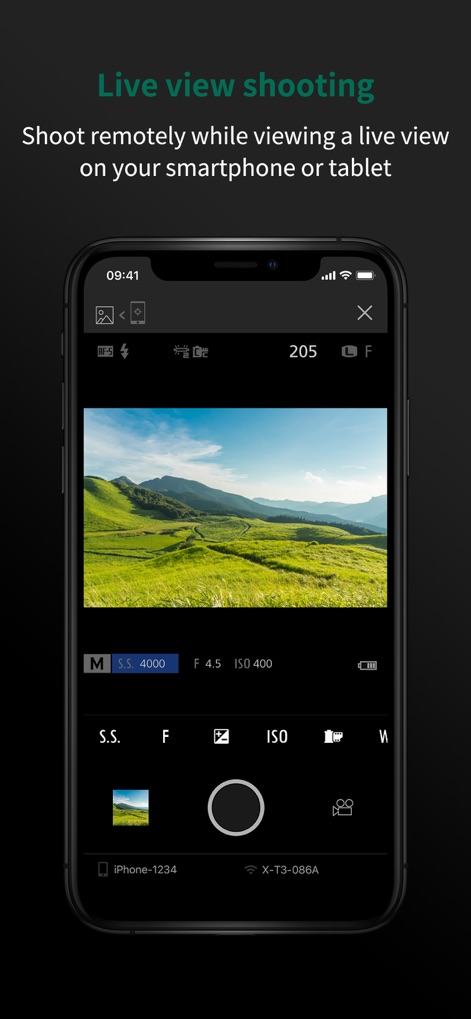
La aplicación ofrece una visión en directo desde la cámara, permitiendo a los usuarios ajustar parámetros como la velocidad de obturación (4000) y la apertura (F 4.5) directamente desde la pantalla de su dispositivo móvil para un control fotográfico avanzado.
Disparo en Vista Previa

Esta herramienta simplifica la captura a distancia, presentando un botón prominente de 'HOLD' para iniciar el disparo y una clara indicación del 'Remote camera shooting mode', facilitando operaciones remotas sin complicaciones.
Control Remoto Intuitivo
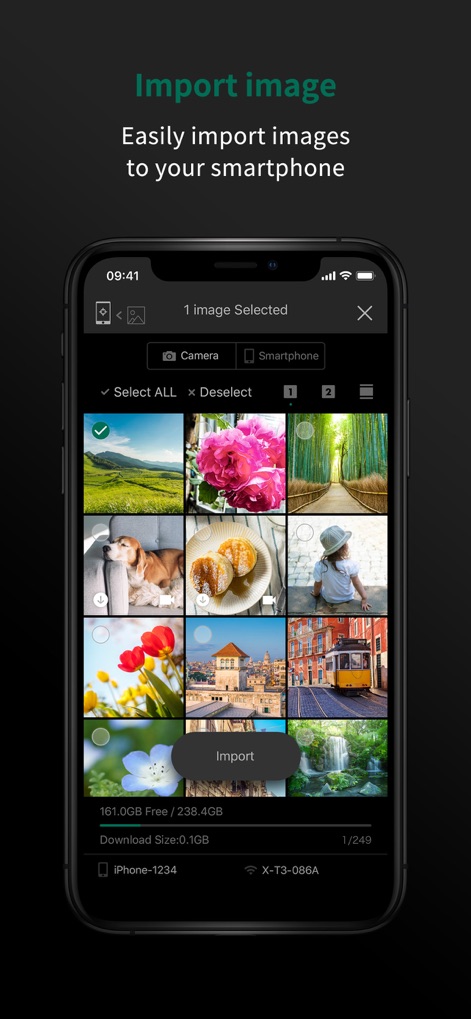
Los usuarios pueden explorar y seleccionar imágenes de forma eficiente a través de una cuadrícula visual de miniaturas, con la interfaz mostrando el número de elementos seleccionados ('1 image Selected') y un botón 'Import' para la descarga directa al smartphone.
Importación Sencilla de Fotos
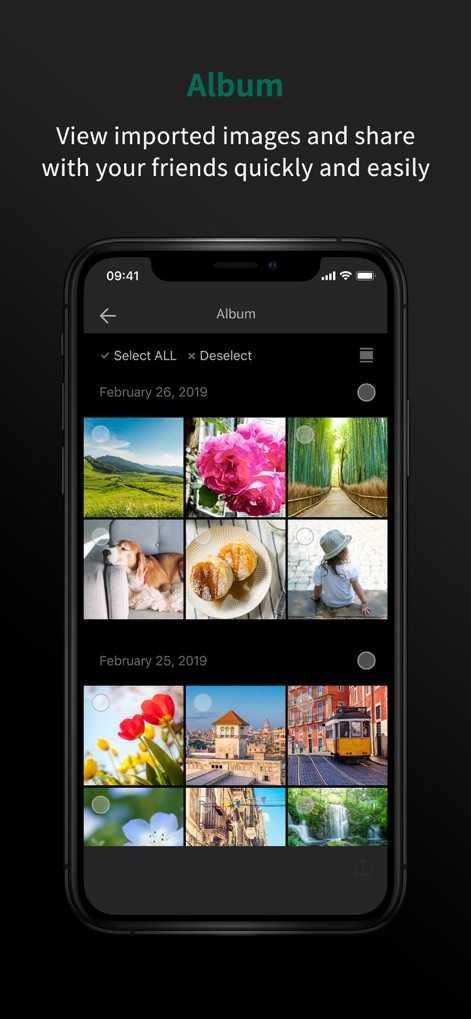
La aplicación organiza las fotografías importadas en una galería clasificada por fecha (por ejemplo, 'February 26, 2019'), ofreciendo opciones como 'Select ALL' para gestionar colecciones enteras y facilitar la compartición.
Álbum Inteligente Organizado
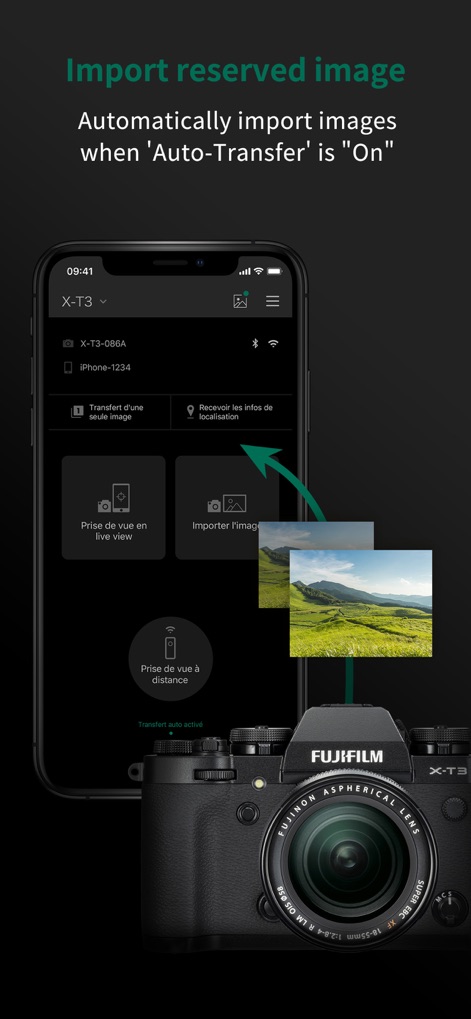
Esta función destaca la capacidad de transferencia automática, ilustrada por una flecha que indica el flujo de una imagen desde la cámara al teléfono, y la activación de la opción 'Transfert auto activé' para una sincronización ininterrumpida.
Transferencia Automática Activa
Descripción
Download
Apps Similares
Apps con características y experiencia similares

DJI Mimo
SZ DJI TECHNOLOGY CO., LTD

DJI Ronin
SZ DJI TECHNOLOGY CO., LTD

Roku TV Remote Control & Cast
Aleh Piashkou

Remote for Hisense TV.
Duscov Stepan

Alpha Linker - Camera Transfer
恒茂 刘

MyCentsys Pro
Centurion Systems (Pty) Ltd

Roku TV Remote Control・
Artur Belov

Luminair
Synthe FX, LLC

FUJIFILM XApp
FUJIFILM Corporation
Esta página no es una página oficial de la aplicación ni de su desarrollador, sino una publicación editorial independiente creada con fines informativos y de comentario. Salvo que se indique expresamente lo contrario, ni la aplicación ni su desarrollador están afiliados, respaldados, patrocinados, autorizados ni conectados oficialmente con MWM, Apple, Google Play, el editor de la aplicación ni su desarrollador, y nada en esta página implica que la aplicación haya sido desarrollada utilizando los servicios de MWM. Todas las marcas comerciales, logotipos, capturas de pantalla y demás contenidos son propiedad de sus respectivos propietarios.