Gammel

Gammel

Descargar en App Store
Logo de Gammel

Gammel: Deja de hacer cálculos mentales y celebra cada hito

Widgets bellamente diseñados para tu pantalla de bloqueo y Apple Watch que muestran la edad exacta de tus hijos, mascotas y aniversarios en semanas, meses o años.

Descargar en App Store

Editor

Luke Johnson

Categoría

Utilities

Descargas

100

Valoración

1.0/5

Total valoraciones

0

Idiomas

1

Edades de un vistazo

Descubre la interfaz utilizada por 100 usuarios.
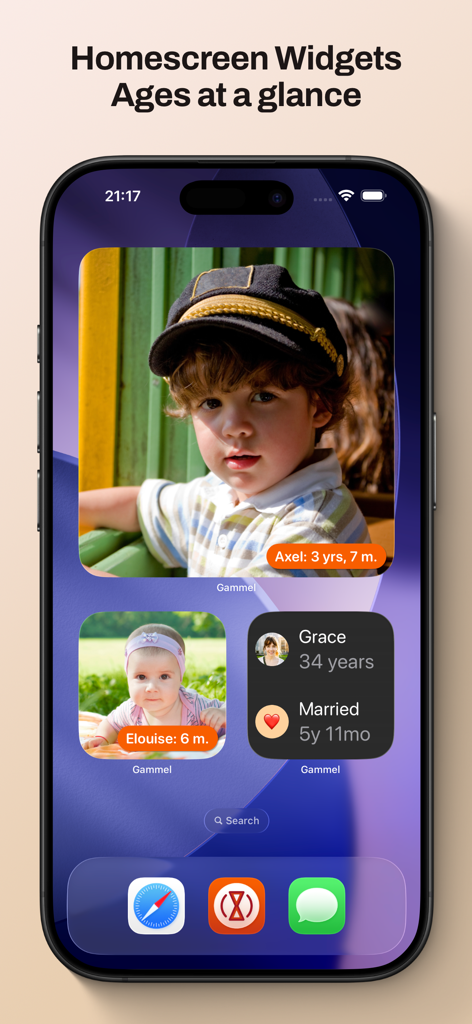
Una pantalla de inicio de iPhone con widgets de Gammel que muestran fotos y edades rastreadas de niños y un aniversario de bodas.

Una pantalla de inicio de iPhone con widgets de Gammel que muestran fotos y edades rastreadas de niños y un aniversario de bodas.

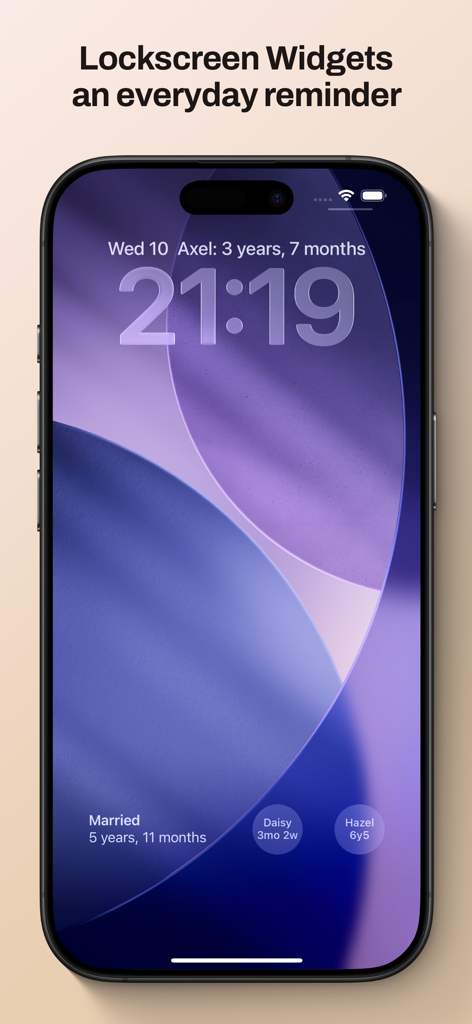
Pantalla de bloqueo del iPhone que muestra widgets de Gammel para rastrear edades y hitos familiares.

Pantalla de bloqueo del iPhone que muestra widgets de Gammel para rastrear edades y hitos familiares.

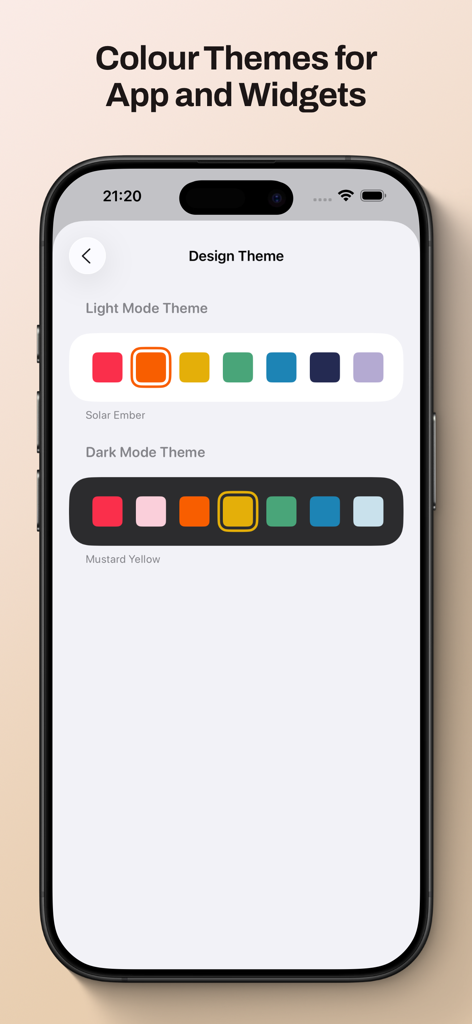
Pantalla de la aplicación Gammel que muestra opciones de tema de color en modo claro y oscuro para widgets y personalización de la interfaz.

Pantalla de la aplicación Gammel que muestra opciones de tema de color en modo claro y oscuro para widgets y personalización de la interfaz.

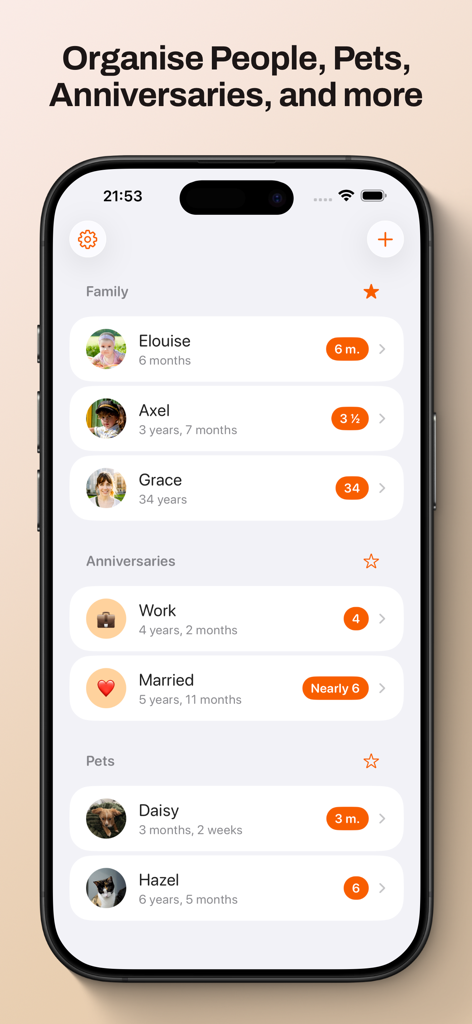
Panel de la aplicación Gammel que muestra un seguimiento de edad organizado para miembros de la familia, aniversarios y mascotas.

Panel de la aplicación Gammel que muestra un seguimiento de edad organizado para miembros de la familia, aniversarios y mascotas.

Nunca más hagas cálculos mentales

Las herramientas que hacen destacar esta app, elegida por 100 usuarios.

🍼

Lógica de edad inteligente

Realiza un seguimiento sin esfuerzo de los recién nacidos en semanas, los niños pequeños en meses y los niños en años: la aplicación ajusta automáticamente el formato a medida que crecen.

📱

Widgets de un vistazo

Coloca las edades directamente en tu pantalla de bloqueo o pantalla de inicio. Perfecto para obtener respuestas rápidas en el consultorio del médico o durante las reuniones familiares.

☁️

Sincronización privada de iCloud

Tus datos permanecen seguros y privados. Sincroniza tus hitos sin problemas en tu iPhone, iPad, Mac y Apple Watch.

Sobre la app

Todo lo que necesitas saber sobre Gammel.

Descripción

Gammel helps you remember the ages of your loved ones with easy to configure Lock Screen and Home Screen widgets. “During the first few years of my son’s life I would need to know his age in weeks, then months, and I was always having to stop and think and do maths in my head. I created Gammel so I could have a widget on my phone as a quick and easy reminder, and so I wouldn’t have to do mental calculations while lacking sleep!” — Luke, developer of Gammel Want to remember and communicate the age of your newborn or toddler? Gammel shows you their age in the most appropriate way, weeks, months, and then years. Want to track how long you’ve been married or in your current relationship? Gammel shows you how long. How about the age of your pets? Gammel has you covered there too. Puppies, dogs, cats, birds, gold fish. With Gammel, you can add your children, nieces and nephews, grandchildren, friends and family, anybody you need to remember the age of. Then, easily group those you add, and favourite which group you would like to appear at the top of your dashboard. Your data is stored in iCloud and then syncs across your iPhone, iPad, Apple Watch, and even your Mac. Widgets Add widgets to your Home Screen, Lock Screen or Apple Watch as a constant reminder. Let Gammel select the most relevant age to show you based on the people you have added, or you can set who to show yourself. On your Home Screen choose from an image widget to display a single person, or a details widget to show more. Add customised Gammel widgets to your iPhone, iPad, and Mac, and add complications to your Apple Watch so the info is right in front of you, and always at hand. Design Themes You can easily change the colour theme of Gammel, this will control the highlight colour in app and on the image Display Age widget. Age Display Style Gammel has two age display styles, Smart and Casual. Choose the style that best suits the age or anniversary you want to display. * The Smart style will display ages in days, weeks, and months for babies and toddlers, then years and months. * The Casual style is more for describing the age in casual conversation, where the exact age isn't as important Shortcuts Gammel also supports shortcuts, allowing you to get an age you have added, either the current age or how old that person was or will be given a date as an input. The output can then be passed to other shortcut steps.

Última versión

1.2.1

Tamaño

9.0 MB

Fecha de lanzamiento

23 ene 2025

Deja de hacer cálculos mentales y celebra cada hito

Únete a padres ocupados y amantes de las mascotas que usan Gammel para tener las edades de sus seres queridos en su pantalla de bloqueo. Descárgalo ahora y simplifica tu día.

Descargar en App Store

App information, icons, screenshots, and descriptions displayed on this page are sourced from the Apple App Store and are the property of their respective developers. Download estimates and rankings are based on MWM's proprietary models and may not reflect actual figures. This page is provided for informational and analytical purposes only.

Believe this page infringes your intellectual property? File a dispute