GolfGPS WinGolf-Golf Navi GPS
Descargar en App Store

Esta página no es una página oficial de la aplicación ni de su desarrollador, sino una publicación editorial independiente creada con fines informativos y de comentario. Salvo que se indique expresamente lo contrario, ni la aplicación ni su desarrollador están afiliados, respaldados, patrocinados, autorizados ni conectados oficialmente con MWM, Apple, Google Play, el editor de la aplicación ni su desarrollador, y nada en esta página implica que la aplicación haya sido desarrollada utilizando los servicios de MWM. Todas las marcas comerciales, logotipos, capturas de pantalla y demás contenidos son propiedad de sus respectivos propietarios.


Logo de GolfGPS WinGolf-Golf Navi GPS
Descargar en App Store

GolfGPS WinGolf-Golf Navi GPS

Lleva la potencia del sistema de navegación de carritos de golf #1 de Japón a tu muñeca. Domina cada hoyo con Radar de Tiro, contornos de green y seguimiento de distancia GPS de alta precisión.

Cifras Clave

Descargas

369K+

Valoración

2.7/5

Total valoraciones

600

Editor

Techno Craft.CO.,LTD.

Categoría

Sports

Idiomas

3

Última versión

4.10.4

Tamaño

83.8 MB

Fecha de lanzamiento

19 nov 2013
Funciones

Domina el Campo con Precisión de Nivel de Carrito

Lleva la tecnología de navegación profesional #1 de Japón a tu juego y elimina las conjeturas en cada tiro.

Conquista Hoyos Ciegos

Utiliza nuestro exclusivo Radar de Tiro y Línea de Ajuste para visualizar la dirección del green y los obstáculos, incluso cuando están ocultos a la vista.

Rendimiento en la Muñeca

Deja el teléfono en tu bolsa; obtén distancias instantáneas al centro del green y a los obstáculos directamente en tu Apple Watch para un ritmo de juego más rápido.

Las siguientes capturas de pantalla y la descripción provienen directamente del listado oficial de la tienda de la aplicación y son propiedad del desarrollador.

App Store

Capturas
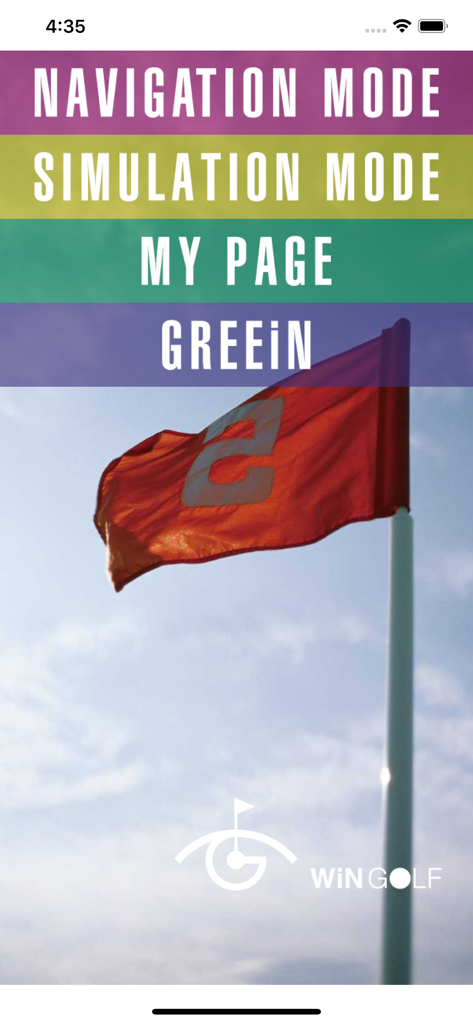
GolfGPS WinGolf-Golf Navi GPS - Pantalla de inicio de la aplicación WinGolf GPS con opciones de navegación y simulación
Pantalla de inicio de la aplicación WinGolf GPS con opciones de navegación y simulación

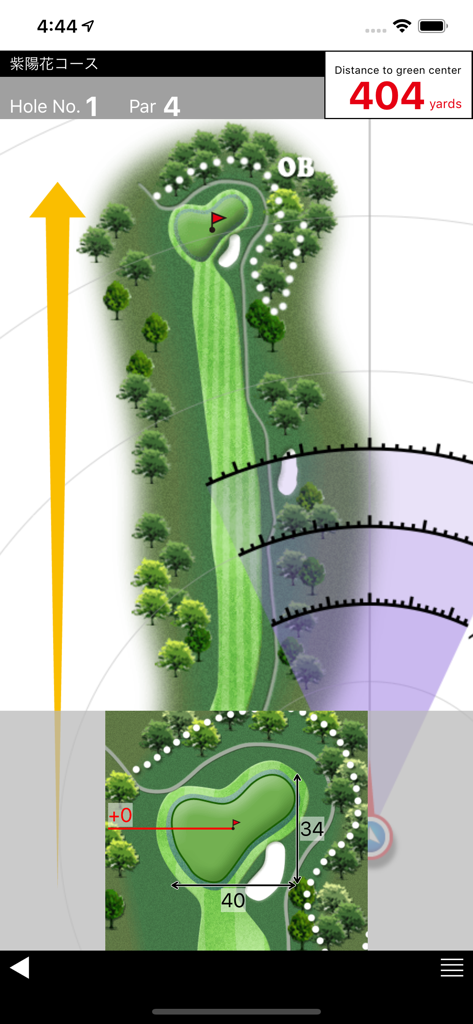
GolfGPS WinGolf-Golf Navi GPS - Aplicación de navegación de golf que muestra el mapa de la calle y la distancia al green
Aplicación de navegación de golf que muestra el mapa de la calle y la distancia al green

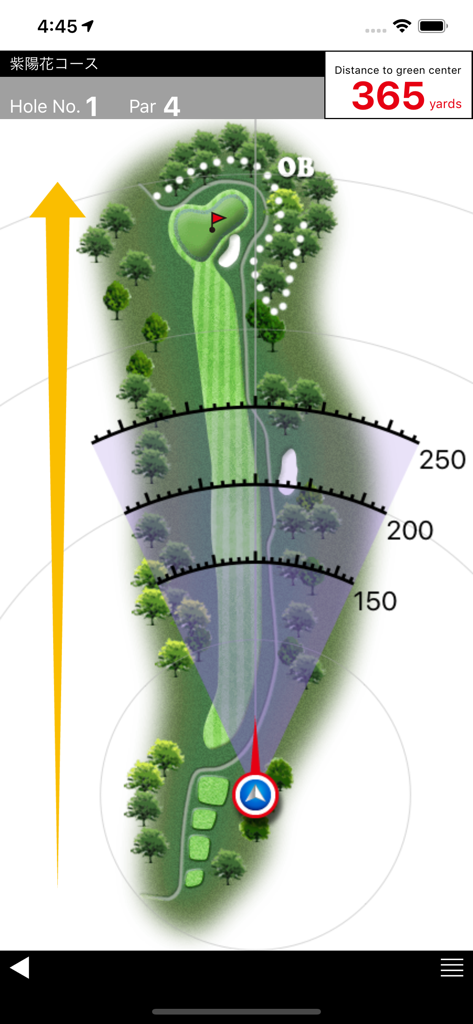
GolfGPS WinGolf-Golf Navi GPS - Diseño del campo de golf en la aplicación WinGolf que muestra arcos de distancia y distancia al green

Diseño del campo de golf en la aplicación WinGolf que muestra arcos de distancia y distancia al green

Descripción

■WiNGOLF is produced by Technocraft, Inc. makers of Marshall Navi, Japan’s #1 golf cart navigation system for safe and efficient golf course management. ■ WiNGOLF is a Golf GPS with distance to greens and hazards and clearly visible course layouts. It gives golfers the guidance they need to navigate the course. Use Adjustment Line and Shot Radar functions together to get a clear picture of green direction, so that you can get around those tricky blind holes that play havoc with your score. ■Current Location Displays your current location within the course map of each hole using GPS. ■Shot Radar Shows direction of the green from your current location. ■Adjustment Line Matches map direction to your actual direction. ■Distance to Green Center Displays distance to the center of the green. ■Distance to Hazards Uses Shot Radar function to estimate distance to hazards. ■Course Data Preload Allows you to download course data ahead of time. Check course maps from home, office, or anywhere. ■Green Detail Zooms in for enlarged view of the green. ■Green Contour Displays information about the contour of the green. (Provided by the course) Features updated regularly!! Compatibility Requires iOS 12 or later. Location: This app may use your location even when it isn’t open, which can decrease device battery life. About play with Apple Watch (What you can do with Apple Watch) ・ It is a paid service that WinGOLF can also be used with Apple Watch. ・ Because we share golf course data with iPhone, data is always up to date ・ Simple to sync with iPhone before round (Notes concerning charges) Subscription method: A system that selects a certain period and uses it. ・ 1 month: 1.99 USD ■ Details ・ Payment will be charged to your iTunes account. ・ To purchase in the period, we use the automatic continued charging function (Auto Renewable Subscription). ・ Charges for automatic renewal will be made between 24 hours before the end of the validity period and the end. ■ How to cancel automatic updating You can change / cancel automatic updating with "Settings" - "iTunes & App Store" - "Apple ID" - "View Apple ID" - "SUBSCRIPTIONS Manage" - "Auto-Renewal". Automatic updating can be stopped by setting "Auto-Renewal off" from "setting" more than 24 hours before the expiration of the validity period. ■ Privacy policy https://www.smartgolfnavi.com/HP/en/privacy_policy.html ■ Terms of service https://www.smartgolfnavi.com/HP/en/license_agreement.html (About Apple Watch compatible models) ・ Apple Watch Series 5 or later ・ Watch OS 5 or later Note about GPS: ・Set the Location Information (GPS) settings of your device to ON before use. ・Weather conditions and obstacles such as electric cables may cause data errors. ・Continued use of GPS can dramatically decrease battery life. To reduce battery loss change Wi-Fi settings to OFF during play. ・GPS data satellite transmissions may take several minutes. ・Functionality of GPS is relative to your device and OS. We cannot respond to any requests for refund or payment due to trouble arising from limited GPS functionality or any loss or damage arising from the use of this application.

Download

Descargar en App Store

Esta página no es una página oficial de la aplicación ni de su desarrollador, sino una publicación editorial independiente creada con fines informativos y de comentario. Salvo que se indique expresamente lo contrario, ni la aplicación ni su desarrollador están afiliados, respaldados, patrocinados, autorizados ni conectados oficialmente con MWM, Apple, Google Play, el editor de la aplicación ni su desarrollador, y nada en esta página implica que la aplicación haya sido desarrollada utilizando los servicios de MWM. Todas las marcas comerciales, logotipos, capturas de pantalla y demás contenidos son propiedad de sus respectivos propietarios.