‎iArtbook

‎iArtbook

Descargar en App Store
Logo de ‎iArtbook

iArtbook: Arte y Animación Digital Profesional Hechos Divertidos

Libera tu creatividad con capas ilimitadas, estabilización de caligrafía y lecciones en tiempo real. Desde time-lapses virales hasta animaciones épicas, obtén las herramientas de nivel profesional que necesitas para mejorar tu arte en iPad.

Editor

Alexander Kondrashov

Categoría

Graphics & Design

Descargas

16M+

Valoración

4.0/5

Total valoraciones

33K+

Idiomas

40

Tu Estudio, Visualizado

Descubre la interfaz utilizada por 16M+ usuarios.
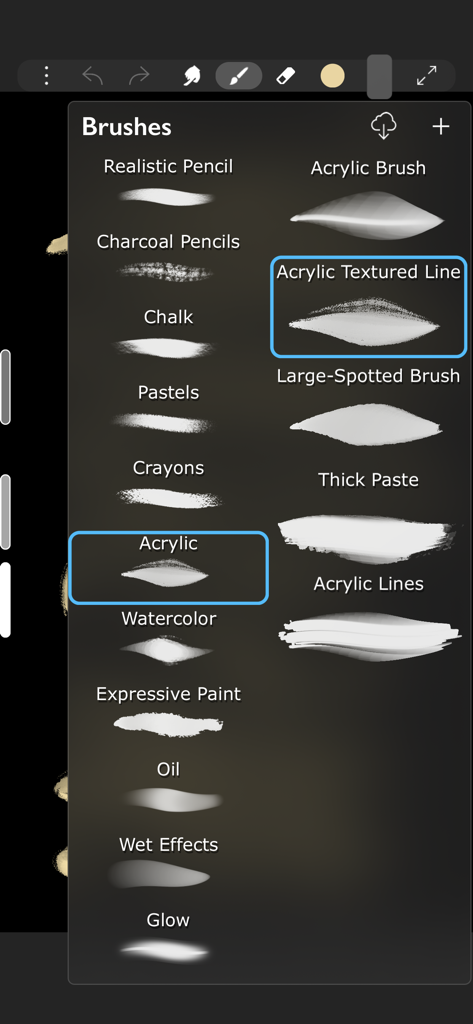
Un menú en la aplicación iArtbook que muestra varios pinceles de dibujo digital como acrílico, acuarela y carboncillo.

Un menú en la aplicación iArtbook que muestra varios pinceles de dibujo digital como acrílico, acuarela y carboncillo.

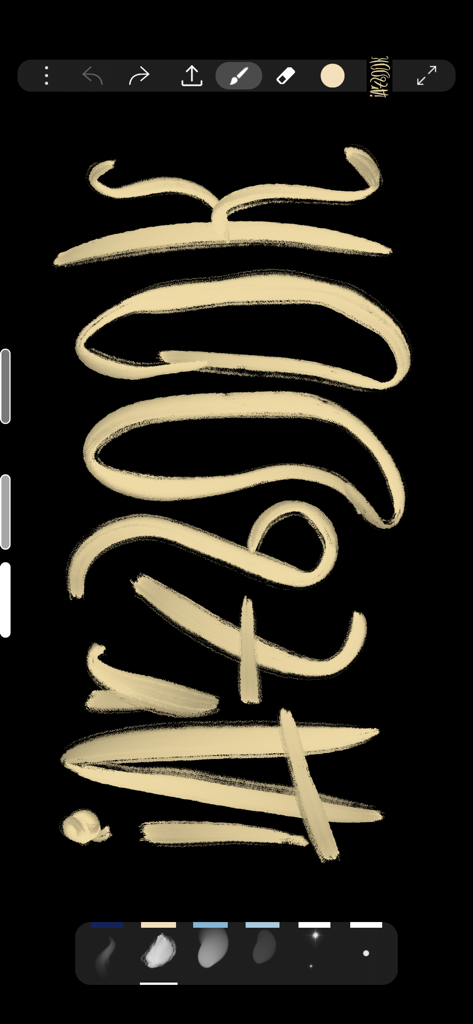
Interfaz de iArtbook que muestra trazos de caligrafía digital sobre un lienzo negro.

Interfaz de iArtbook que muestra trazos de caligrafía digital sobre un lienzo negro.

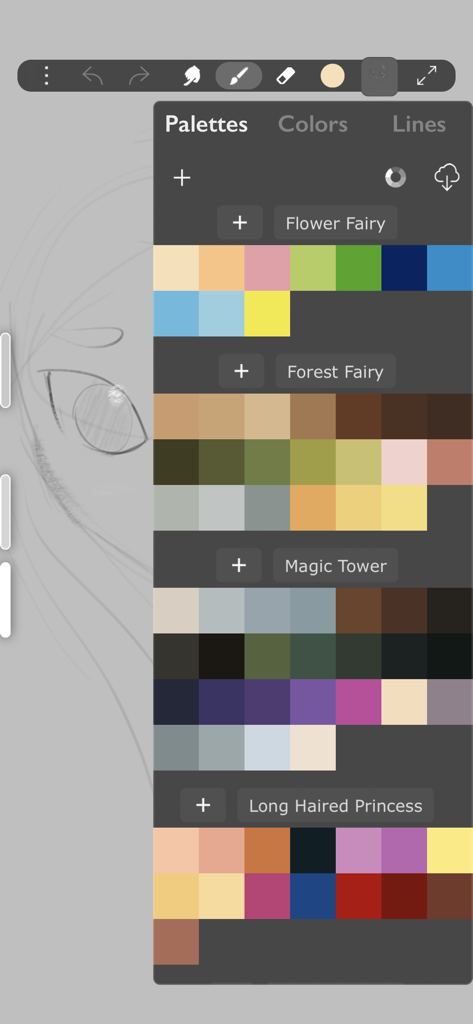
La interfaz de la aplicación iArtbook muestra varias paletas de colores para ilustración digital.

La interfaz de la aplicación iArtbook muestra varias paletas de colores para ilustración digital.

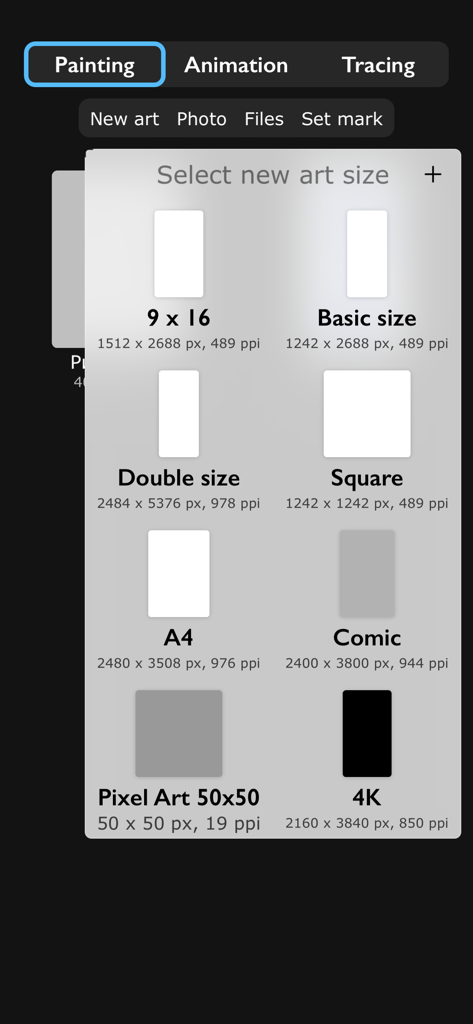
Pantalla de la aplicación iArtbook que muestra varias opciones de tamaño de lienzo como A4 Cuadrado y 4K para iniciar una nueva pintura digital.

Pantalla de la aplicación iArtbook que muestra varias opciones de tamaño de lienzo como A4 Cuadrado y 4K para iniciar una nueva pintura digital.

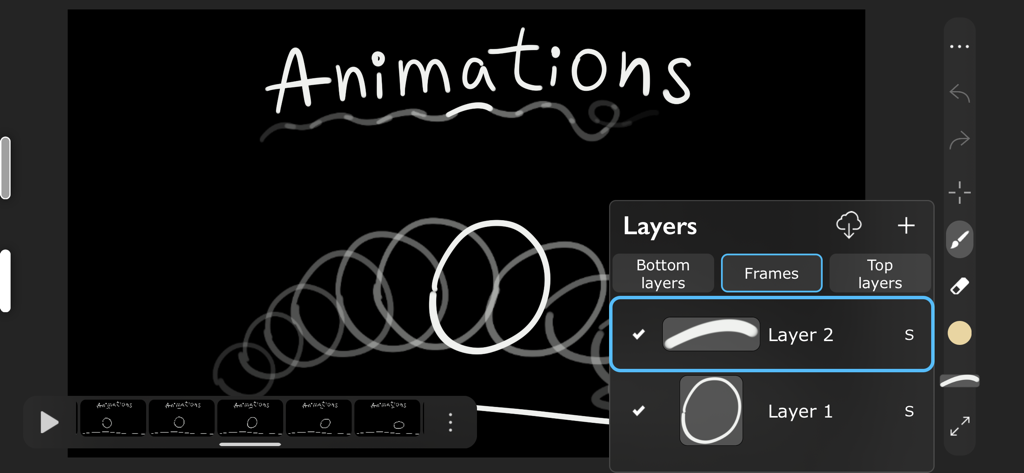
Interfaz de animación digital de iArtbook que muestra fotogramas y capas de movimiento

Interfaz de animación digital de iArtbook que muestra fotogramas y capas de movimiento

Convierte Cada Chispa de Inspiración en una Obra Maestra

Las herramientas que hacen destacar esta app, elegida por 16M+ usuarios.

✍️

Precisión de Pincel de Nivel Profesional

Experimenta un dibujo sin lag con estabilización avanzada de caligrafía y más de 1.000 texturas optimizadas para tu Apple Pencil.

🎓

Lecciones Interactivas de Arte

Deja de luchar con el lienzo en blanco. Aprende técnicas profesionales calando y comparando tu trabajo con ilustraciones maestras en tiempo real.

🎬

Creado para la Creación de Contenido

Exporta time-lapses de alta calidad o animaciones fotograma a fotograma directamente a TikTok e Instagram con capas ilimitadas y modos de fusión.

Análisis de reseñas

Información de las reseñas de usuarios.

Puntuación de sentimiento

28%
Negativo

Resumen

User feedback for this app is largely negative, driven by recent updates that have moved many core functionalities behind a paywall, including saving artwork, lasso tools, transformation, fill, and liquify features. Users are highly frustrated by the introduction of excessive and lengthy advertisements, which often interrupt workflows or appear when attempting simple actions like screenshots. While some users still praise the app's free brushes and acknowledge its past utility for art improvement and ease of use, the current monetization strategy has severely impacted the overall user experience. There's also a mention of a 'force close bug' specifically on iPad Air, suggesting some stability concerns.

Temas comunes

Past User Experience(21)
Free Brushes(4)
Ease of Use(4)
Old UI Design(2)
Developer Responsiveness(1)
Stability(1)
Art Improvement Contribution(1)

Sobre la app

Todo lo que necesitas saber sobre ‎iArtbook.

Descripción

Fun painting app, based on Unlimited Layers with Blend Modes and Masks Any brush can be used with 3 professional-level realtime technologies of calligraphy: Line Delay, Rope Stabilization and Correction, combine it for best results. With 100% calligraphy the line will be very smooth even if you are drawing with your finger Brushes can be Dry, Glossy and Wet. There are 3 types of Wet brushes: Without Pull, With Pull and Super-Precise. Any brush can instantly became Smudge-brush with Finger instrument. Textured brushes are also supported If you like to draw with simple round brush, there are quick settings for Hardness, Ovality & Rotation of your brush shape. Or, if you prefer realistic brushes, large Pro-Library of shapes (>1000 textures) can be used to create new brushes of any type Apple Pencil is fully supported, including Touch Force, Tilt, Azimuth and Predicted Points. There are settings for each Pencil ability. You also can disable finger-painting, if you never use it Gestures: 2-fingers tap for Undo and 3-fingers tap for Redo any action For color choosing there are 2 different Color Pickers and Palettes with Gradient Mixer. Use long-pressure gesture for quick color choosing Time-Lapse video recording is enabled by default FEATURES LIST: Create Animation: * Unlimited frames of animation * Multiple animation layers * Export to mp4, hevc, gif, apng Learn How to Draw by copying Professional Art: * Use any Painting or Sketch as a Lesson * Tap left side of screen to switch between your painting and the lesson * 4 lesson types: "Equal size", "First Layer", "Horizontal split", "Vertical split" Brushes: * Preinstalled professional brushes * Glossy brushes * 50+ brush settings * Shapes library * Calligraphy * Apple Pencil support * Smudge brushes with 3 different smudge technologies * Export-import of brushes * Dynamic shape * Realistic brushes * Any brush can became a smudge brush with Smudge tool Colors: * 2 Color Pickers * Color mixer * Palettes * Import/Export of palettes Interface: * Right and left handed interface * Light or dark interface * Custom interface color Layers: * Unlimited layers * Dynamic ssd/operative memory using for layers * Masks * Clear / Fill / Select / Sort / Duplicate * Blend modes * Opacity and visibility * Import any image as a layer * Transform without loosing image quality Gestures: * 2-Fingers tap for Undo * 3-Fingers tap for Redo * Long pressure for quick color choosing * Bucket Tool: Drag the Color circle onto the canvas * Only-gestures control with Swipes Advanced: * Flip canvas horizontally * Time-Lapse video recording * Transform instrument * Selection tool * PNG with transparency creation

Última versión

10.9.8

Tamaño

387.7 MB

Fecha de lanzamiento

8 feb 2019

¿Listo para Subir de Nivel tu Arte Digital?

Únete a 16 millones de creadores y transforma tu iPad en un estudio profesional. Descarga iArtbook hoy mismo y convierte tus bocetos en obras maestras virales.

Descargar en App Store
FAQ

Preguntas Frecuentes

Todo lo que necesitas saber sobre ‎iArtbook

¿iArtbook admite la creación de animaciones?

Sí, iArtbook admite la creación de animaciones con fotogramas ilimitados y múltiples capas. Los usuarios pueden exportar sus animaciones a formatos mp4, hevc, gif y apng.

¿Es compatible iArtbook con Apple Pencil?

Sí, iArtbook es totalmente compatible con Apple Pencil, incluyendo Fuerza de presión, Inclinación, Azimut y Puntos predichos. Los usuarios también pueden deshabilitar la pintura con los dedos si lo prefieren.

¿Pueden los usuarios personalizar los pinceles en iArtbook?

iArtbook ofrece una extensa personalización de pinceles con más de 50 configuraciones de pincel, una biblioteca de formas y una Pro-Library de más de 1000 texturas para crear nuevos tipos de pincel. Hay disponibles ajustes rápidos de Dureza, Ovalidad y Rotación.

¿Qué tipos de pinceles están disponibles en iArtbook?

iArtbook incluye varios tipos de pinceles como Pinceles Secos, Brillantes y Húmedos, con opciones como Sin Trazado, Con Trazado y Súper Preciso. Se admiten pinceles texturizados, y cualquier pincel puede convertirse en un pincel de difuminado.

¿La aplicación iArtbook incluye funcionalidad de capas?

Sí, iArtbook proporciona capas ilimitadas con modos de fusión y máscaras. Los usuarios pueden borrar, rellenar, seleccionar, ordenar, duplicar capas, ajustar la opacidad y visibilidad, e importar imágenes como capas.

¿Cómo funcionan los gestos en iArtbook?

iArtbook utiliza un toque de 2 dedos para Deshacer, un toque de 3 dedos para Rehacer y un gesto de presión prolongada para elegir colores rápidamente. La herramienta Cubo se activa arrastrando el círculo de color al lienzo.

¿Puede iArtbook grabar videos en time-lapse de los dibujos?

Sí, iArtbook graba automáticamente videos en time-lapse de tu obra de arte. Esta función está habilitada por defecto para capturar el proceso creativo.

¿Cómo puedo aprender a dibujar usando la aplicación iArtbook?

iArtbook ayuda a los usuarios a aprender copiando arte profesional. Los usuarios pueden seleccionar cualquier pintura o boceto como lección y alternar entre su trabajo y la lección utilizando cuatro tipos de lecciones.

¿iArtbook ofrece paletas de colores para artistas?

Sí, iArtbook proporciona dos selectores de color diferentes, Paletas con un Mezclador de Degradado, y permite importar/exportar paletas para la gestión del color.

¿Hay diferentes tamaños de lienzo disponibles en iArtbook?

Sí, iArtbook ofrece varios tamaños de lienzo preestablecidos, incluyendo 9x16, tamaño Básico, tamaño Doble, Cuadrado, A4, Cómic, Pixel Art 50x50 y 4K, lo que permite a los usuarios seleccionar dimensiones apropiadas para su arte.

App information, icons, screenshots, and descriptions displayed on this page are sourced from the Apple App Store and are the property of their respective developers. Download estimates and rankings are based on MWM's proprietary models and may not reflect actual figures. This page is provided for informational and analytical purposes only.

Believe this page infringes your intellectual property? File a dispute