iCatcher! Podcast Player

iCatcher! Podcast Player


Descargar en App Store
Logo de iCatcher! Podcast Player

iCatcher! La Herramienta Definitiva para Usuarios Avanzados de Podcasts

Toma el control total de tu experiencia de escucha con configuraciones de reproducción detalladas, automatización avanzada y sincronización fluida en todos tus dispositivos Apple.

Editor

Joe Graf

Categoría

News

Descargas

86K+

Valoración

5.0/5

Total valoraciones

0

Idiomas

1

Control de un Vistazo

Descubre la interfaz utilizada por 86K+ usuarios.
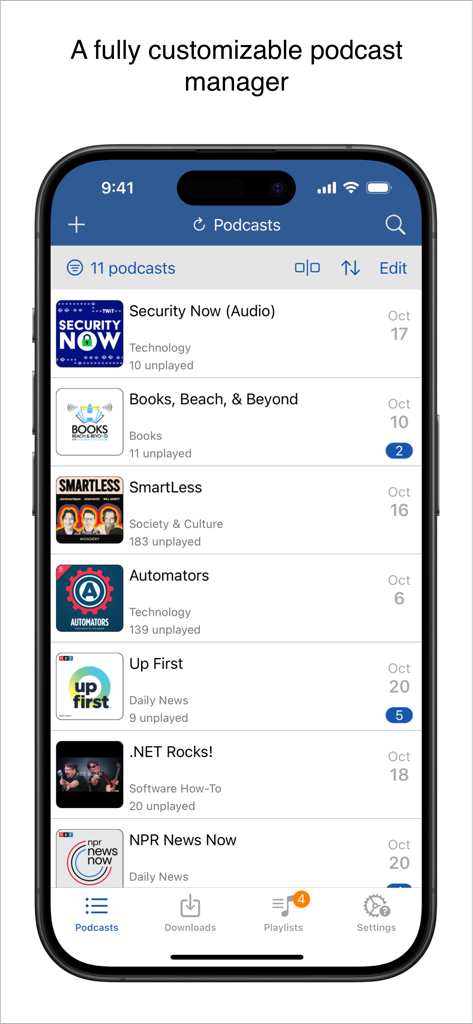
Interfaz del reproductor de podcasts iCatcher que muestra una lista de programas suscritos y episodios no reproducidos en un iPhone

Interfaz del reproductor de podcasts iCatcher que muestra una lista de programas suscritos y episodios no reproducidos en un iPhone

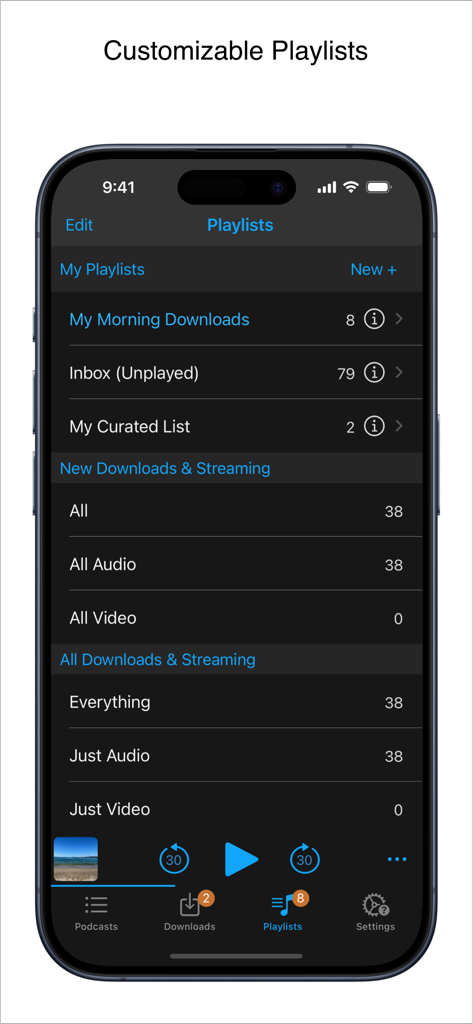
Interfaz de iCatcher Podcast Player mostrando gestión de listas de reproducción personalizables en iPhone.

Interfaz de iCatcher Podcast Player mostrando gestión de listas de reproducción personalizables en iPhone.

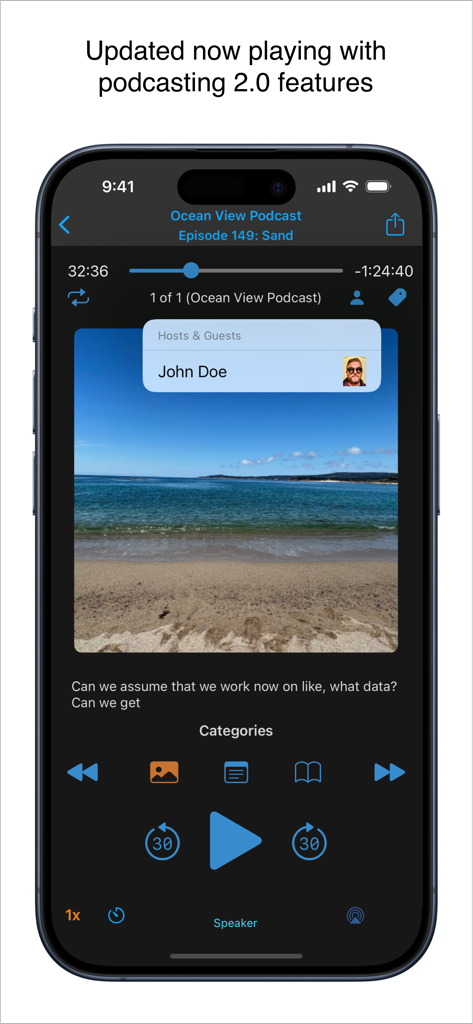
Pantalla 'En Reproducción' de iCatcher Podcast Player en iPhone con funciones de Podcasting 2.0 como información del presentador y controles de reproducción.

Pantalla 'En Reproducción' de iCatcher Podcast Player en iPhone con funciones de Podcasting 2.0 como información del presentador y controles de reproducción.

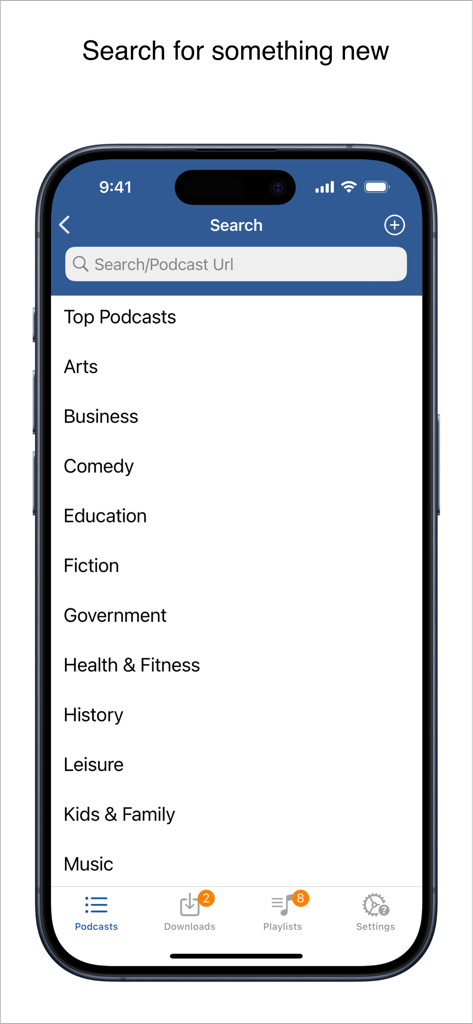
Interfaz de búsqueda de iCatcher Podcast Player que muestra una lista de categorías de podcasts y una barra de búsqueda para palabras clave o URLs.

Interfaz de búsqueda de iCatcher Podcast Player que muestra una lista de categorías de podcasts y una barra de búsqueda para palabras clave o URLs.

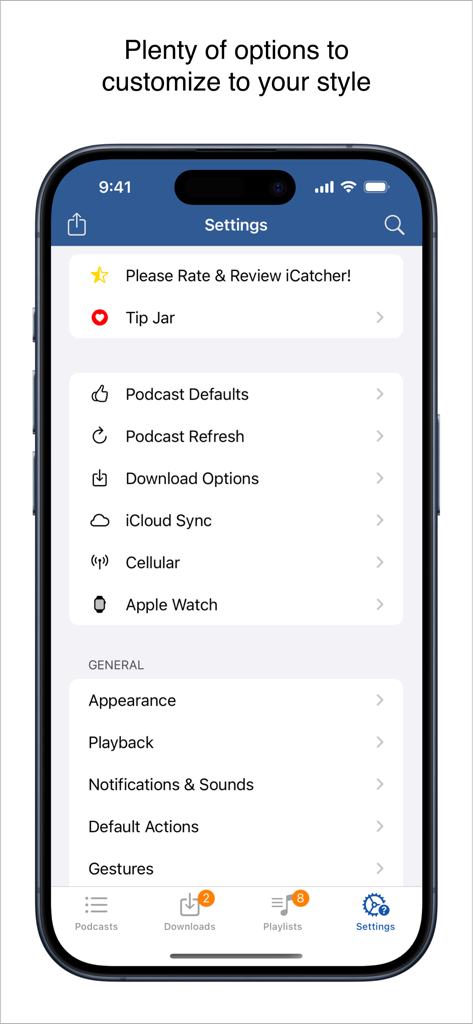
Menú de configuración de la aplicación iCatcher! Podcast Player con opciones de personalización detalladas para usuarios avanzados

Menú de configuración de la aplicación iCatcher! Podcast Player con opciones de personalización detalladas para usuarios avanzados

Diseñado para el Usuario Avanzado de Podcasts

Las herramientas que hacen destacar esta app, elegida por 86K+ usuarios.

🛠️

Control de Reproducción Detallado

Establece velocidades personalizadas por podcast, utiliza gestos avanzados para una navegación sin manos y crea filtros inteligentes para la cola automatizada perfecta.

🚀

Integración Profunda con iOS

Sincroniza tu progreso en iPhone, iPad y Watch a través de iCloud. Utiliza Accesos Directos de iOS para automatizar tu escucha y mantener la eficiencia mientras te desplazas.

🔒

Soporte para Feeds Privados

Gestiona sin problemas feeds protegidos con contraseña de Patreon o Supercast, con robusta descarga sin conexión y potentes opciones de importación de OPML.

Sobre la app

Todo lo que necesitas saber sobre iCatcher! Podcast Player.

Descripción

Download, listen, watch, and relish your favorite podcasts. FEATURES - Subscribe to your preferred podcasts within the app and manage them conveniently. - Download episodes over WiFi or Cellular (available on devices with cellular capabilities). - Support for password-protected feeds. - Background refresh and download in the background. - Sync subscriptions, episode playback positions, and playlists between your devices using iCloud. - Universal App (compatible with iPhone and iPad). - Search across all views to locate the podcast or episode you’re seeking. - Customize playlists with filtering options based on podcasts, episodes, and more. - Support for continuous playback (toggle it on the now playing screen just below the time elapsed). - Portrait and landscape orientation supporter, with a configurable option in the settings. - Unfollow podcasts and still keep them on your device. This feature is particularly useful for podcasts that don’t meet your expectations. PLAYBACK - Variable playback speed. - Remembered playback speed per podcast. - Support for podcasts with chapters and chapter images (MP3 and M4A formats). - Utilize your headset controls, including Bluetooth car controls (when paired), to play/pause, jump forward or backward 30 seconds. - Sleep timer. - Beautifully rendered show notes. - Onscreen controls for skipping ahead and skipping back. - Gesture support on the now playing screen (when the podcast logo is visible) to facilitate hands-free use. - Double-tap to play/pause. - Swipe up to adjust playback speed. - Swipe left or right to rewind or fast-forward. - Home to the L gesture for the 2-minute Leo jump. - Refer to Settings and Gestures for more information and customization options for rewind/fast-forward gestures. - AirPlay support allows you to watch or listen to podcasts on your large screen. - External display support for videos is available for devices that support an external display (use the Apple HDMI adapter). - Enjoy your favorite podcasts with a familiar layout. FIND NEW PODCASTS QUICKLY - Search for your podcasts by title, keyword, or author. - Browse the top podcasts categorized by different genres. • Manually add podcasts by entering their URLs. • Support for password-protected feeds. • Option to download a single episode. • Import podcast subscriptions for episodes already on your device from iTunes. • Import your OPML file from iTunes or other iOS podcast app. • Import media using the iTunes File Sharing feature. • Add your existing audiobooks (non-password-protected ones) using the iTunes File Sharing feature. • Add previously downloaded podcasts from your computer using the iTunes file sharing feature (see Settings and Import Media for details). SHORTCUT ACTIONS • Search your podcasts and episodes using shortcut actions. • Easily create an export from other apps into iCatcher using the subscribe action. • Control playback. • View podcast action including currently playing. • Import media directly into the app (like audiobooks). • Transfer your media to the watch via shortcut actions. • Pull chapter images. • Many more actions available. MORE • Completely customizable to suit your podcast preferences. • Swipe across a podcast or episode to access additional options. • Podcast settings allow you to set the days the podcast typically releases or the number of days between. • Specify the number of episodes to download when new ones are available. • Share podcast information via email with your friends. CONTACT Email: Tap the settings tab and select Send Questions or Feedback. Twitter/X: @Joeisanerd. PLEASE NOTE: The app doesn’t sync with iTunes. Like other podcast apps, it’s a standalone app designed for subscribing and downloading on the device. * If a feed doesn’t work, please let me know so I can investigate it. Requires iOS 17.4 or higher.

Última versión

9.3.3

Tamaño

52.1 MB

Fecha de lanzamiento

15 mar 2011

Domina Tu Biblioteca de Podcasts Hoy Mismo

Únete a más de 86.000 usuarios avanzados que exigen más que un reproductor básico. Obtén el control detallado, los accesos directos avanzados y la reproducción personalizada que tu hábito de escucha merece.

Descargar en App Store

App information, icons, screenshots, and descriptions displayed on this page are sourced from the Apple App Store and are the property of their respective developers. Download estimates and rankings are based on MWM's proprietary models and may not reflect actual figures. This page is provided for informational and analytical purposes only.

Believe this page infringes your intellectual property? File a dispute