Image to Text - Scan & Convert
Descargar en App Store

Esta página no es una página oficial de la aplicación ni de su desarrollador, sino una publicación editorial independiente creada con fines informativos y de comentario. Salvo que se indique expresamente lo contrario, ni la aplicación ni su desarrollador están afiliados, respaldados, patrocinados, autorizados ni conectados oficialmente con MWM, Apple, Google Play, el editor de la aplicación ni su desarrollador, y nada en esta página implica que la aplicación haya sido desarrollada utilizando los servicios de MWM. Todas las marcas comerciales, logotipos, capturas de pantalla y demás contenidos son propiedad de sus respectivos propietarios.

Logo de Image to Text - Scan & Convert
Descargar en App Store

Image to Text - Scan & Convert

La herramienta de productividad definitiva para profesionales y estudiantes ocupados. Digitaliza sin esfuerzo notas escritas a mano, escanea documentos en lote y convierte archivos a Word o PDF con total privacidad.

Cifras Clave

Descargas

5K+

Valoración

5.0/5

Total valoraciones

0

Editor

CLIXADE LTD

Categoría

Utilities

Idiomas

64

Última versión

2.2.7

Tamaño

95.9 MB

Fecha de lanzamiento

25 ene 2022
Funciones

Optimiza tu Flujo de Trabajo Digital

Deja de escribir a mano y empieza a escanear. Convierte cualquier imagen o nota escrita a mano en texto editable al instante con precisión de nivel profesional.

OCR Ultrarrápido

Extrae texto de fotos, capturas de pantalla y documentos en segundos utilizando tecnología de reconocimiento avanzada diseñada para una productividad de alta velocidad.

Digitaliza la Escritura a Mano

Perfecto para estudiantes y profesionales. Acorta la brecha entre el papel y lo digital convirtiendo tus notas físicas en archivos electrónicos que se pueden buscar.

Las siguientes capturas de pantalla y la descripción provienen directamente del listado oficial de la tienda de la aplicación y son propiedad del desarrollador.

App Store

Capturas
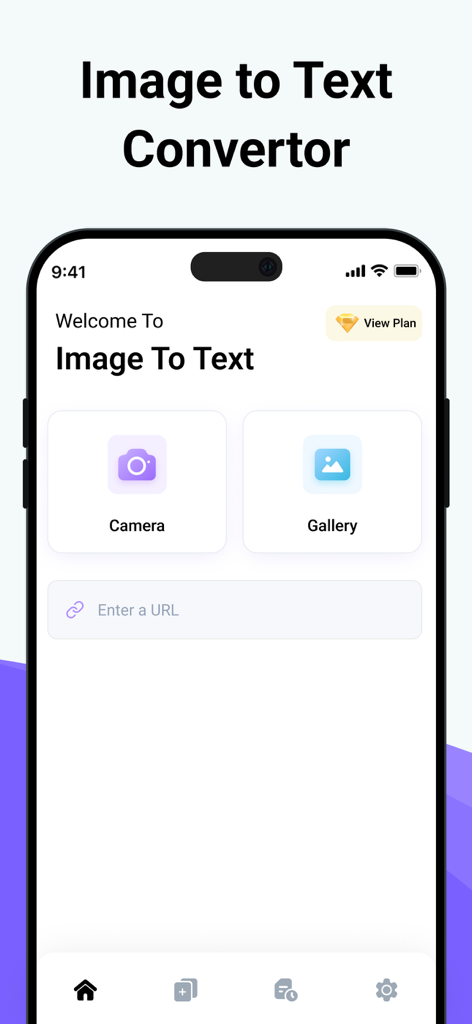
Image to Text - Scan & Convert - Interfaz principal de la aplicación Imagen a Texto con botones de cámara y galería para escanear documentos
Interfaz principal de la aplicación Imagen a Texto con botones de cámara y galería para escanear documentos

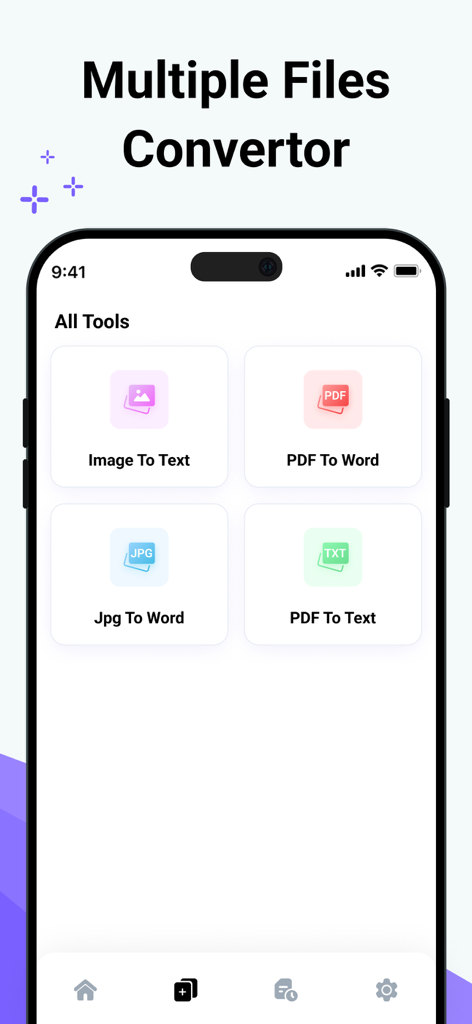
Image to Text - Scan & Convert - Interfaz de aplicación móvil que muestra varias herramientas de conversión de archivos como Imagen a Texto y PDF a Word
Interfaz de aplicación móvil que muestra varias herramientas de conversión de archivos como Imagen a Texto y PDF a Word

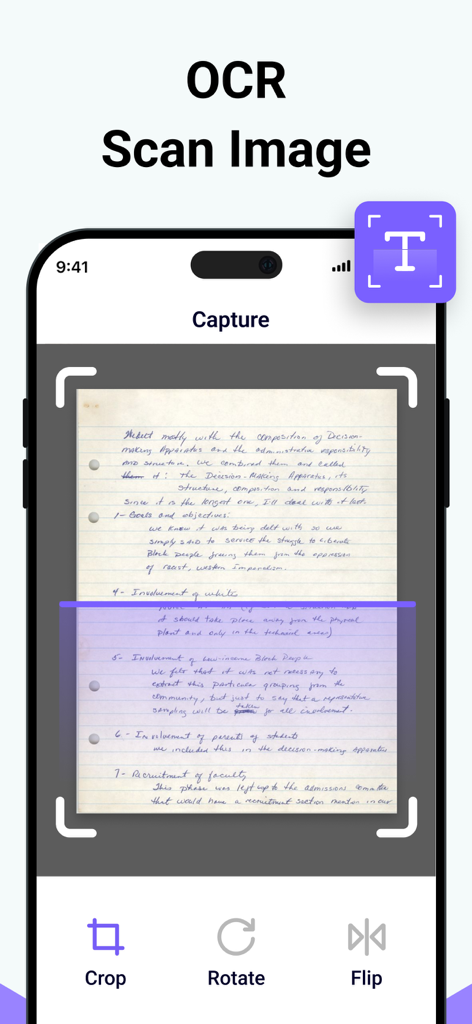
Image to Text - Scan & Convert - Interfaz de aplicación móvil capturando y escaneando una nota escrita a mano para extracción de texto OCR
Interfaz de aplicación móvil capturando y escaneando una nota escrita a mano para extracción de texto OCR

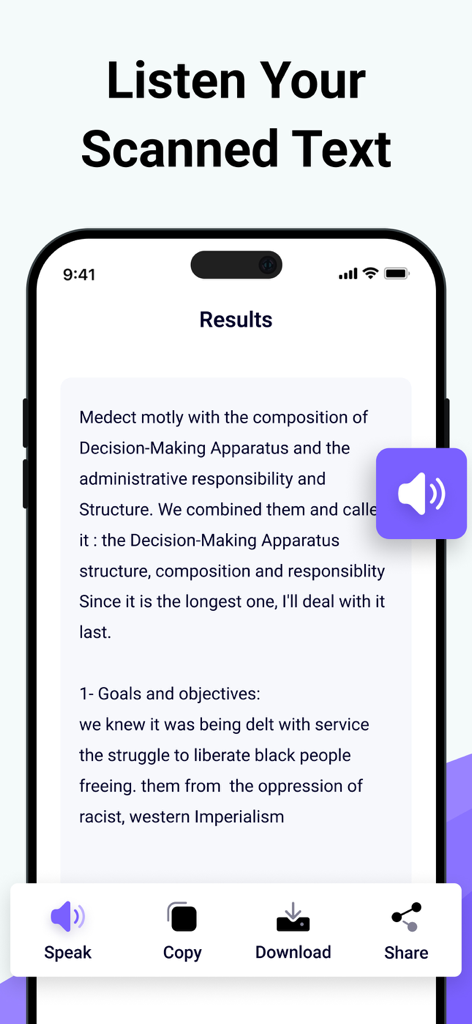
Image to Text - Scan & Convert - Interfaz de la aplicación Imagen a Texto mostrando los resultados de un escaneo con opciones para escuchar, copiar y descargar el texto
Interfaz de la aplicación Imagen a Texto mostrando los resultados de un escaneo con opciones para escuchar, copiar y descargar el texto

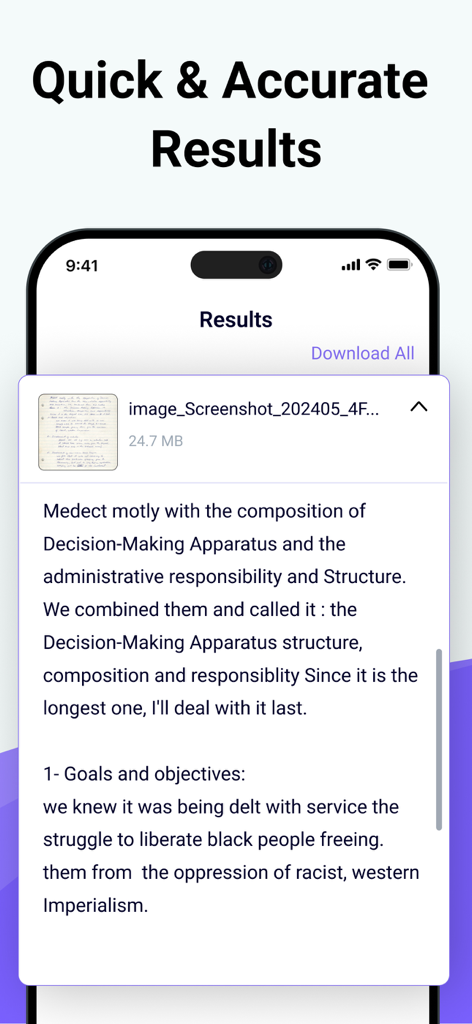
Image to Text - Scan & Convert - Texto digital extraído de una nota escrita a mano que se muestra en la pantalla de resultados de la aplicación

Texto digital extraído de una nota escrita a mano que se muestra en la pantalla de resultados de la aplicación

Descripción

Photo to Text Scanner App enables you to extract text from images. With this app, you can swiftly scan text from any chosen image. Photo to text app scan text quickly identifies and recognizes the text. Our Text Extractor saves you time by directly copying text from images. Scan the printed text and convert it using our free image to text converter. Introducing our advanced image to text Scanner that helps you keep your documents secure in your smart device. This handwriting to text tool ensures fast and accurate results generation. This free application allows you to scan the images immediately and convert them to editable text. There are many text scanner apps to copy and convert text from images. But this one is lightweight and quickly scans the text. If you have any pictures or doctor's prescription to convert into a soft copy? Give a try to this text scanner app to quickly extract text and copy text from anywhere. This photo to text extractor is one of the best free text scanner apps to extract text from images, extracting text from images quickly and accurately. You know that manual typing takes too much time, especially if you scan lengthy notes or documents with many pages. The ideal approach is to utilize this image to text converter app, which takes little time and allows you to convert several images into text with advanced technology of Text scanner. How to use our picture to text converter Converting your images to text is as simple as you just need to: Take a picture or upload it from your photo gallery. Select more images to get results at the same time. Click on the Submit File button. Then copy the text, share the text, and download the file. Key features: ● Here are the key features of our photo to text converter. ● Extract text from the image upload the image from the gallery or capture using the camera. ● Scans images fast. ● Convert handwritten notes into digitalize. ● Accurate results. ● More than one uploading image option. ● Allows cropping of an image. ● No-cost usage of Text scanner. ● Start a new session with a single click. ● Provides two options for later use, i.e., Copy and Download. ● Super fast mode. ● History of your previous scan image. ● Save scanned text in the clipboard. ● PDF to Word converter ● FPG to Word converter ● PDF to Text converter We have made it easy for everyone to use this Text text scanner and convert image to text. You don’t need to pay a single penny to scan text files with this Text scanner app. Our purpose is to provide you with the best experience with a text scanner. That’s not all You can convert handwritten notes to e-notes. This tool can scan the text that appears on the TV or any other smart screen. Note: We value your privacy and will never use or share your personal information with third parties. None of the images uploaded to our image to text are stored or shared with third parties. This app is completely safe and can be used by anyone. If you have any further questions or encounter any problems while using this app, please feel free to contact us so that we can resolve the issue as soon as possible. We value your feedback as it helps us improve our application and provide you with a better user experience. Payment will be charged to your iTunes Account at confirmation of purchase. Your subscription will automatically renew unless auto-renew is turned off at least 24 hours before the end of the current subscription period. Your account renewal will be charged within 24 hours before the end of the current subscription period. Automatic renewals cost the same price you were originally charged for the subscription. You can manage your subscriptions and turn off auto-renewal by visiting your account settings in the App Store after purchase. Terms of Use: https://clixade.com/terms-and-conditions Privacy Policy: https://clixade.com/privacy-policy

Download

Descargar en App Store

Esta página no es una página oficial de la aplicación ni de su desarrollador, sino una publicación editorial independiente creada con fines informativos y de comentario. Salvo que se indique expresamente lo contrario, ni la aplicación ni su desarrollador están afiliados, respaldados, patrocinados, autorizados ni conectados oficialmente con MWM, Apple, Google Play, el editor de la aplicación ni su desarrollador, y nada en esta página implica que la aplicación haya sido desarrollada utilizando los servicios de MWM. Todas las marcas comerciales, logotipos, capturas de pantalla y demás contenidos son propiedad de sus respectivos propietarios.








