Jam Maestro: La Máxima Potencia Móvil para la Composición de Canciones Centrada en la Guitarra
Compón tablaturas complejas con muestras realistas de palm-muting, secuencia 16 instrumentos e importa tus archivos antiguos de Guitar Pro sobre la marcha.
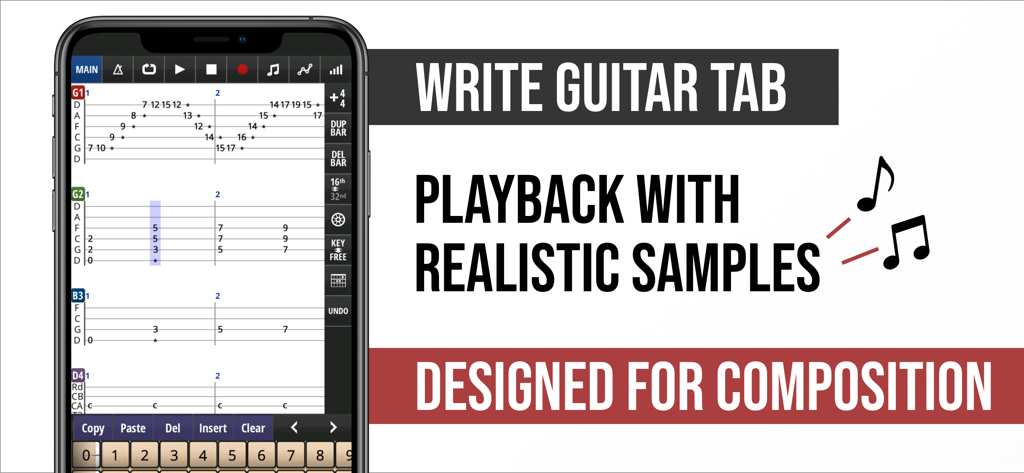
Smartphone mostrando la aplicación Jam Maestro para escribir tablaturas de guitarra multipista y composición musical
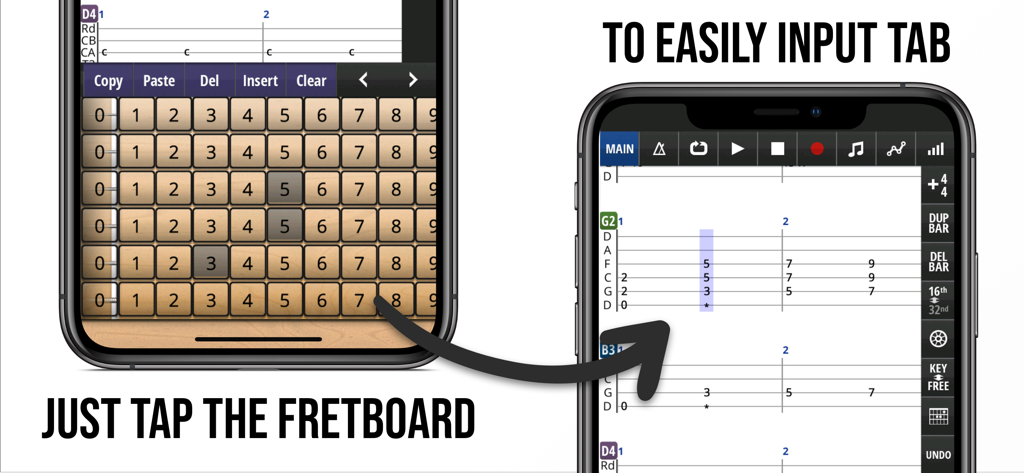
Una demostración de la aplicación Jam Maestro mostrando la creación de tablaturas de guitarra al tocar en un diapasón virtual
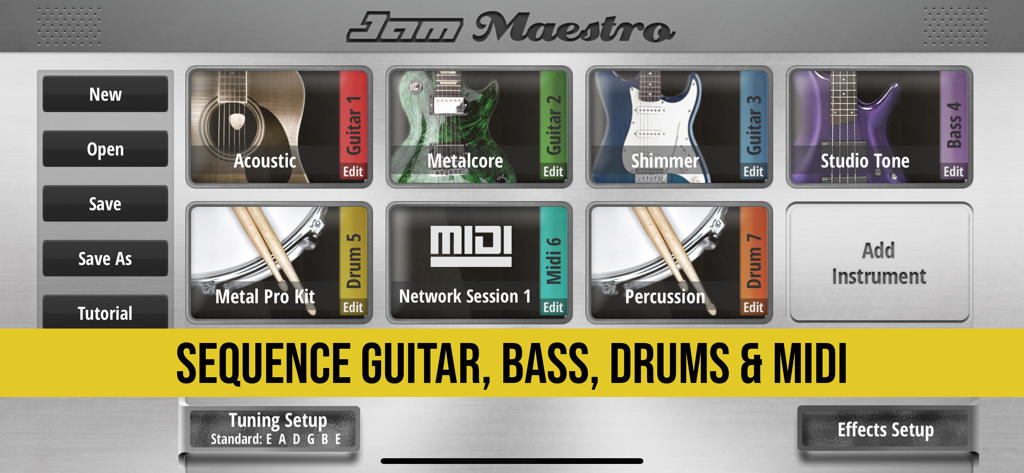
Interfaz de la aplicación Jam Maestro para secuenciar instrumentos de guitarra, bajo, batería y MIDI.
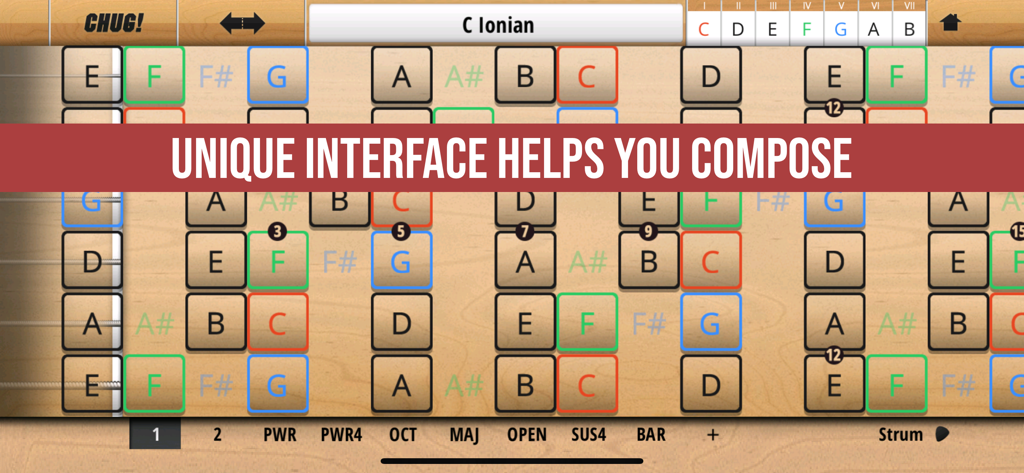
Interfaz de diapasón de guitarra Jam Maestro mostrando escalas musicales y etiquetas de notas para la composición de canciones
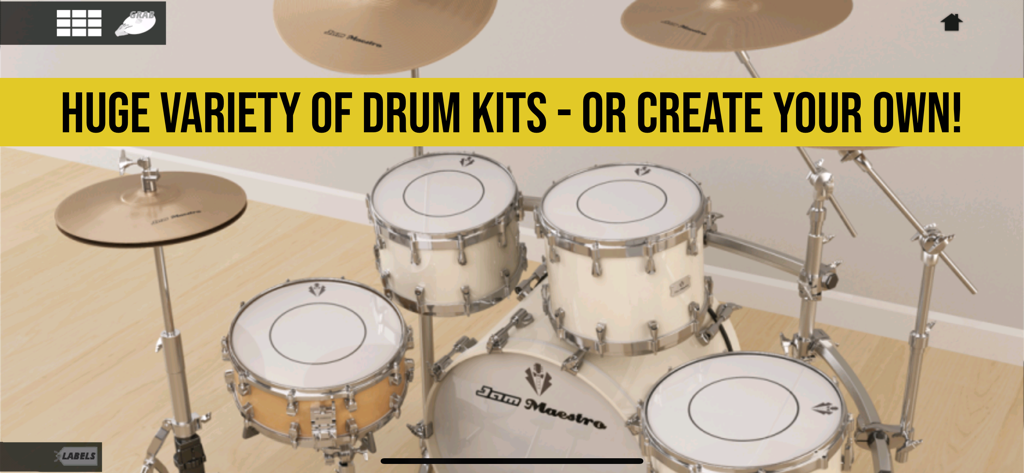
Una interfaz realista de batería acústica 3D dentro de la aplicación Jam Maestro mostrando la personalización de kits de batería.
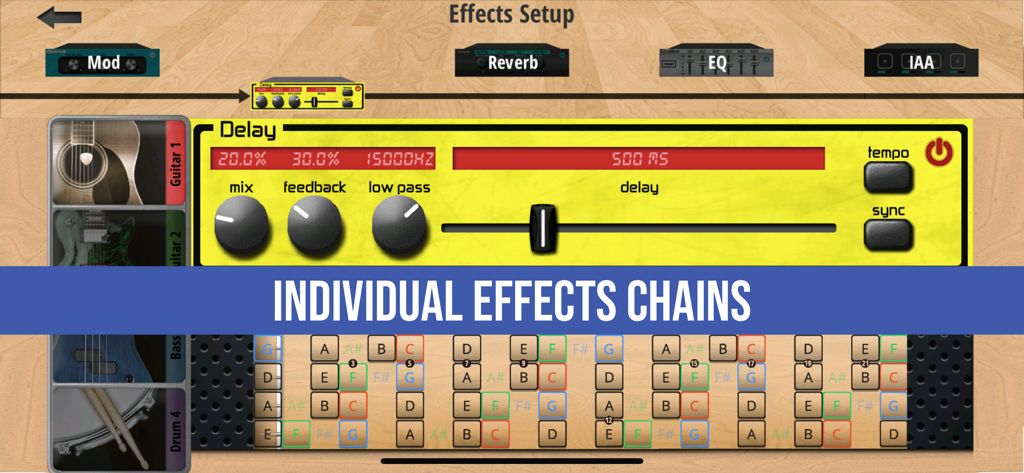
Interfaz de la aplicación Jam Maestro mostrando cadenas de efectos musicales individuales y una configuración de pedal de delay
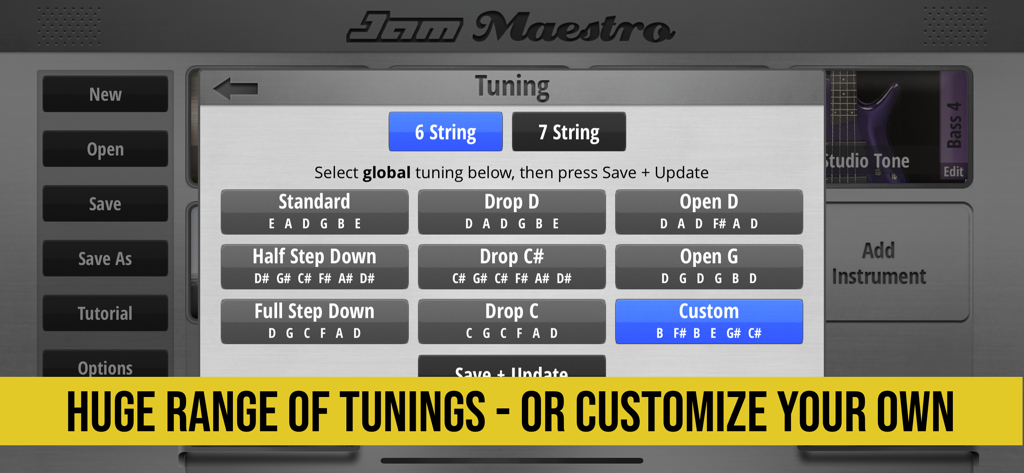
Interfaz de la aplicación Jam Maestro mostrando ajustes preestablecidos de afinación de guitarra de 6 y 7 cuerdas y opciones personalizadas.
Creado para Guitarristas, No para Pianistas
Las herramientas que hacen destacar esta app, elegida por 98K+ usuarios.
🎸
Secuenciación con Diapasón Primero
Abandona el piano roll. Programa partes intrincadas en una interfaz de 24 trastes con soporte para configuraciones de 7 cuerdas y afinaciones drop personalizadas.
🤘
Realismo de Alta Ganancia
Da vida a tus riffs de metal y rock con más de 4.000 muestras, con palm-muting auténtico para ese sonido característico de 'chug' pesado.
🔗
Conectividad Lista para el Estudio
Intégrate perfectamente en tu flujo de trabajo con soporte para MIDI, Ableton Link y Audiobus 3.0, y luego exporta tus éxitos a PDF o WAV.
Sobre la app
Todo lo que necesitas saber sobre Jam Maestro: create guitar tab.
Descripción
Jam Maestro is a powerful music composition tool for musicians interested in making guitar-centric music.
Sequence up to 16 instruments together, including Guitar, Bass and Drums, and compose songs in guitar/drum tab format.
Midi sequence and play background apps in your compositions using the Midi and Inter-App Audio instrument types.
Easily construct harmonies and see the relationship between notes thanks to a unique interface. Instantly share tab ideas with friends and bandmates via Dropbox. Playback with highly realistic samples. Export tabs to PDF/TXT and render tabs to wav/m4a format. Import Guitar Pro 3-5 files.
Features:
- 5 Instrument types: Guitar, Bass, Drums, Midi, Inter-App Audio.
- Inter-App Audio Host and Node support.
- Connect up to 4x Inter-App Audio Effects.
- Effects: Reverb, Delay, EQ, Chorus, Flanger, Vibrato, Tremolo.
- Full Midi In/Out compatibility
- Midi Sequencing
- Import Guitar Pro 3-5 files
- Export/Import Midi files
- Export tab to PDF/TXT file
- Create your own Drum Kits.
- Audiobus 3.0 support, including State Saving that captures tab info (share your songs in Audiobus presets!)
- AudioCopy support.
- Ableton Link
Check out - www.jammaestro.com - for many videos of Jam Maestro in action!
“This app gives me the power to pro-produce music even places that I can’t physically play guitar. I’ve used this as my main song-writing tool for years now.”
-Chris Zell (She Pulled The Trigger)
INSTRUMENTS:
• Load up to 16 instruments, all midi in compatible.
• 5 Instrument Types: Guitar, Bass, Drums, Midi, Inter-App Audio
• Realistic sound, OVER 4000+ (painstakingly) recorded samples.
• Full guitar fretboard (24 frets).
• Palm muted equivalents for every guitar note for that heavy CHUG sound.
• Supports 6/7 string guitar, 4/5 string bass.
• Any custom guitar tuning in the range of Standard to Drop A possible (in most cases alternative tunings have been fully resampled for most realistic sound).
• One-touch Chords allow you to forget tricky finger position (+ define up to 25 of your own).
• Unique interface allows dynamic key changing as you play.
• Use guitar fretboard or drum pads as a midi controller to play background apps/midi devices.
• iPad version ‘Dual Mode’ allows you to play 2 instruments simultaneously, including 2 separate midi compatible apps/devices.
DRUM KIT CREATOR:
• Use own samples or background midi app sounds.
• Up to 20 pads, each which can be assigned with 2 sounds for cut off (eg. Open and Closed Hi-Hat).
• All custom kits fully compatible with internal sequencer
• Drum Kits using local samples are fully Midi In compatible.
• Create Interfaces for background midi drum apps and sequence using internal sequencer.
• Easily import and export your custom drum kits and share with others.
SOUNDPACKS
All Soundpacks now come unlocked in the Full Version.
• Guitar: Acoustic, Metalcore, Shimmer, Stoner Doom, Bright Clean, Epic lead.
• Bass: Studio Tone, Blacklisted, Hazzard.
• Drum: Metal Drums, Rock Drums. Metal Drums Pro, Rock Drums Pro, Power Drums, Punk Drums, Vintage Drums, Jazz Drums, Vinyl Drums, Bongos, Tabla, Drum Machine 808, Industrial, Atmosphere, Percussion Kit, Timpani
TAB:
• Guitar/Bass/Drum Tab Sequencer.
• Midi Sequencer
• Intuitive interface - program in notes just by touching them, rather than messing around with a numpad.
• Play in almost any time signature.
• Key analysis tools.
• Jam Mode means you can record all instruments to tab simultaneously as you jam over your backing instruments.
• Tempo/Repeat/Mixer/Panning Control.
EXPORT:
• Save tabs in .jam format - export via iTunes or straight to Dropbox to share with friends/bandmates instantly.
• Share tabs as PDF/TXT file.
• Export tabs as midi file.
• Render tabs as wav/m4a files.
• Audiobus 3.0 Support
• AudioCopy Support
www.jammaestro.com
Última versión
3.6.6
Tamaño
291.7 MB
Fecha de lanzamiento
23 feb 2013
¿Listo para Secuenciar tu Próxima Obra Maestra?
Únete a más de 98.000 músicos que utilizan la estación de trabajo definitiva centrada en la guitarra. Descarga Jam Maestro ahora para empezar a tabular, secuenciar y componer con precisión de nivel profesional sobre la marcha.
App information, icons, screenshots, and descriptions displayed on this page are sourced from the Apple App Store and are the property of their respective developers. Download estimates and rankings are based on MWM's proprietary models and may not reflect actual figures. This page is provided for informational and analytical purposes only.
Believe this page infringes your intellectual property? File a dispute