Keep It Mobile
Keep It Mobile
Descargar en App Store

Esta página no es una página oficial de la aplicación ni de su desarrollador, sino una publicación editorial independiente creada con fines informativos y de comentario. Salvo que se indique expresamente lo contrario, ni la aplicación ni su desarrollador están afiliados, respaldados, patrocinados, autorizados ni conectados oficialmente con MWM, Apple, Google Play, el editor de la aplicación ni su desarrollador, y nada en esta página implica que la aplicación haya sido desarrollada utilizando los servicios de MWM. Todas las marcas comerciales, logotipos, capturas de pantalla y demás contenidos son propiedad de sus respectivos propietarios.

Logo de Keep It Mobile
Descargar en App Store

Keep It Mobile

Captura, organiza y encuentra sin problemas cada nota, enlace y documento. Diseñado para profesionales que exigen una experiencia potente, privada y nativa del ecosistema Apple.

Cifras Clave

Descargas

5K+

Valoración

4.6/5

Total valoraciones

500

Editor

Steve Harris

Categoría

Productivity

Idiomas

3

Última versión

2.7.7

Tamaño

51.2 MB

Fecha de lanzamiento

15 sept 2017
Funciones

Tu Vida Digital, Perfectamente Organizada

Desde investigaciones complejas hasta la gestión de tareas diarias, Keep It es el espacio de trabajo profesional definitivo diseñado para el usuario avanzado que exige una experiencia Apple fluida.

Sofisticada Gestión del Conocimiento

Organiza tu segundo cerebro utilizando carpetas anidadas, paquetes multifuncionales y etiquetas codificadas por colores para mantener proyectos de alto riesgo separados y accesibles.

Un Centro de Documentos Universal

Escribe en Markdown, escanea correo físico o anota PDFs con Apple Pencil. Es una biblioteca de nivel profesional que maneja todos los tipos de archivo con los que trabajas.

Las siguientes capturas de pantalla y la descripción provienen directamente del listado oficial de la tienda de la aplicación y son propiedad del desarrollador.

App Store

Capturas
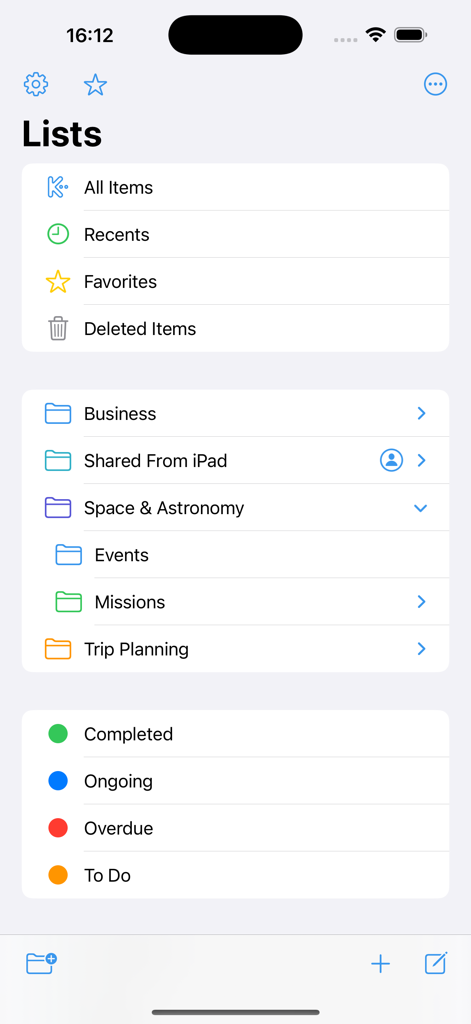
Keep It Mobile - Interfaz de la aplicación Keep It Mobile mostrando varias listas, carpetas jerárquicas y etiquetas de estado codificadas por colores para la gestión de documentos.
Interfaz de la aplicación Keep It Mobile mostrando varias listas, carpetas jerárquicas y etiquetas de estado codificadas por colores para la gestión de documentos.

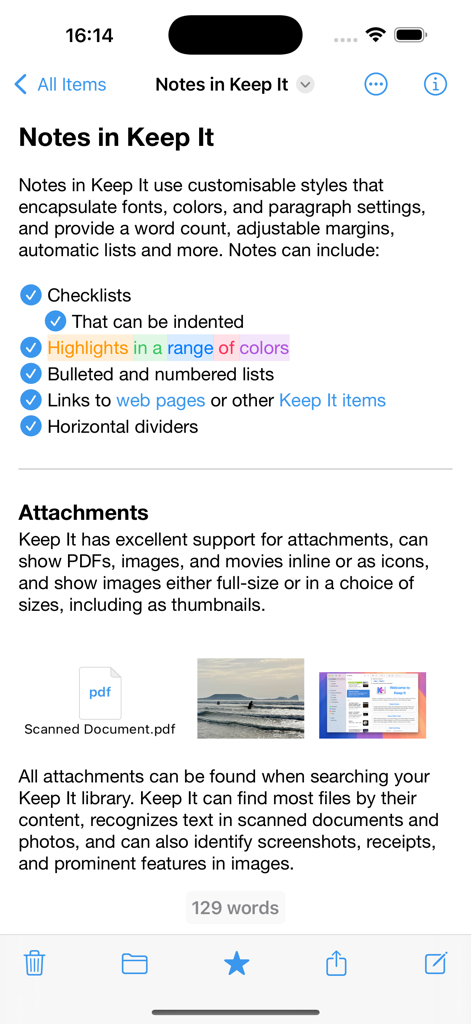
Keep It Mobile - Interfaz de la aplicación Keep It Mobile mostrando una nota con listas de verificación, resaltados de color y archivos adjuntos.
Interfaz de la aplicación Keep It Mobile mostrando una nota con listas de verificación, resaltados de color y archivos adjuntos.

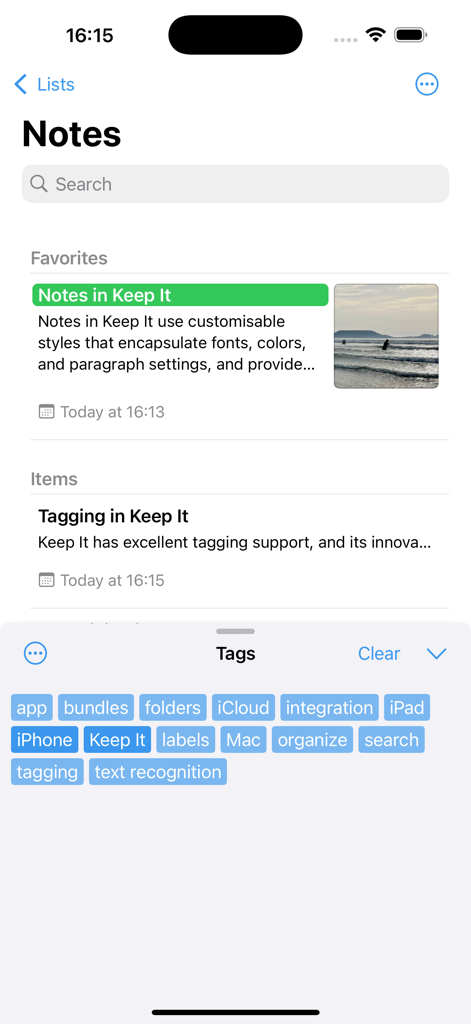
Keep It Mobile - Keep It Mobile mostrando la lista de notas y una selección de nube de etiquetas para la organización digital.
Keep It Mobile mostrando la lista de notas y una selección de nube de etiquetas para la organización digital.

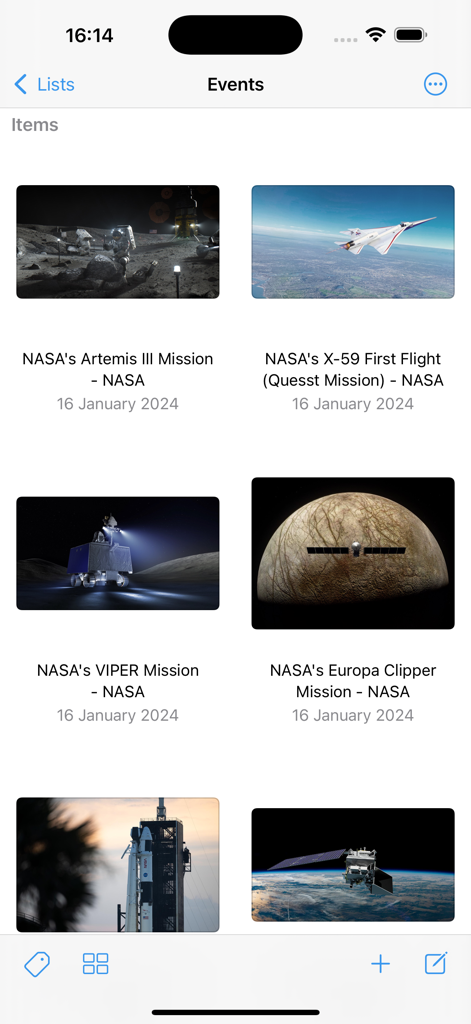
Keep It Mobile - Aplicación Keep It Mobile mostrando una vista de cuadrícula de enlaces web guardados y documentos importantes.

Aplicación Keep It Mobile mostrando una vista de cuadrícula de enlaces web guardados y documentos importantes.

Descripción

Keep It for iPad and iPhone is a powerful notebook and document organizer that can be used on its own or in conjunction with Keep It for Mac, available separately. Keep It can create and edit notes, rich text, plain text and Markdown files, scan documents, edit PDFs, archive emails, save web links in a variety of formats, preview and search just about any kind of file, and organize these in a variety of ways. All the files, folders and tags you store in Keep It are available in the Files app, can be opened and edited in other applications, and shared with other Keep It users via iCloud. Notes, Documents and Everything Else • Create notes with styles, checklists and attachments that look good and read well on all your devices • Create and edit rich text, plain text and Markdown files • Adjustable display margins and word count available in all Keep It’s text editors • Scan documents, add photos or videos, and save any kind of file to Keep It’s library • Edit PDFs, play movies, and preview everything else with Quick Look • Save web links for offline viewing as PDFs or web archives • Create templates or empty files in any format using stationery • View and work with mail messages and their attachments • Merge multiple items into a single note Organize • Use folders to organize things hierarchically • Swipe right on a folder to focus the sidebar on it and its children • Add tags to items and filter items with one touch using the Tag Filter • Use color-coded labels to quickly identify items • Use bundles to collect items together and see them in more than one place • See favorite items, and add lists to the Favorites Bar • All lists can have their own sort settings and colors Works With Other Apps • Add text, links, and files to Keep It using its share extension • Access and manage all the files, folders and tags you add to Keep It in the Files app • Open files for editing in other apps from within Keep It or their document browser • Share items in Keep It to other apps using the Share sheet • Drag text, images, links, files and mail messages to Keep It • Automate Keep It with Shortcuts Search • Search for items by their names, kind, content, dates, tags and more • Combine suggestions to create complex queries with ease • Step through found text in notes, editable text documents, web pages, and PDFs • Save searches to the sidebar for reuse Keep It on iPad • Use Quick File to file items quickly using a keyboard-friendly interface • Use Quick Open to quickly navigate to any list or item by typing its name • Constrain the width when editing notes or text files in full screen mode • Annotate PDFs and images and add sketches to notes with Apple Pencil And More… • Use the Recents list to see things you’ve added or viewed lately • Share folders and items with other Keep It users via iCloud • Encrypt any file with a password • Copy clickable links to items and lists in Keep It • See items that link to the current item and navigate between them SUBSCRIPTIONS Use of Keep It Mobile requires a paid subscription that you can purchase in the app. A choice of monthly and yearly subscriptions is available, and these include a free trial. Payment will be charged to your iTunes Account following the free trial, unless you cancel the subscription at least 24-hours before the end of the trial period. The subscription will automatically renew unless auto-renew is turned off at least 24-hours before the end of the current period. Your iTunes Account will be charged for renewal within 24-hours prior to the end of the current period. Subscriptions may be managed and auto-renewal may be turned off by going to your Account Settings after purchase. Any unused portion of a free trial period, if offered, will be forfeited when the user purchases a subscription to that publication, where applicable. Terms of Use: https://reinventedsoftware.com/keepit/ios/terms.html

Download

Descargar en App Store

Esta página no es una página oficial de la aplicación ni de su desarrollador, sino una publicación editorial independiente creada con fines informativos y de comentario. Salvo que se indique expresamente lo contrario, ni la aplicación ni su desarrollador están afiliados, respaldados, patrocinados, autorizados ni conectados oficialmente con MWM, Apple, Google Play, el editor de la aplicación ni su desarrollador, y nada en esta página implica que la aplicación haya sido desarrollada utilizando los servicios de MWM. Todas las marcas comerciales, logotipos, capturas de pantalla y demás contenidos son propiedad de sus respectivos propietarios.








