Miracast + Screen Mirror

Miracast + Screen Mirror

Descargar en App Store
Logo de Miracast + Screen Mirror

Miracast + Duplicación de Pantalla: Comparte Tu Pantalla con Cualquier Dispositivo en Segundos

Rompe la barrera del ecosistema. Duplica sin esfuerzo tu iPhone o iPad en PCs con Windows, Smart TVs y múltiples navegadores simultáneamente con un retraso casi nulo: sin cables ni hardware adicional.

Editor

枭波 王

Categoría

Photo & Video

Descargas

116K+

Valoración

4.0/5

Total valoraciones

1K+

Idiomas

1

Tu Pantalla, en Todas Partes

Descubre la interfaz utilizada por 116K+ usuarios.
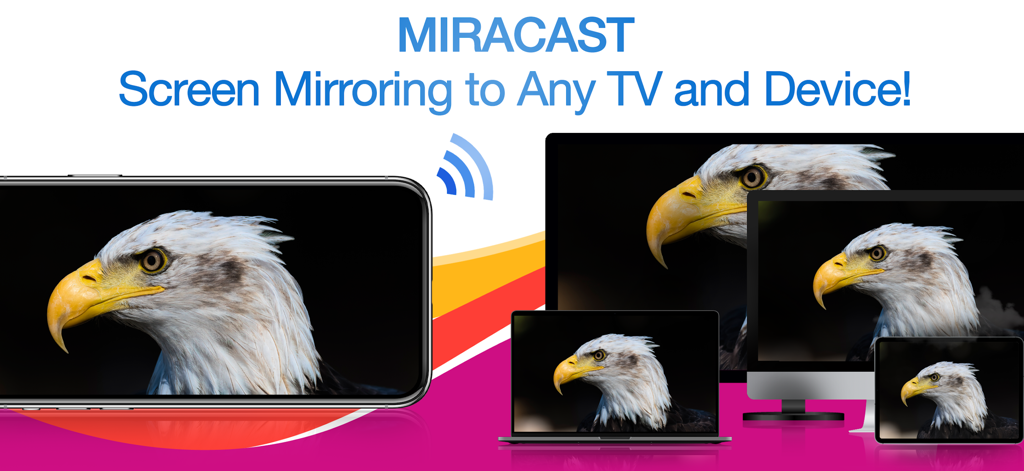
Un iPhone duplicando una imagen de un águila de forma inalámbrica a un portátil, un monitor de escritorio y una tablet simultáneamente

Un iPhone duplicando una imagen de un águila de forma inalámbrica a un portátil, un monitor de escritorio y una tablet simultáneamente

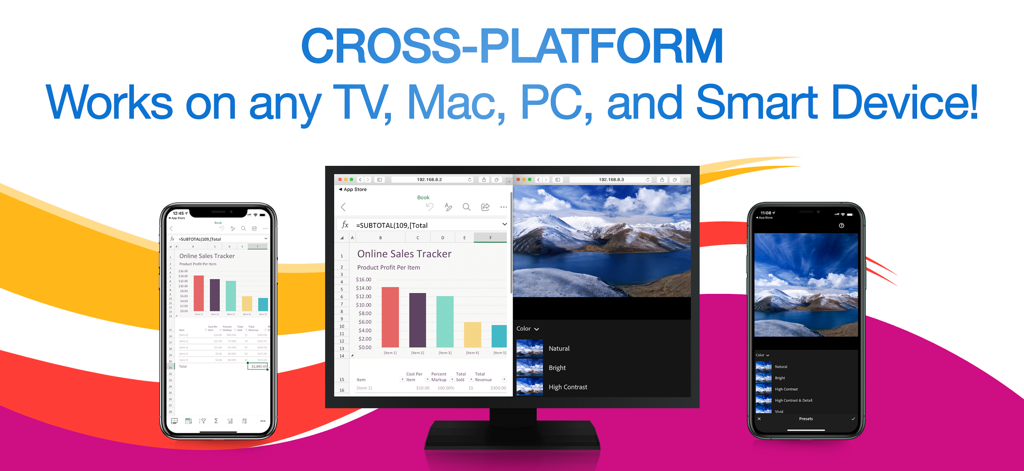
La aplicación Miracast mostrando múltiples iPhones duplicando una hoja de cálculo y una foto simultáneamente a un monitor de computadora

La aplicación Miracast mostrando múltiples iPhones duplicando una hoja de cálculo y una foto simultáneamente a un monitor de computadora

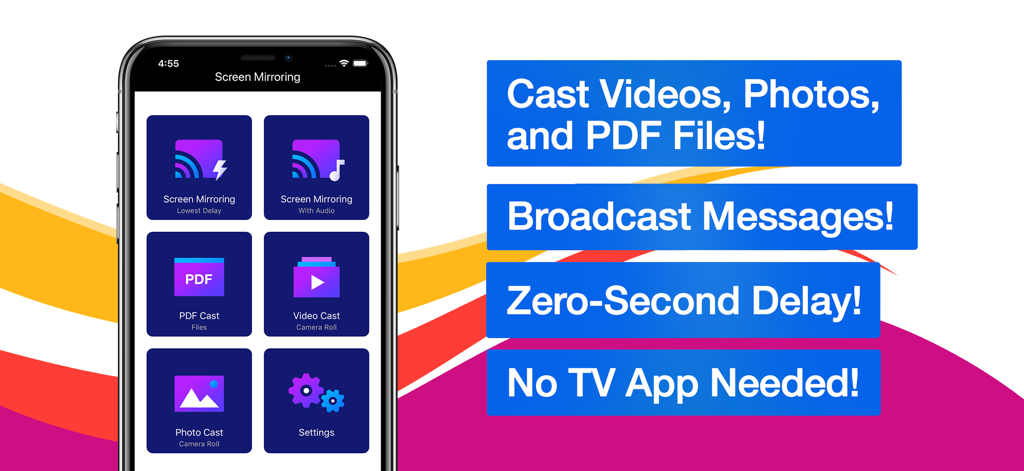
Interfaz de la aplicación Miracast y duplicación de pantalla con opciones para transmitir videos, fotos y archivos PDF

Interfaz de la aplicación Miracast y duplicación de pantalla con opciones para transmitir videos, fotos y archivos PDF

Duplicación Fluida para Tu Mundo Mixto

Las herramientas que hacen destacar esta app, elegida por 116K+ usuarios.

💻

Soporte Universal Multiplataforma

No más dolores de cabeza por compatibilidad. Duplica tu iPhone directamente en PCs con Windows, Macs y televisores no Apple usando solo un navegador web, sin cables ni hardware adicional.

📡

Transmisión Simultánea a Múltiples Dispositivos

Perfecto para presentaciones o aulas. Transmite tu pantalla a múltiples receptores al mismo tiempo, asegurando que todos en la sala estén al tanto.

Rendimiento de Latencia Ultra Baja

Experimenta velocidad en tiempo real. Ya sea que estés mostrando una aplicación o compartiendo un video, disfruta de una duplicación casi instantánea que sigue cada uno de tus movimientos sin demoras incómodas.

Análisis de reseñas

Información de las reseñas de usuarios.

Puntuación de sentimiento

5%
Negativo

Resumen

Users express strong dissatisfaction with the app, primarily due to its aggressive and often misleading subscription model, where many features are locked behind paywalls even after supposed "free trials." Many reviewers report that the app simply "doesn't work" or fails to perform basic screen mirroring functions as advertised, with common issues including lack of video or audio. Furthermore, users frequently highlight problems with device compatibility, such as non-functionality with Samsung devices, iPads, or specific dongles like Anycast, and difficulty obtaining refunds for non-working purchases.

Temas comunes

Subscription Model(35)
App Functionality(20)
Screen Mirroring Issues(10)
Misleading Practices(9)
Refund Process(3)
General Satisfaction(1)

Sobre la app

Todo lo que necesitas saber sobre Miracast + Screen Mirror.

Descripción

** Instantly mirror your iPhone or iPad's screen and media to multiple devices simultaneously – quickly, easily & nearly no delays! Mirror your iPhone/iPad screen to multiple computers or devices in near real time. Your iPhone/iPad screen can be viewed on a web browser on any computer or device with zero interruptions or uncomfortable delays. Everything you do on your iPhone/iPad is wirelessly mirrored without cables or adapters. Stay connected on the go, wherever you are. You can wirelessly mirror your iPhone/iPad's screen or stream files to receivers such as Smart TVs, PCs, Macs, Smartphones, Tablets, Laptops, Game Consoles, etc. Exclusive Features: • Multi-Screen Mirroring - Mirror your iPhone/iPad's screen and audio to a number of computers and devices, even simultaneously. • Cross-Platform - Never worry about compatibility issues again – any computer or device with a web browser is supported. • Virtually No Delays - Enjoy quick and easy screen mirroring and media casting with almost no delays at all. • Multi-Media Support - Beside your iPhone or iPad's screen, you can also cast videos, photos, or PDFs to multiple digital devices simultaneously. • Broadcast Messages - While mirroring your screen, you can broadcast text messages or images to your viewers at the same time. • Mirror Multiple Screens - You can view multiple mirrored screens on the same device simultaneously. • Simple and Intuitive UI - Beautiful, modern icons and other interface design elements make this app a brand new experience on iOS and iPadOS. NOTES: • Please make sure all of your computers and devices are connected to the same network. This app is unavailable on complex network environments, such as Firewall on Private Network, VLANs, Subnets, VPN, or Proxy. It only work on simple network environment, such as ordinary home networks (home use wireless router or switch). • Mirroring performance and quality depends on your network health and hardware devices. *** Upgrade to Premium to unlock all the great features *** Information about the auto-renewable subscription: • Payment will be charged to iTunes Account at confirmation of purchase. • Subscription automatically renews unless auto-renew is turned off at least 24-hours before the end of the current period. • Account will be charged for renewal within 24-hours prior to the end of the current period. The cost depends on the selected plan. • Subscriptions may be managed by the user and auto-renewal may be turned off by going to the user's Account Settings after purchase. • Any unused portion of the free trial will be forfeited when the user purchases a subscription. Privacy Policy: https://appsupport11.blogspot.com/2020/07/privacy-policy.html Terms of Use: https://appsupport11.blogspot.com/2020/10/terms.html

Última versión

4.5

Tamaño

13.8 MB

Fecha de lanzamiento

4 sept 2020

¿Listo para Duplicar Tu iPhone en Cualquier Pantalla?

Sal del ecosistema de Apple. Comienza a transmitir tu pantalla, videos y PDFs a Windows, Smart TVs o múltiples navegadores simultáneamente con cero retraso y sin cables.

Descargar en App Store

App information, icons, screenshots, and descriptions displayed on this page are sourced from the Apple App Store and are the property of their respective developers. Download estimates and rankings are based on MWM's proprietary models and may not reflect actual figures. This page is provided for informational and analytical purposes only.

Believe this page infringes your intellectual property? File a dispute