
Esta página no es una página oficial de la aplicación ni de su desarrollador, sino una publicación editorial independiente creada con fines informativos y de comentario. Salvo que se indique expresamente lo contrario, ni la aplicación ni su desarrollador están afiliados, respaldados, patrocinados, autorizados ni conectados oficialmente con MWM, Apple, Google Play, el editor de la aplicación ni su desarrollador, y nada en esta página implica que la aplicación haya sido desarrollada utilizando los servicios de MWM. Todas las marcas comerciales, logotipos, capturas de pantalla y demás contenidos son propiedad de sus respectivos propietarios.

Miracast Screen Mirroring .
Disfruta de películas en la pantalla grande, reemplaza tu control remoto perdido y protege tus ojos de la fatiga. La utilidad definitiva para propietarios de Roku y Smart TV para duplicar, controlar y proteger su contenido multimedia.
Descargas
345K+Valoración
Total valoraciones
300Editor
Categoría
Photo & VideoIdiomas
5Última versión
2.1.2Tamaño
90.2 MBFecha de lanzamiento
4 abr 2023Mejora tu Experiencia de Visualización en Casa
La herramienta de utilidad definitiva para tu iPhone: transmite video de alta definición, controla tu TV y mantén tu contenido multimedia personal privado.
Duplicado de Pantalla HD sin Retrasos
Protege tu vista transmitiendo videos y fotos desde tu pequeña pantalla a tu Smart TV en impresionante alta definición.
Control Remoto Universal para Smart TV
¿Perdiste el control remoto físico? No hay problema. Controla tu Roku o Smart TV directamente desde tu iPhone con una interfaz simple e intuitiva.
Preguntas Frecuentes
Todo lo que necesitas saber sobre Miracast Screen Mirroring .
¿Qué es Miracast Screen Mirroring y qué hace?
Miracast Screen Mirroring es una herramienta práctica para transmitir contenido desde un iPhone o iPad a un televisor. Optimiza la fluidez de la transmisión de pantalla y admite la proyección de video de alta definición, ofreciendo una experiencia de usuario sencilla.
¿Puede Miracast Screen Mirroring agrandar videos para verlos en un Roku TV?
Sí, Miracast Screen Mirroring agranda videos o películas para verlos en tu smart Roku TV. Esta función ayuda a proteger tus ojos al reducir la tensión de las pequeñas pantallas del teléfono.
¿Es Miracast Screen Mirroring compatible con múltiples marcas de televisores?
Sí, Miracast Screen Mirroring es compatible con muchas marcas de televisores. Estas incluyen Samsung, VIZIO, LG, TCL, Fire TV, Hisense, Sony, Chromecast, Android TV y Philips, como se muestra en la aplicación.
¿Cuáles son las características principales de la aplicación Miracast Screen Mirroring?
La aplicación Miracast Screen Mirroring presenta duplicación de pantalla en tiempo real, transmisión de video, IPTV, transmisión web, de fotos e Ins. También incluye una función de álbum privado y un control remoto universal.
¿Funciona Miracast Screen Mirroring como un control remoto universal?
Sí, Miracast Screen Mirroring incluye un control remoto multifuncional para el teléfono. Esta función brinda asistencia si se pierde tu control remoto físico, mejorando la comodidad del usuario.
¿Cómo cancelo una suscripción automática para Miracast Screen Mirroring en iOS?
Para cancelar, navega a Configuración de Apple > 'Tienda de iTunes y App Store' > ID de Apple > 'Configuración de la cuenta' > 'Suscripción', luego selecciona y cancela. La cancelación debe ocurrir al menos 24 horas antes del período de renovación.
¿Dónde puedo encontrar la Política de Privacidad de Miracast Screen Mirroring?
La Política de Privacidad de Miracast Screen Mirroring se encuentra en https://lmiaoapp.github.io/ScreenMirror/ScreenMirror/PrivacyPolicy/index.html. Este documento describe cómo la aplicación maneja los datos del usuario.
¿Permite Miracast Screen Mirroring descargar videos de Ins o proteger medios privados?
Sí, Miracast Screen Mirroring permite descargar videos de Ins. También proporciona funcionalidad para proteger videos o fotos secretas en un álbum privado dentro de la aplicación.
Las siguientes capturas de pantalla y la descripción provienen directamente del listado oficial de la tienda de la aplicación y son propiedad del desarrollador.
App Store
Capturas
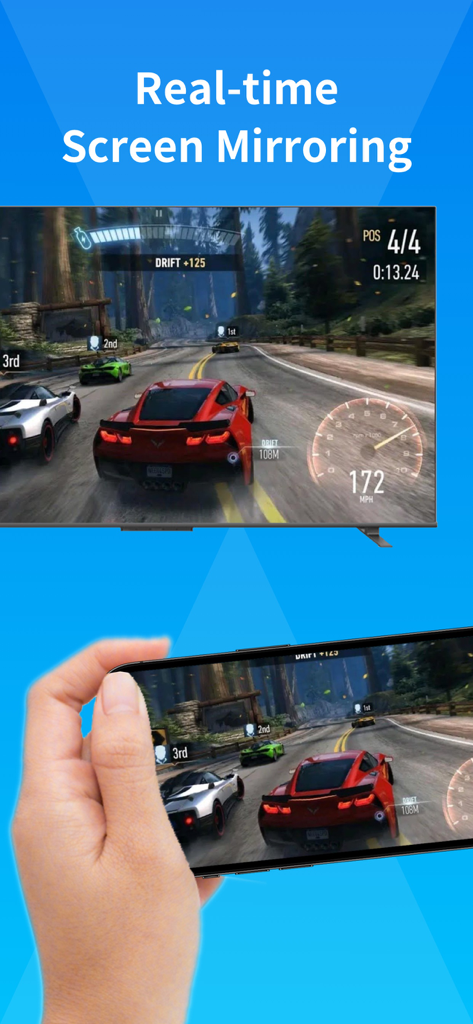
Smartphone duplicando un juego de carreras en la pantalla de un televisor
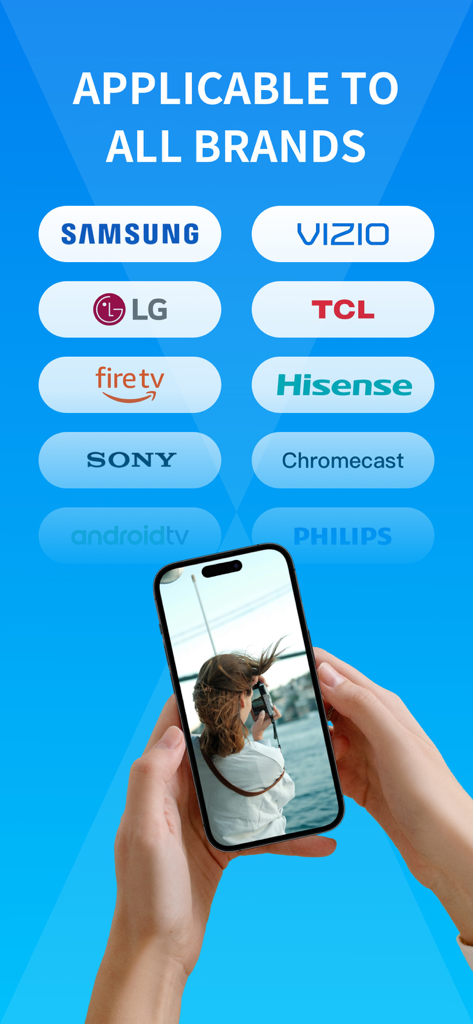
Interfaz mostrando compatibilidad de duplicado de pantalla con las principales marcas de TV, incluidas Samsung, LG y Sony
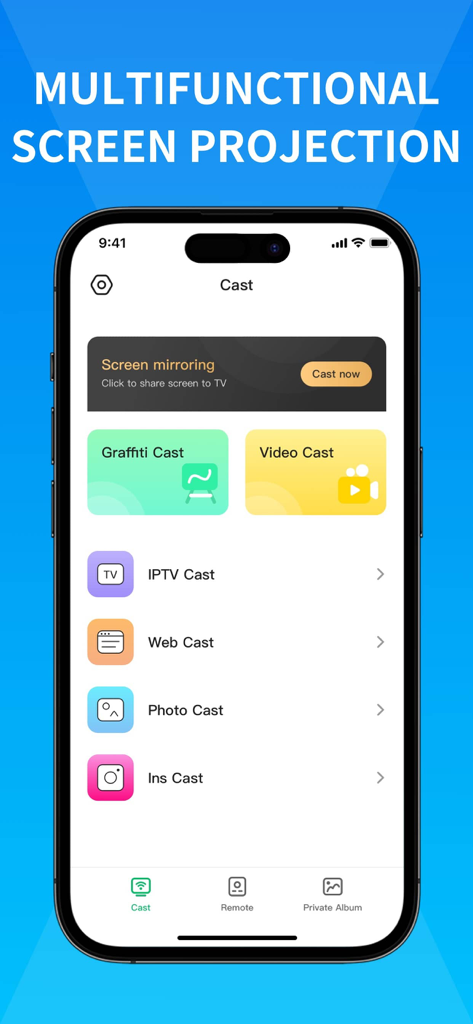
Interfaz de usuario de la aplicación Miracast Screen Mirroring que muestra varias funciones de proyección como transmisión de video, transmisión de fotos y transmisión web
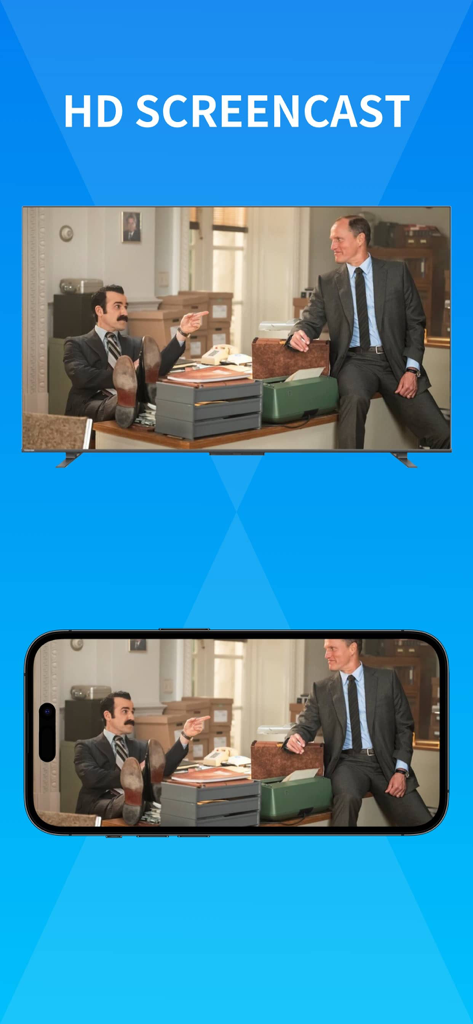
Duplicado de pantalla de alta definición de un iPhone a un televisor inteligente
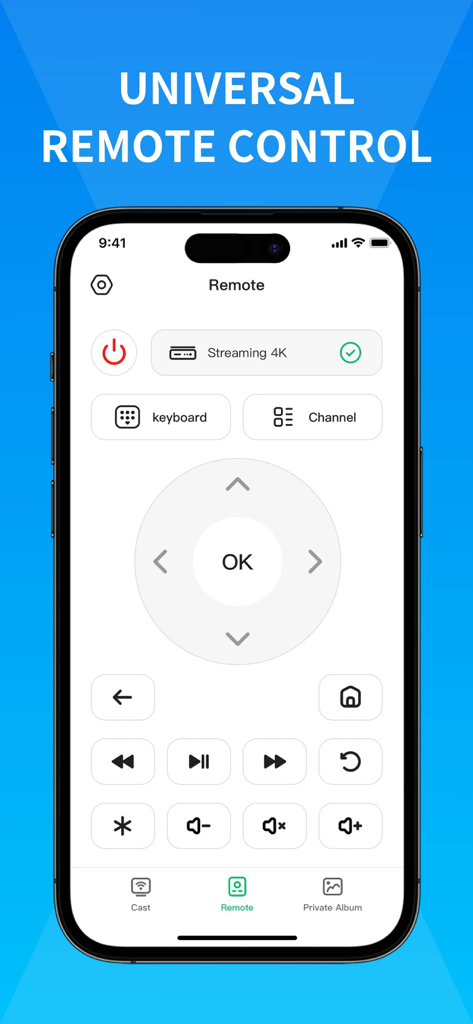
Un smartphone que muestra una interfaz de control remoto universal para televisores inteligentes con botones de navegación y reproducción
Descripción
Download
Apps Similares
Apps con características y experiencia similares

Web Video Cast | Browser to TV
InstantBits Inc

PigeonCast:Send by Google Cast
Sichuan FalconAI Technology Co., Ltd.

Screen Mirroring • Smart TV
Mihkel Pikk

Screen Mirroring | Cast to TV
Ozuna Limited

Screen Mirroring・Smart View TV
TOGGLE APPS SP Z O O

UbeCast: Music Streamer & PiP
AER SOFTWARE COMPANY LIMITED

AirDroid Cast-screen mirroring
SAND STUDIO CORPORATION LIMITED

Miracast: Screen Mirroring TV
Hainan Delta Software Co., Ltd

Screen Mirroring・Air Cast TV
Dalma Innovation Solutions d.o.o.
Esta página no es una página oficial de la aplicación ni de su desarrollador, sino una publicación editorial independiente creada con fines informativos y de comentario. Salvo que se indique expresamente lo contrario, ni la aplicación ni su desarrollador están afiliados, respaldados, patrocinados, autorizados ni conectados oficialmente con MWM, Apple, Google Play, el editor de la aplicación ni su desarrollador, y nada en esta página implica que la aplicación haya sido desarrollada utilizando los servicios de MWM. Todas las marcas comerciales, logotipos, capturas de pantalla y demás contenidos son propiedad de sus respectivos propietarios.