Mobile SSH Terminal

Mobile SSH Terminal

Descargar en App Store
Logo de Mobile SSH Terminal

Terminal SSH Móvil: Acceso SSH Seguro y Profesional para iPhone y iPad

Potenciando a ingenieros de SysAdmin y DevOps con cifrado de grado militar y seguridad del llavero local. Conéctate a servidores Linux remotos, gestiona claves RSA y ejecuta comandos sobre la marcha con un emulador de terminal potente y optimizado para iOS.

Descargar en App Store

Editor

Binaryscript Private Limited

Categoría

Developer Tools

Descargas

300

Valoración

1.0/5

Total valoraciones

0

Idiomas

1

El Centro de Comando en tu Bolsillo

Descubre la interfaz utilizada por 300 usuarios.
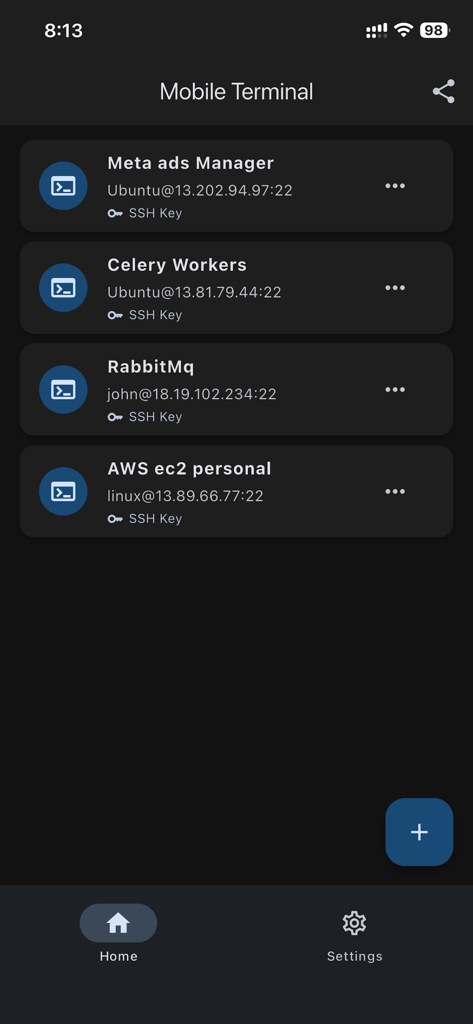
Lista de conexiones de servidores SSH guardadas en una interfaz móvil oscura

Lista de conexiones de servidores SSH guardadas en una interfaz móvil oscura

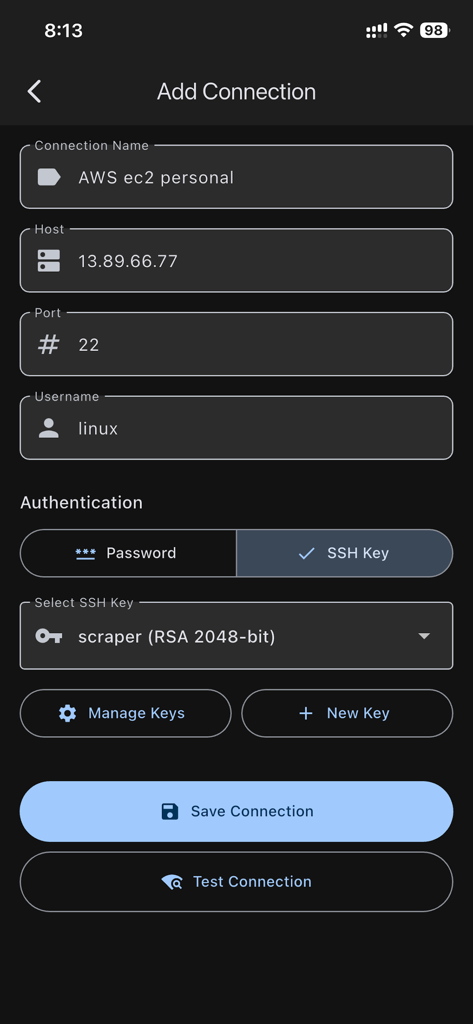
Pantalla para agregar una nueva conexión SSH mostrando detalles del host, nombre de usuario y opciones de autenticación de clave RSA

Pantalla para agregar una nueva conexión SSH mostrando detalles del host, nombre de usuario y opciones de autenticación de clave RSA

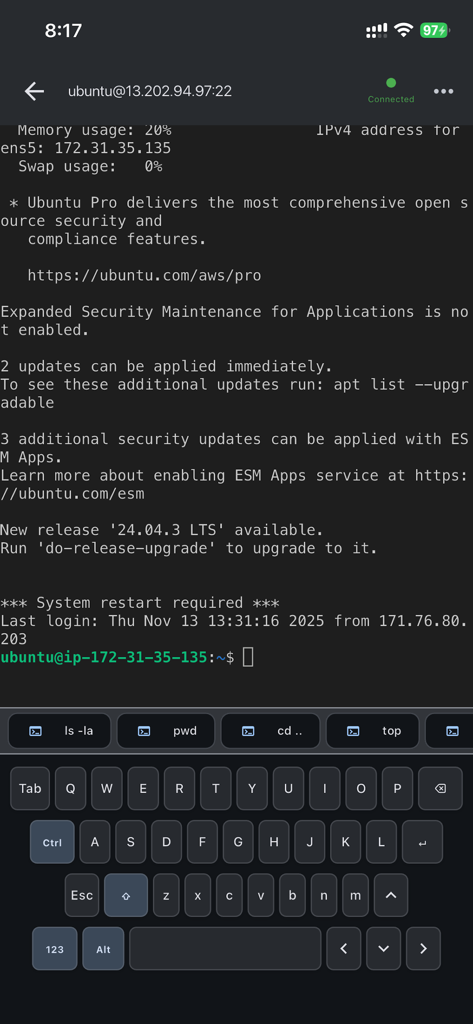
Sesión de terminal SSH activa en iPhone mostrando la línea de comandos del servidor remoto y atajos de teclado personalizados

Sesión de terminal SSH activa en iPhone mostrando la línea de comandos del servidor remoto y atajos de teclado personalizados

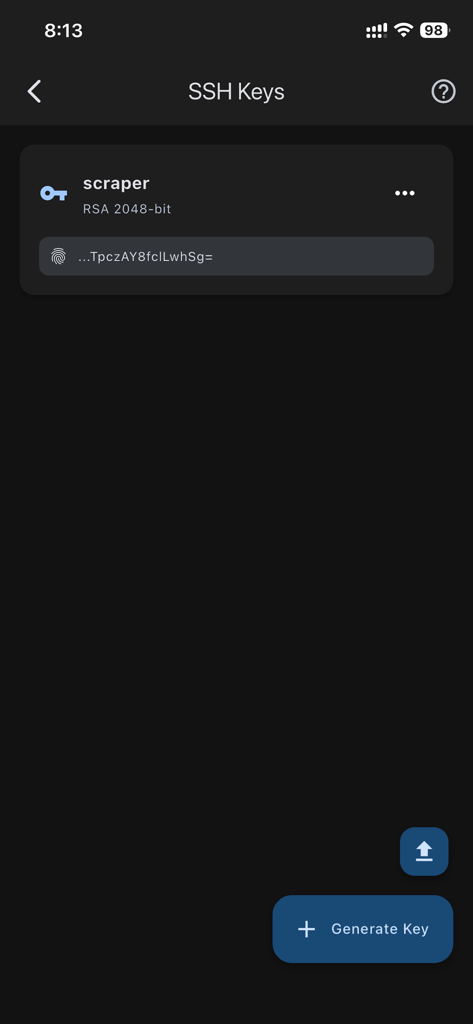
Interfaz de la aplicación Terminal SSH Móvil mostrando una clave SSH RSA gestionada y un botón para generar nuevas claves.

Interfaz de la aplicación Terminal SSH Móvil mostrando una clave SSH RSA gestionada y un botón para generar nuevas claves.

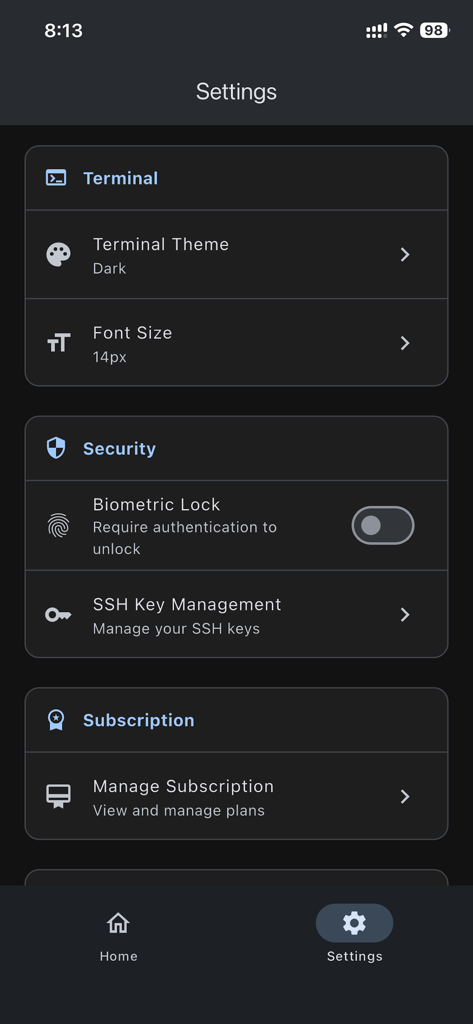
Menú de configuración de la aplicación Terminal SSH Móvil mostrando personalización de terminal y funciones de seguridad

Menú de configuración de la aplicación Terminal SSH Móvil mostrando personalización de terminal y funciones de seguridad

Gestión Profesional de Infraestructura

Las herramientas que hacen destacar esta app, elegida por 300 usuarios.

🛡️

Seguridad Fortificada

Protege tu infraestructura con cifrado de grado militar y almacenamiento local en el llavero de iOS. Tus credenciales SSH sensibles nunca abandonan tu dispositivo.

Flujo de Trabajo de Terminal Optimizado

Ejecuta comandos sin problemas con soporte completo de escape ANSI e historial de comandos guardado. Diseñado para una rápida respuesta a incidentes y solución de problemas remota.

🔑

Generación de Claves Nativa

Genera y gestiona claves RSA de 2048 y 4096 bits directamente en tu dispositivo. Exporta fácilmente claves públicas para configurar nuevos servidores en segundos.

Sobre la app

Todo lo que necesitas saber sobre Mobile SSH Terminal.

Descripción

Mobile Terminal is a professional SSH client for iPhone and iPad that lets you securely connect to remote Linux and Unix servers directly from your iOS device. Whether you're a system administrator, developer, or DevOps engineer, Mobile Terminal provides a powerful and secure way to manage your servers on the go. SECURITY FIRST • Military-grade encryption for all SSH connections • Private keys and passwords stored in secure iOS Keychain • Your SSH credentials NEVER leave your device • Support for both password and SSH key authentication • Generate secure RSA keys (2048-bit and 4096-bit) directly in the app • All connections use industry-standard SSH protocol • Sign in with Apple or Google for secure app authentication POWERFUL FEATURES • Full-featured terminal emulator with ANSI escape code support • Save and manage multiple SSH connection profiles • Quick connect to your favorite servers • Command history for efficient workflow • Session logging and command tracking • Real-time terminal interaction with scrollback support • Dark mode support for comfortable viewing in any light SSH KEY MANAGEMENT • Generate SSH key pairs directly on your device • View key fingerprints and public keys • Securely store private keys in iOS Keychain • Export public keys for easy server setup • Support for RSA 2048-bit and 4096-bit keys • Import existing SSH keys iOS-OPTIMIZED • Clean, intuitive interface designed for iPhone and iPad • Native iOS experience with familiar gestures • Efficient battery usage • Works offline after initial setup • Fast connection switching between multiple servers • Supports both portrait and landscape orientations • Optimized for all iPhone and iPad screen sizes PERFECT FOR • System Administrators managing remote servers • Developers accessing development environments • DevOps engineers monitoring production systems • IT professionals providing remote support • Students learning Linux and server administration • Anyone needing secure remote server access on iOS PREMIUM FEATURES Upgrade to Premium for enhanced functionality: • Additional advanced features • Priority support • Support ongoing development • Remove limitations PRIVACY & SECURITY • Sign in with Apple or Google for secure authentication • All SSH credentials stored locally on your device in iOS Keychain • No SSH passwords or keys transmitted to our servers • Your privacy is our priority • GDPR and CCPA compliant • No third-party tracking REQUIREMENTS • iOS 15.0 or later • Compatible with iPhone and iPad • Internet connection for initial login and SSH connections • SSH access to target servers (port 22 or custom) SUPPORT & FEEDBACK Need help? Have suggestions? We're here to help! Email: info@binaryscript.com We typically respond within 24 hours Mobile Terminal is developed by BinaryScript, committed to providing secure and reliable tools for system administrators and developers worldwide. Download Mobile Terminal today and take control of your servers from anywhere, right from your iPhone or iPad! Terms of Use: https://binaryscript.com/ssh-terminal/terms/

Última versión

1.02

Tamaño

50.4 MB

Fecha de lanzamiento

30 nov 2025

Toma el Control de tu Infraestructura desde Cualquier Lugar

Únete a los ingenieros de sysadmin y DevOps de élite que confían en Terminal Móvil para un acceso SSH seguro y de grado militar. Descarga ahora y convierte tu iPhone o iPad en una estación de trabajo profesional.

Descargar en App Store

App information, icons, screenshots, and descriptions displayed on this page are sourced from the Apple App Store and are the property of their respective developers. Download estimates and rankings are based on MWM's proprietary models and may not reflect actual figures. This page is provided for informational and analytical purposes only.

Believe this page infringes your intellectual property? File a dispute