
Esta página no es una página oficial de la aplicación ni de su desarrollador, sino una publicación editorial independiente creada con fines informativos y de comentario. Salvo que se indique expresamente lo contrario, ni la aplicación ni su desarrollador están afiliados, respaldados, patrocinados, autorizados ni conectados oficialmente con MWM, Apple, Google Play, el editor de la aplicación ni su desarrollador, y nada en esta página implica que la aplicación haya sido desarrollada utilizando los servicios de MWM. Todas las marcas comerciales, logotipos, capturas de pantalla y demás contenidos son propiedad de sus respectivos propietarios.


Music Transpose - Key Changer
La herramienta esencial para que cantantes y músicos transpongan audio o video sin esfuerzo. Ajusta el tono y la velocidad de forma independiente, practica sin conexión y disfruta de un uso ilimitado con una sola compra única.
Descargas
63K+Valoración
Total valoraciones
800Editor
Categoría
MusicIdiomas
32Última versión
4.4.14Tamaño
45.9 MBFecha de lanzamiento
26 abr 2022Domina Cada Pieza con Precisión
La utilidad definitiva para que los músicos transpongan tonalidades y ajusten el tempo al instante—sin suscripciones, sin complejidad, solo práctica pura.
Transpón a Tu Rango
Desplaza el tono en incrementos finos de semitonos para que coincida con tu rango vocal o la afinación de tu instrumento, guiado por indicadores visuales de calidad.
Ralentiza las Partes Difíciles
Ajusta independientemente la velocidad de reproducción sin cambiar el tono, permitiéndote dominar solos rápidos y ritmos complejos a tu propio ritmo.
Las siguientes capturas de pantalla y la descripción provienen directamente del listado oficial de la tienda de la aplicación y son propiedad del desarrollador.
App Store
Capturas
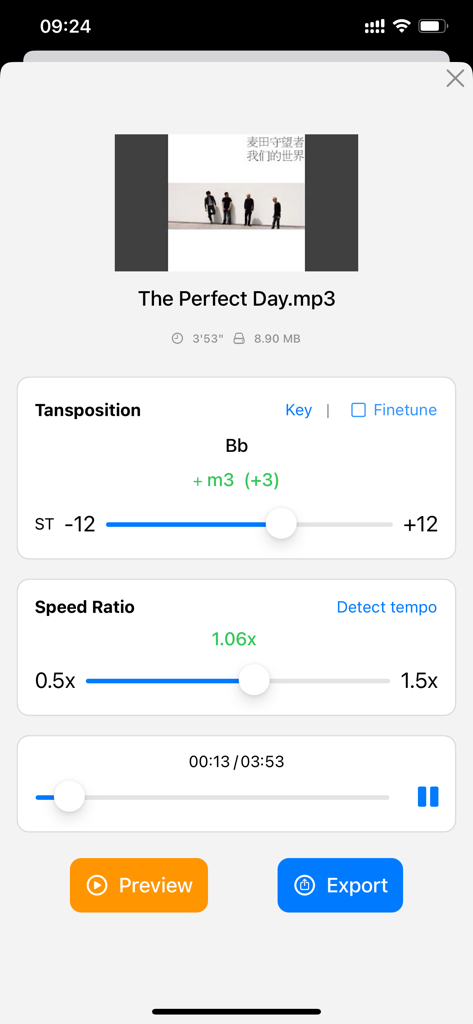
Interfaz de la aplicación para transponer la tonalidad de la música y ajustar la relación de velocidad de reproducción.
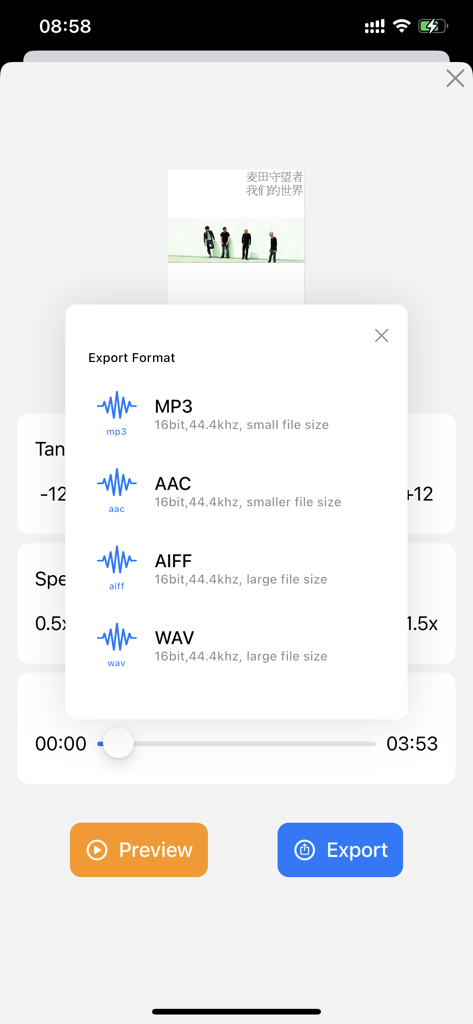
Pantalla de exportación para archivos de música en formatos MP3, AAC, AIFF o WAV.
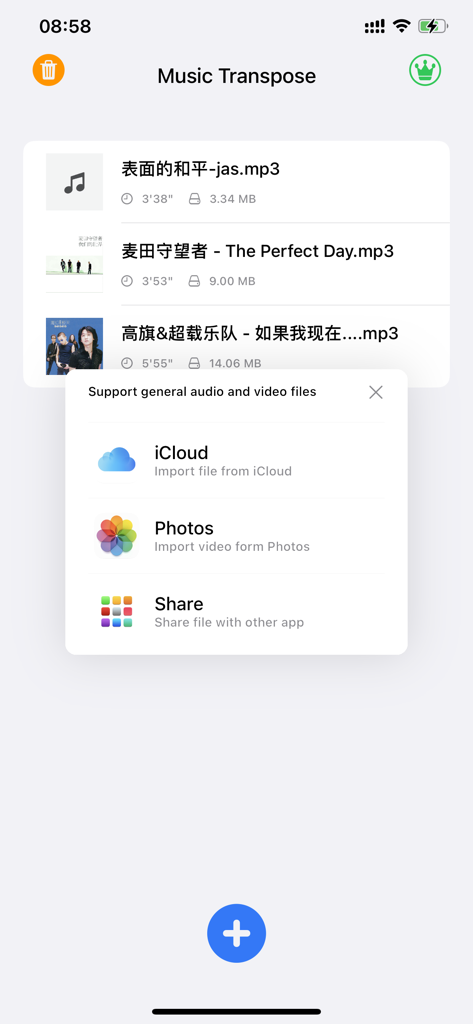
Pantalla de la aplicación Transposición Musical mostrando un menú emergente con opciones para importar archivos de audio y video desde iCloud y Fotos
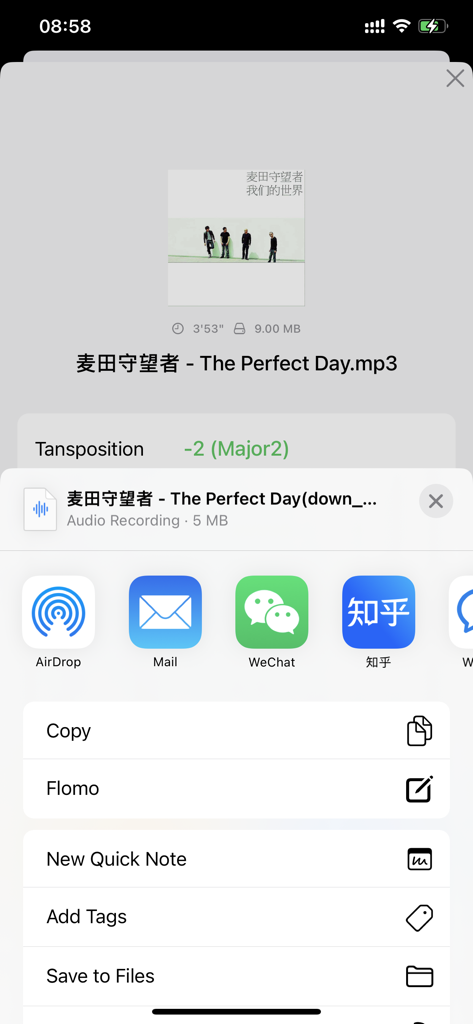
Interfaz de la aplicación Transposición Musical mostrando opciones de exportación de archivos después del ajuste de tono
Descripción
Download
Apps Similares
Apps mejor clasificadas en la misma categoría

Spotify: Music and Podcasts
Spotify

YouTube Music
Google LLC

Shazam: Find Music & Concerts
Apple Inc.

SoundCloud: The Music You Love
SoundCloud Global Limited & Co KG

Suno - AI Songs & Music
Suno Inc.

QQ音乐 - 听我想听
Tencent Technology (Shenzhen) Company Limited

Audiomack - Play Music Offline
Audiomack, Inc.

GuitarTuna: Tune & Play Guitar
Yousician Ltd

BandLab – Music Maker & Beats
BandLab Singapore Pte Ltd
Esta página no es una página oficial de la aplicación ni de su desarrollador, sino una publicación editorial independiente creada con fines informativos y de comentario. Salvo que se indique expresamente lo contrario, ni la aplicación ni su desarrollador están afiliados, respaldados, patrocinados, autorizados ni conectados oficialmente con MWM, Apple, Google Play, el editor de la aplicación ni su desarrollador, y nada en esta página implica que la aplicación haya sido desarrollada utilizando los servicios de MWM. Todas las marcas comerciales, logotipos, capturas de pantalla y demás contenidos son propiedad de sus respectivos propietarios.