My Calendar: Planner Organizer

My Calendar: Planner Organizer

Descargar en App Store
Logo de My Calendar: Planner Organizer

My Calendar: El Planificador Estético y Sencillo Creado para Tu Ajetreada Vida

Organiza tus turnos y tareas diarias en segundos con fondos personalizados, más de 50 temas y widgets que combinan con tu estilo. No se requiere cuenta, solo una planificación sencilla, privada y hermosa para todos.

Editor

Komorebi Inc.

Categoría

Productivity

Descargas

259K+

Valoración

4.7/5

Total valoraciones

4K+

Idiomas

33

Un Vistazo a la Sencillez

Descubre la interfaz utilizada por 259K+ usuarios.
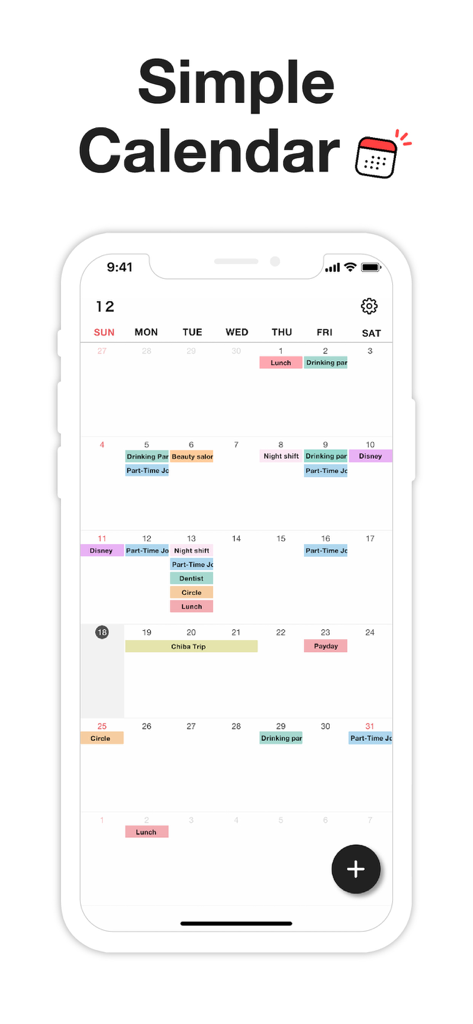
Interfaz de calendario mensual mostrando eventos y turnos codificados por colores en un diseño minimalista

Interfaz de calendario mensual mostrando eventos y turnos codificados por colores en un diseño minimalista

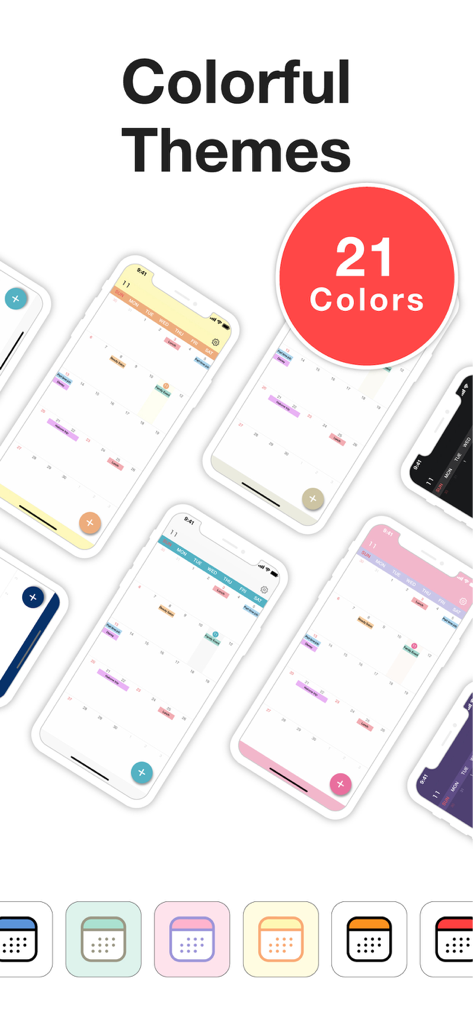
Una muestra de múltiples temas de calendario coloridos y estéticos e iconos de aplicación para el planificador My Calendar

Una muestra de múltiples temas de calendario coloridos y estéticos e iconos de aplicación para el planificador My Calendar

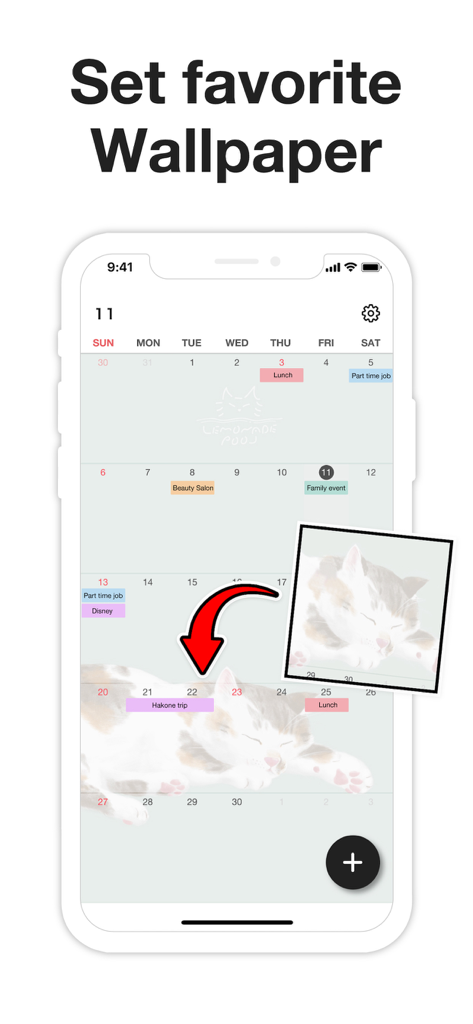
Personalizando la aplicación My Calendar con un fondo de foto personal.

Personalizando la aplicación My Calendar con un fondo de foto personal.

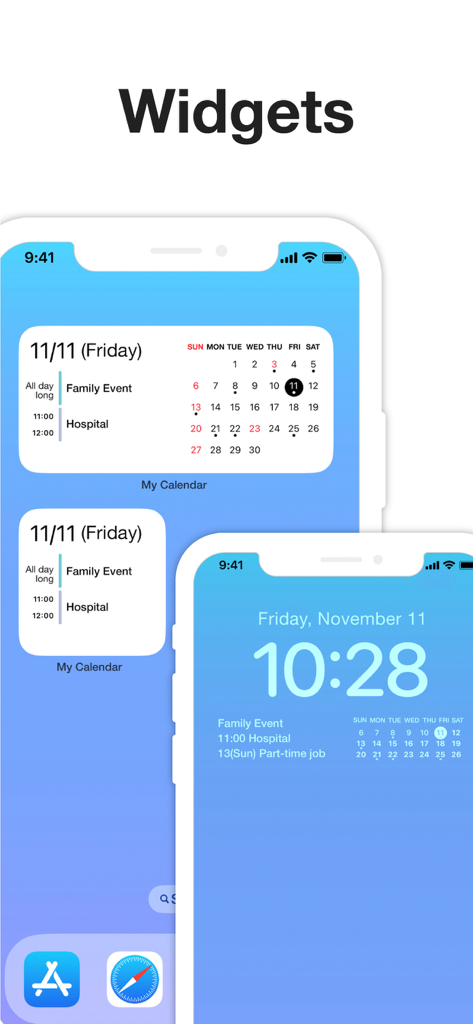
Visualización de widgets de la aplicación My Calendar en las pantallas de inicio y bloqueo del iPhone mostrando eventos programados

Visualización de widgets de la aplicación My Calendar en las pantallas de inicio y bloqueo del iPhone mostrando eventos programados

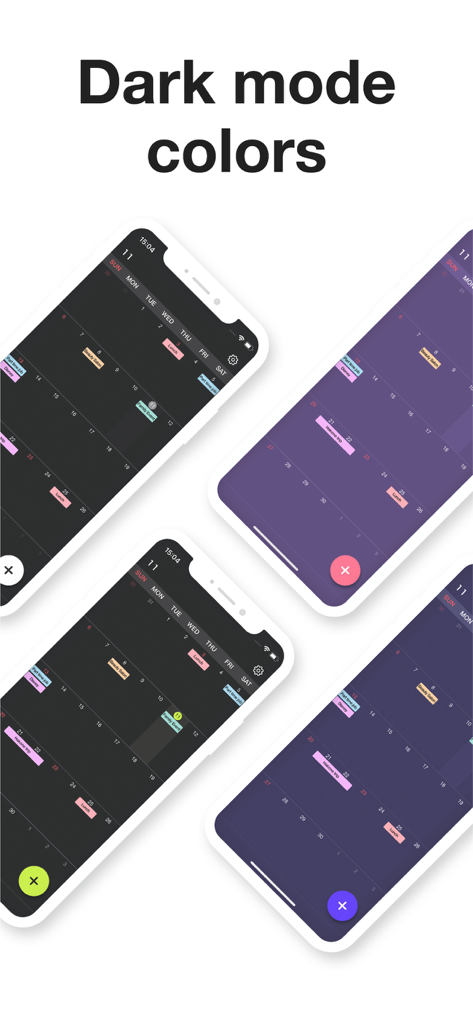
Cuatro pantallas de smartphone que muestran diferentes temas de color en modo oscuro y diseños de eventos codificados por colores para la aplicación My Calendar.

Cuatro pantallas de smartphone que muestran diferentes temas de color en modo oscuro y diseños de eventos codificados por colores para la aplicación My Calendar.

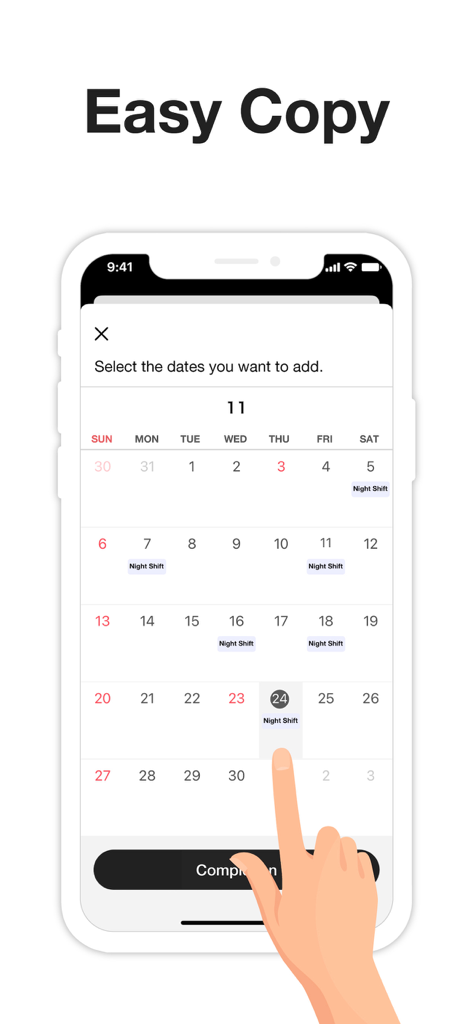
Interfaz que muestra cómo seleccionar varias fechas para añadir rápidamente eventos de turno de noche.

Interfaz que muestra cómo seleccionar varias fechas para añadir rápidamente eventos de turno de noche.

Diseñado para Ti, Creado para la Velocidad

Las herramientas que hacen destacar esta app, elegida por 259K+ usuarios.

🎨

Expresa Tu Estilo

Personaliza tu planificador con más de 50 colores temáticos y tus fotos favoritas. Adapta tu calendario a tu estilo con iconos personalizados y modo oscuro.

Planificación en Bloque sin Esfuerzo

Deja de escribir repetidamente. Selecciona varias fechas a la vez para registrar turnos de trabajo irregulares, clases o hábitos en solo unos segundos.

🔒

Privado y Sin Cuenta

Empieza directamente sin crear una cuenta. Tus datos permanecen en tu dispositivo, protegidos por bloqueo de código y Face ID para una total tranquilidad.

Sobre la app

Todo lo que necesitas saber sobre My Calendar: Planner Organizer.

Descripción

My Calendar is a simple calendar app that lets anyone easily manage their schedule. • Extremely easy to use • Use your favorite photo as a background image • Easily check your schedule on a large, clutter-free screen Despite its simplicity, this app is loaded with useful features, such as widgets and a variety of dark mode themes. [ Features ] • 50 theme colors • Font size adjustment (10 levels) • Customizable background image • 5 lock screen widgets • 6 home screen widgets • Font color selection (black / white) • Vertical and horizontal scrolling • Passcode lock • Change app icon • iCloud backup • Transfer data when changing phones, even on a different OS --- [ Convenient features ] ■ No account required No member registration or iCloud account is required. Anyone can get started right away without going through the trouble of logging in. ■ Font size adjustment Choose from five font sizes. Options for fine, bold, white and black text allow you to read without straining your eyes. ■ Color coding You can color code your schedule simply by selecting a color when adding an event. There are 25 stylish colors to choose from. You can even give names to frequently used colors, such as "part-time job" or "night shift." ■ Passcode lock Keep your schedule safe from prying eyes by locking the app with a passcode. Face ID and Touch ID are also supported, of course. ■ Notifications Set alerts for events on your schedule. For important events, you can set up push notifications that will alert you ahead of time (such as 5 minutes or 15 minutes in advance), in addition to the scheduled time. ■ Add multiple events at once by selecting several dates When adding events to your schedule, you can select multiple dates to add several at once. This makes it easy to quickly add job shifts at irregular intervals, for example. You can also set up recurring events with no need to manually add each date. This can be as simple as "every Tuesday" or something more unusual: the 25th of every month, every 3 weeks, the last day of every month and so on. ■ Add URLs, maps and memos You can add URLs, maps and memos to each event. Tapping a URL will take you straight to your browser, while tapping a location will open the Google Maps app or the iOS Maps app for your convenience. ■ Theme colors 50 stylish theme colors are available! ■ Dark mode Be gentle on your eyes with dark mode. Choose from four different dark color schemes. ■ Widgets Five lock screen widgets and six home screen widgets allow you to display a mini calendar, show your next scheduled event and more. --- ■ Note This app stores calendar information entirely within the app. If you remove the app, that data will be lost. Please back up your data from the "Backup" menu in the settings screen if you intend to change your phone or if you are worried about losing the app. If you want to use iCloud Calendar or Google Calendar, please try our Simple Calendar (S Calendar) app. It supports various calendar accounts and can manage schedule data in the cloud. Feel free to use My Calendar and Simple Calendar alongside each other to suit your purposes. ■ Help and inquiries Please see "Help" in the Settings screen of the app. If you still have questions after reviewing that information, you can reach us using the "Contact Us" button in the upper right corner of the Help screen. Terms of Use: https://komorebi-studio.com/tos_en.html Privacy Policy: https://komorebi-studio.com/policyredirect.html

Última versión

2.0.0

Tamaño

204.4 MB

Fecha de lanzamiento

2 dic 2022

¿Listo para Planificar Tu Día, a Tu Manera?

Únete a más de 259.000 usuarios que han dejado atrás el desorden para usar un calendario hermoso, privado y sencillo. Sin cuentas, sin complicaciones, solo descarga y empieza a organizar en segundos.

Descargar en App Store

App information, icons, screenshots, and descriptions displayed on this page are sourced from the Apple App Store and are the property of their respective developers. Download estimates and rankings are based on MWM's proprietary models and may not reflect actual figures. This page is provided for informational and analytical purposes only.

Believe this page infringes your intellectual property? File a dispute