Off - Shutdown and Wake On Lan

Off - Shutdown and Wake On Lan


Descargar en App Store
Logo de Off - Shutdown and Wake On Lan

Off - Apagado remoto y Wake On Lan: El control de tu ordenador, desde tu muñeca o con la voz

Apaga, enciende o pon en reposo tu PC y Mac de forma fluida desde cualquier lugar. Ahorra energía, automatiza tu oficina en casa con Accesos directos de Siri y gestiona tus dispositivos con un solo toque.

Descargar en App Store

Editor

BRIDGETECH SOLUTIONS LIMITED

Categoría

Utilities

Descargas

39K+

Valoración

4.3/5

Total valoraciones

1K+

Idiomas

8

Tu Centro de Comando

Descubre la interfaz utilizada por 39K+ usuarios.
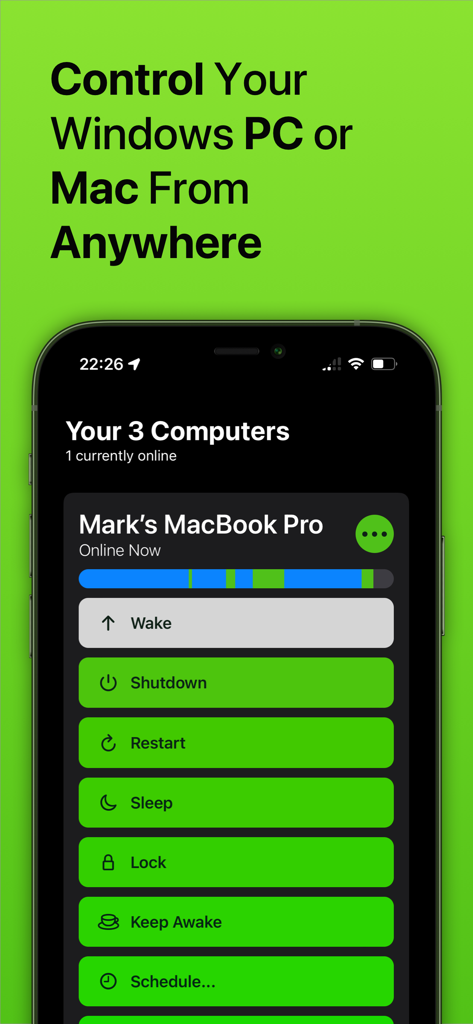
Pantalla de la app de gestión remota de ordenadores con opciones de apagado, reinicio y reposo.

Pantalla de la app de gestión remota de ordenadores con opciones de apagado, reinicio y reposo.

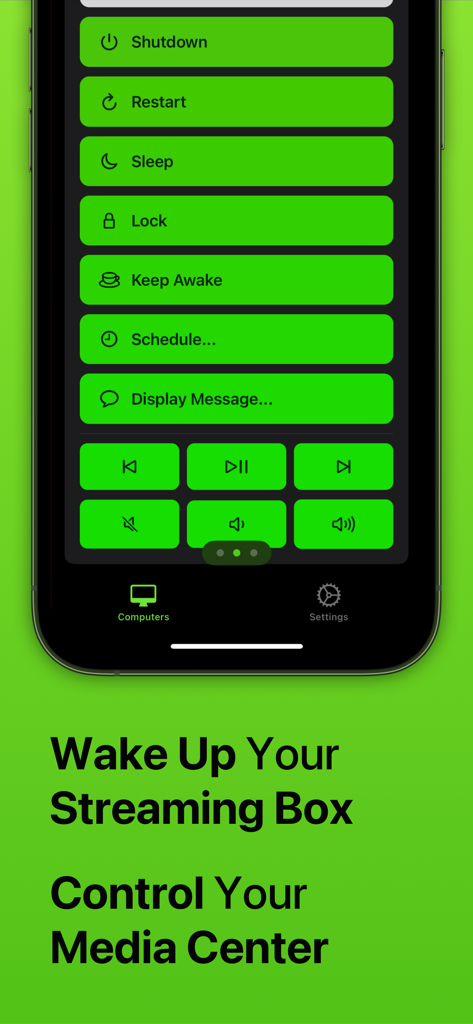
Captura de pantalla de la app Off mostrando botones de control remoto para apagar, reiniciar, poner en reposo y controlar la reproducción multimedia en un smartphone.

Captura de pantalla de la app Off mostrando botones de control remoto para apagar, reiniciar, poner en reposo y controlar la reproducción multimedia en un smartphone.

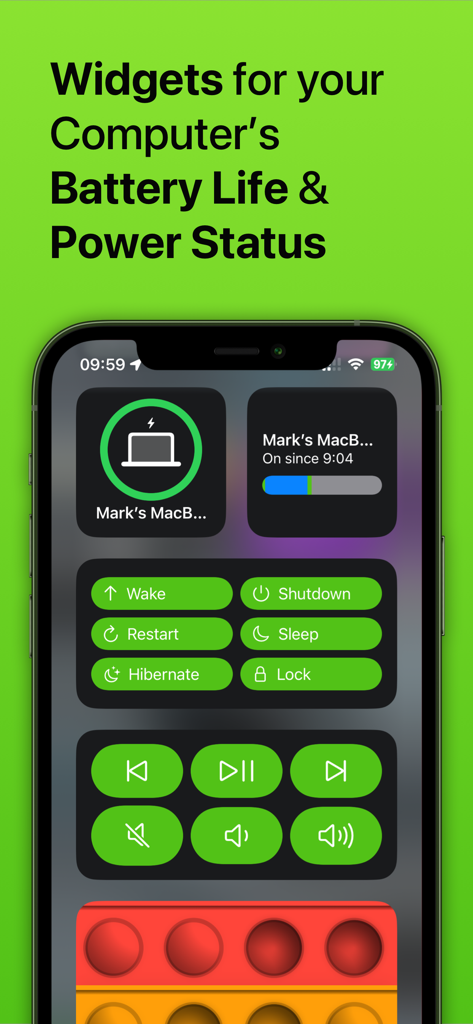
Pantalla del iPhone mostrando widgets para el estado de energía del ordenador y botones de control remoto

Pantalla del iPhone mostrando widgets para el estado de energía del ordenador y botones de control remoto

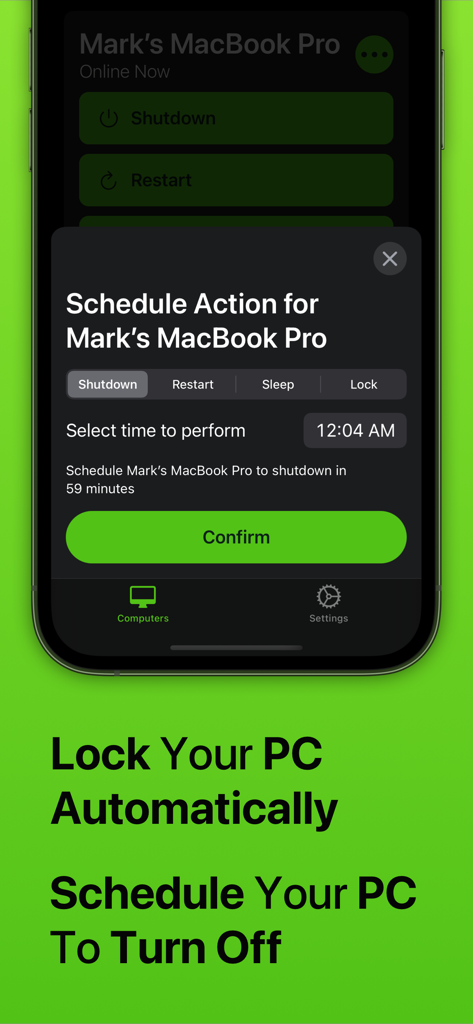
Interfaz de la app Off en iPhone mostrando el menú de acción de programación para apagar o bloquear automáticamente un Mac

Interfaz de la app Off en iPhone mostrando el menú de acción de programación para apagar o bloquear automáticamente un Mac

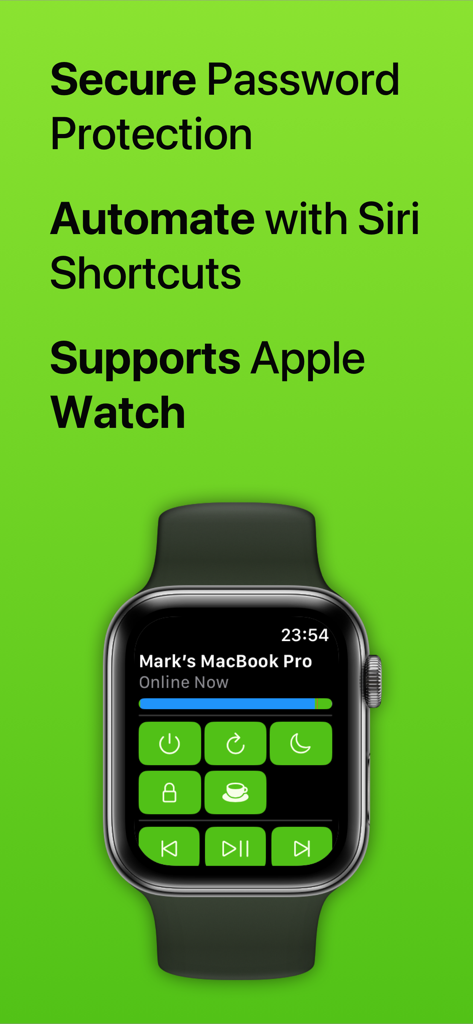
Interfaz de la app Off en un Apple Watch mostrando controles remotos para un MacBook Pro

Interfaz de la app Off en un Apple Watch mostrando controles remotos para un MacBook Pro

Domina tu espacio de trabajo con control remoto total

Las herramientas que hacen destacar esta app, elegida por 39K+ usuarios.

🪄

Automatización por Voz

Integración fluida con Siri y la app Accesos directos para crear potentes rutinas. Apaga tu oficina y bloquea tu PC con un único comando de voz personalizado al salir.

Gestión desde la Muñeca

No necesitas levantarte del sofá ni caminar hasta tu escritorio. Enciende, pon en reposo o reinicia tu Mac o PC directamente desde tu Apple Watch, ofreciendo la máxima comodidad para tu configuración multimedia.

Energía Inteligente y Programación

Reduce tus facturas de electricidad y gestiona el tiempo de pantalla familiar con facilidad. Programa apagados automáticos para asegurarte de que tu potente equipo de juegos no esté funcionando sin necesidad toda la noche.

Sobre la app

Todo lo que necesitas saber sobre Off - Shutdown and Wake On Lan.

Descripción

With Off, you can control your computers remotely, from anywhere in the world. Off has several commands it can trigger on your computers, including: - Shutdown - Restart - Sleep - Lock - Wake Up (WOL) - Display Message - Keep Awake It works with any Windows PC, Mac or Linux PC. It doesn’t require any complex setup or configuration; anyone can use it. Off is integrated into Siri. You can create voice commands like "Hey Siri, switch off my computer" or "Hey Siri, wake up my Mac". Off is fully compatible with Apple's Shortcuts app. With this, you can design your own automation routines that combine Off's ability to control your computers with any other action available through Shortcuts. For example, you could create a 'Finished Work' routine that turns off your office lights and shuts down your computer at the same time. If you've got kids, you can use Off to limit how long they're spending on their computers. Use the app to schedule their computer to automatically turn off when it's time for bed. Off comes with an Apple Watch app. With just a tap on your wrist, you can control the computers in your home. With Off, you’ll be able to save money on your electricity because it’ll be effortless to shut down your power-hungry machines. If you stream media from your computer to your iPhone or iPad, Off is invaluable as it allows you to fix problems by restarting without even getting up. You can set your computer to shut down at a scheduled time if you’re watching something in bed and don’t want your computer to be left on all night. Off is secure, if you want to set a password to stop unwanted access you can. Off requires the Off Helper application to be installed on any computer you wish to control. This is available to download for free from www.bridgetech.io Off is compatible with: Windows Vista (32bit and 64bit) Windows 8 (32bit and 64bit) Windows 10 (32bit and 64bit) Windows 11 macOS 10.14 (Mojave) macOS 10.15 (Catalina) macOS 11 (Big Sur) macOS 12 (Monterey) macOS 13 (Ventura) macOS 14 (Sonoma) Ubuntu Raspbian Full Terms and Conditions: http://bit.ly/2KylV0Y Follow me on Twitter for the latest promotions, news and updates. @MarkBridgesApps

Última versión

3.39

Tamaño

57.9 MB

Fecha de lanzamiento

4 jun 2012

¿Listo para dominar tu espacio de trabajo?

Únete a miles de usuarios que controlan sus ordenadores con solo un toque o un comando de Siri. Ahorra energía y obtén total tranquilidad hoy mismo.

Descargar en App Store

App information, icons, screenshots, and descriptions displayed on this page are sourced from the Apple App Store and are the property of their respective developers. Download estimates and rankings are based on MWM's proprietary models and may not reflect actual figures. This page is provided for informational and analytical purposes only.

Believe this page infringes your intellectual property? File a dispute