PDF Editor: Edit Everything

PDF Editor: Edit Everything


Descargar en App StoreDescargar en Google Play
Logo de PDF Editor: Edit Everything
Editor de PDF: Edítalo Todo – La Forma con IA de Manejar Documentos

Deja de quedarte atascado con archivos que no puedes modificar. Edita texto, firma contratos y convierte PDFs al instante desde tu teléfono con el editor móvil más fácil del mundo.

Editor

Desygner Pty Ltd

Categoría

Business

Descargas

307K+

Valoración

4.3/5

Total valoraciones

1K+

Idiomas

24

Edita Sin Límites

Descubre la interfaz utilizada por 307K+ usuarios.
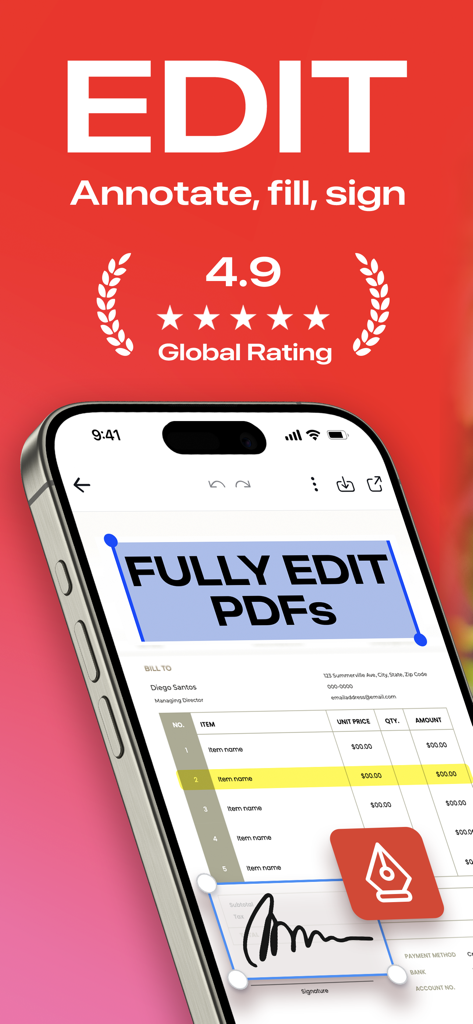
Pantalla de iPhone mostrando la aplicación Editor de PDF con funciones para editar documentos y añadir firmas digitales

Pantalla de iPhone mostrando la aplicación Editor de PDF con funciones para editar documentos y añadir firmas digitales

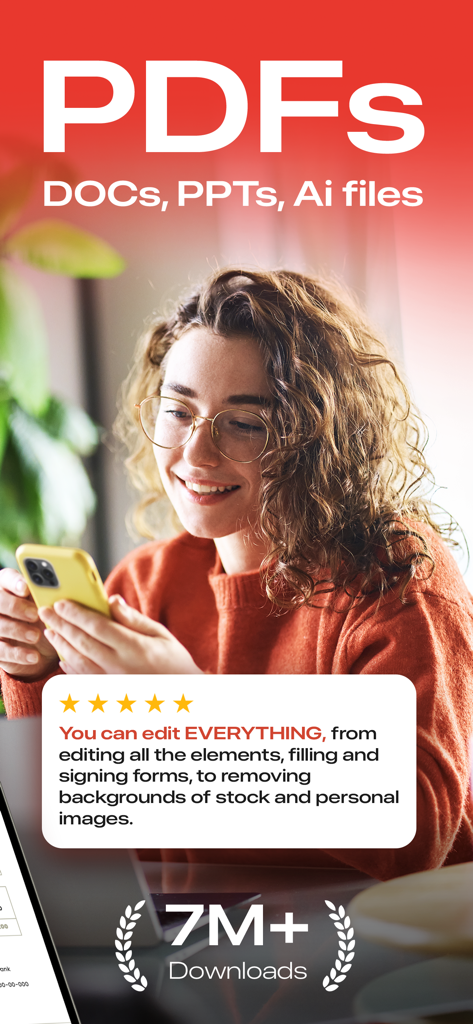
Una joven profesional utilizando la aplicación móvil Editor de PDF con una reseña de usuario de cinco estrellas y una insignia de siete millones de descargas

Una joven profesional utilizando la aplicación móvil Editor de PDF con una reseña de usuario de cinco estrellas y una insignia de siete millones de descargas

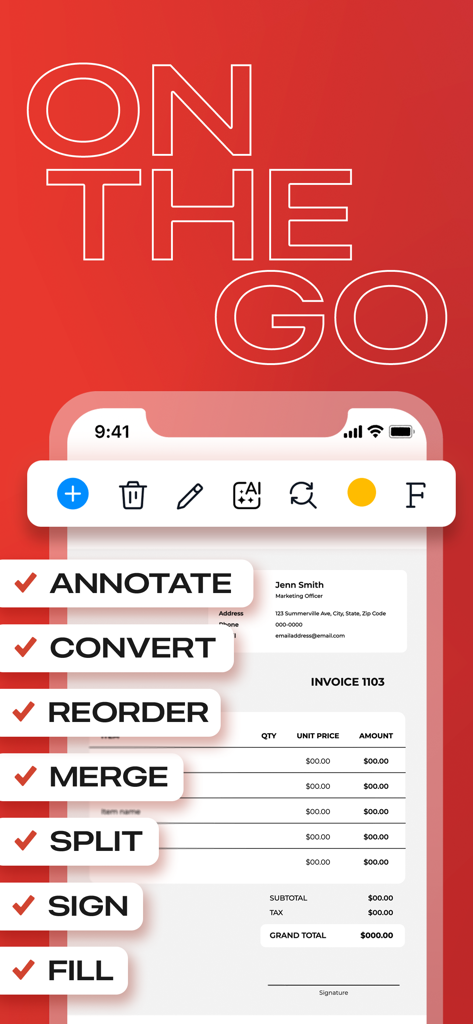
Una interfaz móvil de la aplicación Editor de PDF mostrando funciones de edición de documentos como anotar, convertir y firmar en una factura

Una interfaz móvil de la aplicación Editor de PDF mostrando funciones de edición de documentos como anotar, convertir y firmar en una factura

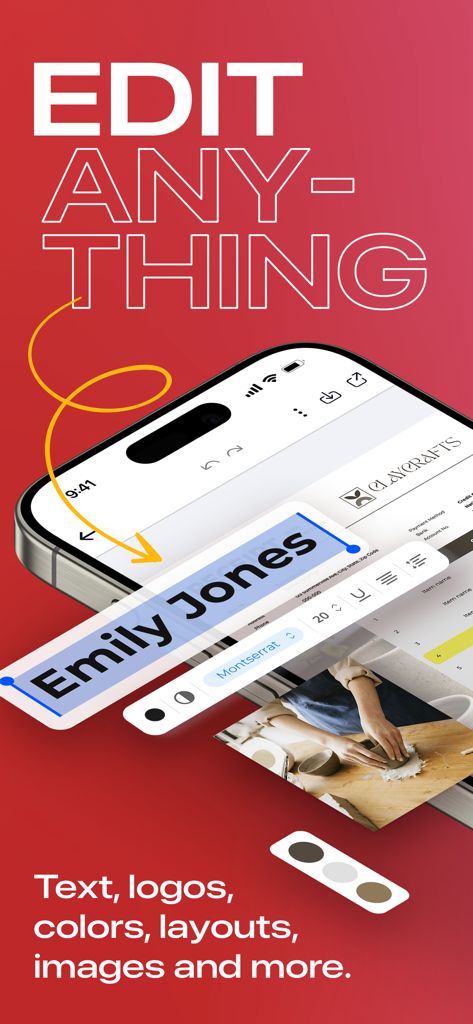
Teléfono móvil mostrando funciones de edición de texto PDF en la aplicación Editor de PDF

Teléfono móvil mostrando funciones de edición de texto PDF en la aplicación Editor de PDF

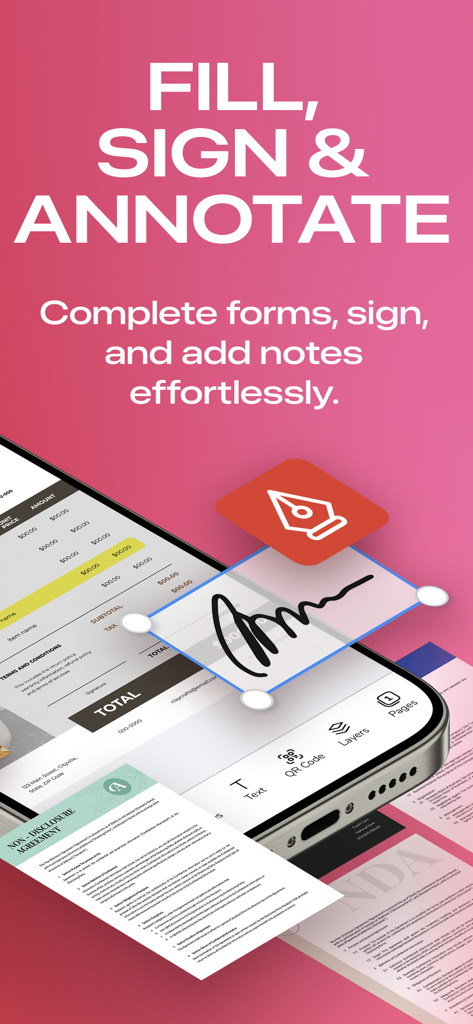
Una pantalla de smartphone mostrando las funciones de rellenar, firmar y anotar de la aplicación móvil Editor de PDF

Una pantalla de smartphone mostrando las funciones de rellenar, firmar y anotar de la aplicación móvil Editor de PDF

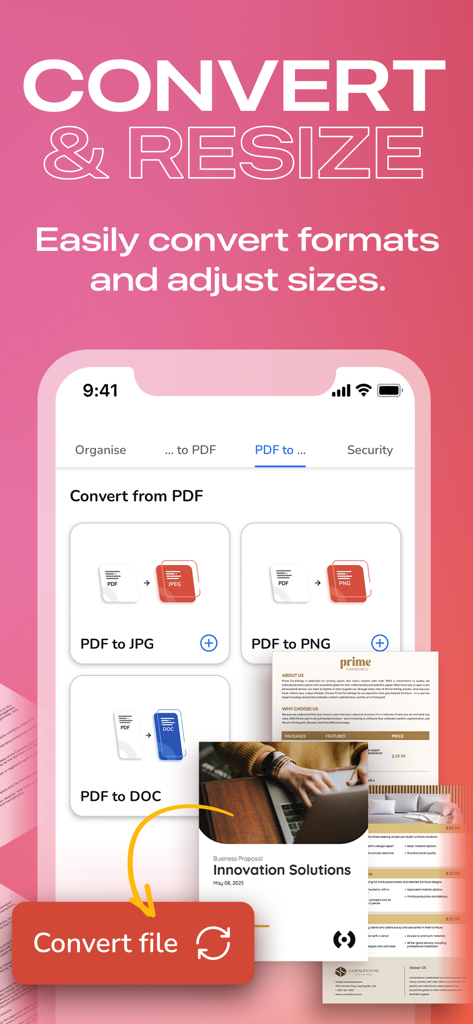
Interfaz de la aplicación móvil mostrando opciones para convertir archivos PDF a formatos JPG, PNG y DOC.

Interfaz de la aplicación móvil mostrando opciones para convertir archivos PDF a formatos JPG, PNG y DOC.

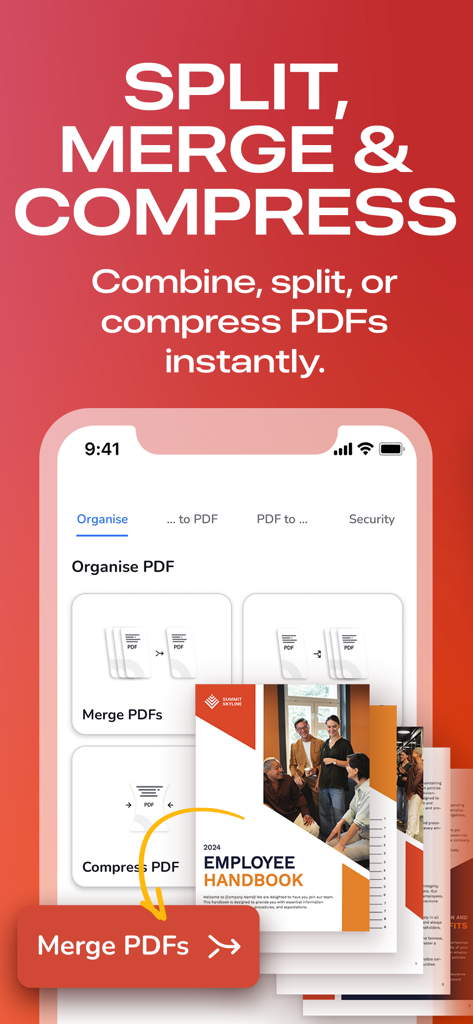
Interfaz de la aplicación móvil mostrando opciones para dividir, fusionar y comprimir documentos PDF.

Interfaz de la aplicación móvil mostrando opciones para dividir, fusionar y comprimir documentos PDF.

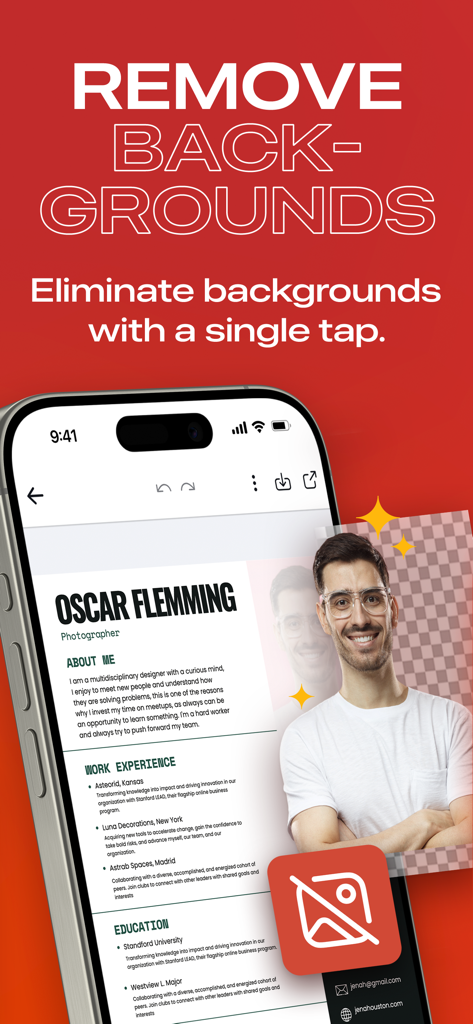
Una pantalla de aplicación móvil mostrando un currículum profesional con un retrato siendo editado usando una herramienta de eliminación de fondo

Una pantalla de aplicación móvil mostrando un currículum profesional con un retrato siendo editado usando una herramienta de eliminación de fondo

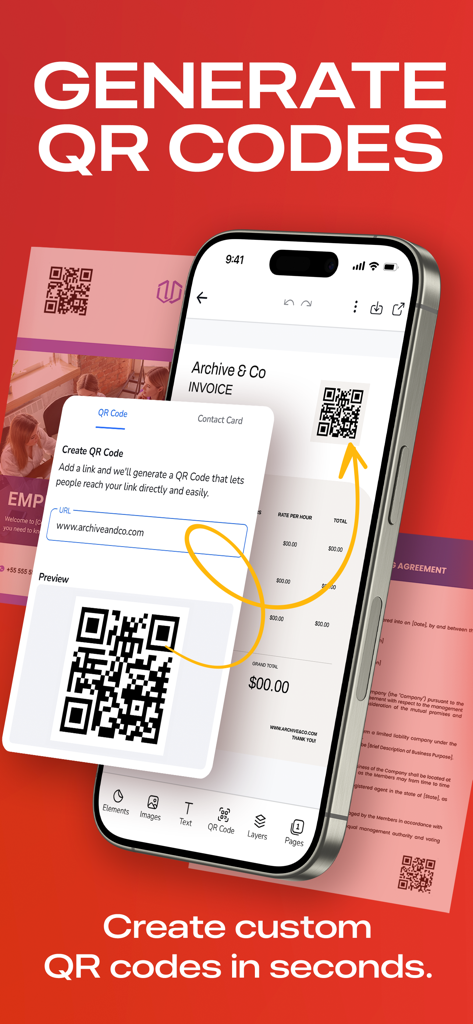
Interfaz móvil mostrando la creación de un código QR personalizado para un documento PDF

Interfaz móvil mostrando la creación de un código QR personalizado para un documento PDF

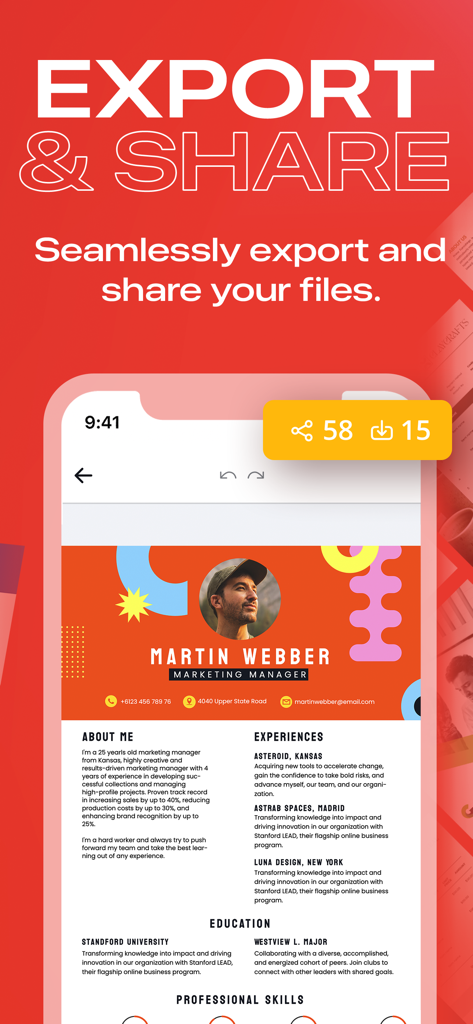
Interfaz mostrando las opciones de exportación y compartir para un currículum profesional en la aplicación Editor de PDF

Interfaz mostrando las opciones de exportación y compartir para un currículum profesional en la aplicación Editor de PDF

Domina Tus Documentos Desde Cualquier Lugar

Las herramientas que hacen destacar esta app, elegida por 307K+ usuarios.

✏️

Edición Móvil con IA

Corrige errores tipográficos, intercambia imágenes o actualiza fuentes directamente en tu teléfono. Nuestra interfaz intuitiva hace que las ediciones complejas se sientan tan simples como enviar un mensaje.

🖋️

Firmas Digitales Instantáneas

Cierra tratos sobre la marcha. Rellena formularios y añade tu firma en segundos, sin necesidad de imprimir, escanear o usar un ordenador de escritorio para tus contratos profesionales.

🔁

Conversiones de Nivel Profesional

Convierte sin problemas PDFs en documentos de Word editables, presentaciones PPT o imágenes de alta resolución. Mantén tu flujo de trabajo en movimiento sin perder calidad ni formato.

Sobre la app

Todo lo que necesitas saber sobre PDF Editor: Edit Everything.

Descripción

“THE BEST & EASIEST PDF EDITING APP” Stuck With A PDF File You Can’t Edit? Discover the ultimate PDF Editor – your all-in-one solution for efficient PDF Editing. Try it for free! HOW IT WORKS: 1. PDF Reader & Viewer: It's completely free, offline and doesn’t need an account! Annotate your PDFs, fill out digital forms, add highlights and signatures, draw and organise pages, save and export, split and merge. 2. The PDF Editor: Edit Everything! Create an account to try its full power for 7 days. Afterwards, subscribe to keep editing. With PDF Editor powered by AI, you have freedom to edit any element in your PDF. Effortlessly edit any image, text or even sign. You can even merge and convert your PDF files into other types of documents easily. Whether you're a student, professional, or simply need to work with PDFs, we've got you covered. Experience hassle-free editing with our user-friendly interface. Streamline your PDF workflow today! WHY USE PDF EDITOR • Edit Text and Images: Make quick and precise edits to your PDF documents. Change text, fonts and images as needed. • Convert and Export in Multiple Formats: Save PDFs as Word, PPT or image files for versatile sharing and editing options. • Resize any PDF: Click on resize and choose your new format in order to easily resize it to fit anywhere with the best quality. • Merge PDFs: Combine multiple PDF files into a single document, perfect for reports, presentations and more. • Annotation Tools: Highlight, underline or add comments to important sections. Enhance collaboration and communication. • Secure Your PDFs: Protect sensitive data with password encryption. Keep your documents safe and confidential. • Sign a document by hand: Fill out, save and send PDF forms. • Customize PDFs: Add watermarks, headers and footers for a professional touch. • Organize Pages: Reorder, rotate and delete pages to structure your PDF exactly how you want it. • Cloud Integration: Seamlessly access and save PDFs from popular cloud storage services like Google Drive, OneDrive and Dropbox. • Optimized Performance: Enjoy fast loading and smooth navigation through your PDFs, even with large files. • User-Friendly Interface: Navigate our app with ease, thanks to an intuitive design and user-friendly controls. • Boost Productivity: Simplify your PDF workflow and save time on document management tasks. • Millions of premium and royalty-free extra resources. • One click Background Remover. USE PDF EDITOR TO CONVERT DOCUMENTS • Convert PDF to high-resolution print or small web PDF files. • Convert PDF to JPG and PNG. • Convert PDF to Word. • Convert any image to PDF. • Convert Word to PDF. • Convert PowerPoint to PDF. • Convert Adobe Illustrator to PDF. USE PDF TEMPLATES FOR YOUR NEW PROJECTS • Documents • Invoices • Presentations • Letters • Resumes • Flyers, business cards & more! FREE YOURSELF TO EDIT ANY PDF PDF Editor is your trusted partner for all your document editing needs. Get organized, collaborate effectively and present professionally with our powerful yet easy-to-use app. Download now and unlock the full potential of your PDF files! Experience the future of PDF editing. Get it today! The PRO annual subscription is auto-renewable and it’s charged to your iTunes account and renewed for the same amount within 24 hours prior to the end of the current period. You'll be automatically charged at the end of your trial unless you cancel prior. Auto-renewal may be turned off at any time by going to your settings in the iTunes Store after purchase. Any unused portion of a free trial period will be forfeited after your purchase. We make no warranties or representations that any of its services will continue to be available for any period of time, and you acknowledge and agree that the services could change or terminate at any time in the future. View Terms & Privacy Policy for details. https://desygner.com/legal/terms-of-service / https://desygner.com/legal/privacy-policy

Última versión

5.4.7

Tamaño

179.9 MB

Fecha de lanzamiento

22 abr 2018

Deja de Quedarte Atascado y Empieza a Editar en Cualquier Lugar

Únete a más de 300.000 profesionales que han simplificado su flujo de trabajo. Descarga hoy el editor de PDF con IA más fácil y disfruta de total libertad creativa con nuestra prueba gratuita de 7 días.

Descargar en App StoreDescargar en Google Play

App information, icons, screenshots, and descriptions displayed on this page are sourced from the Apple App Store and are the property of their respective developers. Download estimates and rankings are based on MWM's proprietary models and may not reflect actual figures. This page is provided for informational and analytical purposes only.

Believe this page infringes your intellectual property? File a dispute