PDF Viewer by Nutrient
Descargar en App Store

Esta página no es una página oficial de la aplicación ni de su desarrollador, sino una publicación editorial independiente creada con fines informativos y de comentario. Salvo que se indique expresamente lo contrario, ni la aplicación ni su desarrollador están afiliados, respaldados, patrocinados, autorizados ni conectados oficialmente con MWM, Apple, Google Play, el editor de la aplicación ni su desarrollador, y nada en esta página implica que la aplicación haya sido desarrollada utilizando los servicios de MWM. Todas las marcas comerciales, logotipos, capturas de pantalla y demás contenidos son propiedad de sus respectivos propietarios.


Logo de PDF Viewer by Nutrient
Descargar en App Store

PDF Viewer by Nutrient

Transforma tu dispositivo en una estación de trabajo de alto rendimiento. Anota, firma y edita documentos con una interfaz rápida y atractiva, diseñada para profesionales y respaldada por las empresas líderes del mundo.

Cifras Clave

Descargas

1M+

Valoración

4.6/5

Total valoraciones

9K+

Editor

PSPDFKit GmbH

Categoría

Productivity

Idiomas

28

Última versión

2026.1

Tamaño

99.6 MB

Fecha de lanzamiento

24 oct 2016
Funciones

Potencia de clase de escritorio para tu flujo de trabajo móvil

Aprovecha el motor PDF en el que confían empresas como IBM y Dropbox. PDF Viewer convierte tu iPhone e iPad en una estación de trabajo de nivel profesional para cualquier tarea con documentos.

Anotación y marcado inteligente

Experimenta una precisión perfecta con el soporte para Apple Pencil. Resalta texto, añade notas o graba comentarios de audio para asimilar información compleja más rápido.

Firma profesional y formularios

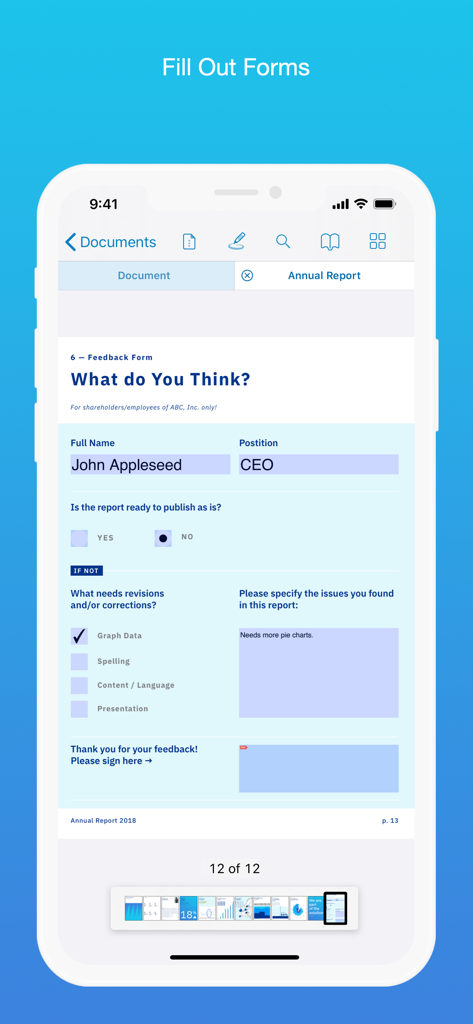
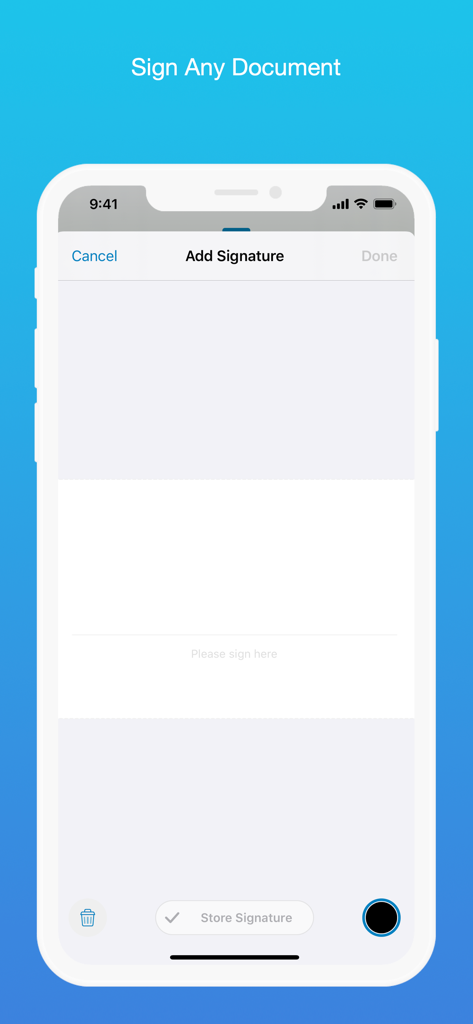
Cierra tratos desde cualquier lugar. Rellena formularios rápidamente y aplica firmas seguras y aplanadas para garantizar que tus documentos importantes permanezcan protegidos contra manipulaciones.

Las siguientes capturas de pantalla y la descripción provienen directamente del listado oficial de la tienda de la aplicación y son propiedad del desarrollador.

App Store

Capturas
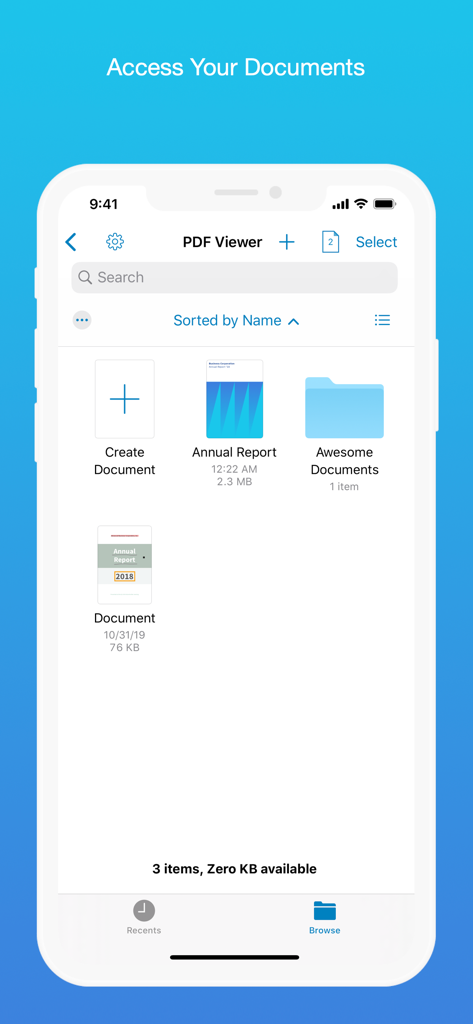
PDF Viewer by Nutrient - Interfaz de la aplicación PDF Viewer mostrando un explorador de documentos con archivos y carpetas

Interfaz de la aplicación PDF Viewer mostrando un explorador de documentos con archivos y carpetas
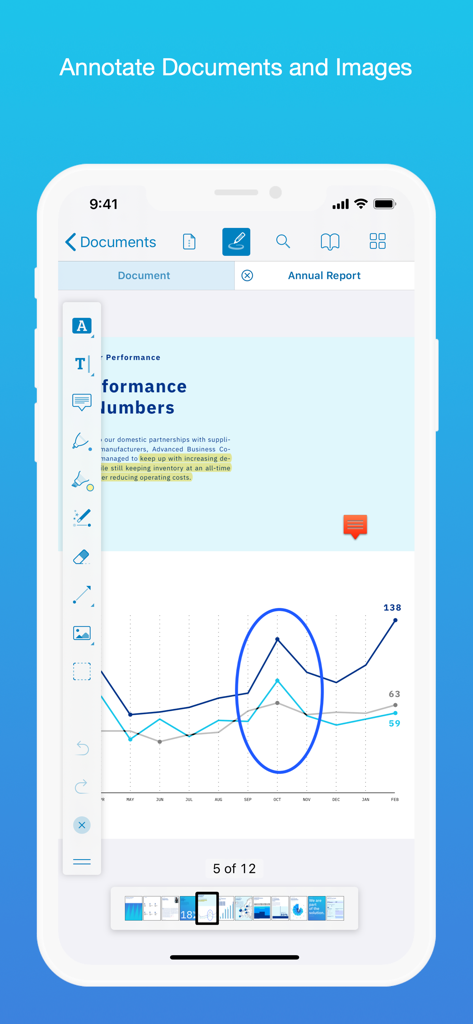
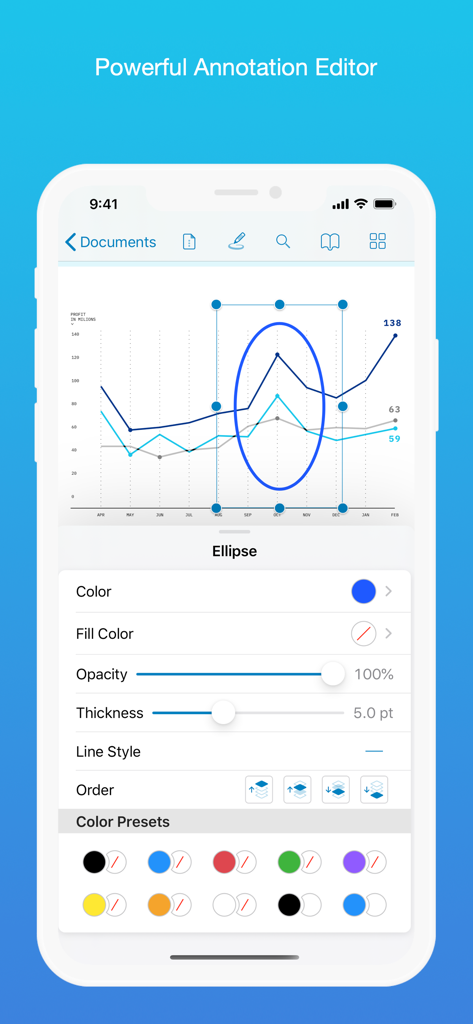
PDF Viewer by Nutrient - Captura de pantalla de iPhone que muestra la aplicación PDF Viewer con herramientas de anotación resaltando un gráfico de líneas en un documento de informe anual
Captura de pantalla de iPhone que muestra la aplicación PDF Viewer con herramientas de anotación resaltando un gráfico de líneas en un documento de informe anual

PDF Viewer by Nutrient - Rellenando un formulario de comentarios en PDF en un teléfono móvil
Rellenando un formulario de comentarios en PDF en un teléfono móvil

PDF Viewer by Nutrient - Interfaz de firma digital en la aplicación PDF Viewer en un iPhone
Interfaz de firma digital en la aplicación PDF Viewer en un iPhone

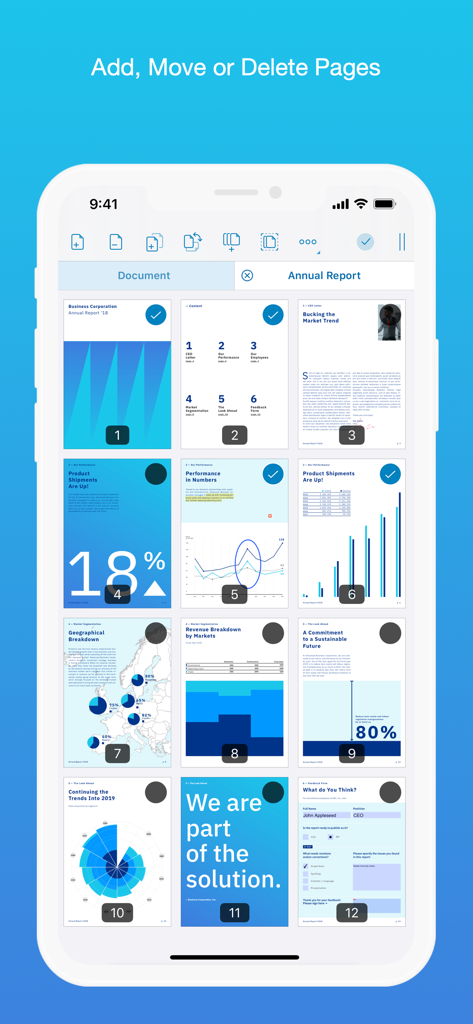
PDF Viewer by Nutrient - Una interfaz móvil que muestra una cuadrícula de páginas PDF con opciones para añadir, mover o eliminar
Una interfaz móvil que muestra una cuadrícula de páginas PDF con opciones para añadir, mover o eliminar

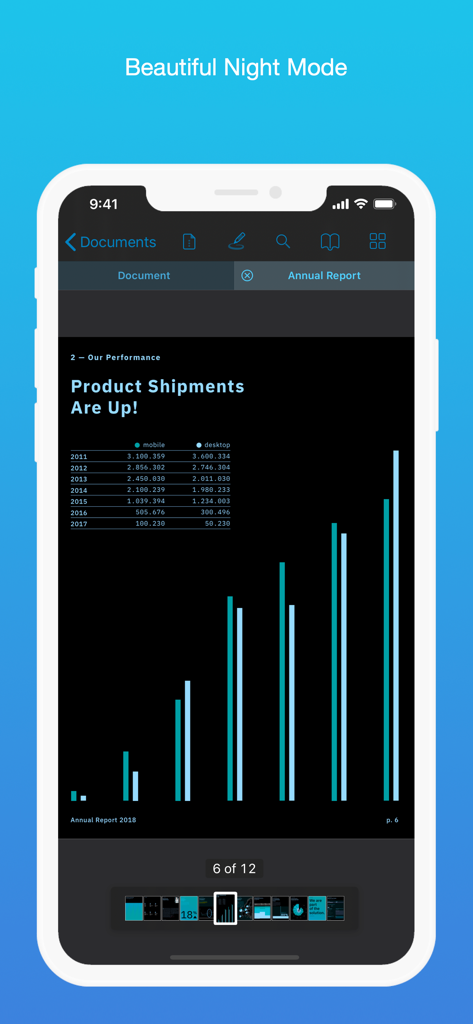
PDF Viewer by Nutrient - Aplicación PDF Viewer mostrando un documento en modo noche en un iPhone
Aplicación PDF Viewer mostrando un documento en modo noche en un iPhone

PDF Viewer by Nutrient - Pantalla de iPhone que muestra el editor de anotaciones de PDF Viewer con opciones para personalizar una elipse en un gráfico de datos.
Pantalla de iPhone que muestra el editor de anotaciones de PDF Viewer con opciones para personalizar una elipse en un gráfico de datos.

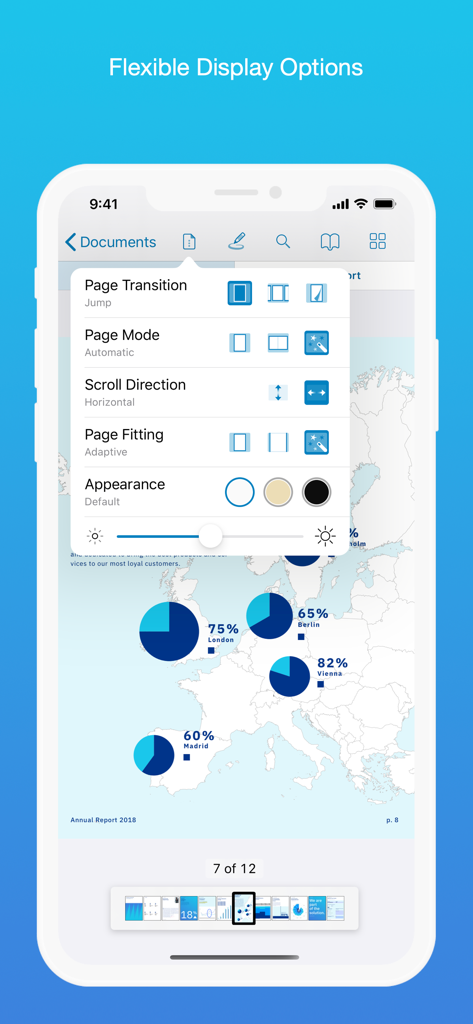
PDF Viewer by Nutrient - Interfaz de la aplicación PDF Viewer que muestra opciones de visualización flexibles, incluyendo el modo de página, la dirección de desplazamiento y temas de apariencia
Interfaz de la aplicación PDF Viewer que muestra opciones de visualización flexibles, incluyendo el modo de página, la dirección de desplazamiento y temas de apariencia

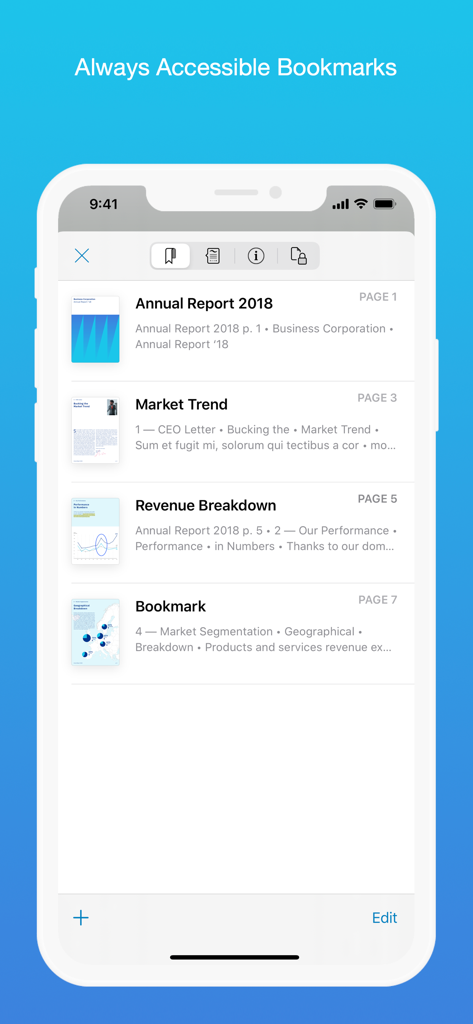
PDF Viewer by Nutrient - iPhone mostrando la lista de marcadores en la aplicación PDF Viewer
iPhone mostrando la lista de marcadores en la aplicación PDF Viewer

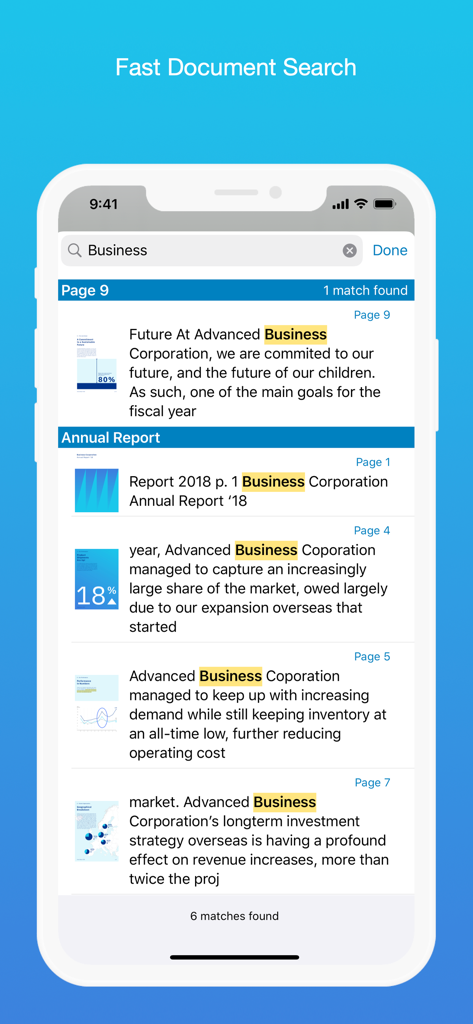
PDF Viewer by Nutrient - Una interfaz móvil que muestra los resultados de búsqueda para la palabra Business en múltiples documentos en la aplicación PDF Viewer

Una interfaz móvil que muestra los resultados de búsqueda para la palabra Business en múltiples documentos en la aplicación PDF Viewer

Descripción

PDF Viewer is a fast and beautiful app, allowing you to view, search, and annotate PDF documents with ease on your iPhone and iPad. Access your files from iCloud, Dropbox, Box, OneDrive, Google Drive or any other cloud solution via Apple's familiar Document Browser interface. +++ Listed as “Productivity lifesaver” on the App Store +++ "A streamlined interface packed with powerful features - it’s like having a desktop-quality PDF toolkit wherever we go" – App Store Editor Notes “I'm impressed by how the folks at PSPDFKit have been able to fine-tune the document browser to the app's needs.” – MacStories.net "If you want a PDF viewer that is designed for reading PDF books, this is it." – App Review VIEW DOCUMENTS ON THE GO • Easily import a PDF from your favorite cloud service provider, email, or directly off a website. • Supports Open In Place, Drag & Drop and features the familiar Apple Document Browser interface from the Files app. • Search for the exact text you are looking for within the document. • Double tap on the screen to Smart Zoom directly to the text you want to read. • Annotate images (JPEG, PNG) non-destructive, just like PDF documents. (PRO) ANNOTATE WITH EASE • While reviewing a document, use your finger or Apple Pencil to highlight and markup text. • Leave comments by adding a note, text, or drawing directly on the PDF. • Add images or audio. • Reply to notes. (PRO) SIGN DOCUMENTS ANYWHERE • Add your signature to any document using your finger or Apple Pencil. • Move and resize your signature as needed. • Flatten a document to ensure the signature doesn’t change. CREATE AND EDIT PDFs • Create new documents from existing documents by moving, rotating, deleting, or adding new pages. • Combine multiple documents into a single one. (PRO) • Add bookmarks to easily return to certain pages in large documents. FILL OUT FORMS • Quickly fill out PDF Forms by adding text to the fields. • Flatten and secure the form once you’re done to ensure the document doesn’t change. • Add a signature to any Form. STORE, ORGANIZE AND SHARE • Store documents, create folders and organize your documents. • Share documents by printing, emailing or saving your edits back any cloud service. PASSWORD PROTECT DOCUMENTS • Read document metadata, title and keywords. • Protect documents with user and owner passwords and limit permissions. (PRO) AND SO MUCH MORE • Conveniently switch to night mode when viewing your documents at night. • Present on external screens without the distraction of toolbars. (PRO) • Have the text from a PDF read out loud to you with text-to-speech. • PDF Viewer remembers where you were down to the page/position where you left off - even across devices. PRICING PDF Viewer comes with a large feature set, completely free. Some advanced features require the purchase of PDF Viewer Pro, available as a subscription. We offer 3-monthly and yearly subscription plans. There’s also a fully functional 7-day trial, so you can test PDF Viewer Pro (including document merging and password editing) before you commit. All plans unlock the app on iPhone and iPad. TRUSTED BY COMPANIES YOU KNOW PDF Viewer is built on top of and powered by PSPDFKit, the same PDF engine trusted around the world by companies like Dropbox, Box, IBM, Atlassian, SAP, and Lufthansa. BE PART OF THE PDF VIEWER COMMUNITY pdfviewer.io twitter.com/pdfviewerapp LEGAL Duration and price of each subscription are displayed in PDF Viewers’ storefront, updated at the time of purchase. Payment will be charged to iTunes account at confirmation of purchase. Subscriptions automatically renew unless auto-renew is turned off no later than 24 hours before the end of the current period. Subscriptions and auto-renewal can be managed/turned off in the iTunes account settings. Any unused portion of a free trial period is forfeited as soon as a subscription is purchased. Terms of Use: https://pdfviewer.io/terms Privacy Policy: https://pdfviewer.io/privacy

Download

Descargar en App Store

Esta página no es una página oficial de la aplicación ni de su desarrollador, sino una publicación editorial independiente creada con fines informativos y de comentario. Salvo que se indique expresamente lo contrario, ni la aplicación ni su desarrollador están afiliados, respaldados, patrocinados, autorizados ni conectados oficialmente con MWM, Apple, Google Play, el editor de la aplicación ni su desarrollador, y nada en esta página implica que la aplicación haya sido desarrollada utilizando los servicios de MWM. Todas las marcas comerciales, logotipos, capturas de pantalla y demás contenidos son propiedad de sus respectivos propietarios.








