Photo finish app

Photo finish app

Descargar en App Store
Logo de Photo finish app

App Photo finish: Precisión de cronometraje profesional en tu bolsillo

Elimina las disputas en la línea de meta con una precisión de 0.004 segundos. Captura evidencia visual definitiva para cada carrera, desde competencias de atletismo hasta ciclismo, usando solo tu smartphone.

Editor

IURII VOEVODIN

Categoría

Sports

Descargas

2K+

Valoración

1.0/5

Total valoraciones

0

Idiomas

1

Precisión en cada píxel

Descubre la interfaz utilizada por 2K+ usuarios.
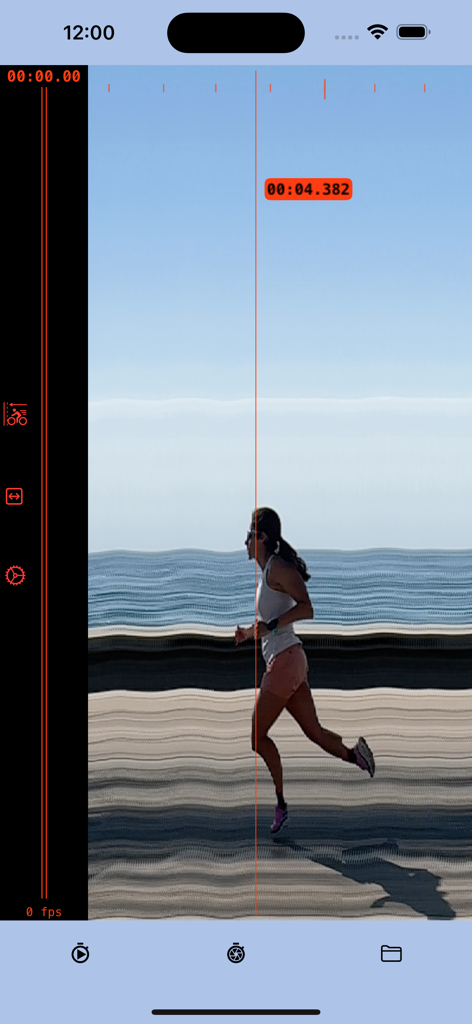
Una foto 'slit' capturada que muestra a una corredora cruzando la línea de meta con una marca de tiempo precisa de cuatro punto tres ocho dos segundos

Una foto 'slit' capturada que muestra a una corredora cruzando la línea de meta con una marca de tiempo precisa de cuatro punto tres ocho dos segundos

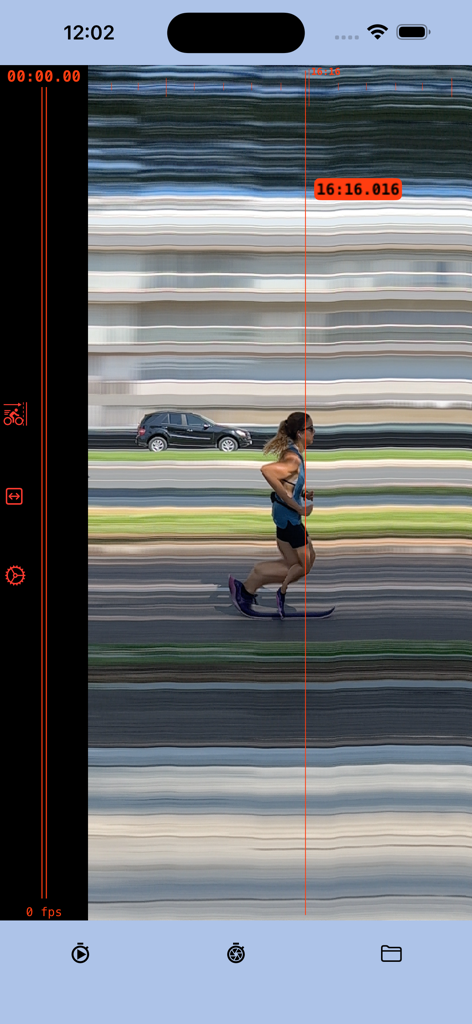
Captura de pantalla de la app Photo finish mostrando a un corredor cruzando la línea de meta con una marca de tiempo precisa de 16:16.016

Captura de pantalla de la app Photo finish mostrando a un corredor cruzando la línea de meta con una marca de tiempo precisa de 16:16.016

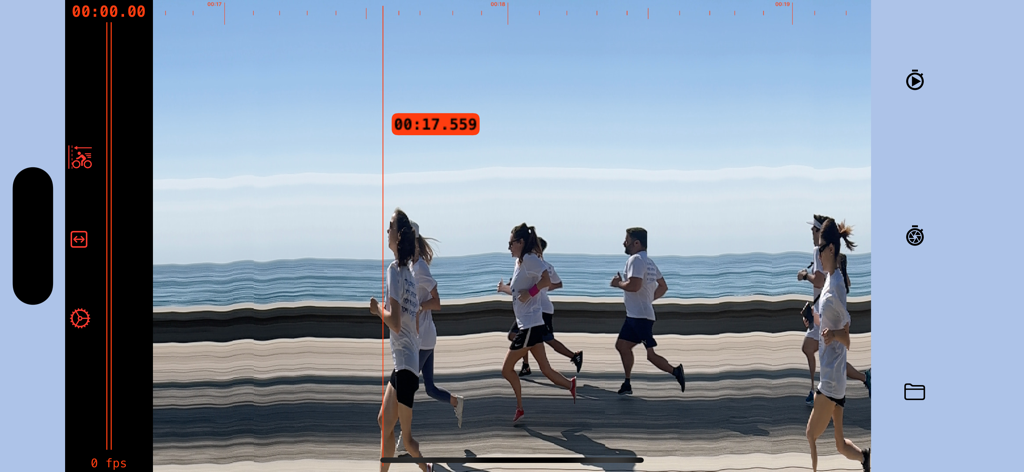
Pantalla digital de foto de llegada mostrando corredores cruzando la línea de meta con una marca de tiempo precisa de 17.559 segundos

Pantalla digital de foto de llegada mostrando corredores cruzando la línea de meta con una marca de tiempo precisa de 17.559 segundos

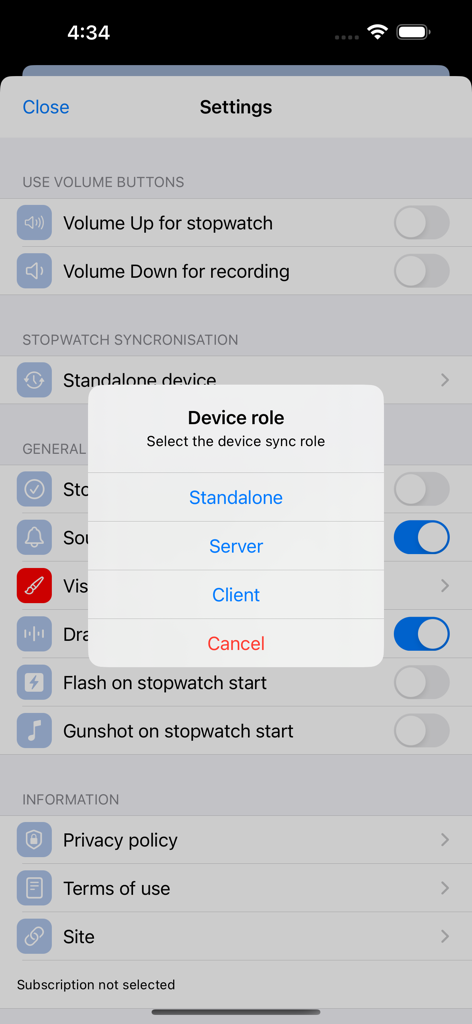
Selección del rol del dispositivo en la configuración de la app Photo finish

Selección del rol del dispositivo en la configuración de la app Photo finish

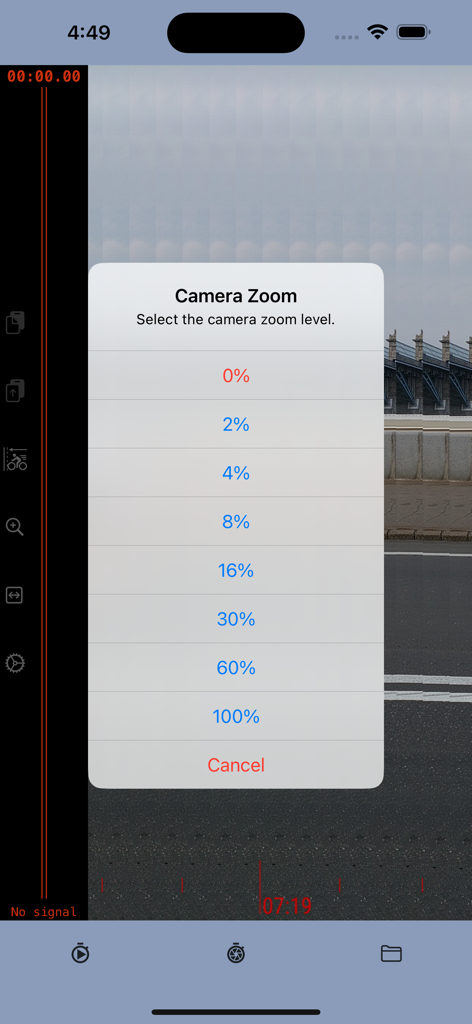
Menú de selección de nivel de zoom de la cámara en la app Photo finish

Menú de selección de nivel de zoom de la cámara en la app Photo finish

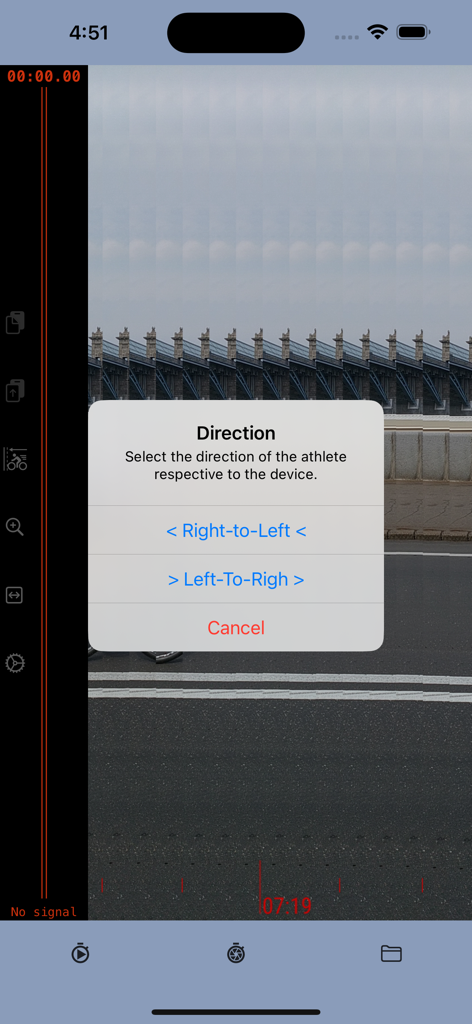
Interfaz de la app Photo finish mostrando un menú emergente para seleccionar la dirección del atleta entre de derecha a izquierda o de izquierda a derecha

Interfaz de la app Photo finish mostrando un menú emergente para seleccionar la dirección del atleta entre de derecha a izquierda o de izquierda a derecha

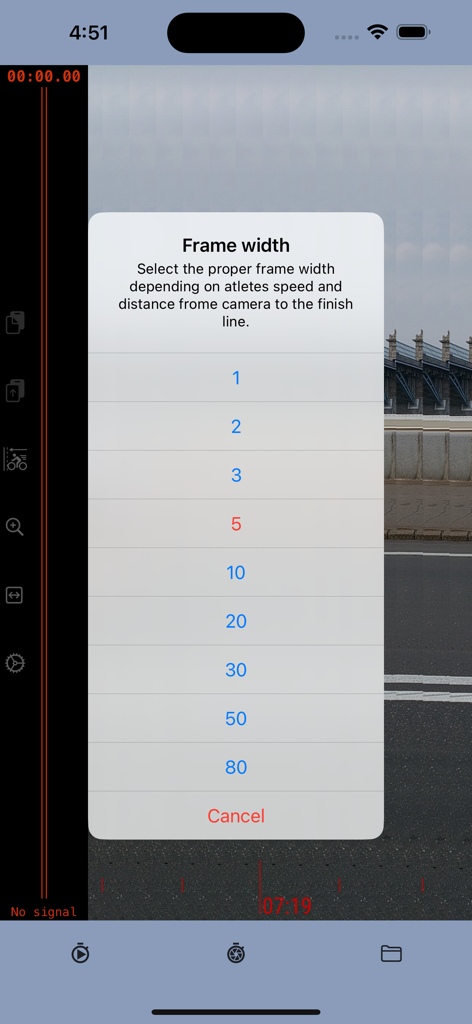
Menú para seleccionar la configuración del ancho del fotograma en la app Photo finish según la velocidad del atleta y la distancia de la cámara

Menú para seleccionar la configuración del ancho del fotograma en la app Photo finish según la velocidad del atleta y la distancia de la cámara

Precisión de nivel profesional para cada línea de meta

Las herramientas que hacen destacar esta app, elegida por 2K+ usuarios.

⏱️

Cronometraje de precisión de 0.004s

Aprovecha la tecnología de cámara de alta velocidad de 240 fps para una precisión de milisegundos. Obtén resultados exactos que los cronómetros manuales simplemente no pueden igualar.

🏁

Prueba visual irrefutable

Detén las discusiones en la línea de meta. Genera una foto 'slit' cronológica que muestra claramente quién cruzó primero y cuándo.

📊

Resultados profesionales, presupuesto DIY

Reemplaza el costoso hardware de cronometraje con una herramienta profesional que cabe en tu bolsillo. Perfecto para competencias de atletismo de secundaria, ciclismo y carreras amateur.

Sobre la app

Todo lo que necesitas saber sobre Photo finish app.

Descripción

The photo-finish technique enables the precise measurement of the finishing time in any race event and provides a detailed image to accurately determine the winner. The photo-finish application enables you to measure finish time with a precision of 0.004 seconds, identify the race winner, and save a picture as evidence of the winner and results. The app captures a sequence of slit photos of the finish line, with each photo frame featuring a timestamp indicating a precise time. When the frame shows the crossing of the finish line, the timestamp of that specific frame serves as the defining finish time. Instructions: 1. Position the camera to capture the finish line within the frame borders. 2. Initiate the stopwatch at the beginning of the race. 3. Commence recording as the winning participant nears the finish line. 4. Cease recording once the athlete has crossed the finish line. 5. Identify the frame capturing the winner crossing the finish line; the timestamp at the cursor line indicates the precise result. Direction: The application employs the slit-photo technique, merging a sequence of frames into a chronological resulting image. The top scale on the resulting image provides an approximate timeline. Depending on the winner's approach to the finish line, it is advisable to combine frames in either "left to right" or "right to left" order. For instance, if the camera is positioned inside the stadium track, the direction should be "right to left"; if outside, then "left to right" would be appropriate. Frame width.  The frame width setting is contingent upon the distance between the camera and the track, as well as the speed of the athlete. If the camera is too close or the winner's speed is high, there's a risk of the winner crossing the frame sector too rapidly, potentially compromising the clarity of the image. Therefore, it is advisable to increase the frame width. However, it's essential to consider that the size of the resulting image is constrained. If the frame width is excessively wide, it may limit the time available to record the winner's result. Striking a balance between frame width and image size is crucial for optimal performance.us it is better to increase the image width. From another point, the size of the resulting image is limited. If the frame is too wide then you will have less time to record the winner result. Precision Note: The estimated measurement precision is approximately 0.004 seconds, with the main determinant being the camera frame rate. The iPhone camera, for instance, supports 240 frames per second (fps), resulting in a precision of 1:240, equivalent to 0.0041 Subscription Guidelines: 1. A complimentary trial period of 14 days is accessible for new users exclusively. The trial period does not automatically renew. 2. Payment will be debited from the iTunes Account upon confirmation of purchase. 3. Subscriptions, excluding the trial, automatically renew unless the auto-renewal feature is disabled at least 24 hours before the ongoing period concludes. 4. The account will incur charges for renewal within 24 hours prior to the termination of the ongoing period, specifying the renewal cost. 5. Users can manage subscriptions, and auto-renewal can be deactivated by navigating to the user's Account Settings post-purchase. 6. During the active subscription period, cancellation of the current subscription is not permitted. 7. Any remaining unused duration of a complimentary trial, if provided, will be forfeited upon the user's subscription purchase for that publication. Please read the: 1. Privacy Policy https://photo-finish.app/contacts/privacy-policy/ 2. Terms of Use https://www.apple.com/legal/internet-services/itunes/dev/stdeula/

Última versión

2.52

Tamaño

18.5 MB

Fecha de lanzamiento

13 oct 2022

¿Listo para coronar al verdadero ganador?

Deja de depender de cronómetros manuales y elimina las disputas en la línea de meta. Comienza tu prueba gratuita de 14 días hoy mismo para obtener una precisión de 0.004s y evidencia profesional de foto de tipo 'slit' directamente en tu bolsillo.

Descargar en App Store

App information, icons, screenshots, and descriptions displayed on this page are sourced from the Apple App Store and are the property of their respective developers. Download estimates and rankings are based on MWM's proprietary models and may not reflect actual figures. This page is provided for informational and analytical purposes only.

Believe this page infringes your intellectual property? File a dispute