PhotoMapper: GPS EXIF Editor

PhotoMapper: GPS EXIF Editor


Descargar en App Store
Logo de PhotoMapper: GPS EXIF Editor

PhotoMapper: Editor EXIF GPS – Completa tu Mapa de Fotos y Protege tu Privacidad

La utilidad esencial para el archivista digital y el fotógrafo profesional. Añade geotags faltantes sin esfuerzo a tus fotos de DSLR, edita metadatos por lotes y borra de forma segura los datos de ubicación antes de compartir para mantener tu vida personal privada.

Descargar en App Store

Editor

Mykola Fiantsev

Categoría

Photo & Video

Descargas

120K+

Valoración

4.3/5

Total valoraciones

400

Idiomas

8

Tu Mundo, Mapeado

Descubre la interfaz utilizada por 120K+ usuarios.
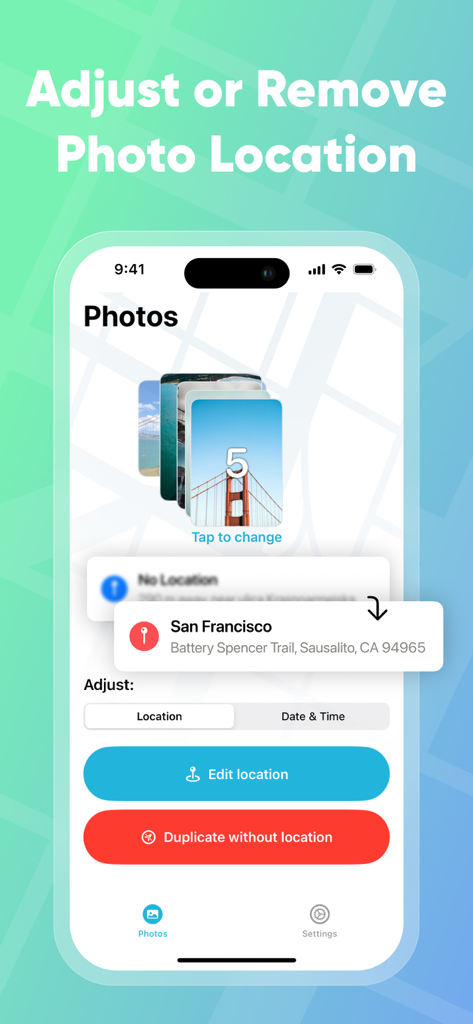
Interfaz de PhotoMapper GPS EXIF Editor mostrando opciones de ajuste y eliminación de ubicación para un grupo de fotos.

Interfaz de PhotoMapper GPS EXIF Editor mostrando opciones de ajuste y eliminación de ubicación para un grupo de fotos.

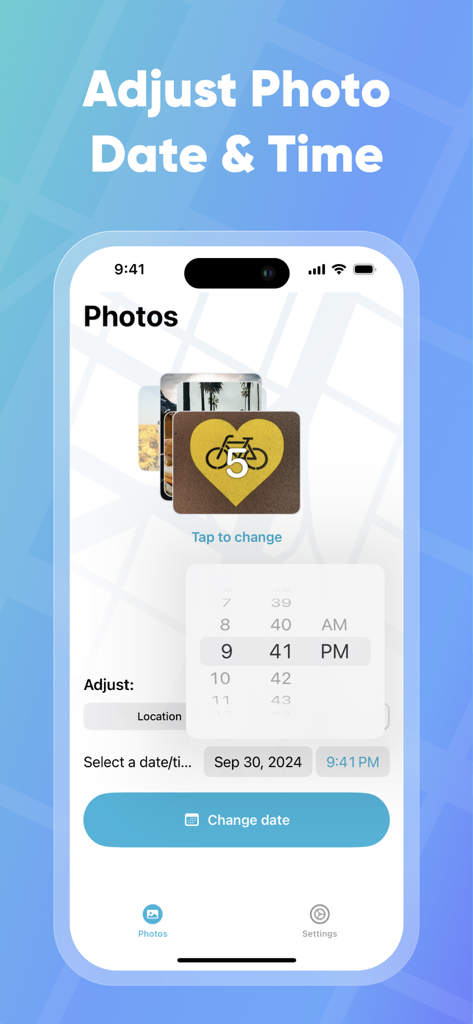
Interfaz para ajustar la fecha y hora de la foto en la aplicación PhotoMapper

Interfaz para ajustar la fecha y hora de la foto en la aplicación PhotoMapper

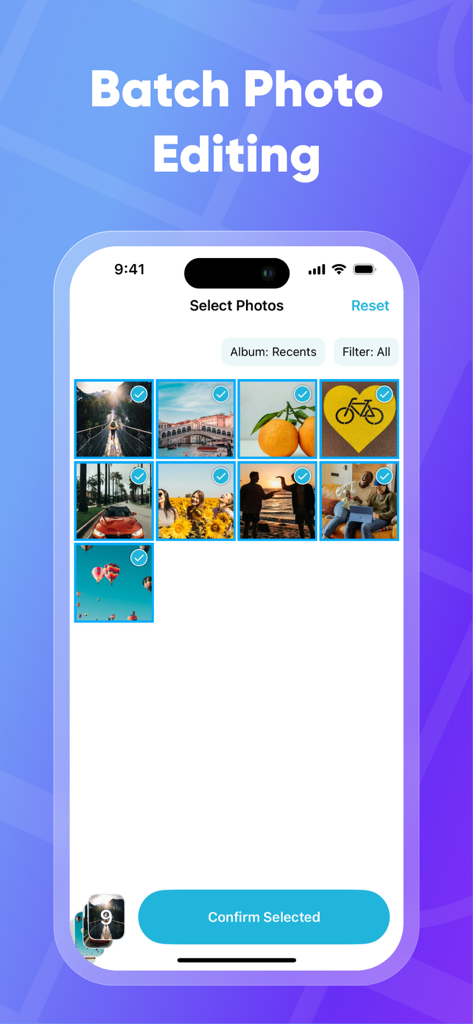
Pantalla de iPhone mostrando la función de selección de fotos por lotes en la aplicación PhotoMapper para editar datos EXIF

Pantalla de iPhone mostrando la función de selección de fotos por lotes en la aplicación PhotoMapper para editar datos EXIF

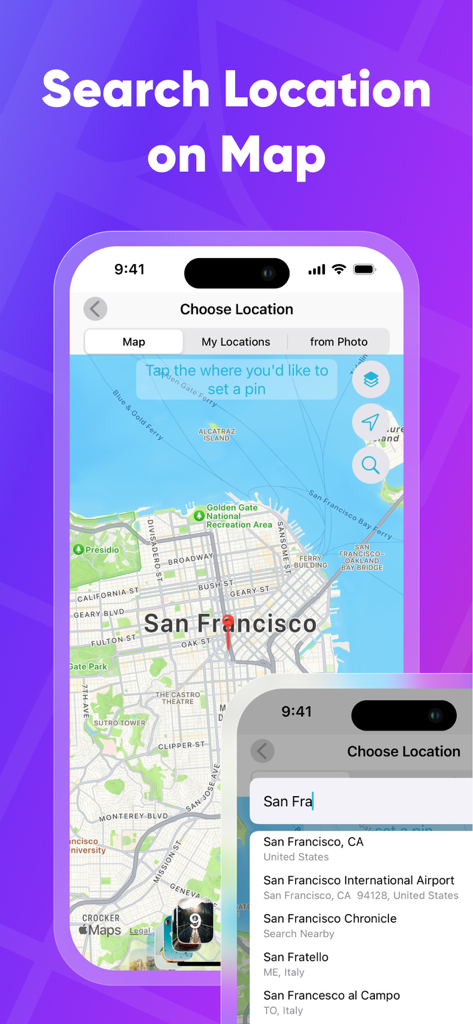
Busca y selecciona una ubicación geográfica en un mapa para añadir metadatos GPS a las fotos

Busca y selecciona una ubicación geográfica en un mapa para añadir metadatos GPS a las fotos

Perfecciona tu Archivo de Fotos

Las herramientas que hacen destacar esta app, elegida por 120K+ usuarios.

📍

Completa tu Mapa de 'Lugares'

Nunca dejes una foto de DSLR sin mapear. Añade o corrige manualmente las coordenadas GPS para que cada foto aparezca exactamente donde le corresponde en tu biblioteca de iOS.

🛡️

Comparte con Total Privacidad

Protege tus datos personales generando duplicados sin metadatos. Comparte tus momentos favoritos en redes sociales sin revelar tu casa o ubicaciones privadas.

Eficiencia para Usuarios Avanzados

Ahorra horas de trabajo manual con la edición por lotes. Copia los datos de ubicación de una foto y aplícalos a cientos de otras con solo unos pocos toques.

Sobre la app

Todo lo que necesitas saber sobre PhotoMapper: GPS EXIF Editor.

Descripción

PhotoMapper: GPS EXIF Editor is an essential app for anyone who wants to keep their iOS Photo library organized by the places where photos were taken. All photographers who store photos in their iOS Photos library and use geo-tags for systematization could be upset with lost geo-tag information due to using DSLRs or getting these photos from friends. Just add this info with our app and keep your geo-tag system in a consistent state. PhotoMapper: GPS EXIF Editor is also useful for people who want to protect their personal privacy. When you share your photos on social networks or send them via email, the geo-location information – where the photo was taken – is shared as well. If you are concerned about your personal privacy and would like to share photos without any mark of location in EXIF metadata, PhotoMapper can remove it. **FEATURES:** • Location info of your photos will always be correct and never missed Easily add or modify location info of photos in your iOS Photo library by simply placing a pin on the map. Never miss this info even if you use a DSLR or for any other reason. • Prepare photos for social sharing with clear location info - Keep the original photo for yourself and create a copy without any mark of the GPS location info (Geotagging) in EXIF metadata for sharing, reinforcing your privacy. • Batch photo editing Edit multiple photos in a few clicks, the fast and easy way. Forget about single selection. • Find all photo with missed location info Easily find all photos without location in one click. • Copy location info from one photo to another Long press in the gallery to open a large preview of the selected photo and use the “Copy Location” action. Now you can copy the location to as many other photos as you wish. **HOW TO ADD OR MODIFY LOCATION INFO:** This action adds a new location, which will be available in the iOS Photo library. 1. Select one or multiple photos 2. Click “Edit location” 3. Set the desired location by placing a pin on the map 4. Confirm the action. **HOW TO REMOVE LOCATION INFO:** This action keeps the original photo and creates a duplicate copy without GPS location info, which you can share. The EXIF metadata will be clean in this case. There is no location info of this photo in any app. 1. Select one or multiple photos on the first screen. 2. Click “Duplicate photo without location.” 3. Confirm the action. Thanks for all feedback! Please leave a 5-star review if you are happy with PhotoMapper :) Terms of Use: https://gist.github.com/bigMOTOR/27f60cb35180a150d38dc11df5462276 Privacy Policy: https://gist.github.com/bigMOTOR/e373f36ef179c17679d5083e5fb39e80

Última versión

4.2.0

Tamaño

21.6 MB

Fecha de lanzamiento

26 mar 2018

Perfecciona tu Biblioteca de Fotos Hoy

Únete a más de 120,000 usuarios que utilizan PhotoMapper para organizar sus recuerdos de DSLR y compartir fotos de forma segura sin revelar su ubicación.

Descargar en App Store

App information, icons, screenshots, and descriptions displayed on this page are sourced from the Apple App Store and are the property of their respective developers. Download estimates and rankings are based on MWM's proprietary models and may not reflect actual figures. This page is provided for informational and analytical purposes only.

Believe this page infringes your intellectual property? File a dispute