Pofi Brush - Sketch & Paint

Pofi Brush - Sketch & Paint

Descargar en App Store
Logo de Pofi Brush - Sketch & Paint

Pofi Brush - Boceta y Pinta: Tu Estudio Profesional de Ilustración Móvil

Libera tu creatividad con un potente motor 2D, lienzos 4K y pinceles personalizables diseñados para artistas de personajes y creadores de cómics. Experimenta la precisión de un estudio profesional en tu iPad y iPhone.

Descargar en App Store

Editor

Pofi Entertainment Shenzhen Network Technology Co.,Ltd

Categoría

Graphics & Design

Descargas

366K+

Valoración

3.2/5

Total valoraciones

700

Idiomas

9

Un Vistazo a la Grandeza

Descubre la interfaz utilizada por 366K+ usuarios.

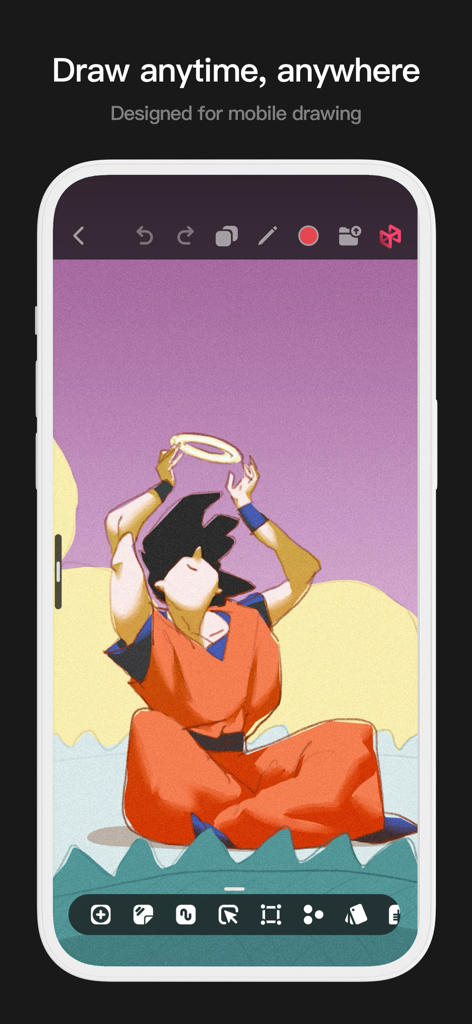
Una interfaz móvil para la aplicación Pofi Brush que muestra una ilustración de anime y herramientas de dibujo.
Una interfaz móvil para la aplicación Pofi Brush que muestra una ilustración de anime y herramientas de dibujo.

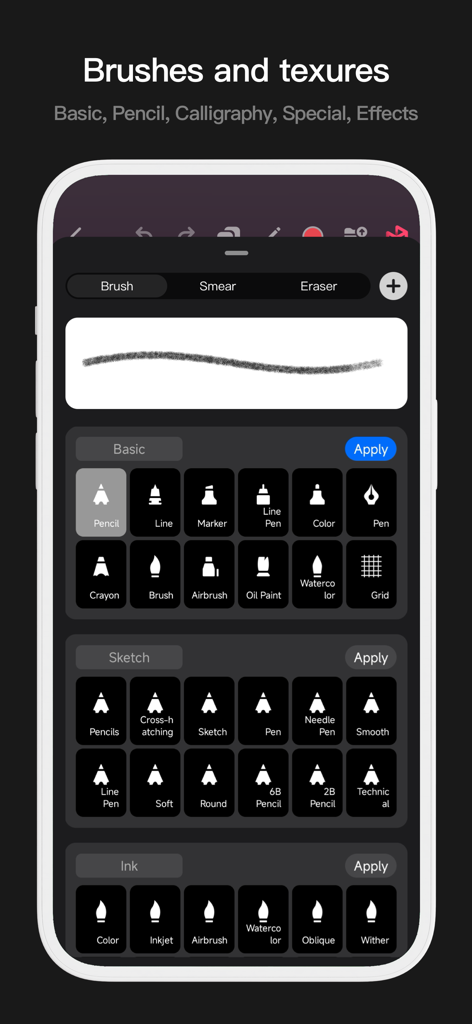
Interfaz móvil de Pofi Brush mostrando una biblioteca de pinceles de arte digital que incluyen lápices, tinta y herramientas de acuarela.
Interfaz móvil de Pofi Brush mostrando una biblioteca de pinceles de arte digital que incluyen lápices, tinta y herramientas de acuarela.

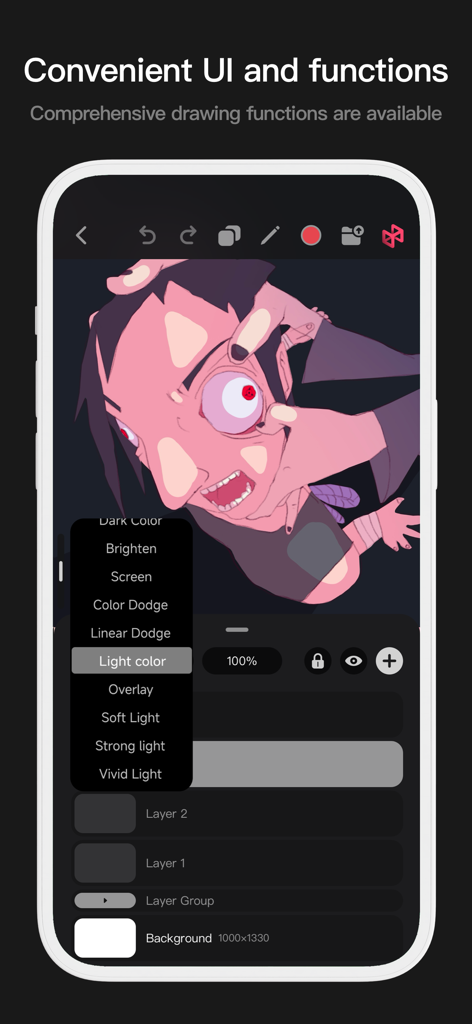
Interfaz móvil de Pofi Brush mostrando opciones de fusión de capas y arte de personajes estilizado
Interfaz móvil de Pofi Brush mostrando opciones de fusión de capas y arte de personajes estilizado

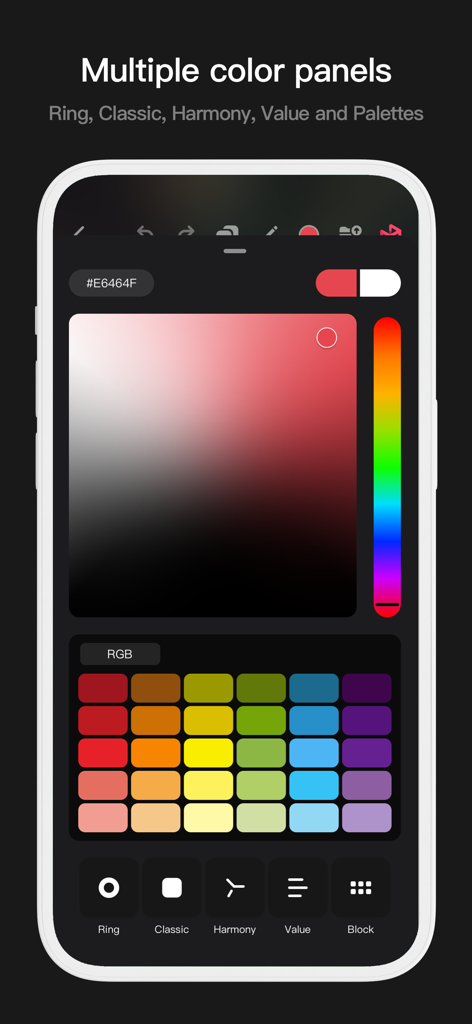
Interfaz de la aplicación Pofi Brush mostrando múltiples paneles de selección de color, incluyendo un degradado clásico y muestras de paleta de colores.
Interfaz de la aplicación Pofi Brush mostrando múltiples paneles de selección de color, incluyendo un degradado clásico y muestras de paleta de colores.

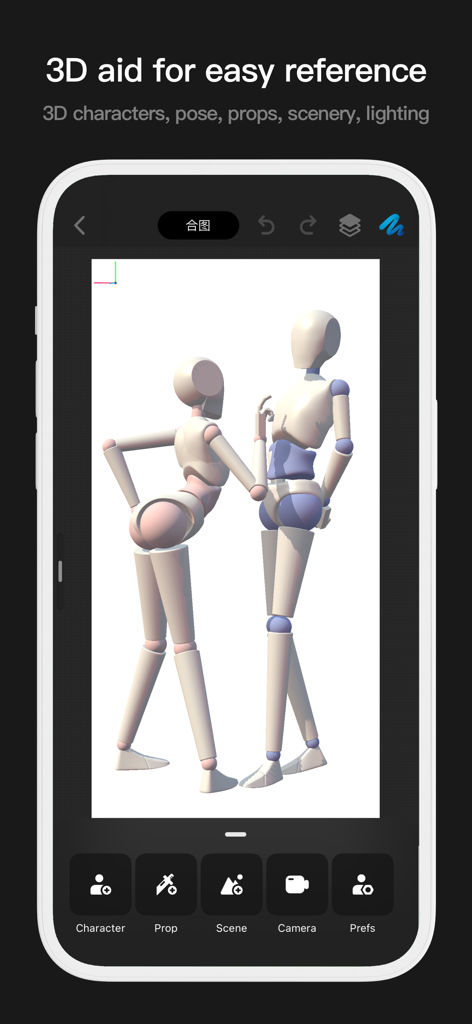
Interfaz de la aplicación Pofi Brush mostrando dos maniquíes 3D para referencia de poses de dibujo
Interfaz de la aplicación Pofi Brush mostrando dos maniquíes 3D para referencia de poses de dibujo

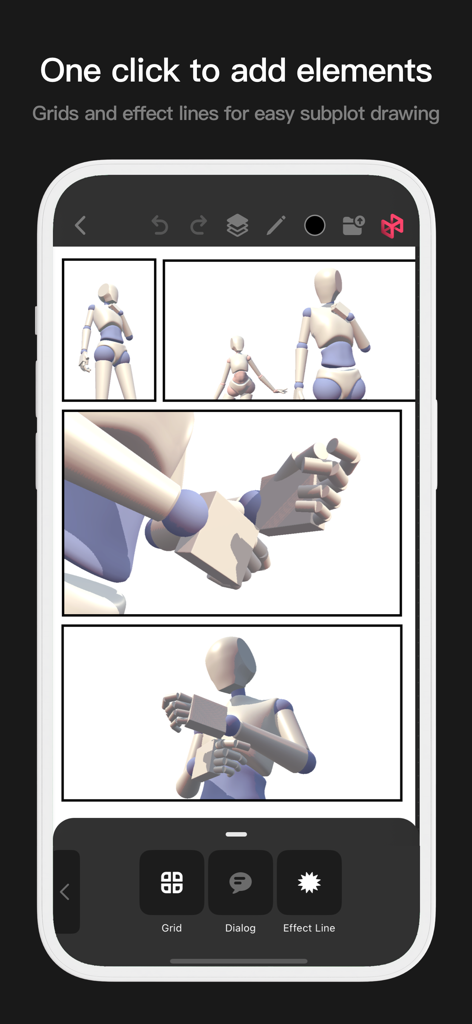
Herramienta de diseño de cómics de Pofi Brush con cuadrículas y líneas de efectos
Herramienta de diseño de cómics de Pofi Brush con cuadrículas y líneas de efectos

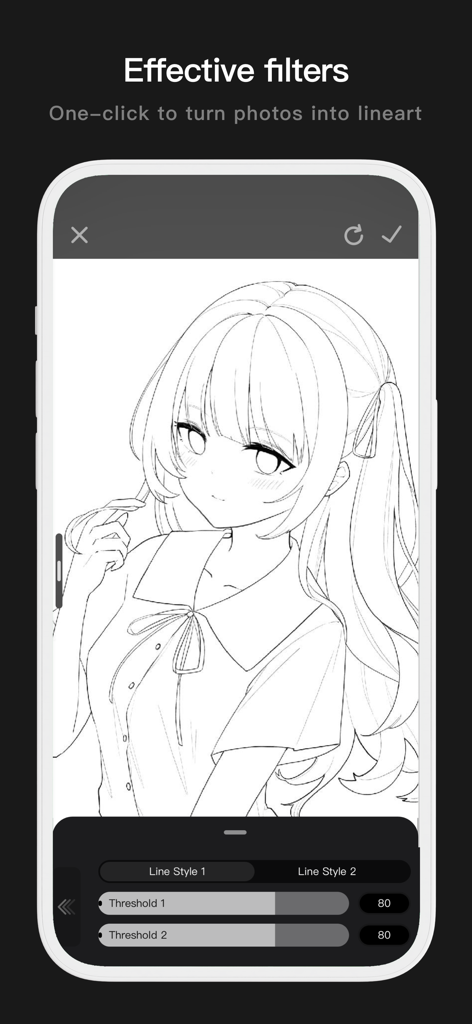
Interfaz móvil de Pofi Brush mostrando una foto convertida en arte lineal limpio de estilo anime con configuraciones de umbral ajustables.
Interfaz móvil de Pofi Brush mostrando una foto convertida en arte lineal limpio de estilo anime con configuraciones de umbral ajustables.

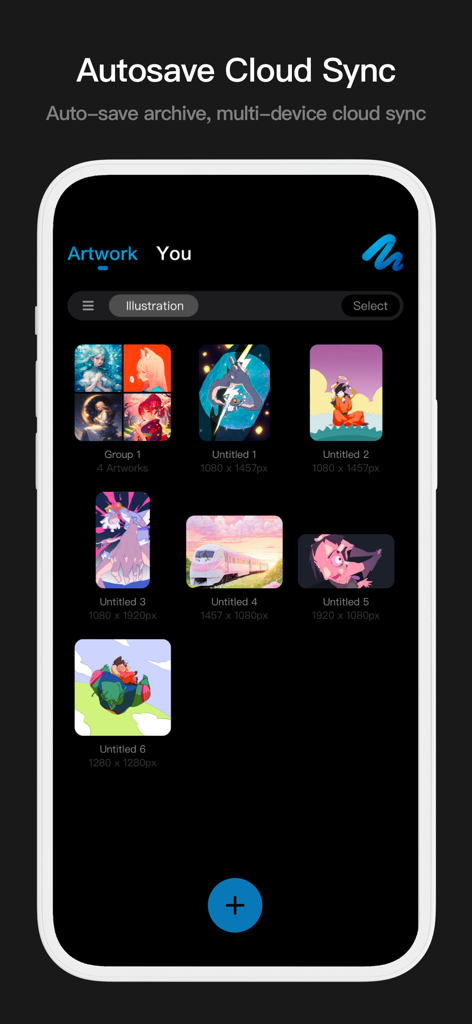
Interfaz de galería de arte de Pofi Brush mostrando ilustraciones digitales con funciones de sincronización en la nube y autoguardado

Interfaz de galería de arte de Pofi Brush mostrando ilustraciones digitales con funciones de sincronización en la nube y autoguardado

Libera tu Potencial Creativo

Las herramientas que hacen destacar esta app, elegida por 366K+ usuarios.

🖋️

Dominio Profesional de Pinceles

Crea arte lineal perfecto con estabilización anti-oscilación y más de 40 configuraciones personalizables por pincel, totalmente optimizadas para la presión e inclinación del Apple Pencil.

🚀

Potencia de Escritorio en Lienzos 4K

Pinta sin retrasos en enormes lienzos de 4k x 4k. Nuestro motor multinúcleo de 64 bits garantiza un rendimiento fluido incluso al gestionar composiciones complejas y detalles de alta resolución.

Flujo de Trabajo de Estudio Avanzado

Desbloquea técnicas profesionales con 27 modos de fusión, bloqueos alfa y sofisticados grupos de capas, brindándote el control total requerido para el diseño de personajes estándar de la industria.

Amada por usuarios en todo el mundo

Con la confianza de 366K+ personas que aman esta app.

"

"Como estudiante de animación, he probado todas las aplicaciones de dibujo que existen, pero Pofi Brush destaca por su increíble sensibilidad a la presión y la gran profundidad del editor de pinceles. Poder trabajar en lienzos 4K sin ningún retraso en mi iPad ha transformado por completo mi flujo de trabajo de diseño de personajes."

Chloe Rivera
"

"Las trazas anti-oscilación y la variedad de modos de fusión son exactamente lo que necesitaba para mis ilustraciones digitales. Puedo pasar de un boceto rápido a una pieza pulida para mi feed de redes sociales en la mitad de tiempo. ¡Realmente se siente como un estudio de arte profesional en mi bolsillo!"

Marcus Chen

Sobre la app

Todo lo que necesitas saber sobre Pofi Brush - Sketch & Paint.

Descripción

Pofi Brush delivers nearly 10 exquisitely crafted brushes, full-featured layer and color tools, an elegant interface, and a smooth yet powerful 2D Artistic Engine—unlocking a professional art studio experience on your device. Whether you're sketching your first draft or crafting professional illustrations, Pofi Brush empowers artists to create stunning comics, animations, and concept art on mobile or tablet. Unleash your creativity anytime, anywhere. Powerful 2D Artistic Engine The powerful 2D Artistic Engine is developed by the Pofi team and is optimized for 64-bit multi-core processors. It is compatible with multiple platforms and supports large HD canvases and multiple layers. It is optimized for smooth speed to ensure you get the best painting experience. - Canvas up to 4k × 4k px, making your artwork clear and lifelike. - Easy-to-use interface for mobile painting. - Optimised for 64-bit multicore processors for smooth drawing speeds. - Use the Apple Pencil for smooth, realistic, low-latency strokes. - Auto-save and save on exit. - All features supported on phones and tablets. Professional Brush Editor Pofi Brush presets dozens of creative brushes of various types, each with over 40 custom settings, allowing you to adjust the brush editor according to your personal preferences and creative needs, or design your own custom brushes for more personalized creations. - Built-in dozens of well-designed creative brushes for sketching, inking, texture, art, specialties and more! - Each brush has three modes: Brush, Eraser, and Smudge. - Each brush has over 40 customizable settings and a library of preset nib shapes and textures. - Comb, sort, and create brushes by groups for better management of your brushes. - Anti-flutter brush strokes can be set to give your brush more flow. - Finger-painting simulates pressure, so you can use your finger to paint with the sharpness and fineness of a real paintbrush. - Take full advantage of the Apple Pencil's features, combining the speed, tilt and pressure of the brush to experience a realistic brush touch. Advanced Multi-layer System Pofi Brush offers a multi-layer system with grouping, layer effects, and layer adjustments, giving you precise control over each layer to create stunning artwork. - Quickly preview and find the layer you need with the Layer Preview. - Support drag-and-drop grouping, merging, and deleting of multiple layers to conveniently manage your layers. - 20 layer functions: drag sort, show/hide, lock/unlock, transparency, multi-select, grouping/ungrouping, merge, fill, new, clear, copy, delete, rename, alpha lock, invert color, color markup, background color. - 27 layer blending modes: Standard, Darken, Positive Blend, Color Deepen, Linear Deepen, Darken, Brighten, Filter, Color Lighten, Linear Lighten, Lighten, Overlay, Soft Light, Highlight, Bright Light, Linear Light, Spot Light, Solid Blend, Difference, Exclude, Subtract, Divide, Color and other modes. Full-featured Color Tools Provides various color tool panels and styles needed by painters, allowing you to get the colors you need easily and quickly. - 4 kinds of color panels: circular color palette, square color palette, HSB numeric color value, grouping color matching color blocks - 2 kinds of color picking methods: input hexadecimal color code, long press to suck color - 6 color block functions: color block group, group rename, group sort, color block sort, overlay color block, delete color block More Highlights - Cell phone interface view supports half-screen and full-screen expanding interface. - Tablet PC supports large interface expansion and small interface drag and drop. - Support canvas rotation and zoom - Auto archive, return to save - Support exporting Png and Jpg image files. > Twitter/X: @ Pofi Brush > Instagram: @pofibrush > Email: brush@pofiart.com Privacy Policy: https://brush.pofiapp.com/privacy

Última versión

3.10.1

Tamaño

1.1 GB

Fecha de lanzamiento

6 ago 2020

Tu Estudio de Arte Profesional, en Cualquier Lugar

Únete a miles de artistas que crean obras maestras en 4K con el motor de pincel más sensible para móviles. ¿Listo para esbozar tu próxima gran idea?

Descargar en App Store