PUB Converter

PUB Converter

Descargar en App Store
Logo de PUB Converter

Convertidor PUB: Conversión sin esfuerzo de Publisher a PDF y Word

La forma más confiable de abrir documentos .pub en tu iPhone y iPad. Convierte lotes de archivos de forma nativa conservando diseños, fuentes y gráficos para un flujo de trabajo móvil sin interrupciones.

Descargar en App Store

Editor

RootRise Technologies Private Limited

Categoría

Productivity

Descargas

1K+

Valoración

1.0/5

Total valoraciones

0

Idiomas

1

Precisión en Cada Píxel

Descubre la interfaz utilizada por 1K+ usuarios.
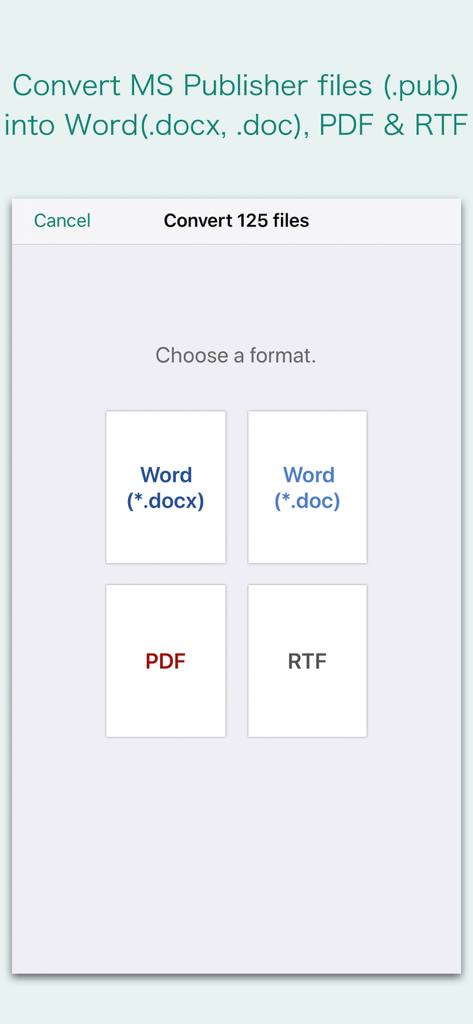
Interfaz que muestra las opciones de formato para convertir archivos de Microsoft Publisher a formatos Word, PDF o RTF

Interfaz que muestra las opciones de formato para convertir archivos de Microsoft Publisher a formatos Word, PDF o RTF

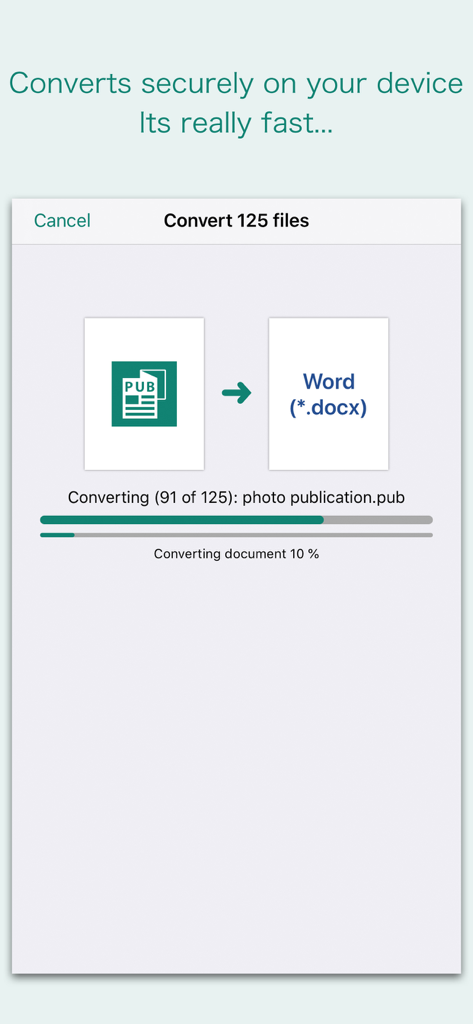
Interfaz de la aplicación Convertidor PUB que muestra un proceso de conversión por lotes de Microsoft Publisher a documentos de Word

Interfaz de la aplicación Convertidor PUB que muestra un proceso de conversión por lotes de Microsoft Publisher a documentos de Word

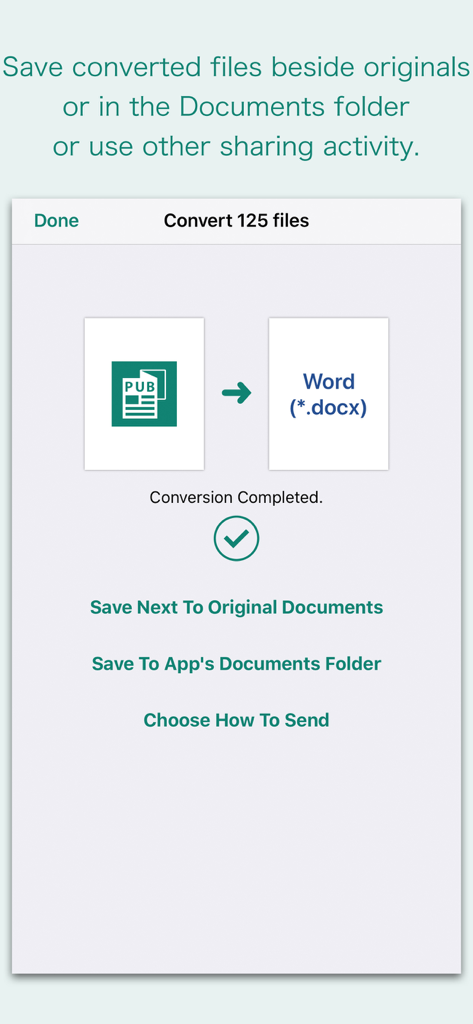
Interfaz de la aplicación que muestra la conversión exitosa de PUB a Word con opciones para guardar o compartir archivos

Interfaz de la aplicación que muestra la conversión exitosa de PUB a Word con opciones para guardar o compartir archivos

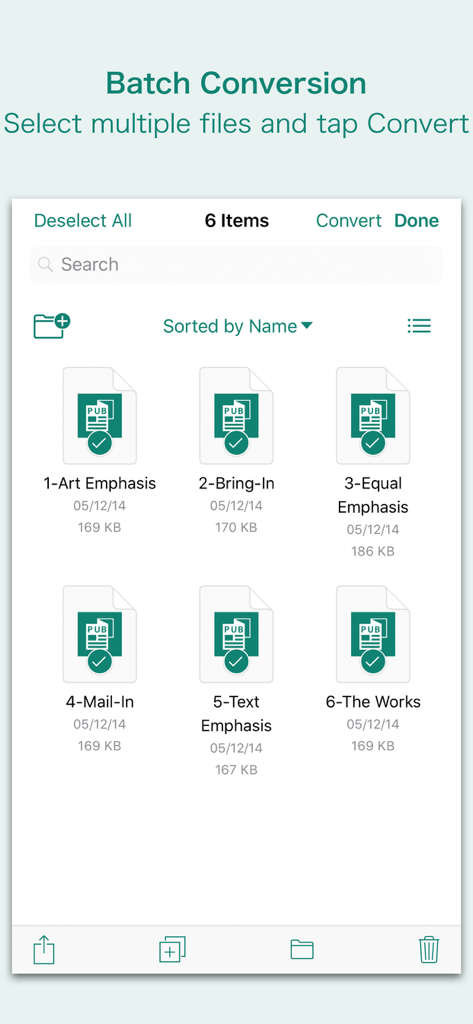
Interfaz que muestra múltiples archivos de Microsoft Publisher seleccionados para conversión por lotes en la aplicación Convertidor PUB.

Interfaz que muestra múltiples archivos de Microsoft Publisher seleccionados para conversión por lotes en la aplicación Convertidor PUB.

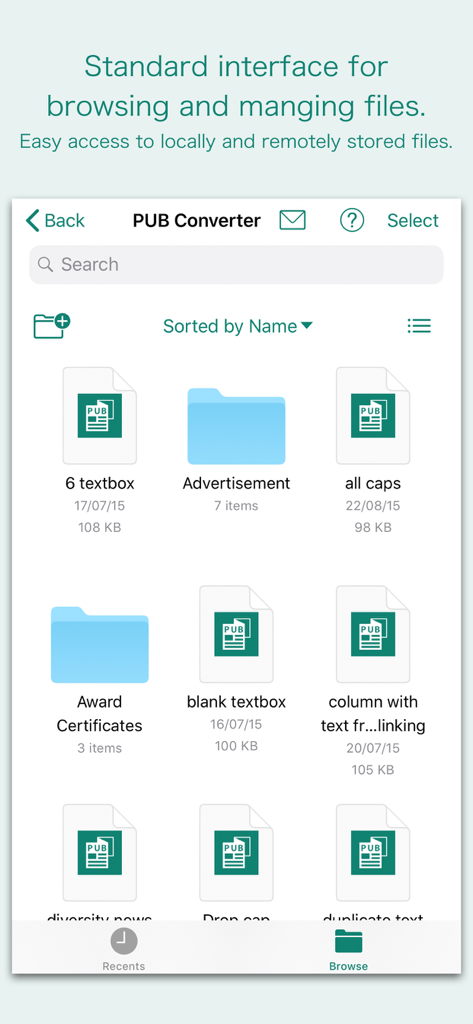
Interfaz de la aplicación Convertidor PUB para navegar y gestionar archivos de Microsoft Publisher

Interfaz de la aplicación Convertidor PUB para navegar y gestionar archivos de Microsoft Publisher

Desbloquea tu Productividad en Movimiento

Las herramientas que hacen destacar esta app, elegida por 1K+ usuarios.

📐

Conserva Cada Detalle del Diseño

No pierdas horas reformateando folletos o boletines. Nuestro motor mantiene los cuadros de texto, tablas y gráficos exactamente como aparecían en el archivo original de Publisher.

Conversión de Lotes sin Esfuerzo

El tiempo es tu activo más valioso. Selecciona docenas de archivos de tu correo electrónico o iCloud y conviértelos todos a la vez para mantener tu pequeña empresa u organización sin fines de lucro funcionando sin problemas.

🔒

Procesamiento Nativo y Seguro

Los datos confidenciales de tu negocio permanecen privados. Las conversiones se realizan de forma nativa en tu iPhone o iPad, lo que significa que tus documentos nunca se suben a un servidor externo ni a la nube.

Sobre la app

Todo lo que necesitas saber sobre PUB Converter.

Descripción

“PUB Converter” offers to batch convert Microsoft Publisher documents (.pub) into Microsoft Word documents (.docx and .doc), PDF and RTF. Converts every Publisher page into an equivalent page in the target conversion format document. Converts the text, text characteristics, paragraphs, text frames linking, text frame columns, tables, graphics and other Publisher objects and properties to the matching Microsoft Word format objects and properties by preserving layout. Do you receive Microsoft Publisher documents (.pub) as email attachments on you iPhone and iPad? Are you having plenty of Microsoft Publisher files that no decent viewer available to open on your iPhone and iPad? The easiest way to circumvent these problems is to convert all such files to either Microsoft Word (.doc, .docx) format, PDF or RTF files using "PUB Converter". “PUB Converter” eliminates the need of recreating the contents of an Publisher file in Microsoft Word resulting in efficient workflow automation that can save time by avoiding cumbersome task. “PUB Converter” supports batch conversion. Select multiple PUB files in document browser view and tap Convert button at top to start batch conversion. DESTINATION PATH : Convenient options to store converted documents at your easily accessible location. Choose from following Save Next to Original Documents - Tap this button to save a converted file into the same location and directory as an existing original document. The converted document with unique name with target format extension will be saved beside original document. Save to App’s Documents Folder - Tap this button to save a converted file with unique name with target format extension into “PUB Converter” Documents folder. Choose How to Send - Tap on this button to popup standard iOS activity controller. Tap one of the option in activity controller for sending, saving or posting a converted document. Choose a location, or provide the requested information (for example, an email address if you are sending an email) then send or post a copy of converted document. DOCUMENT MANAGEMENT - The inbuilt document browse view automatically gives you the option to share documents using the Share button or a drag-and-drop action. It also provides a standard interface for browsing and managing documents. - Automatically handles access to iCloud for you within the app. It also provides access to documents managed by third-party storage service extensions installed on your device. - Browse, find and sort documents to help you locate the document you want. Tap the PUB file that you want to open. - You can move, delete, duplicate and rename a document with document manager in browser view. - In the document manager, you can group related documents into folders so they’re easy to find. Note: “PUB Converter” is standalone application running natively to open and convert Microsoft Publisher documents (.pub) securely right on your iOS device. You can refer inbuilt User Manual for any assistance Or Contact Support.

Última versión

3.0

Tamaño

163.2 MB

Fecha de lanzamiento

3 abr 2018

Deja de Recrear, Empieza a Convertir

No esperes a estar de vuelta en tu escritorio. Transforma tus archivos de Publisher en documentos PDF o Word profesionales al instante en tu iPhone o iPad, y mantén intacto tu diseño perfecto.

Descargar en App Store

App information, icons, screenshots, and descriptions displayed on this page are sourced from the Apple App Store and are the property of their respective developers. Download estimates and rankings are based on MWM's proprietary models and may not reflect actual figures. This page is provided for informational and analytical purposes only.

Believe this page infringes your intellectual property? File a dispute