SpeechMaker: Domina el Arte de Hablar en Público con tu Podio Móvil Profesional
El estudio de ensayo y teleprompter todo en uno para ejecutivos, estudiantes y líderes. Crea, cronometra y graba tu discurso con retroalimentación audiovisual para dominar cualquier sala con confianza.
Editor
Plum Amazing Software LLC
Categoría
Education
Descargas
1K+
Valoración
1.0/5
Total valoraciones
0
Idiomas
1
Tu Vista Previa del Podio
Descubre la interfaz utilizada por 1K+ usuarios.
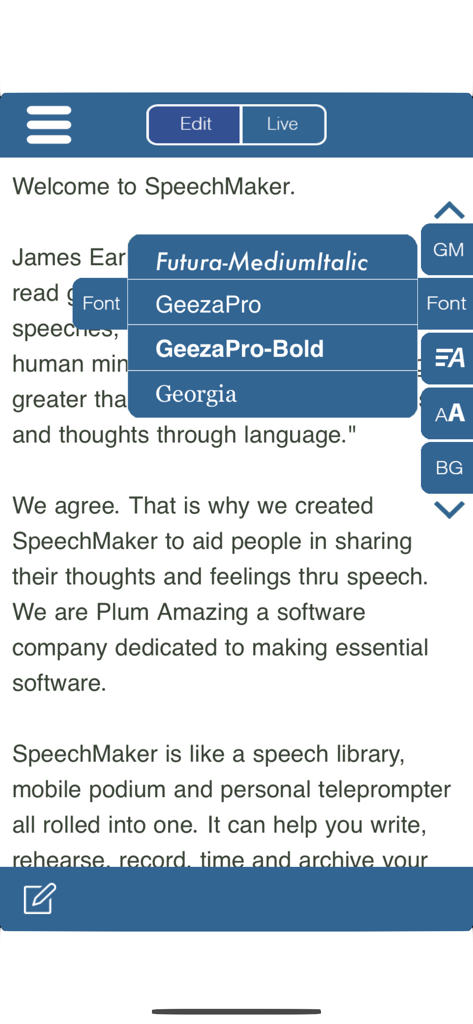
Menú de personalización de fuentes de la aplicación SpeechMaker para texto de discurso en iPhone.
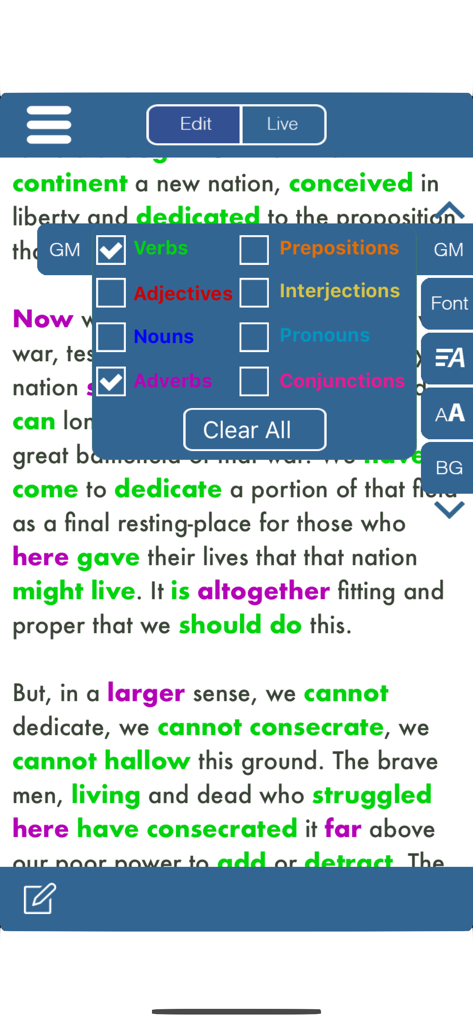
Una pantalla de teleprompter en SpeechMaker que muestra el Discurso de Gettysburg con verbos y adverbios resaltados en verde y púrpura usando un menú de gramática codificado por colores.
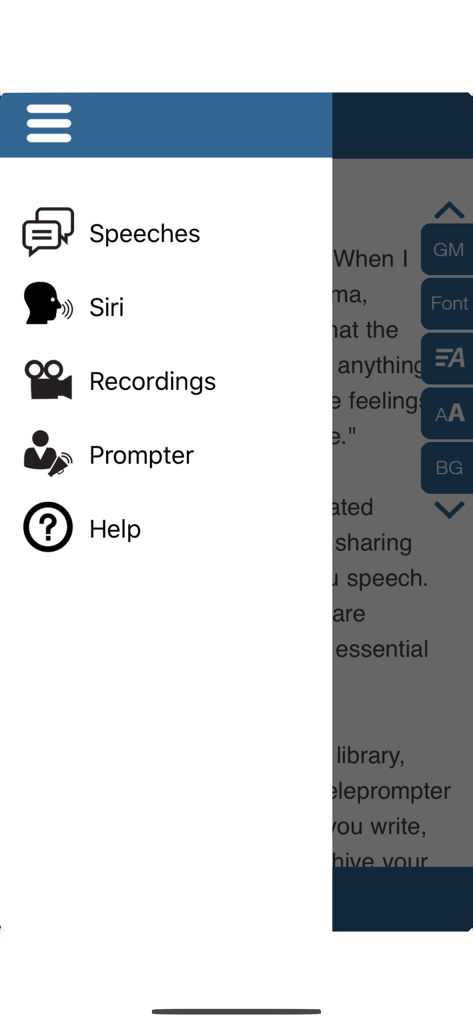
Menú de navegación lateral de la aplicación SpeechMaker que incluye Discursos, Siri, Grabaciones, Apuntador y Opciones de Ayuda.
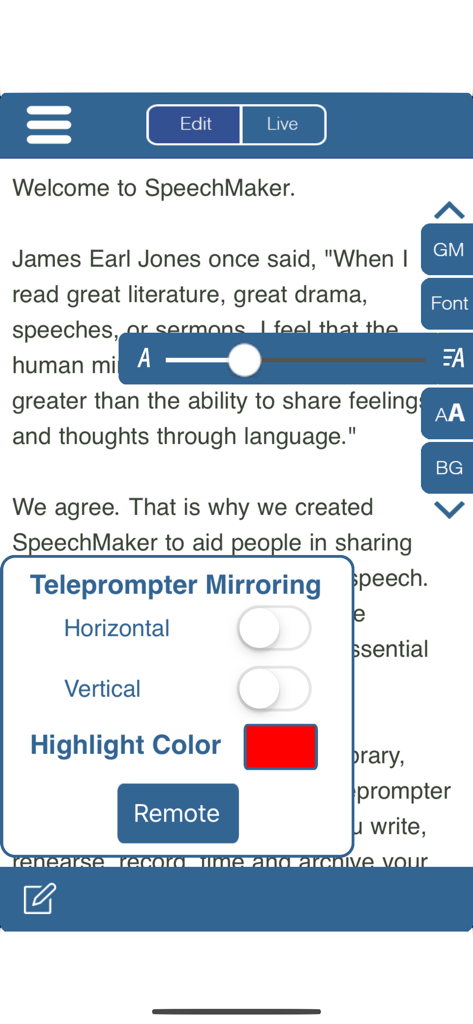
Interfaz de la aplicación SpeechMaker que muestra la configuración de duplicación del teleprompter y el ajuste del tamaño de fuente sobre un borrador de discurso.
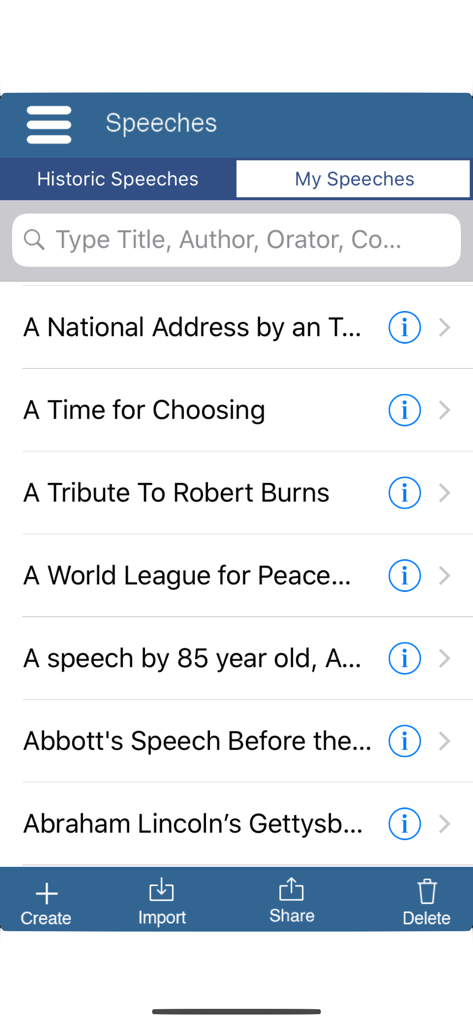
Interfaz de la aplicación SpeechMaker que muestra una lista de discursos históricos famosos, incluido el Discurso de Gettysburg de Lincoln, con opción de búsqueda.
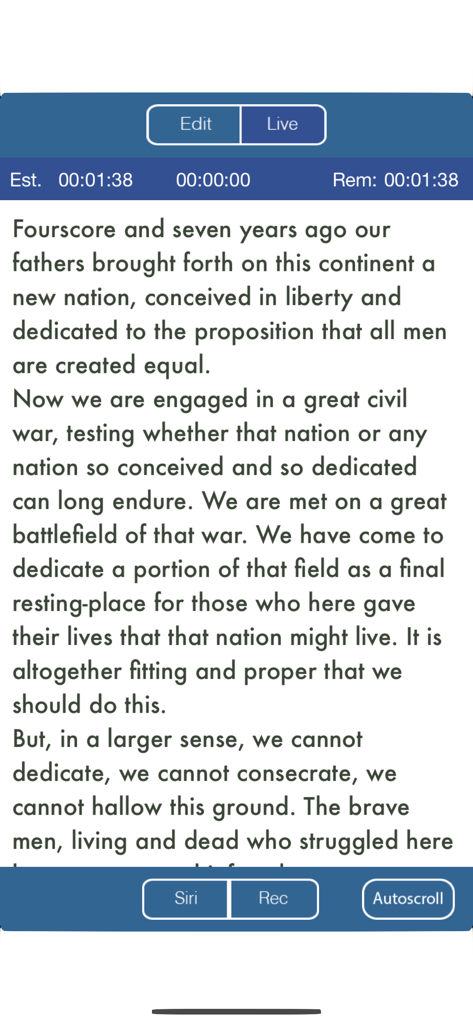
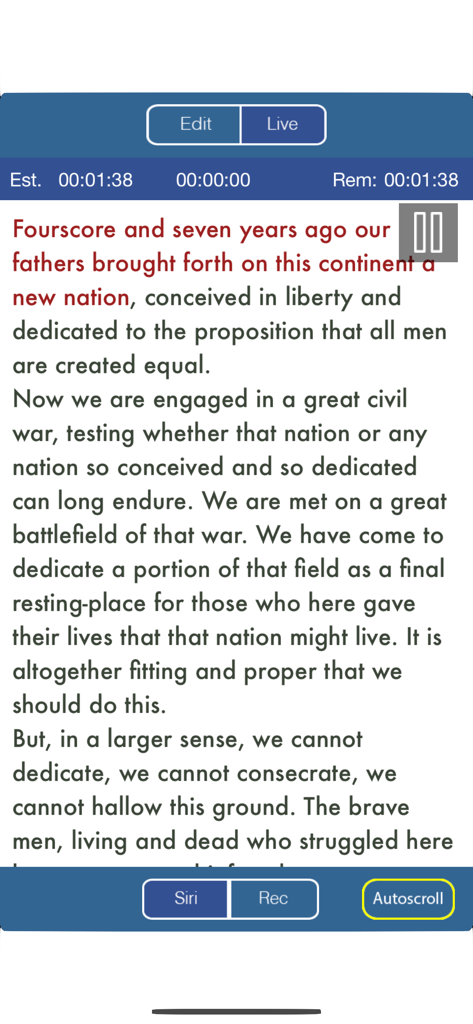
Vista de teleprompter de la aplicación SpeechMaker que muestra el texto del discurso con funciones de temporización y grabación.
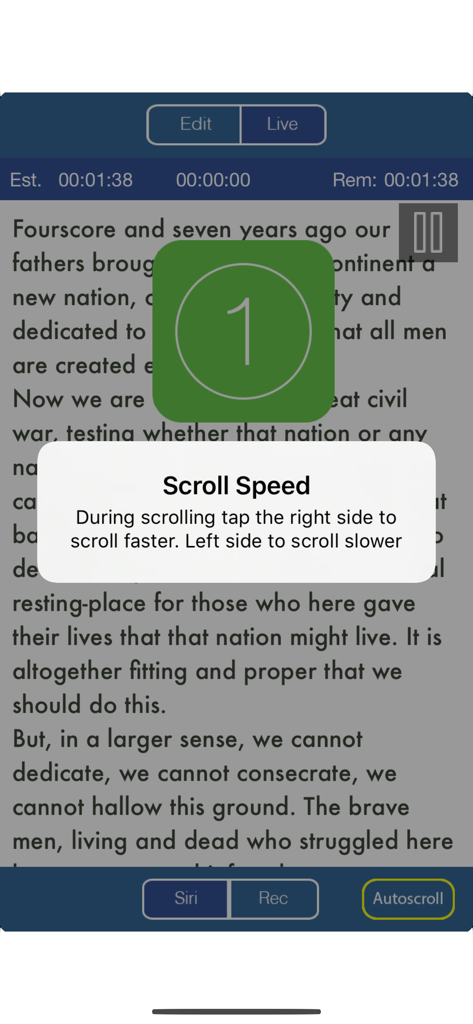
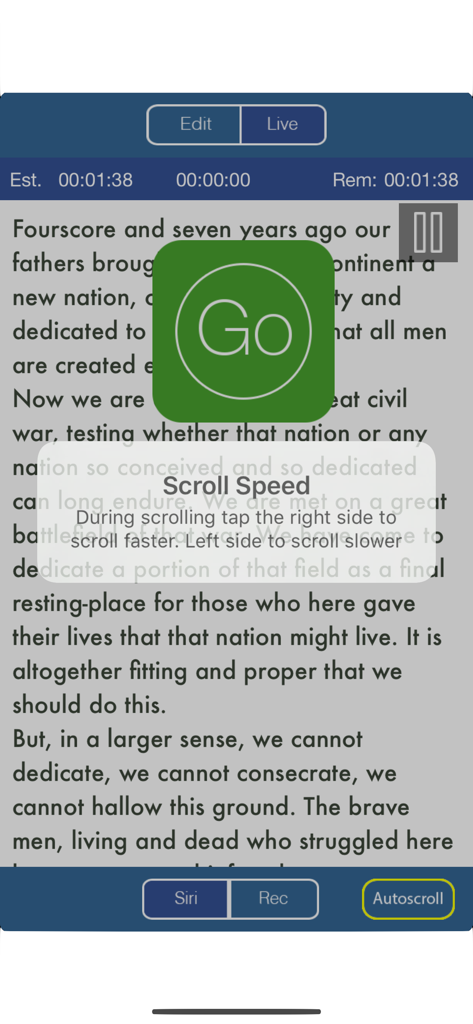
Interfaz del teleprompter en la aplicación SpeechMaker que muestra instrucciones de velocidad de desplazamiento y un temporizador de cuenta regresiva.
Pantalla del teleprompter en la aplicación SpeechMaker que muestra el texto del discurso con una ventana emergente de instrucciones de velocidad de desplazamiento y un gran botón verde de inicio.
Interfaz de la aplicación móvil SpeechMaker que muestra el texto del Discurso de Gettysburg en un teleprompter con controles de temporización y grabación.
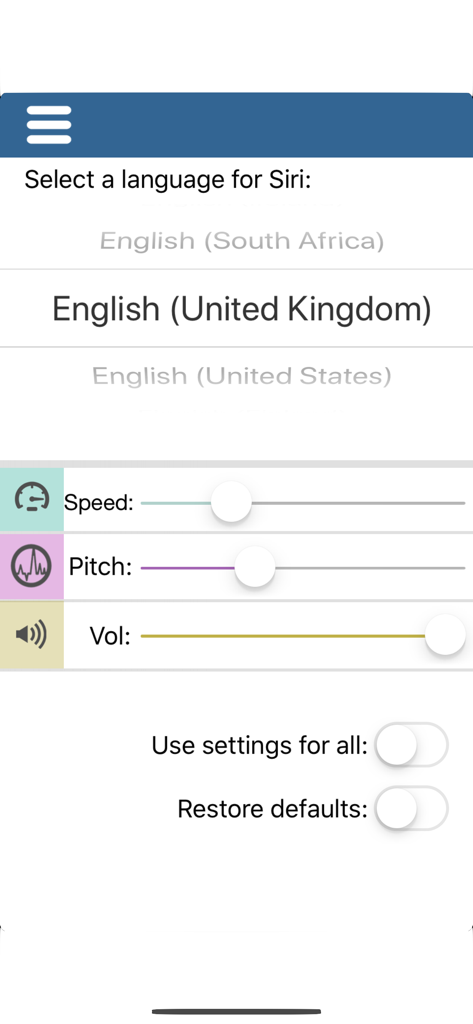
Interfaz para seleccionar el idioma de Siri y ajustar la velocidad, el tono y el volumen de la voz en la aplicación SpeechMaker
Domina Cada Presentación con Herramientas Profesionales
Las herramientas que hacen destacar esta app, elegida por 1K+ usuarios.
🎥
Teleprompter Inteligente con Video
Grábate mientras el teleprompter se desplaza para perfeccionar tu contacto visual, postura y expresión antes del gran evento.
⏱️
Control Preciso del Tiempo
Mantente al día con temporizadores en tiempo real que muestran el tiempo transcurrido y restante, para que nunca te apresures ni te excedas de tu límite.
📂
Integración Fluida en la Nube
Importa instantáneamente guiones desde Google Docs o Dropbox y sincroniza tu biblioteca entre dispositivos para un flujo de trabajo profesional y sin papeles.
Sobre la app
Todo lo que necesitas saber sobre Public Speaking S Video Audio.
Descripción
Turns an iPhone or iPad into your personal mobile speech podium. Create, archive, rehearse, hear, record in Audio/Video, present, time and give speeches. Speechmaker is a professional teleprompter with timers for public speaking in government, business and in schools. The most popular professional tool for rhetoric, oration, sermons, lyrics, plays, etc. whether live in public or on TV. It's for seasoned orators, children and everyone in between.
Free 14 day trial period after that a subscription is required to continue.
Go to our site for reviews/info: plumamazing.com/product/speechmaker/
Keep your speeches with you at all time, secure and available to use at any moment. Easily edit and give speeches at the last minute.
“It usually takes me more than three weeks to prepare a good impromptu speech.” – Mark Twain
SpeechMaker Features
- Create, edit, record, archive, time and give your speeches
- Record audio to hear how you sound before delivering that important speech
- Record audio & video to see your eye contact, posture, etc. during a speech
- Built in famous speeches, to search, examine or read yourself.
- Use the powerful built-in and easy to use telemprompter
- Mirror and reverse text
- Autoscroll text and control with a tap
- Siri can speak any speeches aloud in 36 different languages
- TIMERS stand out and show, elapsed, remaining and estimated time
- Change the background color, fonts, scroll speed & font size
- Runs on iPhone and iPad with separate UI for both
- Tap a button see verbs, nouns, adjectives and other parts of speech highlighted in different colors. Makes grammar come alive
- Archive your text, audio and video for the future
- Share you speech with friends and followers on social media.
- Import via text, RTF or PDF using copy & paste, Dropbox or Google Docs
- Export speech text via Email
- Import and export audio via Dropbox
- Rehearse your speech
- Timers for elapsed time and time to go for the speech all at a glance
- Practice delivering your lines flawlessly by recording audio/video
- Audio recording allows you to get feedback as you practice your speech
- Buttons and gestures to start, stop and control scroll speed
- Touch gestures:
+ pinch or zoom to change font size for easier reading
+ grab and scroll instantly to any part of a speech
+ tap the right side to speedup scrolling. Tap the left side to slow scrolling
- Give your speech using the easily adjustable autoscroll. Clearly see the speech scrolling in your choice of font, size and background color.
- Display extra large on a Mac or monitor or projector via AppleTV. Handy for TV stations, studios, schools, auditoriums, podcasters, lecture halls and plays
Includes famous speeches. Speak them out yourself or let Siri
Speechmaker guides you from speech creation to presentation to storage
Speechmaker helps you create a speech, spellcheck and visualize the grammar in color. Great for schools and schoolkids
Speechmaker has a teleprompter which automatically scrolls your speech so you can speak distraction free while simultaneously recording either audio/video of your speech
Practice poems, lyrics, scripts, comedy, lectures, sermons, startup pitches and plays, etc
SpeechMaker is popular with politicians, executives, students, teachers, directors, poets, lecturers, ministers, rabbis, authors, playwrights, speechwriters, scriptwriters, toastmasters, comedians, singers and actors
Carry on iPhone/iPad, no need to rely on notes on napkins or index cards
Users Rave
"Carrying all my speeches in one convenient and easy to use device saves my sanity. SpeechMaker is easy for me to use and I love how I can control all aspects of how it looks on screen. I used to drive my wife crazy asking each time how the speech sounds. Now I record the speech until I have it just right only then do I ask my wife what she thinks. SpeechMaker is the best thing to happen to my marriage and this ancient art in a hundred years."
Última versión
3.9.1
Tamaño
98.1 MB
Fecha de lanzamiento
4 ago 2019
¿Listo para Pronunciar tu Discurso Más Potente?
Convierte tu iPhone o iPad en un podio móvil de nivel profesional hoy mismo. Únete a miles de ejecutivos y líderes emergentes que nunca pierden el ritmo. Comienza tu prueba gratuita de 14 días ahora.
FAQ
Preguntas Frecuentes
Todo lo que necesitas saber sobre Public Speaking S Video Audio
¿Ofrece la aplicación Speechmaker una prueba gratuita?
Sí, Speechmaker ofrece un período de prueba gratuito de 14 días. Después de la prueba, se requiere una suscripción para continuar usando las funciones de la aplicación Public Speaking S Video Audio.
¿Cuáles son las características principales de la aplicación Public Speaking S Video Audio?
La aplicación Speechmaker permite a los usuarios crear, editar, grabar, archivar, cronometrar y pronunciar discursos. Incluye un teleprompter, grabación de audio/video para ensayo y resaltado de gramática.
¿Incluye Speechmaker una función de teleprompter?
Sí, la aplicación Speechmaker proporciona una función de teleprompter incorporada. Admite reflejar e invertir texto, y los usuarios pueden ajustar la velocidad de desplazamiento automático y la configuración de fuentes.
¿Puedo grabar mis discursos usando la aplicación Public Speaking S Video Audio?
Sí, la aplicación Speechmaker permite grabar audio y video durante el ensayo. Esta función ayuda a los usuarios a evaluar su contacto visual, postura y entrega vocal para hablar en público.
¿Speechmaker admite Siri para la reproducción de discursos?
Sí, Speechmaker se integra con Siri, lo que permite al asistente decir cualquier discurso en voz alta. Esta función está disponible en 36 idiomas diferentes para usuarios diversos.
¿Cómo ayuda Speechmaker a los usuarios a cronometrar sus discursos?
La aplicación Speechmaker incluye temporizadores que muestran el tiempo transcurrido, el tiempo restante y el tiempo total estimado. Estos se muestran de forma destacada durante la presentación del discurso para ayudar con el ritmo.
¿Speechmaker resalta las partes del discurso?
Sí, la aplicación Public Speaking S Video Audio ofrece resaltado de gramática. Puede colorear verbos, sustantivos, adjetivos y otras partes del discurso para visualizar la gramática en el texto.
¿Qué opciones de importación y exportación están disponibles en la aplicación Speechmaker?
Los usuarios pueden importar discursos a Speechmaker en formatos de texto, RTF o PDF utilizando copiar y pegar, Dropbox o Google Docs. Las opciones de exportación incluyen correo electrónico para texto y Dropbox para audio.
¿Puedo personalizar la configuración de visualización en la aplicación Public Speaking S Video Audio?
Sí, Speechmaker admite la personalización de la apariencia. Los usuarios pueden cambiar el color de fondo, los estilos de fuente, la velocidad de desplazamiento y el tamaño de fuente para la pantalla del teleprompter.
App information, icons, screenshots, and descriptions displayed on this page are sourced from the Apple App Store and are the property of their respective developers. Download estimates and rankings are based on MWM's proprietary models and may not reflect actual figures. This page is provided for informational and analytical purposes only.
Believe this page infringes your intellectual property? File a dispute