QR Code Reader: Scanner

QR Code Reader: Scanner

Descargar en App Store
Logo de QR Code Reader: Scanner

Lector de códigos QR: Escáner - Escanea, guarda y organiza tu mundo digital

Ve más allá de la cámara básica con un escáner de calidad profesional diseñado para la eficiencia. Rastrea tu historial de escaneos, decodifica formatos de códigos de barras industriales y desbloquea las mejores ofertas, todo con total privacidad y soporte sin conexión.

Descargar en App Store

Editor

Astrum Computing, LLC

Categoría

Utilities

Descargas

30K+

Valoración

4.6/5

Total valoraciones

500

Idiomas

5

Precisión de un vistazo

Descubre la interfaz utilizada por 30K+ usuarios.
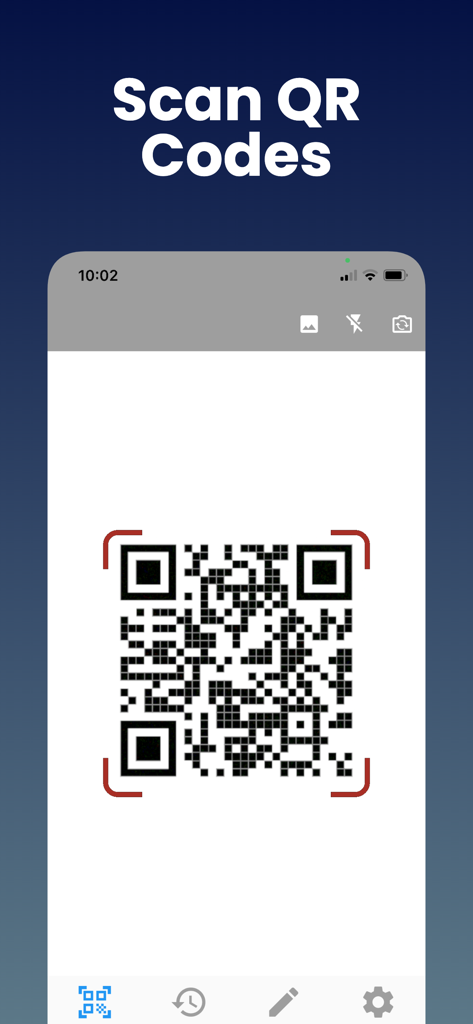
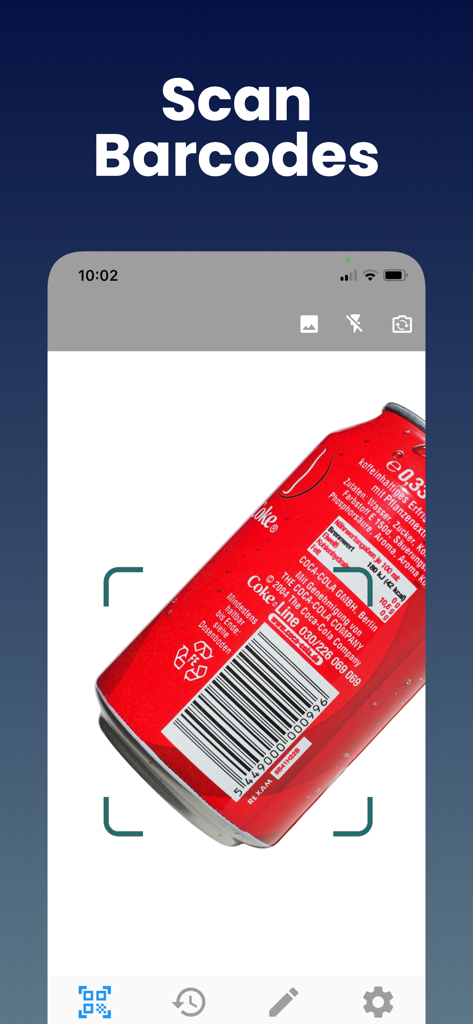
Una pantalla de smartphone que muestra la función de escaneo de códigos QR de la aplicación Lector de códigos QR.

Una pantalla de smartphone que muestra la función de escaneo de códigos QR de la aplicación Lector de códigos QR.

Interfaz de aplicación móvil que muestra la función de escaneo de códigos de barras en una lata de aluminio roja.

Interfaz de aplicación móvil que muestra la función de escaneo de códigos de barras en una lata de aluminio roja.

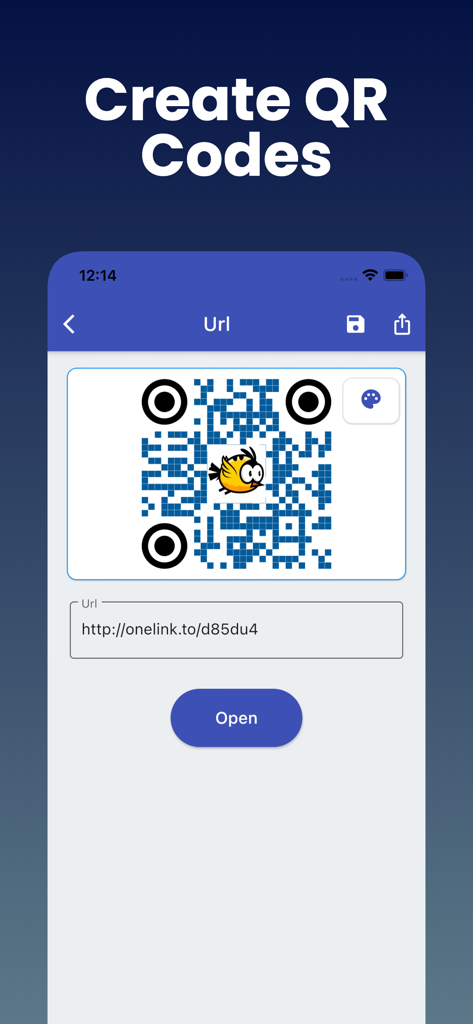
Interfaz de aplicación móvil que muestra cómo crear un código QR personalizado a partir de un enlace URL

Interfaz de aplicación móvil que muestra cómo crear un código QR personalizado a partir de un enlace URL

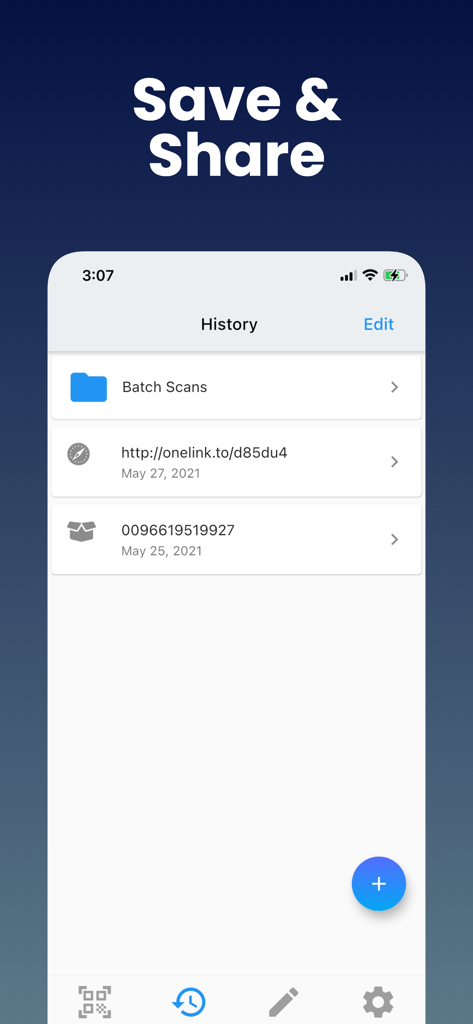
Interfaz del historial de escaneos que muestra enlaces QR guardados y datos de códigos de barras

Interfaz del historial de escaneos que muestra enlaces QR guardados y datos de códigos de barras

Domina tus escaneos diarios

Las herramientas que hacen destacar esta app, elegida por 30K+ usuarios.

📑

Historial de escaneos organizado

Deja de perder enlaces importantes. Cada QR y código de barras que escaneas se guarda al instante, para que puedas encontrar detalles de productos o cupones días después de escanearlos.

📦

Decodificación universal de formatos

Ve más allá de los enlaces básicos. Escanea UPC para comparaciones de precios, ISBN para libros o códigos industriales como Data Matrix para logística profesional en una sola aplicación.

🔒

Privacidad y listo para uso sin conexión

Escanea de forma segura en 'zonas muertas' de comercios o almacenes sin necesidad de conexión a internet. Respetamos tus datos con requisitos mínimos de permisos.

Sobre la app

Todo lo que necesitas saber sobre QR Code Reader: Scanner.

Descripción

QR code Scanner & Barcode Reader app offers the most powerful free tools for scanning QR codes on your iPhone. With this barcode reader, you can scan and recognize all types of codes using your smartphone's camera. Our fast barcode Reader for iPhone, iPad, lets you read barcodes and scan barcodes to share with your friends. This free Barcode scanner app can save QR codes in history. Just scan any QR code or Barcode. QR Reader is the best QR code reader that supports all types of QR code formats, including UPC, ISBN, and more. Why Should You Use Free QR Code Scanner & Barcode Reader? - QR Code App supports all QR and barcode formats - Zoom in and out automatically - Scan history for QR Codes and Barcodes will be saved - Scan QR / barcodes from the gallery - Use a flashlight to scan QR Codes and Barcodes in a dark environment - There is no need for an internet connection - Scan promotion and coupon codes - QR Code Scanner respects your privacy and only asks for the minimal permissions needed to scan your barcodes. Unique Features of Free QR Code & Barcode Scanner App: This Barcode scanner can scan a wide variety of barcodes, like QR codes, Aztecs, Code 39s, Code93, Code128, EAN13, EAN8, PDF417, Data Matrix, and ITF. You can also copy the information from your barcode reader to your clipboard, then paste it into your other applications. Share the QR Code or other barcode via messaging, SMS, or other means. Find the QR Code product online or search the web for the QR Code. It is possible to subscribe to an auto-renewing subscription. When you confirm the purchase, a subscription will be automatically charged to your iTunes account and renewed (for the chosen period of time) unless auto-renew is turned off at least 24 hours before the end of the current period. During the active subscription period, a subscription cannot be canceled; however, after a purchase, you can manage your subscription and/or disable auto-renewal through your iTunes Account Settings. How to use Free QR Code & Barcode Scanner Apps? 1. Download the free QR code scanner and QR barcode scanner app from the App Store. 2. After you have downloaded the free QR code scanner, you need to open the app on your device. 3. Point the camera at the QR code scanner or barcode reader. 4. The QR code scan app will automatically recognize the code and can decode the result after scanning it. 5. Scanner app after scanning QR code, results are displayed with options based on the suggestions. Note: As much as possible, we're working to make it better by adding advanced and exciting features. In order to succeed, we need your constant support. Please feel free to send us your queries/suggestions/feedback at support@astrumcomputing.com. We are always interested in hearing from you. Download the QR Code Scanner, Barcode Reader app and enjoy the best scanning that you deserve. Privacy Policy: https://www.astrumcomputing.com/home/privacylegal Terms of Use: https://www.astrumcomputing.com/home/termsofservice

Última versión

1.01.69

Tamaño

57.3 MB

Fecha de lanzamiento

3 sept 2019

Optimiza tus escaneos y guarda cada detalle

Únete a miles de usuarios que confían en la herramienta más potente para compras inteligentes y organización profesional. Conserva tu historial, escanea cualquier formato y mantente productivo, incluso sin conexión.

Descargar en App Store

App information, icons, screenshots, and descriptions displayed on this page are sourced from the Apple App Store and are the property of their respective developers. Download estimates and rankings are based on MWM's proprietary models and may not reflect actual figures. This page is provided for informational and analytical purposes only.

Believe this page infringes your intellectual property? File a dispute