Screen Mirroring+ for Roku

Screen Mirroring+ for Roku


Descargar en App StoreDescargar en Google Play
Logo de Screen Mirroring+ for Roku
Screen Mirroring+ para Roku: Comparte iPhone a TV en Alta Calidad con Cero Retraso

La forma más fácil de reflejar tus fotos, videos, aplicaciones y presentaciones en tu TV o Roku Streaming Stick. Experimenta un rendimiento fluido en la pantalla grande sin costos ocultos.

Editor

Kraus und Karnath GbR 2Kit Consulting

Categoría

Productivity

Descargas

676K+

Valoración

3.5/5

Total valoraciones

24K+

Idiomas

1

Experimenta la Pantalla Grande

Descubre la interfaz utilizada por 676K+ usuarios.
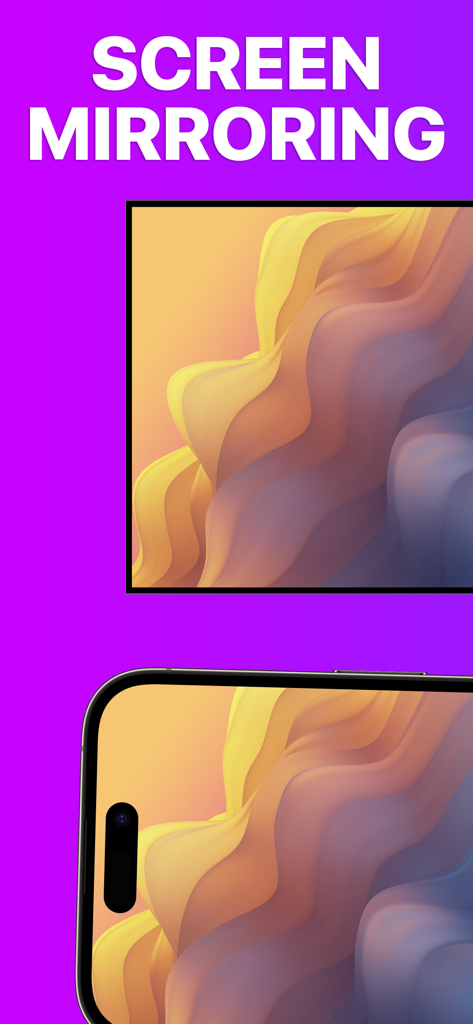
Un iPhone y una pantalla de TV mostrando el mismo patrón ondulado colorido para demostrar la función de duplicación de pantalla

Un iPhone y una pantalla de TV mostrando el mismo patrón ondulado colorido para demostrar la función de duplicación de pantalla

Pantalla de iPhone reflejada en un televisor Roku mostrando arte abstracto de alta calidad

Pantalla de iPhone reflejada en un televisor Roku mostrando arte abstracto de alta calidad

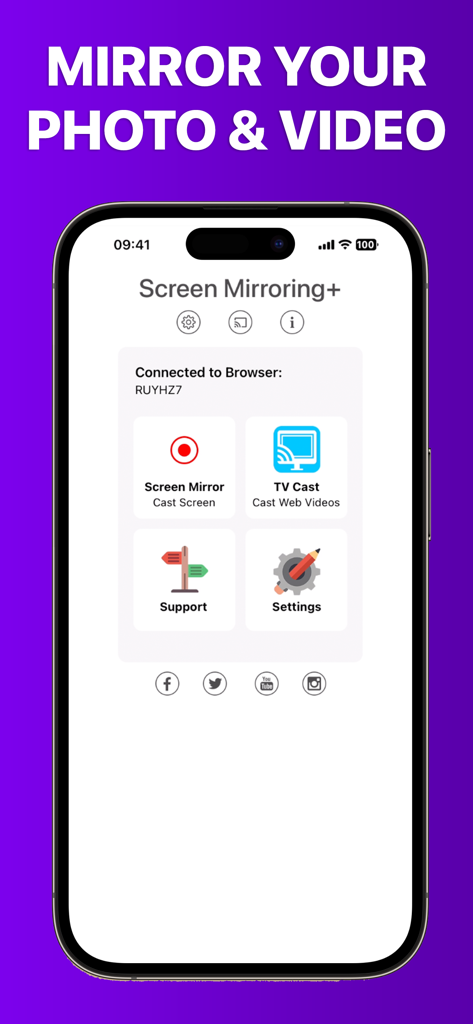
Pantalla de inicio de la aplicación Screen Mirroring plus para transmitir contenido multimedia desde iPhone a Roku

Pantalla de inicio de la aplicación Screen Mirroring plus para transmitir contenido multimedia desde iPhone a Roku

Tu Contenido de iPhone, Más Grande que la Vida

Las herramientas que hacen destacar esta app, elegida por 676K+ usuarios.

Reflejo sin Retrasos

Experimenta un rendimiento líder en la industria con menos de un segundo de latencia. Perfecto para navegar por redes sociales, explorar la web o jugar en la pantalla grande.

📺

Transmisión para Toda la Familia

Comparte instantáneamente fotos de vacaciones, videos caseros y presentaciones desde tu iPhone o iPad. Reúne a todos sin tener que agruparse alrededor de una pantalla pequeña.

💎

Sin Suscripciones Ocultas

Deja de pagar tarifas semanales o costoso hardware de Apple TV. Disfruta de una utilidad profesional diseñada para usuarios conscientes del valor que desean un rendimiento transparente y de alta calidad.

Análisis de reseñas

Información de las reseñas de usuarios.

Puntuación de sentimiento

9%
Negativo

Resumen

This mobile app receives overwhelmingly negative feedback, with most users reporting that the core screen mirroring functionality simply 'doesn't work' or is plagued by significant performance issues such as extreme lag, low resolution, and choppiness. Many reviewers express frustration over having paid for the app only to find it unusable, leading to frequent requests for refunds and complaints about wasted money. Users also highlighted difficulties with initial setup, a lack of intuitive instructions, and non-existent customer support. Specific version-related issues include Netflix content restrictions and incompatibility with iOS 18, overshadowing the few positive experiences with basic screen mirroring or services like Hulu.

Temas comunes

Connectivity & Reliability(28)
Payment & Value(18)
Performance & Quality(11)
Ease of Use & Setup(5)
Customer Support(4)
Positive Screen Mirroring Experiences(3)

Sobre la app

Todo lo que necesitas saber sobre Screen Mirroring+ for Roku.

Descripción

Screen Mirroring+ for Roku is the easy mirror app to share your iPhone or iPad screen on your Roku Streaming Player, Roku Stick or Roku TV. It's the most advanced screen mirroring solution with zero delay and the highest screen quality. Mirror photos, videos, games, websites, apps, presentations, documents and spreadsheets on Roku. * SUPPORTED Roku Players: Roku TV, Roku Streaming Stick, Roku Express, Roku Premiere, Roku Ultra, Roku 2, Roku 3, Roku 4, Roku HD (2500), Roku LT (2400+2450) Player. Please make sure that firmware 5.1 or later is installed. * SUPPORTED Roku TVs: Hisense, Sharp, TCL, Insignia, Hitachi, Philips, Element, JVC, Metz, Coocaa, Westinghouse, Onn * NOT SUPPORTED Roku Players: Roku classic models (N1000, N1050, N1100, N1101), Roku 2000, 2050, 2100, Telstra TV, NOW TV Stick & Box, Sky Ticket (WOW TV). * Your iPhone/iPad and your Roku must be connected to the same wifi to enable screen mirroring. Please do not use VPN, Proxy, VLANS and Subnets. * Latency is supreme (below 1 second) when you have good wifi network conditions * No hidden subscriptions or costs * Black screen issues: Some third party apps prevent screen mirroring. When you try to mirror them, you will just see a black screen on your TV, for example with Netflix and Disney+. This is a restriction chosen by Netflix and others, so we cannot fix it at the moment. If you like the app and our constant work on it, please give the app a positive rating on the App Store. Many thanks in advance from the development & support team. Disclaimer: This app is not affiliated with Roku or any other trademark mentioned here. ROKU, the ROKU Logo, STREAMING STICK, ROKU TV, ROKU POWERED, the ROKU POWERED Logo, ROKU READY, the ROKU READY Logo, the purple fabric tag design, the purple d-pad design, "STOP DREAMING. START STREAMING.", "HAPPY STREAMING", "THERE'S A TON OF ENTERTAINMENT IN THIS LITTLE BOX," and "NOW THIS IS TV" are trademarks and/or registered trademarks of Roku, Inc. in the United States and other countries.

Última versión

3.6

Tamaño

21.4 MB

Fecha de lanzamiento

24 feb 2019

Experimenta el Reflejo sin Retraso Hoy Mismo

Únete a más de 676.000 usuarios que conectan sus iPhones con Roku. Sin suscripciones ocultas, sin retrasos: solo tu contenido favorito en la pantalla grande.

Descargar en App StoreDescargar en Google Play

App information, icons, screenshots, and descriptions displayed on this page are sourced from the Apple App Store and are the property of their respective developers. Download estimates and rankings are based on MWM's proprietary models and may not reflect actual figures. This page is provided for informational and analytical purposes only.

Believe this page infringes your intellectual property? File a dispute