Screen Mirroring TV Smart View

Screen Mirroring TV Smart View

Descargar en App Store
Logo de Screen Mirroring TV Smart View

Screen Mirroring TV Smart View: Tu iPhone, Ahora en la Gran Pantalla

Transmite al instante videos, fotos y documentos a cualquier Smart TV con cero latencia. No se requieren cables ni hardware adicional, solo duplicación fluida para el trabajo y el entretenimiento.

Descargar en App Store

Editor

Gec Investment Consulting & Education Development Limited Company

Categoría

Entertainment

Descargas

40K+

Valoración

4.2/5

Total valoraciones

300

Idiomas

10

Tu Pantalla, Amplificada

Descubre la interfaz utilizada por 40K+ usuarios.
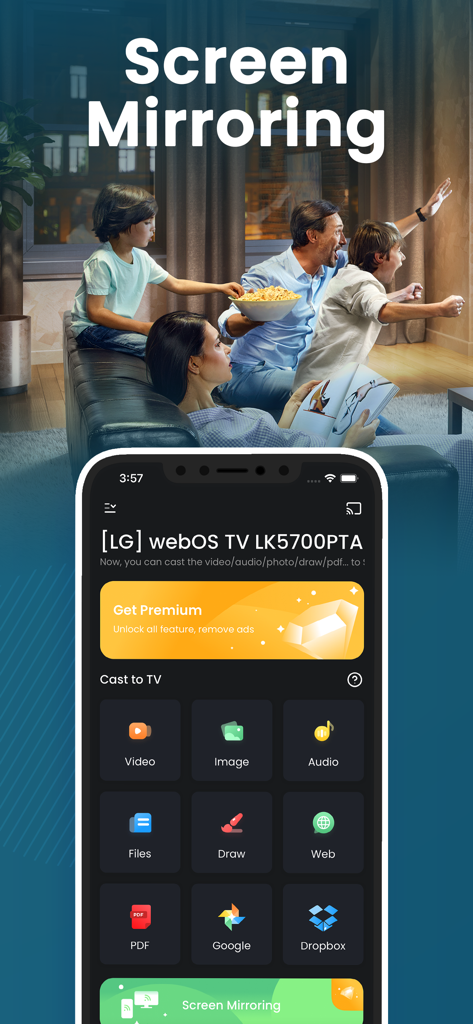
Interfaz de la aplicación de duplicación de pantalla del iPhone que muestra opciones para transmitir imágenes de video y archivos a un Smart TV con una familia observando al fondo

Interfaz de la aplicación de duplicación de pantalla del iPhone que muestra opciones para transmitir imágenes de video y archivos a un Smart TV con una familia observando al fondo

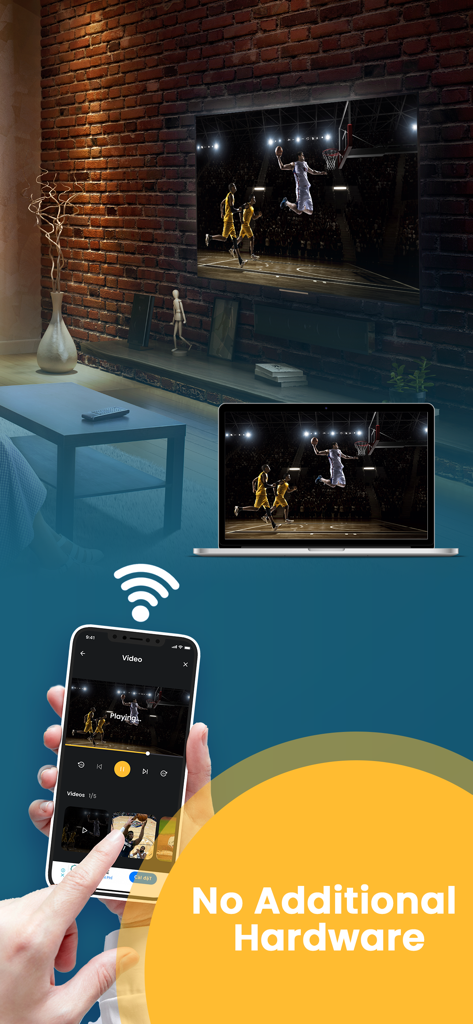
El iPhone duplica la pantalla de un partido de baloncesto a un portátil y un Smart TV de forma inalámbrica sin hardware adicional

El iPhone duplica la pantalla de un partido de baloncesto a un portátil y un Smart TV de forma inalámbrica sin hardware adicional

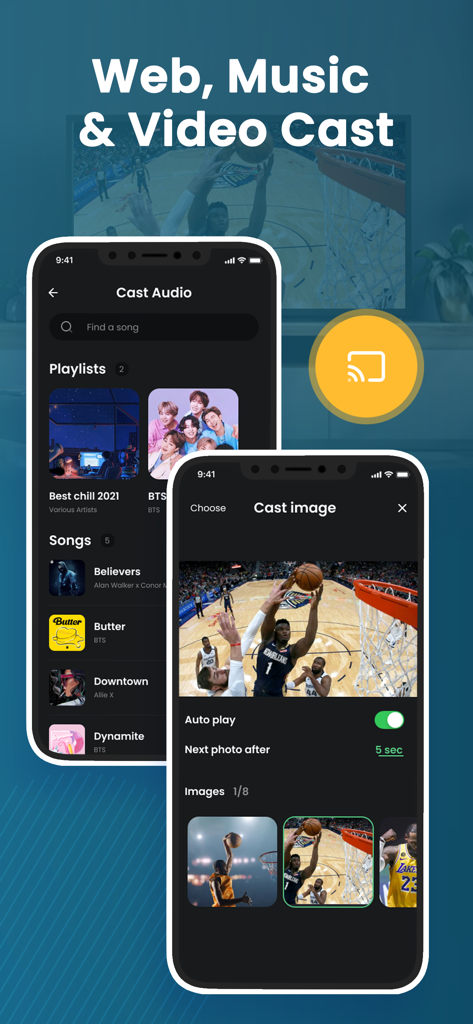
La aplicación Screen Mirroring TV Smart View muestra las funciones de transmisión de audio e imagen en el iPhone.

La aplicación Screen Mirroring TV Smart View muestra las funciones de transmisión de audio e imagen en el iPhone.

Mejora Tu Experiencia Visual

Las herramientas que hacen destacar esta app, elegida por 40K+ usuarios.

Duplicación Sin Latencia

Experimenta la compartición de pantalla en tiempo real para presentaciones fluidas y navegación de aplicaciones sin problemas, sin retrasos ni latencia frustrantes.

📂

Versatilidad para el Trabajo y el Ocio

Transmite todo, desde PDFs profesionales y sitios web para el trabajo hasta videos 4K personales y presentaciones de diapositivas interactivas para la familia.

🔌

Configuración Sin Hardware

Ahorra dinero y elimina el desorden de cables. Conéctate de forma inalámbrica a través de Wi-Fi a tu Smart TV existente, sin adaptadores caros ni decodificadores Apple TV.

Sobre la app

Todo lo que necesitas saber sobre Screen Mirroring TV Smart View.

Descripción

Screen Mirroring and Smart View helps you to cast videos, picture slideshow, music, web, pdf documents, and show your drawing from your iPhone or Tab to a big TV screen. It also helps you to mirror your IPhone screen to Smart TV via Wifi connection without any additional hardware needed, and no delay. Following features are available: ・Cast photos, videos, music, web, PDF documents from your iPhone & iPad to TVs. ・Mirror your iPhone screen without any delay. ・Draw & slideshows from your iPhone to TVs. ・Support most popular smart TVs. How to Mirror? ・Connect your iPhone and your TV on the same WIFI network. ・Open the app and connect the app to your TV ・Tab “Cast” or “Screen Mirroring” button and follow the instructions to start casting or mirroring. DISCLAIMER: This app is not an official product, and we are not affiliated with any trademark in any way. ***Upgrade to Premium to remove ads and unlock all feature*** You can select on-time payment or a monthly subscription. *** The price corresponds to the same price segment, which is set in the "Apple's App Store Matrix" for other currencies. - Your free trial subscription will automatically renew to a paid subscription unless auto-renew is turned off at least 24 hours before the end of the free trial period. Please note: any unused portion of a free trial period (if offered) will be forfeited when you purchase a premium subscription during the free trial period. - You can cancel a free trial or subscription anytime by turning off auto-renewal through your iTunes account settings. This must be done 24 hours before the end of a free trial or subscription period to avoid being charged. The cancellation will take effect the day after the last day of the current subscription period, and you will be downgraded to the free service. For more information, please visit: https://support.apple.com/HT202039 Privacy policy : https://gec.contact/privacy-policy.html Terms of Service: https://gec.contact/terms-of-use.html If you have any feedback that you think may improve the app, please send email to: support@gec.contact

Última versión

6.0

Tamaño

30.1 MB

Fecha de lanzamiento

20 jul 2021

¿Listo para Verlo Todo en la Gran Pantalla?

Únete a más de 40,000 usuarios que transmiten fotos, videos y PDFs al instante sin latencia ni hardware adicional.

Descargar en App Store
FAQ

Preguntas Frecuentes

Todo lo que necesitas saber sobre Screen Mirroring TV Smart View

¿Cuál es la función principal de Screen Mirroring TV Smart View?

La aplicación Screen Mirroring TV Smart View transmite videos, fotos, música, contenido web y documentos desde tu iPhone o iPad a una pantalla de TV grande. También refleja la pantalla de tu iPhone sin demora.

¿Screen Mirroring TV Smart View requiere hardware adicional para la duplicación de pantalla?

No, la aplicación Screen Mirroring TV Smart View no requiere ningún hardware adicional para duplicar la pantalla de tu iPhone en un Smart TV. Se conecta a través de Wi-Fi.

¿Cómo conecto mi iPhone a un televisor usando la aplicación Screen Mirroring TV Smart View?

Para conectarte, asegúrate de que tu iPhone y tu televisor estén en la misma red Wi-Fi. Abre la aplicación Screen Mirroring TV Smart View, conéctate a tu televisor y luego toca 'Transmitir' o 'Duplicar pantalla' para comenzar.

¿Qué tipos de contenido puedo transmitir con Screen Mirroring TV Smart View?

Puedes transmitir fotos, videos, música, contenido web y documentos PDF desde tu iPhone y iPad usando Screen Mirroring TV Smart View. También admite el dibujo directamente desde tu iPhone a televisores.

¿Screen Mirroring TV Smart View es compatible con todos los televisores inteligentes?

Sí, la aplicación Screen Mirroring TV Smart View es compatible con la mayoría de los televisores inteligentes populares. Permite la transmisión y duplicación de pantalla desde tu iPhone o iPad a televisores compatibles.

¿Cómo pueden los usuarios eliminar anuncios y desbloquear todas las funciones en Screen Mirroring TV Smart View?

Los usuarios pueden eliminar anuncios y desbloquear todas las funciones en Screen Mirroring TV Smart View actualizando a una suscripción Premium. Esto está disponible a través de un pago único o un plan mensual.

¿Cómo funciona la prueba gratuita para Screen Mirroring TV Smart View Premium?

La prueba gratuita de Screen Mirroring TV Smart View Premium se renueva automáticamente a una suscripción de pago. Los usuarios deben desactivar la renovación automática al menos 24 horas antes de que finalice la prueba para evitar cargos.

¿Cómo cancelo mi suscripción a Screen Mirroring TV Smart View?

Puedes cancelar tu suscripción a Screen Mirroring TV Smart View en cualquier momento desactivando la renovación automática a través de la configuración de tu cuenta de iTunes. Esto debe hacerse 24 horas antes de que finalice el período.

App information, icons, screenshots, and descriptions displayed on this page are sourced from the Apple App Store and are the property of their respective developers. Download estimates and rankings are based on MWM's proprietary models and may not reflect actual figures. This page is provided for informational and analytical purposes only.

Believe this page infringes your intellectual property? File a dispute