Sequincer: MIDI Sequencer

Sequincer: MIDI Sequencer

Descargar en App Store
Logo de Sequincer: MIDI Sequencer

Sequincer: Secuenciador MIDI – Precisión Armónica para Compositores Serios

Domina tu música sobre la marcha con el secuenciador más inteligente basado en cuadrícula. Desde bocetos rápidos hasta sinfonías a gran escala, experimenta una integración profesional AUv3 y una avanzada conciencia armónica diseñada para el músico moderno de iPad.

Descargar en App Store

Editor

Alexis Doualle

Categoría

Music

Descargas

400

Valoración

4.3/5

Total valoraciones

0

Idiomas

2

El Arte de la Precisión

Descubre la interfaz utilizada por 400 usuarios.
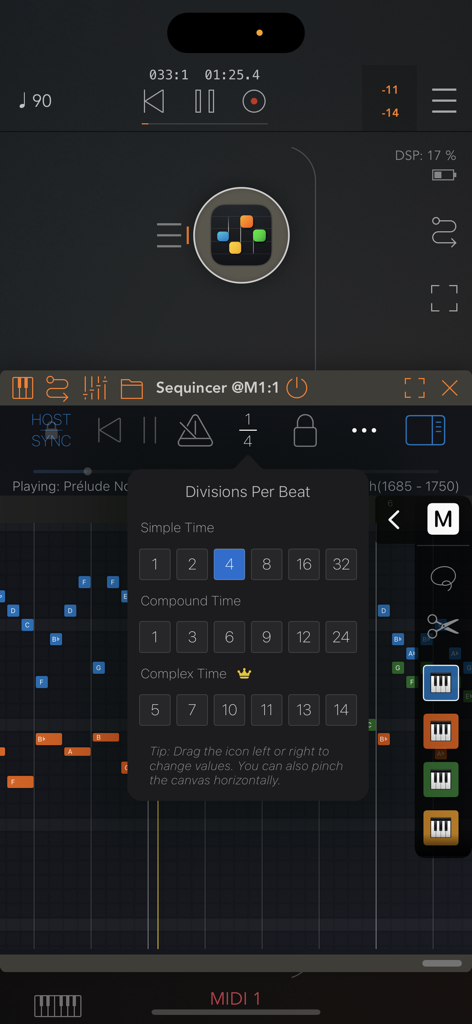
Menú de Divisiones por Pulso en la aplicación de secuenciador MIDI Sequincer

Menú de Divisiones por Pulso en la aplicación de secuenciador MIDI Sequincer

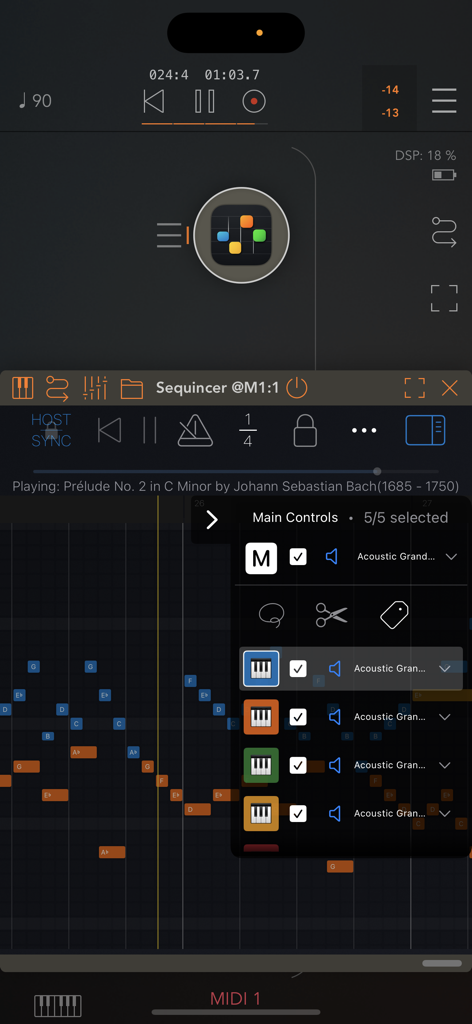
Interfaz de la aplicación Sequincer mostrando el secuenciador MIDI basado en cuadrícula y el menú de control de pistas.

Interfaz de la aplicación Sequincer mostrando el secuenciador MIDI basado en cuadrícula y el menú de control de pistas.

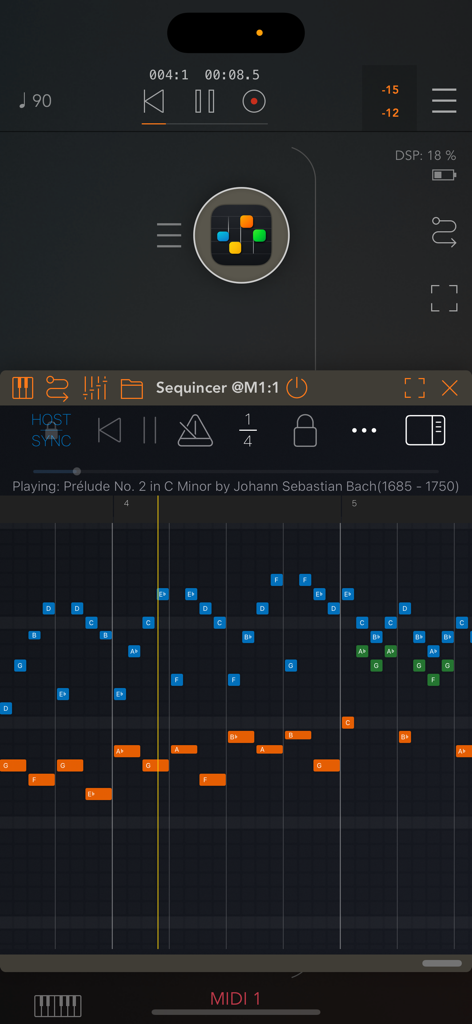
Interfaz de un secuenciador MIDI multipista basado en cuadrícula para móvil, mostrando un piano roll con bloques de notas de colores y controles de transporte.

Interfaz de un secuenciador MIDI multipista basado en cuadrícula para móvil, mostrando un piano roll con bloques de notas de colores y controles de transporte.

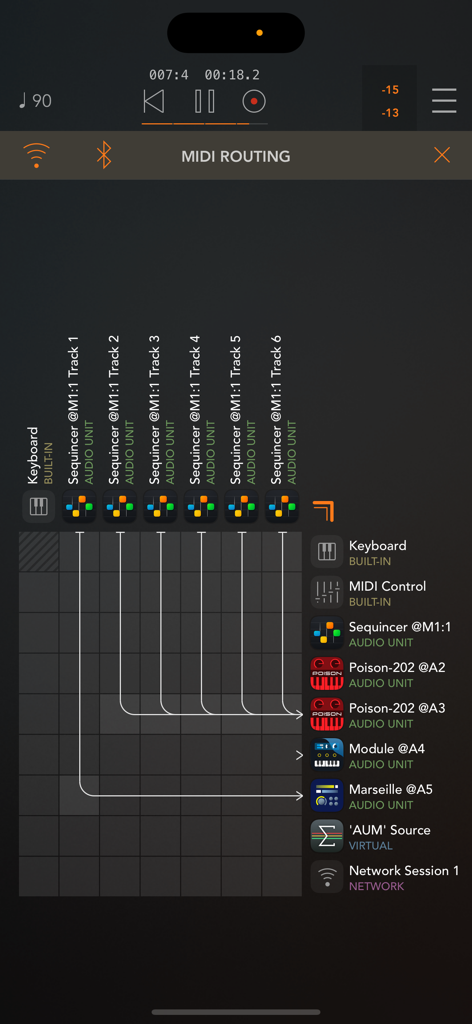
Cuadrícula de enrutamiento MIDI en Sequincer mostrando conexiones de pistas a instrumentos AUv3

Cuadrícula de enrutamiento MIDI en Sequincer mostrando conexiones de pistas a instrumentos AUv3

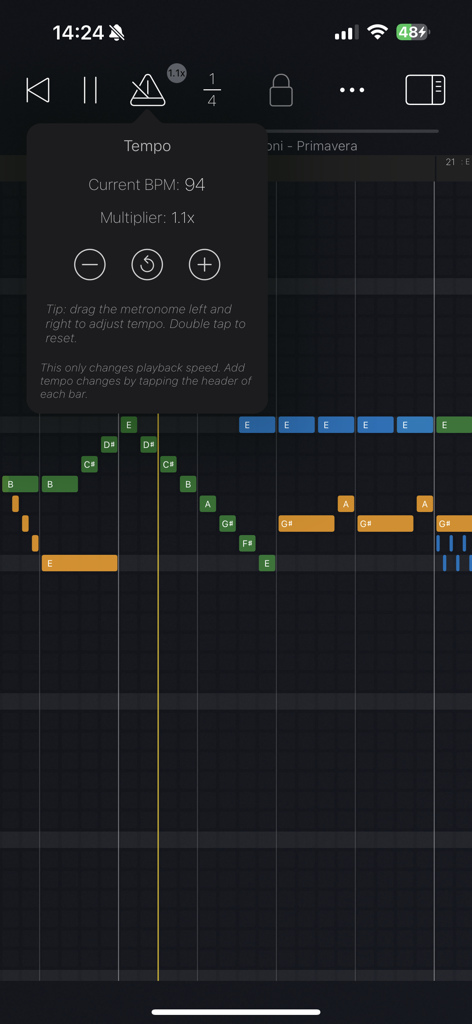
Interfaz de la aplicación Sequincer MIDI Sequencer mostrando controles de tempo y notas musicales de colores en una cuadrícula

Interfaz de la aplicación Sequincer MIDI Sequencer mostrando controles de tempo y notas musicales de colores en una cuadrícula

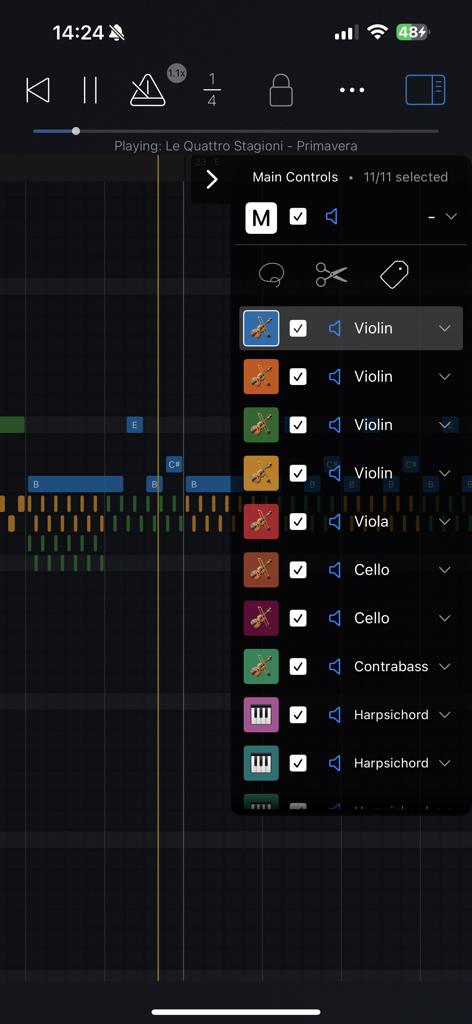
Aplicación Sequincer MIDI sequencer mostrando una lista de instrumentos orquestales en una cuadrícula de piano roll

Aplicación Sequincer MIDI sequencer mostrando una lista de instrumentos orquestales en una cuadrícula de piano roll

Secuenciación MIDI Profesional, Reimaginada

Las herramientas que hacen destacar esta app, elegida por 400 usuarios.

🎼

Inteligencia Armónica

Escribe con intención musical. Distingue entre alteraciones y explora sistemas de afinación personalizados para una precisión armónica real en cada tonalidad.

🔌

Flujo de Trabajo AUv3 Integrado

Potencia todo tu estudio móvil. Usa Sequincer como un plugin dentro de hosts como AUM para disparar tus sintetizadores favoritos con hasta 64 pistas.

✏️

Soporte Preciso de Lápiz

Transforma tu iPad en una mesa de dibujo. Pasa el cursor para previsualizar notas y usa gestos de pellizco para una experiencia de composición intuitiva y de alta velocidad.

Sobre la app

Todo lo que necesitas saber sobre Sequincer: MIDI Sequencer.

Descripción

Sequincer is a powerful grid-based MIDI sequencer for iPhone and iPad which makes it easy to compose music on the go. Just tap the grid to add notes and hit the play button to hear your creation. Notes added by a tap will have the duration of whichever beat division is selected. You can select a wide range of beat divisions by tapping the "1/4" button, or by pinching horizontally to double and halve the current value. You can change a note's duration by tapping on it to shorten it, or by holding and panning to the right to increase it. There are four tiers: a free preview tier, then Loops, Producer, and Composer. The free tier lets you preview the app. The second paid tier, Loops, gives you 4 tracks and 64 beats to compose (16 standard bars). The third tier, Producer, brings this to 16 tracks and 1000 beats, enough for a full-length song. The fourth tier, Composer, allows you to use up to 64 tracks and an even greater number of beats, enough for a complete symphony. In the current 7-note input system, inspired by sheet music, you can add accidentals for any new note by dragging up or down as soon as you create it. A chromatic mode is currently in the works to let you input notes from a 12-tone scale. Velocity, tempo changes and other properties can be edited for each bar in "Structure" mode, by tapping the bar's header or using the edit button. You can write up to 64 simultaneous tracks each with its own instrument, all overlaid on the same piano roll so you can see your full composition at a glance. Each track can be selected, muted, or soloed. • Works as standalone or as a plugin Sequincer is also an AUv3 MIDI processor, so you can use it inside host apps like AUM. Each track can send MIDI to a different synth, making it ideal for layering sounds or building complex arrangements. • Flexible timing and rhythm Create as many bars as you need, and set a custom beat count for each one. Pinch horizontally to zoom in or out on the beat divisions: add quarters, eighths, sixteenths, or even dotted rhythms for compound time. Pinch vertically to zoom in and out of the piano roll. Add tempo change events to speed up or slow down specific parts. • MIDI and MusicXML compatibility Import MIDI files or MusicXML (sheet music). Sequincer currently supports many standard features like tempo changes, dynamics, and jumps. • Write with real notes Each bar can be set to a musical key, so you’re always writing in scale. A C sharp and a D flat might sound the same in equal temperament, but they’re not the same note. If you’re writing a B flat minor chord for example, you need a D flat for the minor third–a C sharp would be an augmented second. This harmonic awareness makes it possible to experiment with other tuning systems such as Pythagorean, Meantone, and more. To add accidentals, drag the note up or down as you place it. • Compatible with Apple Pencil on iPad Hover to hear notes before placing them. Double-tap to quickly switch instruments. Use a squeeze gesture (on Pencil Pro) to open the track palette. It’s a fast and intuitive way to compose, if you’ve got a compatible device. • Available on all your devices Your creations are automatically synced with iCloud so you can start on your iPhone and finish it on your iPad. Happy composing! This app is subject to Apple’s standard EULA: https://www.apple.com/legal/internet-services/itunes/dev/stdeula/

Última versión

1.6.0

Tamaño

28.6 MB

Fecha de lanzamiento

12 mar 2025

Empieza a Componer Sin Compromisos

Desde bocetos armónicos en tu iPhone hasta sinfonías de 64 pistas en tu iPad, trae precisión MIDI de nivel profesional a tu flujo de trabajo creativo hoy mismo.

Descargar en App Store

App information, icons, screenshots, and descriptions displayed on this page are sourced from the Apple App Store and are the property of their respective developers. Download estimates and rankings are based on MWM's proprietary models and may not reflect actual figures. This page is provided for informational and analytical purposes only.

Believe this page infringes your intellectual property? File a dispute