ShowMe Interactive Whiteboard

ShowMe Interactive Whiteboard

Descargar en App Store
Logo de ShowMe Interactive Whiteboard

ShowMe Pizarra Interactiva: La Forma Más Fácil de Enseñar y Compartir en Línea

Convierte tu iPad en una potente pizarra interactiva. Graba tutoriales con voz en off, explica conceptos complejos y únete a miles de educadores que dan un giro a sus aulas con facilidad.

Editor

Learnbat, Inc.

Categoría

Education

Descargas

455K+

Valoración

4.4/5

Total valoraciones

38K+

Idiomas

1

Tu Aula, Visualizada

Descubre la interfaz utilizada por 455K+ usuarios.
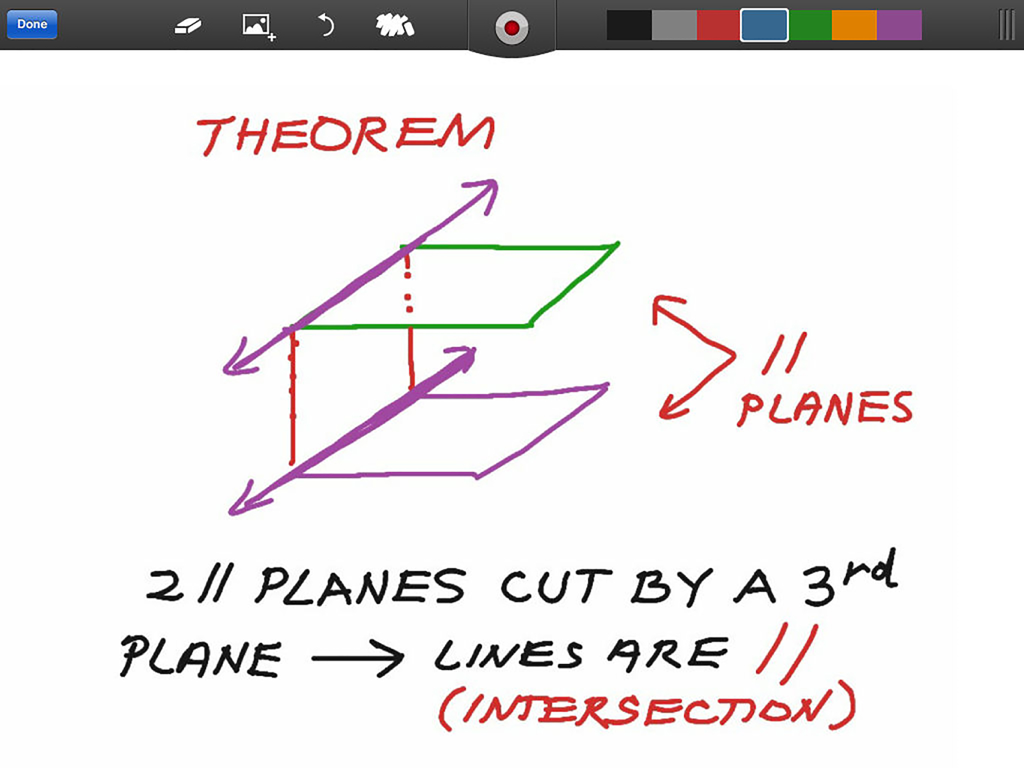
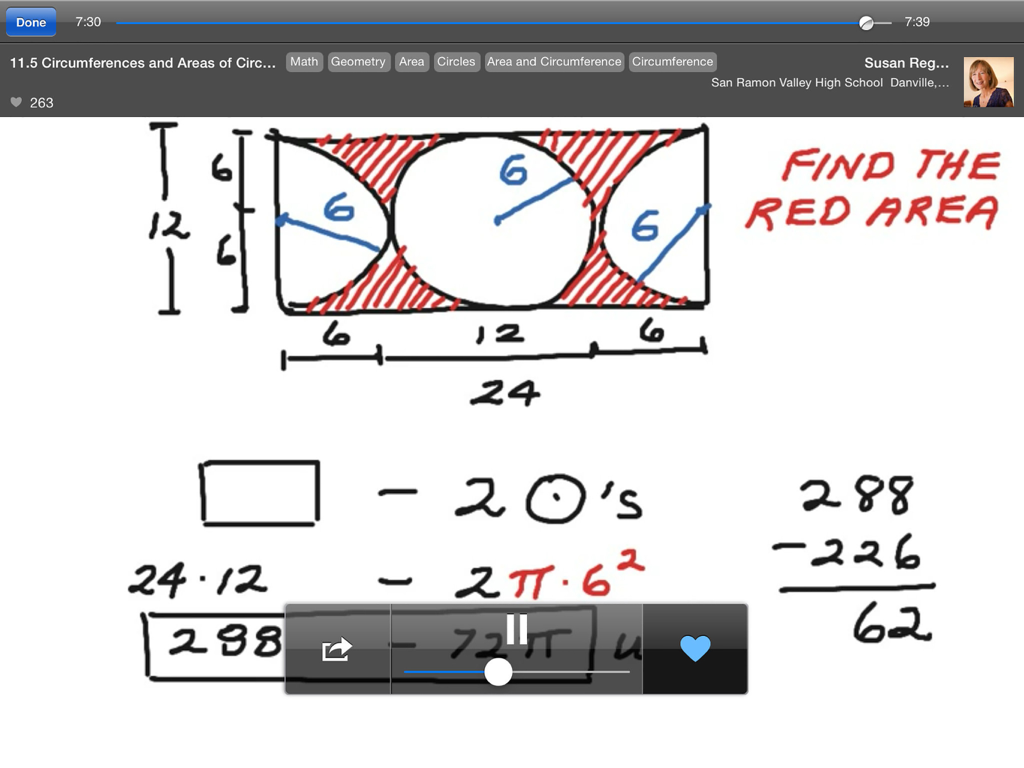
Una lección de geometría sobre planos paralelos ilustrada en la aplicación de pizarra interactiva ShowMe para iPad

Una lección de geometría sobre planos paralelos ilustrada en la aplicación de pizarra interactiva ShowMe para iPad

Un profesor de matemáticas explicando conceptos de geometría en la aplicación de pizarra interactiva ShowMe

Un profesor de matemáticas explicando conceptos de geometría en la aplicación de pizarra interactiva ShowMe

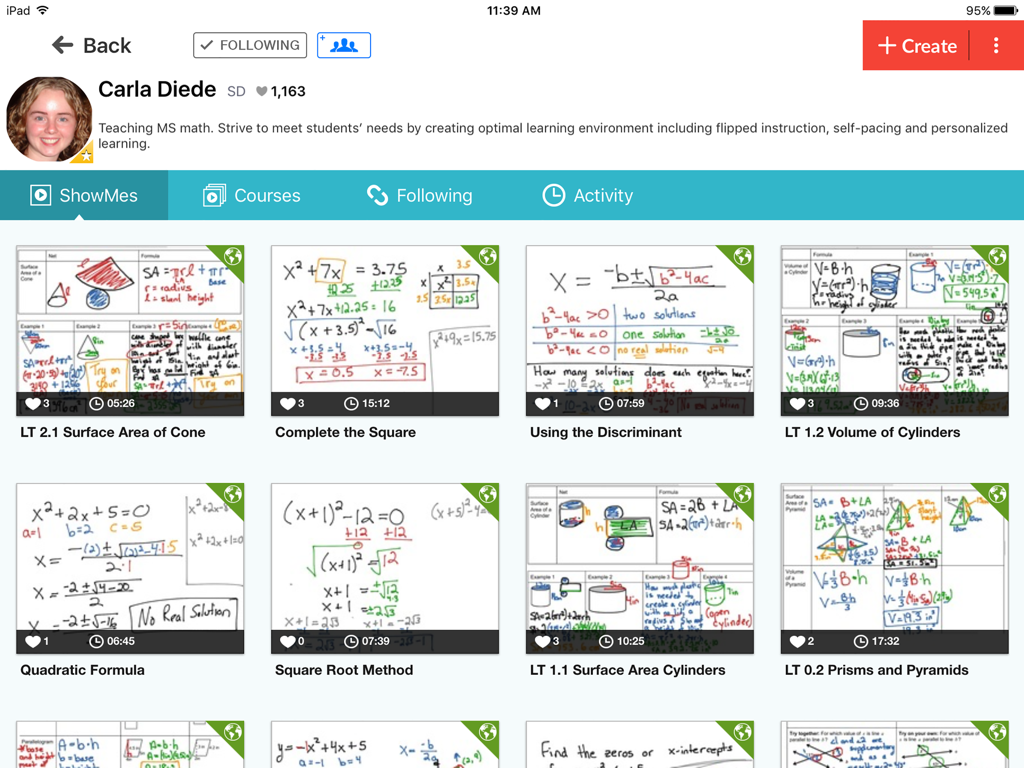
Una pantalla de perfil en la aplicación ShowMe que muestra la colección de tutoriales en video de pizarra de un profesor de matemáticas sobre temas como álgebra y geometría.

Una pantalla de perfil en la aplicación ShowMe que muestra la colección de tutoriales en video de pizarra de un profesor de matemáticas sobre temas como álgebra y geometría.

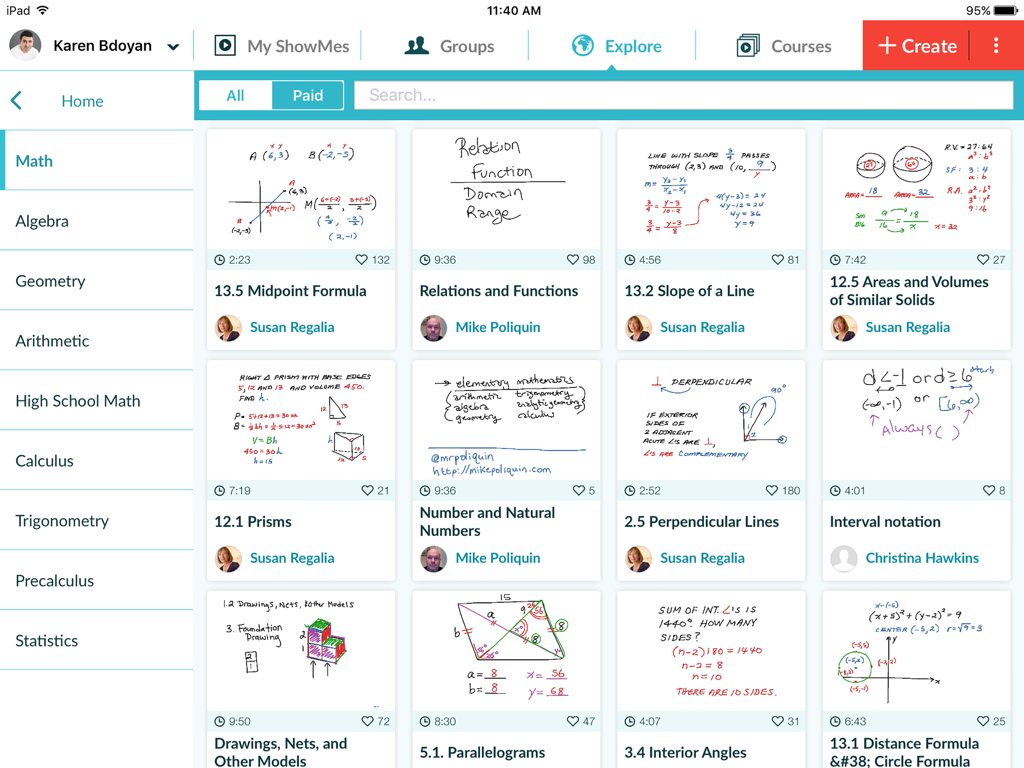
La pantalla Explorar de ShowMe mostrando una variedad de lecciones de pizarra de matemáticas.

La pantalla Explorar de ShowMe mostrando una variedad de lecciones de pizarra de matemáticas.

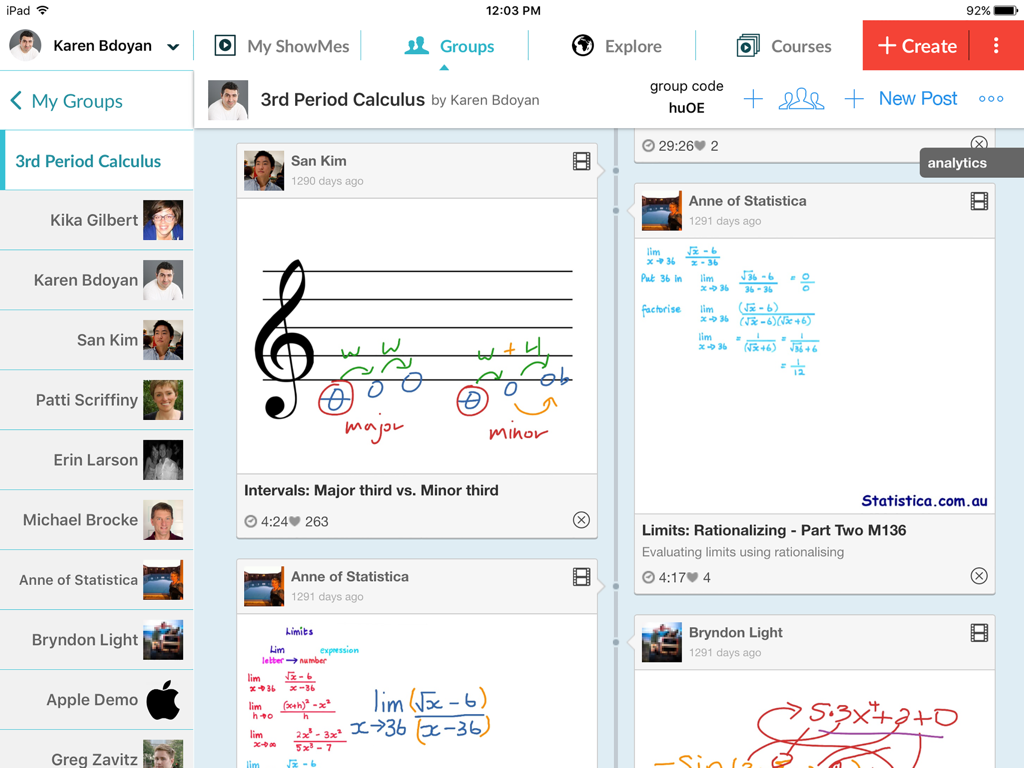
Interfaz de iPad de la aplicación ShowMe que muestra un feed de grupo de clase con varios diagramas y lecciones educativas escritas a mano.

Interfaz de iPad de la aplicación ShowMe que muestra un feed de grupo de clase con varios diagramas y lecciones educativas escritas a mano.

Transforma tu Enseñanza con Narración Visual

Las herramientas que hacen destacar esta app, elegida por 455K+ usuarios.

🎙️

Graba y Explica al Instante

Captura tu voz y dibujos en tiempo real para crear atractivos tutoriales en video. Sin manuales ni edición compleja, solo presiona grabar y enseña.

📝

Marcado Dinámico de Documentos

Importa hojas de trabajo y documentos directamente desde Google Drive o Dropbox. Anota sobre cualquier archivo para hacer que los conceptos complejos sean cristalinos para tus estudiantes.

🏫

Domina el Aula Invertida

Organiza lecciones en cursos y compártelos de forma privada con grupos de estudiantes. Perfecto para el aprendizaje a distancia, entrenamiento deportivo y calificación personalizada.

Sobre la app

Todo lo que necesitas saber sobre ShowMe Interactive Whiteboard.

Descripción

Turn your iPad into your personal interactive whiteboard! ShowMe allows you to record voice-over whiteboard tutorials and share them online. It’s an amazingly simple app that anyone can use, no matter how young or old! INTUITIVE AND POWERFUL - Record your ShowMe tutorial right away — no manuals or complicated menus needed - Drop in images onto the whiteboard - Easily switch between drawing and erasing (as well as pausing and playing) to make your ShowMe flow from concept to concept - You can make your ShowMe as long or as short as it needs to be, and record as many ShowMe’s as you want. Go nuts! - Once you’re finished recording, upload your ShowMe to share with the community (or keep it private if you prefer) - Discover awesome tutorials created by other members of the ShowMe community A VARIETY OF USES - Easily explain a range of topics from math to chemistry to music theory to basket weaving. - Add ShowMe’s to your Do-It-Yourself blog - Attach a personal message to any travel photos you want to share - Diagram offensive and defensive strategies for sports - Grade student work with commentary explaining the reasoning behind their performance - Use ShowMe as an interactive whiteboard substitute Implement a “flipped classroom” - Showcase your ShowMes online and share your knowledge with your students, friends, family, or the world! FEATURES - Voice-record - Multiple brush colors - Enter text - Pause and erase - Import pictures from your photo library, built-in camera, or web image search - Import documents as pictures from Dropbox, or Google drive - Create video from any document - Unlimited lesson length - Free to upload and share your recordings with friends - Easy embedding for sharing anywhere - Manage students with Groups USING GROUPS "Groups" allows teachers to share their ShowMes and interact with students privately. A teacher with ShowMe Premium subscription can create an unlimited amount of groups and invite their students. Students can join groups for free! SHOWME PREMIUM ShowMe Premium is an auto-renewing monthly or yearly subscription which unlocks all ShowMe features. For just $9.99 a month or $89.99 a year: - Upload up to 300 hours of ShowMes - Post privately - Create study groups - Markup and share any documents in groups - Import documents into ShowMe - Search and import images from the web - Download your video files - Create student accounts - Create courses COURSES With "Courses" ShowMe creators can organize multiple ShowMe lessons and tutorials into one comprehensive lesson plan. PAID COURSES The ShowMe Marketplace allows premium users to earn extra income by posting paid premium courses for other educators or students within the ShowMe community. AS SEEN ON - TechCrunch - Business Insider - Numerous teacher blogs and educational blogs WE’RE HERE FOR YOU The ShowMe team is small, nimble, and quick to respond to suggestions/requests. Follow us on twitter at @showmeapp. Or feel free to drop us a line at support@showme.com with any questions, concerns, or stories about how you’re using ShowMe. LEGAL Privacy Policy: http://www.showme.com/privacy Terms & Conditions: http://www.showme.com/termsofuse - Payment will be charged to iTunes Account at confirmation of purchase - Subscription automatically renews unless auto-renew is turned off at least 24-hours before the end of the current period - Account will be charged for renewal within 24-hours prior to the end of the current period, and identify the cost of the renewal - Subscriptions may be managed by the user and auto-renewal may be turned off by going to the user's Account Settings after purchase - No cancellation of the current subscription is allowed during active subscription period

Última versión

8.9.0

Tamaño

54.7 MB

Fecha de lanzamiento

24 jun 2011

¿Listo para Inspirar tu Próxima Clase?

Únete a más de 455,000 educadores y estudiantes que usan ShowMe para dar un giro a sus aulas y simplificar conceptos complejos. Comienza tu primer tutorial interactivo hoy mismo.

Descargar en App Store

App information, icons, screenshots, and descriptions displayed on this page are sourced from the Apple App Store and are the property of their respective developers. Download estimates and rankings are based on MWM's proprietary models and may not reflect actual figures. This page is provided for informational and analytical purposes only.

Believe this page infringes your intellectual property? File a dispute