
Esta página no es una página oficial de la aplicación ni de su desarrollador, sino una publicación editorial independiente creada con fines informativos y de comentario. Salvo que se indique expresamente lo contrario, ni la aplicación ni su desarrollador están afiliados, respaldados, patrocinados, autorizados ni conectados oficialmente con MWM, Apple, Google Play, el editor de la aplicación ni su desarrollador, y nada en esta página implica que la aplicación haya sido desarrollada utilizando los servicios de MWM. Todas las marcas comerciales, logotipos, capturas de pantalla y demás contenidos son propiedad de sus respectivos propietarios.


Sibelius
Lleva el conjunto de herramientas de notación estándar de la industria a tu iPad y iPhone. Compón, edita y revisa tus partituras sin interrupciones con la precisión de Apple Pencil y la sincronización en la nube sin esfuerzo, del estudio al escenario.
Descargas
631K+Valoración
Total valoraciones
9K+Editor
Categoría
MusicIdiomas
9Última versión
2025.12.1Tamaño
1.4 GBFecha de lanzamiento
29 jul 2021Notación profesional sin límites
Lleva el conjunto de herramientas de notación musical más potente de la industria donde te alcance la inspiración, desde el estudio de grabación hasta tu trayecto diario.
Compón en cualquier momento y lugar
Lleva el software de notación líder del mundo del estudio a la cafetería con un flujo de trabajo móvil-a-escritorio sin interrupciones.
Entrada intuitiva con el dedo y el Lápiz
Reimagina la experiencia del papel y el lápiz. Utiliza los gestos de Apple Pencil para inclinar, tocar y arrastrar notas a su lugar con una precisión inigualable.
Preguntas Frecuentes
Todo lo que necesitas saber sobre Sibelius
¿Qué es Sibelius?
Sibelius es una aplicación profesional de notación musical para iPad, iPhone y escritorio. Proporciona flujos de trabajo para compositores, orquestadores y arreglistas, permitiendo la creación y revisión de partituras sobre la marcha.
¿Puedo usar Sibelius en mi iPad y iPhone?
Sí, Sibelius está disponible para iPad y iPhone, permitiendo un movimiento fluido entre dispositivos móviles y de escritorio. Esto permite a los usuarios trabajar en partituras y composiciones desde cualquier lugar.
¿Sibelius para móvil ofrece las mismas características que la versión de escritorio?
Sibelius para móvil proporciona muchas de las mismas herramientas que su contraparte de escritorio, ofreciendo una experiencia completa. Algunas características avanzadas de notación y diseño permanecen exclusivas de la versión de escritorio para un flujo de trabajo completo.
¿Cómo soporta Sibelius la entrada de notas innovadora en dispositivos móviles?
Sibelius ofrece una entrada de notas innovadora a través del Teclado en pantalla o de un teclado. Los usuarios pueden cambiar valores de notas arrastrando o añadir bemoles/sostenidos inclinando un Apple Pencil, reinventando el flujo de trabajo de lápiz y papel.
¿Cuáles son las opciones de suscripción para Sibelius?
Sibelius ofrece diferentes niveles de suscripción, incluyendo el Sibelius First gratuito y el estándar de la industria Sibelius Ultimate. Los usuarios pueden actualizar su suscripción para acceder a más capacidades de notación y partes de instrumentos a medida que crecen sus necesidades.
¿Puedo acceder a mis partituras de Sibelius en diferentes dispositivos?
Sí, Sibelius permite el movimiento fluido de partituras entre escritorio, iPad y iPhone. Los archivos guardados en iCloud, Dropbox, Google Drive u otros servicios en la nube compatibles con iOS proporcionan un fácil acceso desde cualquier lugar.
¿Incluye Sibelius una biblioteca de muestras para la reproducción de música?
Sí, Sibelius incluye una biblioteca de muestras de alta calidad con varios instrumentos musicales. Esto permite a los usuarios escuchar cómo sonará su música cuando sea interpretada por músicos reales, mejorando el proceso creativo.
Las siguientes capturas de pantalla y la descripción provienen directamente del listado oficial de la tienda de la aplicación y son propiedad del desarrollador.
App Store
Capturas
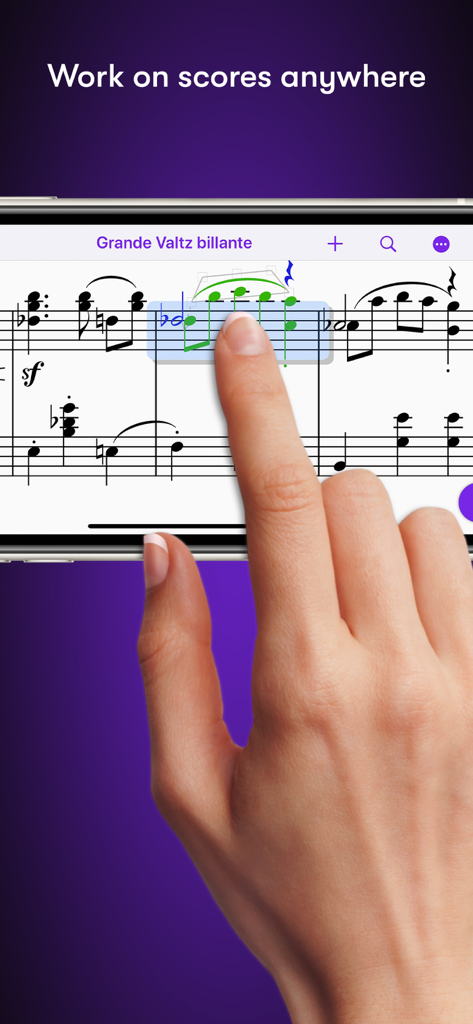
Mano editando notación musical en la aplicación Sibelius usando un smartphone
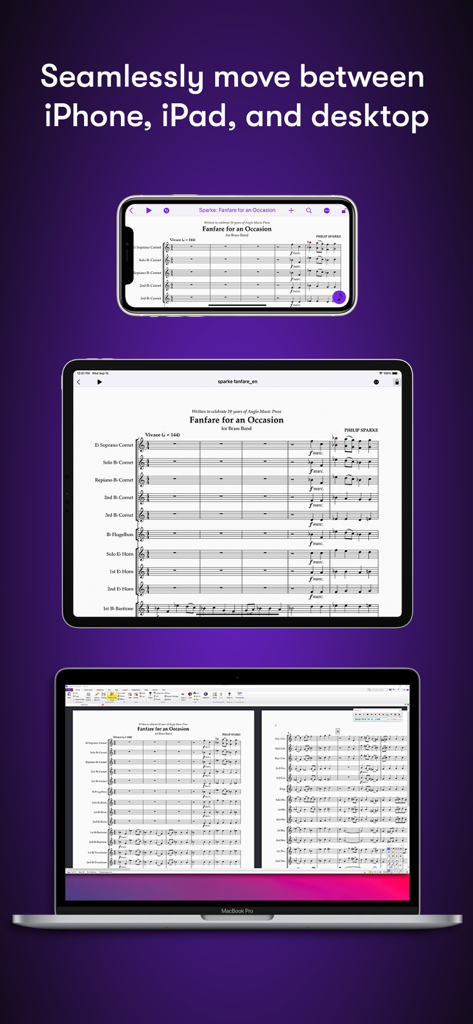
Partitura musical de Sibelius mostrada en iPhone, iPad y escritorio MacBook
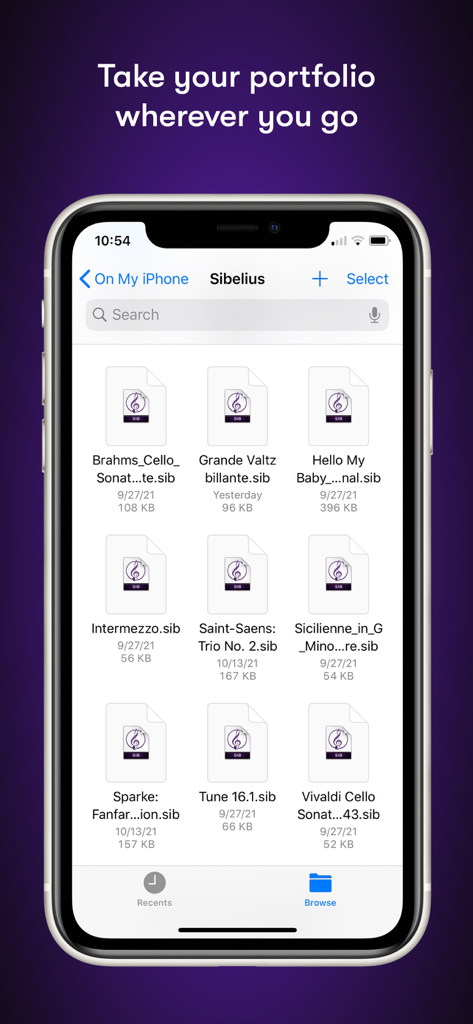
Administrador de archivos de la aplicación móvil Sibelius que muestra una lista de proyectos de notación musical en un iPhone
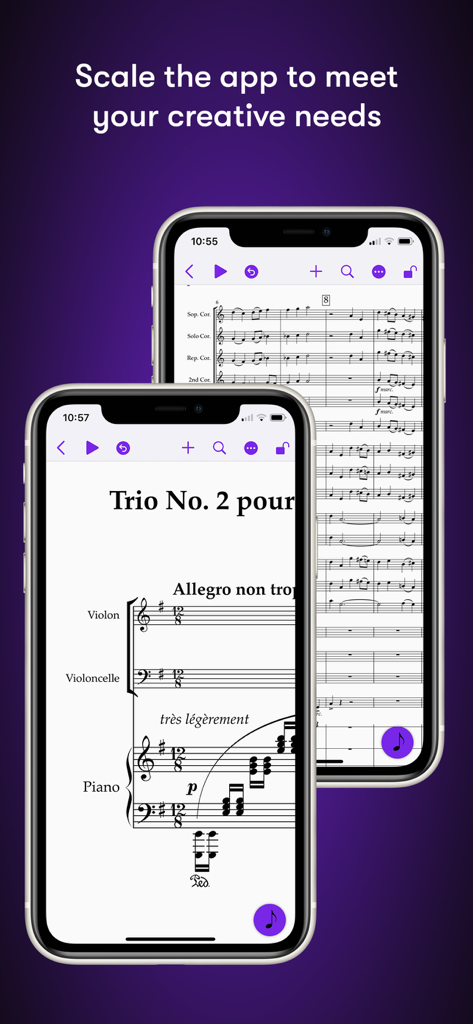
Aplicación móvil Sibelius que muestra notación musical en pantallas de iPhone
Descripción
Download
Apps Similares
Apps con características y experiencia similares

来音制谱-sheet music editing
Beijing Xihang Technology Co., Ltd.

Dorico - Compose Music
Steinberg Media Technologies GmbH

Composer Pro - Score Creator
嵩 张

Notation Pad-Sheet Music Score
嵩 张

Piano+ - Sheet Music Composer
嵩 张

Score Creator: compose music
Sharp Notes Company Limited

Maestro - Music Composer
Future Sculptor Pty Ltd

NotateMe
Neuratron Limited

Fender Notion: Music & Tab
Fender Digital, LLC
Esta página no es una página oficial de la aplicación ni de su desarrollador, sino una publicación editorial independiente creada con fines informativos y de comentario. Salvo que se indique expresamente lo contrario, ni la aplicación ni su desarrollador están afiliados, respaldados, patrocinados, autorizados ni conectados oficialmente con MWM, Apple, Google Play, el editor de la aplicación ni su desarrollador, y nada en esta página implica que la aplicación haya sido desarrollada utilizando los servicios de MWM. Todas las marcas comerciales, logotipos, capturas de pantalla y demás contenidos son propiedad de sus respectivos propietarios.