SoftMaker Presentations
Descargar en App Store

Esta página no es una página oficial de la aplicación ni de su desarrollador, sino una publicación editorial independiente creada con fines informativos y de comentario. Salvo que se indique expresamente lo contrario, ni la aplicación ni su desarrollador están afiliados, respaldados, patrocinados, autorizados ni conectados oficialmente con MWM, Apple, Google Play, el editor de la aplicación ni su desarrollador, y nada en esta página implica que la aplicación haya sido desarrollada utilizando los servicios de MWM. Todas las marcas comerciales, logotipos, capturas de pantalla y demás contenidos son propiedad de sus respectivos propietarios.


Logo de SoftMaker Presentations
Descargar en App Store

SoftMaker Presentations

Deja de conformarte con aplicaciones móviles "lite". Diseña, edita y entrega archivos .pptx perfectos hasta el último píxel con funciones completas de escritorio, integración perfecta en la nube y cero pérdida de formato, dondequiera que esté tu oficina.

Cifras Clave

Descargas

40K+

Valoración

4.7/5

Total valoraciones

0

Editor

SoftMaker Software GmbH

Categoría

Productivity

Idiomas

28

Última versión

1229.0909

Tamaño

79.7 MB

Fecha de lanzamiento

6 jun 2022
Funciones

Potencia de Presentación sin Concesiones para Profesionales

Experimenta la suite completa de herramientas de escritorio en tu dispositivo móvil. Desde la edición de PPTX de alta fidelidad hasta animaciones impresionantes, crea y presenta sin límites.

Compatibilidad Perfecta con PowerPoint

Abre y guarda archivos .pptx con un 100% de fidelidad. Sin diseños rotos ni fuentes faltantes, solo presentaciones perfectas que funcionan en todos tus dispositivos.

Potencia de Escritorio, Agilidad Móvil

Aprovecha la interfaz de cinta completa en iPad y las barras de herramientas optimizadas en iPhone. Las diapositivas maestras, Autoformas y gráficos avanzados ahora están en tu bolsillo.

Las siguientes capturas de pantalla y la descripción provienen directamente del listado oficial de la tienda de la aplicación y son propiedad del desarrollador.

App Store

Capturas
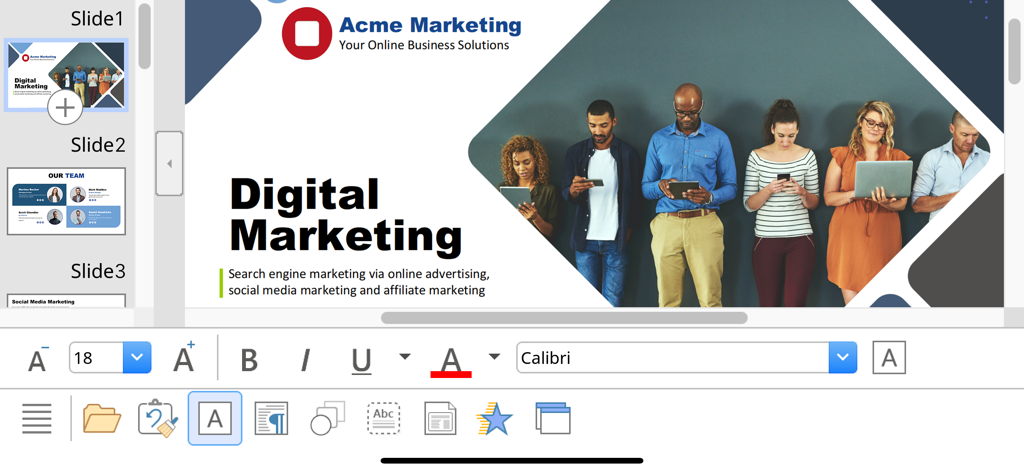
SoftMaker Presentations - Interfaz móvil de SoftMaker Presentations mostrando una diapositiva de marketing digital con herramientas de edición y formato de texto.
Interfaz móvil de SoftMaker Presentations mostrando una diapositiva de marketing digital con herramientas de edición y formato de texto.

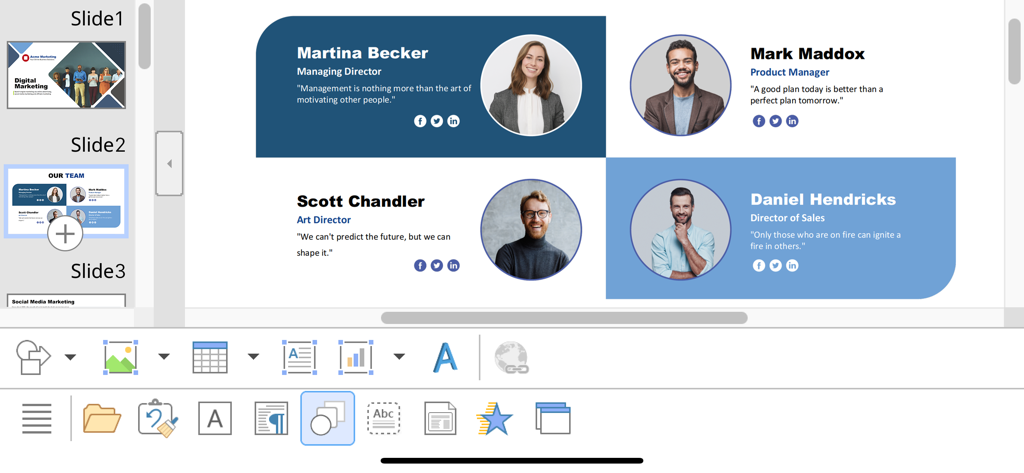
SoftMaker Presentations - Edición de una diapositiva de perfil de equipo en la aplicación SoftMaker Presentations en iOS
Edición de una diapositiva de perfil de equipo en la aplicación SoftMaker Presentations en iOS

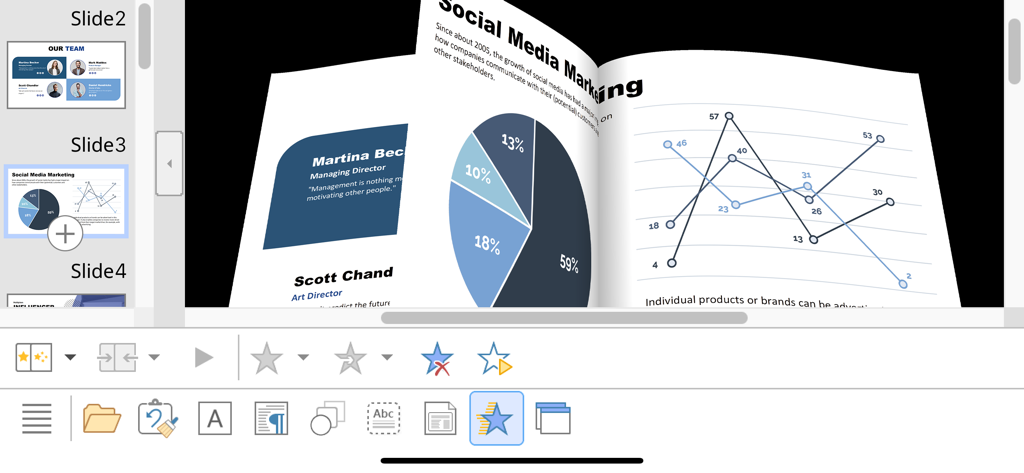
SoftMaker Presentations - Animación de transición de diapositivas 3D en SoftMaker Presentations en iPhone mostrando gráficos de marketing y datos
Animación de transición de diapositivas 3D en SoftMaker Presentations en iPhone mostrando gráficos de marketing y datos

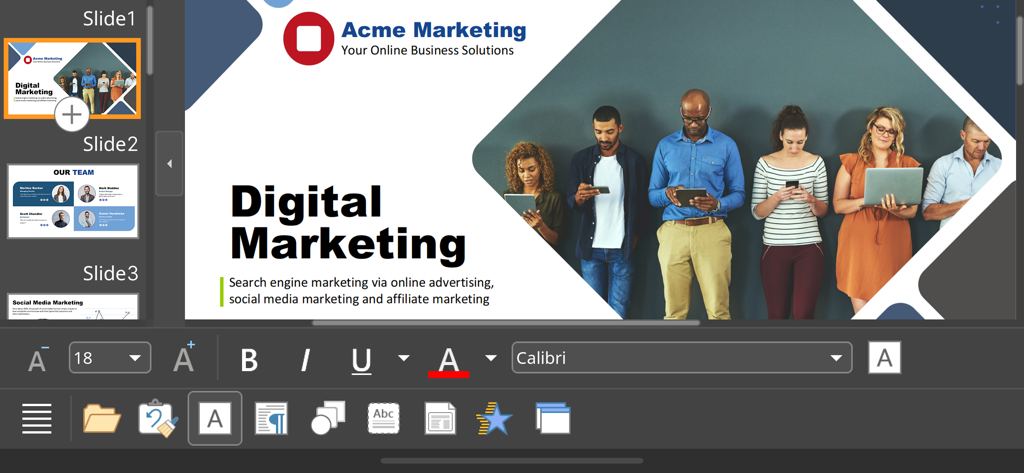
SoftMaker Presentations - Interfaz de la aplicación móvil SoftMaker Presentations editando una diapositiva de presentación de marketing digital

Interfaz de la aplicación móvil SoftMaker Presentations editando una diapositiva de presentación de marketing digital

Descripción

■ Presentations ► The only complete Office presentation program for your PowerPoint files ► Work on your PowerPoint presentations wherever and whenever you want. ► When working on the go, take advantage of a feature set that you would otherwise only know from your PC or Mac. ► Almost all features can be used permanently free of charge. The complete set of features that you know from Microsoft PowerPoint or Presentations on your Mac or PC is now offered by Presentations on your iPhone and iPad. Compatibility without compromise: Presentations uses the Microsoft Office PPTX format as its native format. This guarantees seamless data exchange. You can open your presentations directly in Microsoft PowerPoint without having to convert them. Intuitive operation on iPhone and iPad: Presentations always provides an ideal user experience, regardless of whether you're using it on your iPhone or an iPad. On an iPhone, you can use the practical toolbars with just one finger. On an iPad, you work with ribbons similar to those on your Mac or PC. Save locally or in the cloud: Presentations not only enables you to open and save documents stored on your device, but it also allows you to access your files in iCloud, Dropbox, OneDrive and all other cloud storage services. The Presentations user interface is available in English, German, French, Spanish, Italian and more than 20 other languages. Presentations brings the features of a desktop presentation program to your iPhone and iPad. You shouldn't settle for less. ■ Working with files ► Presentation files can be losslessly exchanged with Presentations for Mac, Windows and Linux. ► Open and save PPTX and PPT files with full fidelity from PowerPoint 97 to 2021 and PowerPoint 365 ► Export complete presentations as picture files or HTML web pages ■ Designing ► Numerous attractive design templates do the design work for you. ► Each template includes many matching color schemes. ► Slide layouts and slide masters ■ Comprehensive graphics functions ► Draw and design directly in the presentation ► PowerPoint-compatible AutoShapes ► Insert pictures in a range of file formats ► Great graphics functions such as mirror effects, soft shadows and transparencies ► Crop pictures, change brightness, contrast and gamma ► Drawings can be filled with colors, patterns, pictures and gradients. ► TextArt function for striking font effects ■ Animations and slide transitions ► Hundreds of different object and text animations ► Numerous breathtaking animations and slide transitions based on OpenGL ■ Flexible slide shows ► Both user-controlled and automatic slide shows without presenters (kiosk function) ► Interaction with the presentation via a virtual pen and highlighter ► Handouts for the audience ► Integrated slide sorter for managing and reordering slides ■ Other features Almost all features of Presentations for iOS can be used free of charge. The following additional features are available to you via an inexpensive subscription: ► Printing ► Export to PDF and PDF/A ► Sharing documents directly from Presentations ► Charts ► Photo albums ► Summary slides ► Free customer support A single subscription unlocks these features simultaneously in Presentations, TextMaker and PlanMaker for iOS. License agreement: https://www.apple.com/legal/internet-services/itunes/dev/stdeula/

Download

Descargar en App Store

Esta página no es una página oficial de la aplicación ni de su desarrollador, sino una publicación editorial independiente creada con fines informativos y de comentario. Salvo que se indique expresamente lo contrario, ni la aplicación ni su desarrollador están afiliados, respaldados, patrocinados, autorizados ni conectados oficialmente con MWM, Apple, Google Play, el editor de la aplicación ni su desarrollador, y nada en esta página implica que la aplicación haya sido desarrollada utilizando los servicios de MWM. Todas las marcas comerciales, logotipos, capturas de pantalla y demás contenidos son propiedad de sus respectivos propietarios.








