StickerMaker Keyboard*

StickerMaker Keyboard*


Descargar en App Store
Logo de StickerMaker Keyboard*

Teclado StickerMaker*: Crea Stickers Únicos y Domina el Chat Grupal

Diseña mashups de emojis personalizados y stickers virales 'malditos' que harán que tus amigos pregunten '¿Cómo lo hiciste?'. Exprésate con creaciones exclusivas enviadas directamente desde tu teclado a iMessage, WhatsApp y TikTok.

Editor

红燕 马

Categoría

Utilities

Descargas

59K+

Valoración

4.6/5

Total valoraciones

1K+

Idiomas

1

Domina el Mashup

Descubre la interfaz utilizada por 59K+ usuarios.
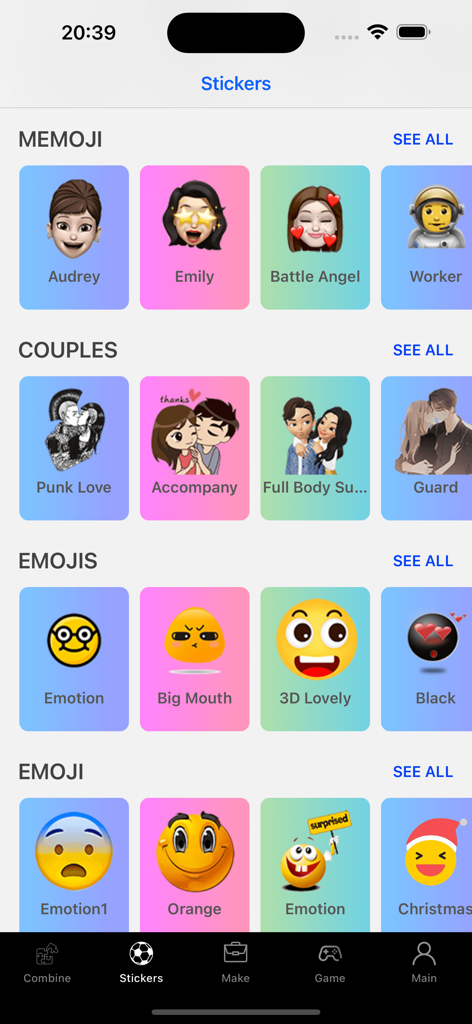
Una biblioteca de stickers y emojis personalizados organizados por categorías en la aplicación Teclado StickerMaker

Una biblioteca de stickers y emojis personalizados organizados por categorías en la aplicación Teclado StickerMaker

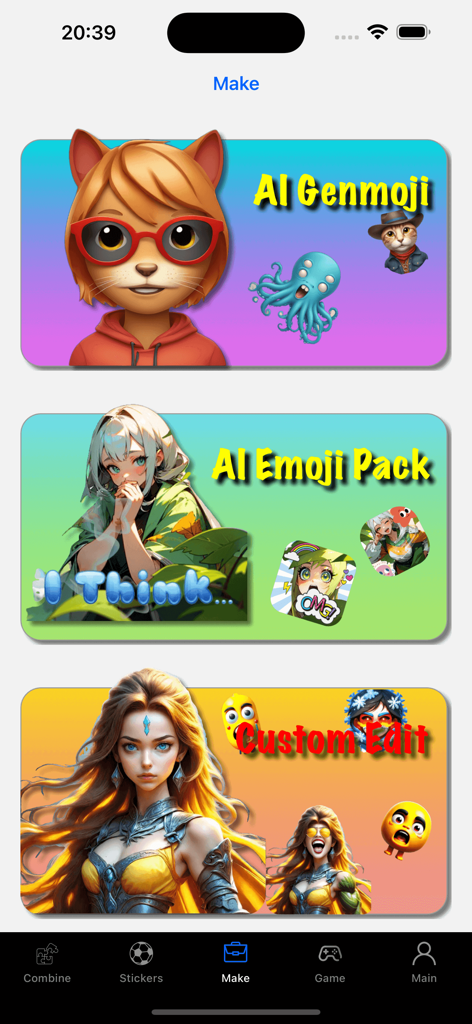
Interfaz del Teclado StickerMaker mostrando las funciones Genmoji IA, Paquete de Emojis IA y Edición Personalizada.

Interfaz del Teclado StickerMaker mostrando las funciones Genmoji IA, Paquete de Emojis IA y Edición Personalizada.

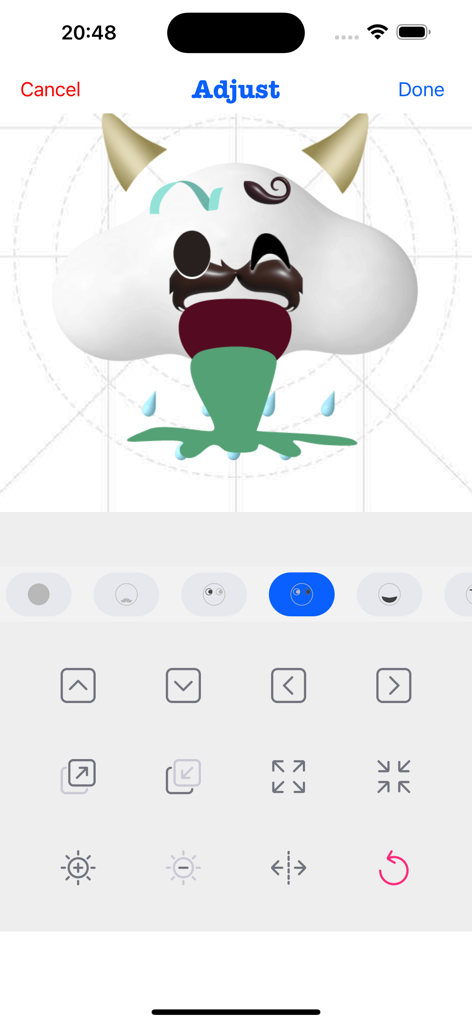
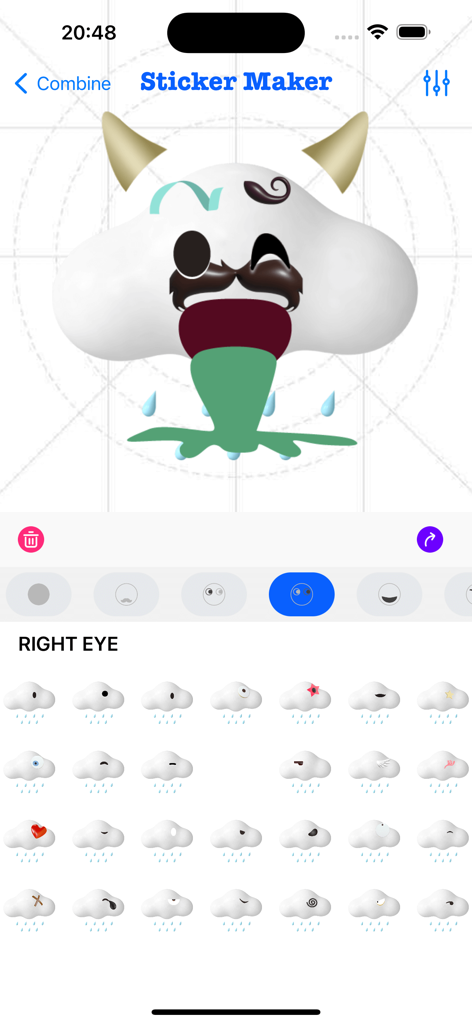
Interfaz de la aplicación Teclado StickerMaker mostrando a un usuario ajustando un emoji personalizado de nube divertida con cuernos y bigote.

Interfaz de la aplicación Teclado StickerMaker mostrando a un usuario ajustando un emoji personalizado de nube divertida con cuernos y bigote.

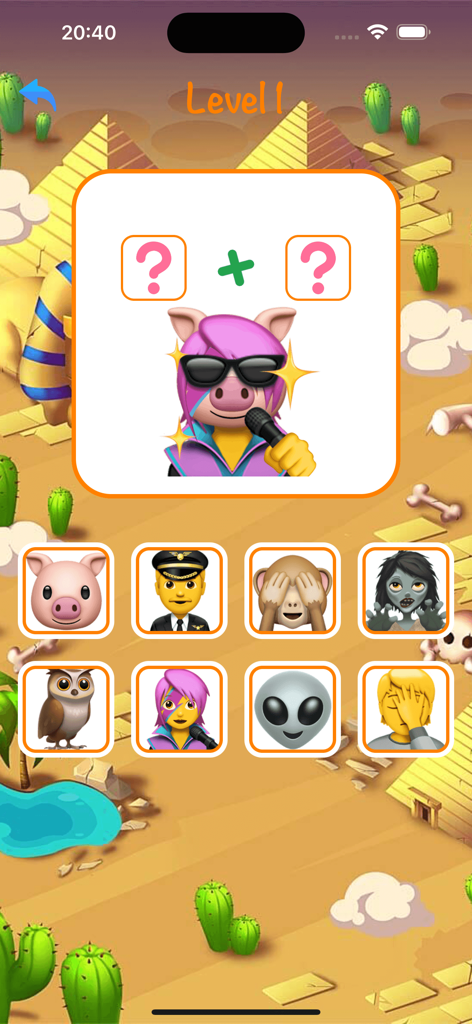
Un nivel de juego móvil en la aplicación Teclado StickerMaker mostrando un rompecabezas de combinación de emojis para crear un sticker de cerdo cantando.

Un nivel de juego móvil en la aplicación Teclado StickerMaker mostrando un rompecabezas de combinación de emojis para crear un sticker de cerdo cantando.

Una galería de stickers de emojis personalizados, enfadados y divertidos en la aplicación Teclado StickerMaker

Una galería de stickers de emojis personalizados, enfadados y divertidos en la aplicación Teclado StickerMaker

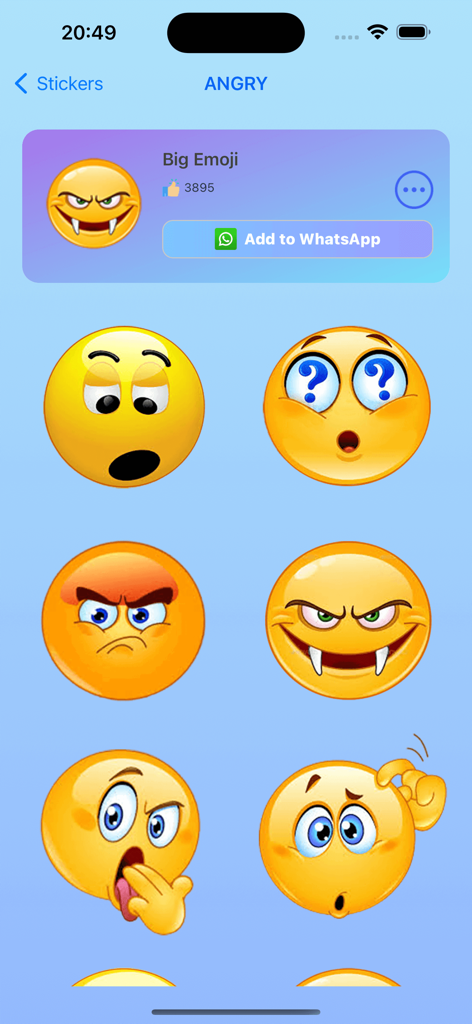
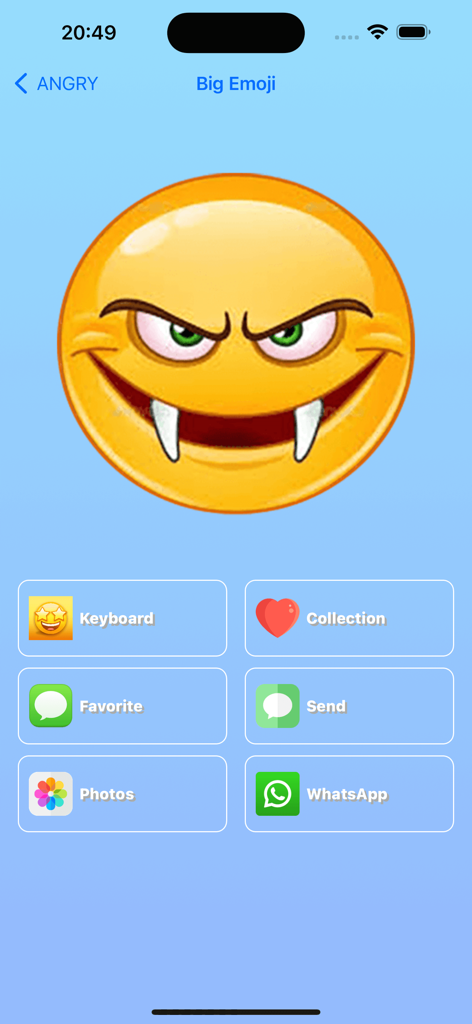
Interfaz de la aplicación Teclado StickerMaker mostrando un gran emoji personalizado de vampiro enfadado con opciones para compartir en WhatsApp e iMessage

Interfaz de la aplicación Teclado StickerMaker mostrando un gran emoji personalizado de vampiro enfadado con opciones para compartir en WhatsApp e iMessage

Interfaz de usuario del Teclado StickerMaker mostrando la creación de un sticker de emoji personalizado combinando diferentes partes

Interfaz de usuario del Teclado StickerMaker mostrando la creación de un sticker de emoji personalizado combinando diferentes partes

Eleva tu Juego de Chat

Las herramientas que hacen destacar esta app, elegida por 59K+ usuarios.

🎨

Mashups de Emojis Infinitos

Combina tus expresiones favoritas para crear stickers únicos, 'malditos' o hilarantes que nadie más tiene.

⌨️

Acceso al Teclado sin Problemas

Accede y envía tus creaciones personalizadas directamente dentro de iMessage, WhatsApp y TikTok sin cambiar de aplicación.

Texto con Emojis Viral

Transforma palabras simples en arte de emojis llamativo para que tus biografías sociales y mensajes directos destaquen al instante.

Sobre la app

Todo lo que necesitas saber sobre StickerMaker Keyboard*.

Descripción

Create your own stickers and combine them as you like. - Explore countless emoji combinations and use them in your chats - Use your imagination to combine different expressions to make them more interesting - Drag, zoom, and rotate them with your finger to make your stickers unique - Easily export your stickers to our keyboard, when you are chatting with other people, open our keyboard and send your exclusive stickers, go spoof your friends - Open the keyboard, click on the sticker, successfully copy it to the clipboard, click in your chat input box and paste it in, then you can successfully send it to your chat partner - Impress your friends with the StickerMaker Keyboar and get pranked by you Emoji Text feature: - You can convert a simple text, such as "Hello", into emoji text. It is best to make the emojis quite different, so that you can get a string of text. You just need to click "Copy" and paste it in other social software to amaze your friends. Here's how to create stickers with StickerMaker Keyboard. 1. Select Create New Sticker 2. Select different emoji options and find the sticker component you want in the sticker list 3. Make the sticker look more funny by dragging your finger or zooming and rotating, or you can make subtle adjustments to it through the Adjust module 4. If you don't want to be so complicated, you can skip all the above steps and go directly to the random generation option to get a spoof sticker directly. Maybe you will get an unexpected surprise Here's how to use the StickerMaker Keyboard. 1. First you need to go to System Settings -> Keyboard -> Third Party Keyboard, add our StickerMaker Keyboard to your favorite keyboards 2. Open WhatsApp, TikTok, iMessage or other chat software 3. Switch the keyboard and select our StickerMaker Keyboard 4. Click on the already created sticker to copy it to the clipboard 5. Double-click or long-press the chat input box, paste your exclusive sticker on it and click send Go prank your friends! Learn more about StickerMaker Keyboard! - Privacy Policy: https://www.freeprivacypolicy.com/live/e8e14320-ca09-41cf-970e-35697d7d50e9 - Terms of Service: https://www.freeprivacypolicy.com/live/3d291d75-66f9-4419-833d-516258ccfadf - Contact me: mah40445@gmail.com, if you have any suggestions, you can give me feedback by email, please bring StickerMaker Keyboard in the subject of the email, I will carefully check your feedback and optimize our products, looking forward to your feedback mail

Última versión

3.0.0

Tamaño

95.1 MB

Fecha de lanzamiento

23 jul 2022

¿Listo para Ganar el Chat Grupal?

Únete a miles de creadores que hacen los stickers más raros, divertidos y exclusivos. Obtén el Teclado StickerMaker ahora y empieza a gastar bromas a tus amigos en iMessage, TikTok y WhatsApp.

Descargar en App Store

App information, icons, screenshots, and descriptions displayed on this page are sourced from the Apple App Store and are the property of their respective developers. Download estimates and rankings are based on MWM's proprietary models and may not reflect actual figures. This page is provided for informational and analytical purposes only.

Believe this page infringes your intellectual property? File a dispute