Storage Cleaner · Smart Clean

Storage Cleaner · Smart Clean


Descargar en App Store
Logo de Storage Cleaner · Smart Clean

Storage Cleaner · Smart Clean: Recupera tu espacio y acelera tu iPhone

Di adiós para siempre a las alertas de 'Almacenamiento Lleno'. Desliza sin esfuerzo por galerías desordenadas, fusiona contactos duplicados y protege tus apps privadas con el asistente definitivo de higiene digital.

Descargar en App Store

Editor

涛 马

Categoría

Utilities

Descargas

171K+

Valoración

4.5/5

Total valoraciones

1K+

Idiomas

11

Limpieza a Primera Vista

Descubre la interfaz utilizada por 171K+ usuarios.
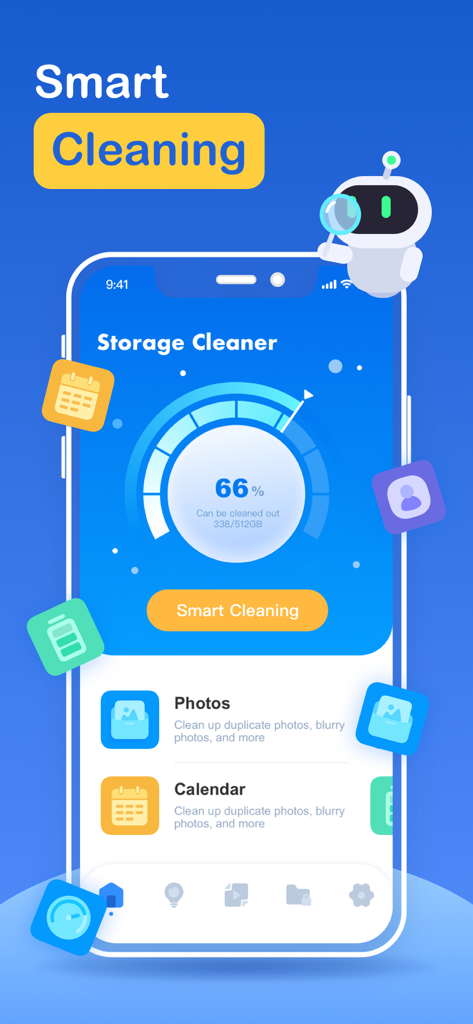
Panel de la app Storage Cleaner mostrando el uso del almacenamiento y las opciones de limpieza inteligente

Panel de la app Storage Cleaner mostrando el uso del almacenamiento y las opciones de limpieza inteligente

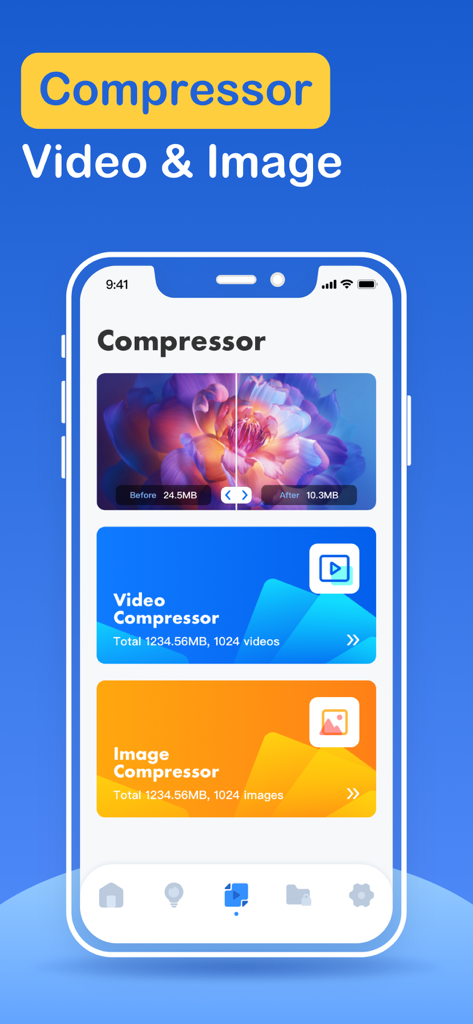
Interfaz de la app Storage Cleaner mostrando las funciones de compresión de video e imagen para ahorrar espacio en el teléfono

Interfaz de la app Storage Cleaner mostrando las funciones de compresión de video e imagen para ahorrar espacio en el teléfono

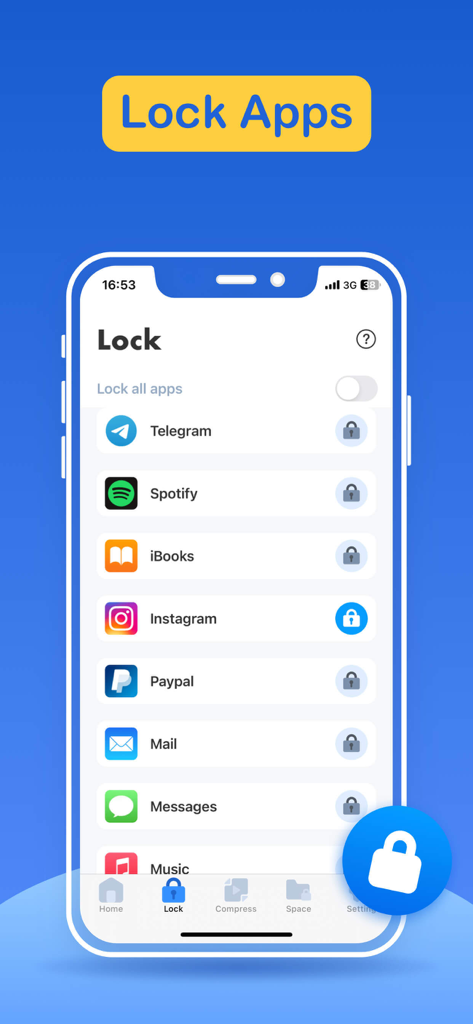
Interfaz de la app Storage Cleaner mostrando la función Bloquear Apps para proteger redes sociales y aplicaciones privadas.

Interfaz de la app Storage Cleaner mostrando la función Bloquear Apps para proteger redes sociales y aplicaciones privadas.

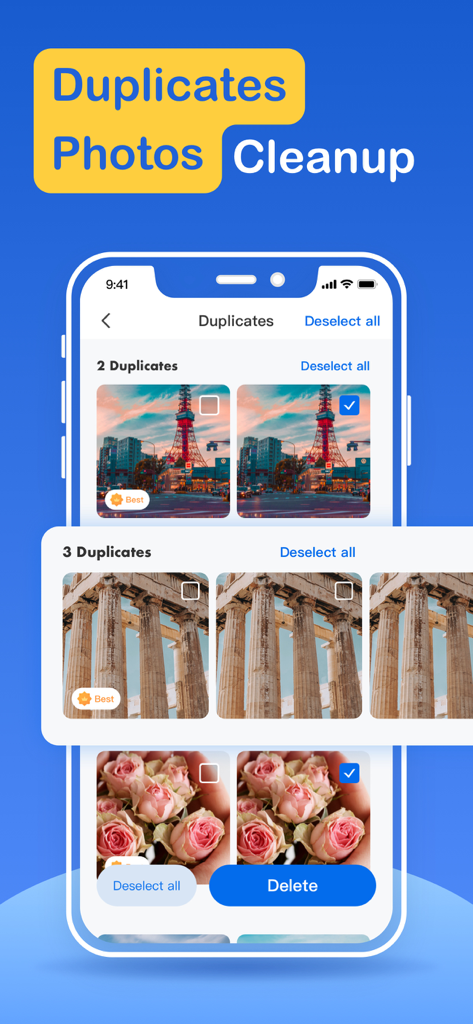
Interfaz de la app Storage Cleaner mostrando fotos duplicadas identificadas para su eliminación

Interfaz de la app Storage Cleaner mostrando fotos duplicadas identificadas para su eliminación

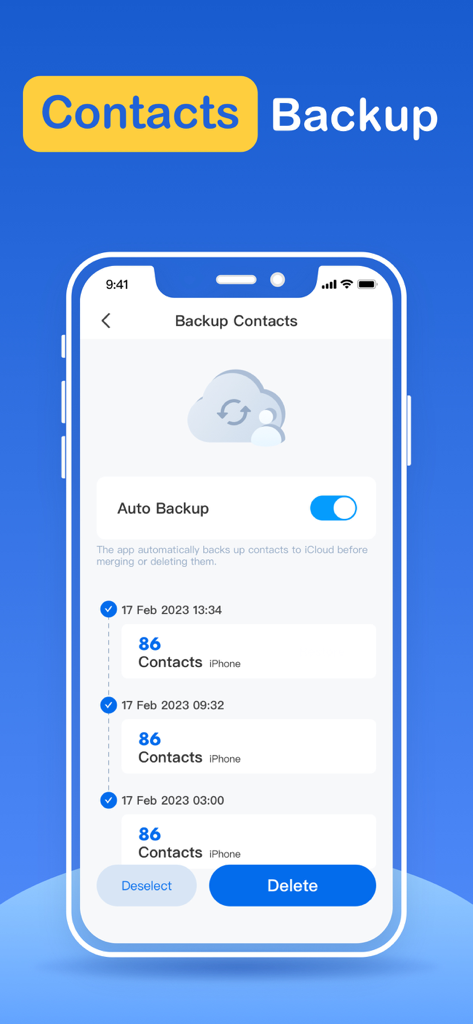
Interfaz de la app Storage Cleaner para copia de seguridad de contactos con opción de copia automática y lista de historial

Interfaz de la app Storage Cleaner para copia de seguridad de contactos con opción de copia automática y lista de historial

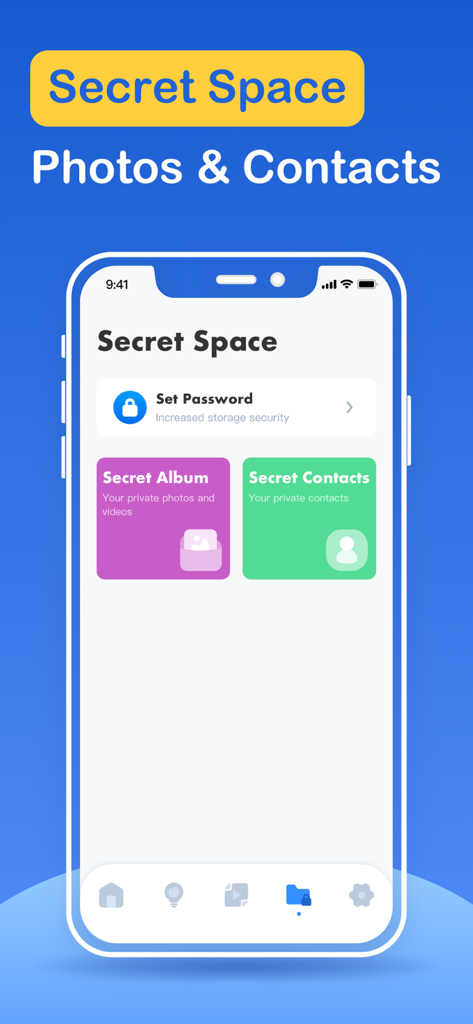
Interfaz de la app Storage Cleaner mostrando la función Espacio Secreto para fotos y contactos privados

Interfaz de la app Storage Cleaner mostrando la función Espacio Secreto para fotos y contactos privados

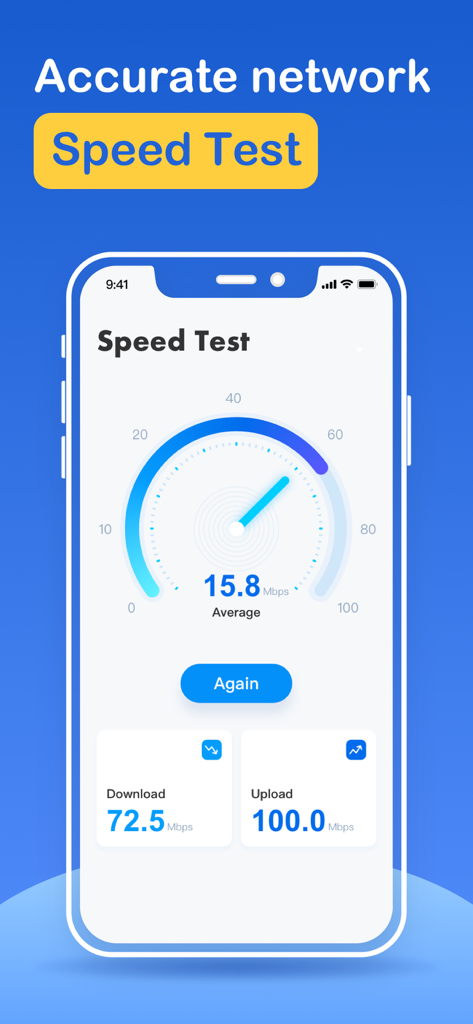
Una captura de pantalla de la interfaz de prueba de velocidad de Internet en la app Storage Cleaner mostrando velocidades de descarga y carga

Una captura de pantalla de la interfaz de prueba de velocidad de Internet en la app Storage Cleaner mostrando velocidades de descarga y carga

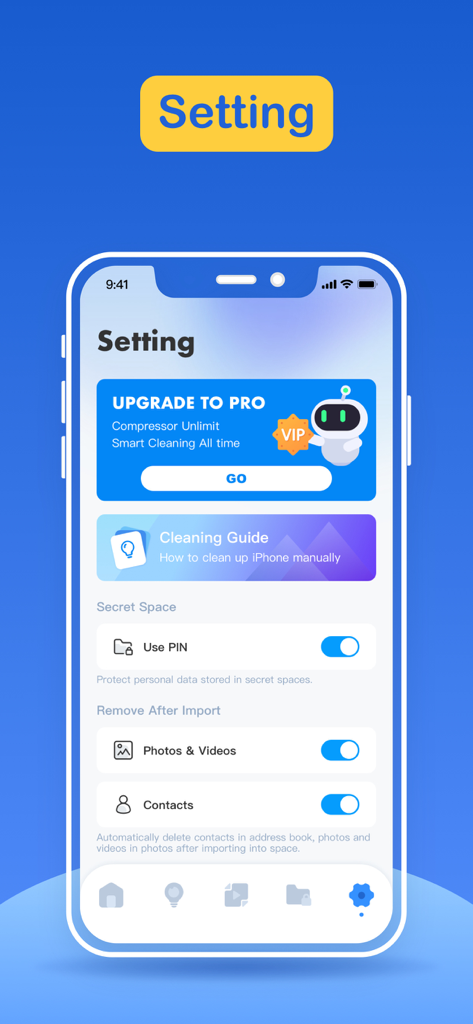
Interfaz de configuración de la app Storage Cleaner mostrando opciones de privacidad y guías de limpieza

Interfaz de configuración de la app Storage Cleaner mostrando opciones de privacidad y guías de limpieza

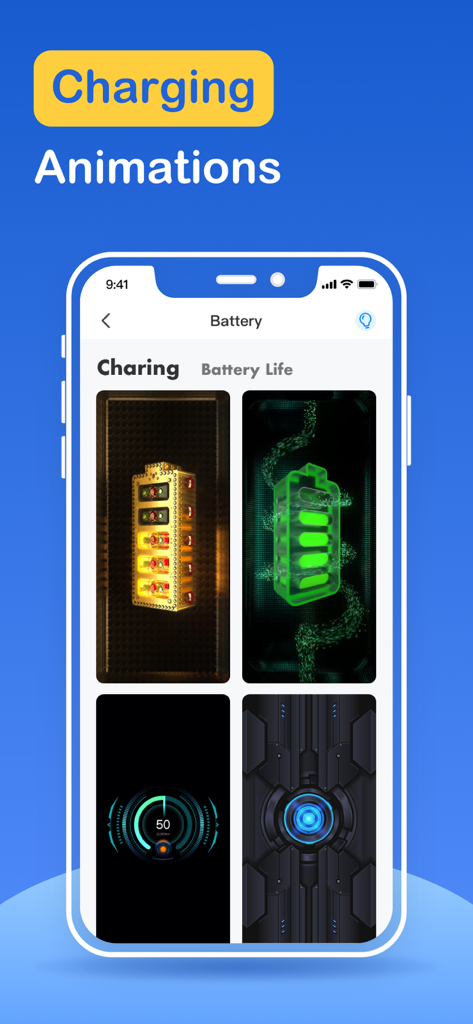
Pantalla de app de iPhone mostrando animaciones personalizadas de carga de batería

Pantalla de app de iPhone mostrando animaciones personalizadas de carga de batería

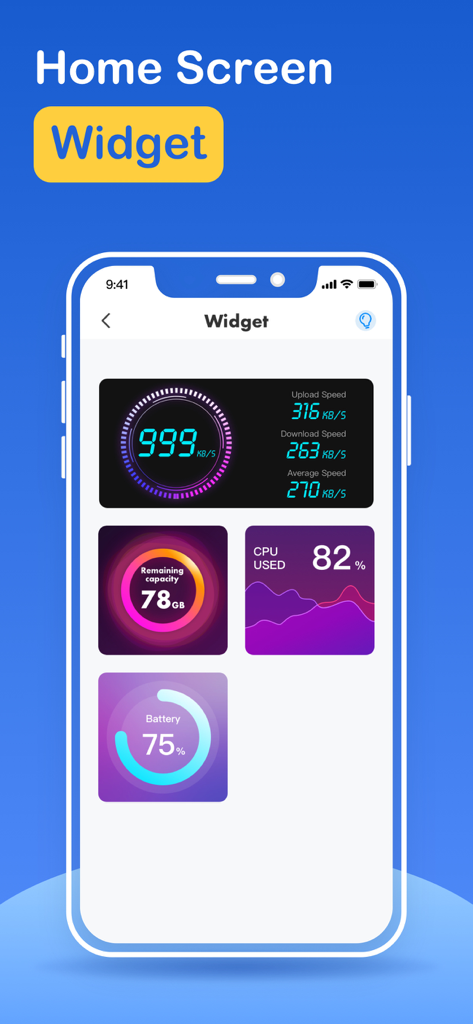
Interfaz de la app Storage Cleaner mostrando varios widgets de pantalla de inicio, incluyendo velocidad de internet, capacidad de almacenamiento, uso de CPU y duración de la batería.

Interfaz de la app Storage Cleaner mostrando varios widgets de pantalla de inicio, incluyendo velocidad de internet, capacidad de almacenamiento, uso de CPU y duración de la batería.

Recupera el almacenamiento de tu iPhone en segundos

Las herramientas que hacen destacar esta app, elegida por 171K+ usuarios.

Limpieza Inteligente con un Toque

Identifica y elimina al instante archivos pesados, duplicados borrosos y caché inútil con nuestro motor de filtrado inteligente.

📸

Intuitivo Deslizar para Borrar

Limpiar tu galería no debería ser una tarea pesada. Usa gestos de deslizar al estilo Tinder para conservar tus mejores recuerdos y desechar la basura digital.

🔒

Protección de Apps Privadas

Asegura tu espacio personal. Añade una capa extra de privacidad bloqueando las apps sensibles para que no las vean ojos indiscretos.

Sobre la app

Todo lo que necesitas saber sobre Storage Cleaner · Smart Clean.

Descripción

What can Storage Cleaner help you do? 1. Smart cleaning Smart cleaning helps you search and filter related data such as picture information, address book information, calendar information, etc. You can manage multiple types of data at one time through the one-click cleaning function. 2. Picture management Picture management can help you analyze similar or duplicate picture resources in the system album, and can also help you analyze screenshots and other resources, and you can choose to delete them. 3. Address book management Address book management helps you analyze and filter duplicate contacts, similar contacts, invalid contacts and other information, and you can merge these contacts with one click. 4. Swipe You can quickly browse and filter the resources in the album. How to filter them? You only need to swipe left or right to distinguish them. After filtering, you can clear the pictures you don't like. 5. Lock App You can choose which application to lock in the Lock module, and then follow the tutorial instructions to create Personal Automation using the Shortcuts application. Then, you can lock the app you specify so that others cannot peek into the privacy of your app. 6. Internet speed test It only takes one click, and everything is automatically produced. After a short time test, you can get the downlink speed and uplink speed of the current network. 7. Widgets Desktop widgets allow you to add network tests, memory usage, CPU usage, etc. to your desktop. 8. Calendar management Calendar management can make it easier for you to manage events added to the calendar in history. The app provides a simple operation method that allows you to delete unnecessary events very easily. 9. Mobile phone optimization guide Here you can learn how to find unused apps, how to delete useless apps, and some common social software optimization methods. For unlocking all features and content, Premium Membership offers one auto-renewable subscription options: Weekly payment and annual payment subscription options. - Payment will be charged to iTunes Account at confirmation of purchases. - Subscription automatically renews unless auto-renew is turned off at least 24 hours before the end of the current period. - Account will be charged for renewal within 24-hours prior to the end of the current period, and identify the cost of the renewal. - Subscriptions may be managed by the user and auto-renewal may be turned off by going to the user’s Account Settings after purchase. - Any unused portion of a free trial period, if offered, will be forfeited when the user purchases a subscription to that publication, where applicable. Privacy policy: http://www.conhor.pro/privacystatement/smartdevice/privacyPolicy.html Terms of use: http://www.conhor.pro/privacystatement/smartdevice/termsofuse.html

Última versión

2.8.1

Tamaño

103.4 MB

Fecha de lanzamiento

15 mar 2023

Di adiós para siempre a las alertas de 'Almacenamiento Lleno'.

Únete a más de 171.000 usuarios que han recuperado su espacio. Desliza entre el desorden, bloquea tus apps privadas y dale a tu iPhone el espacio que necesita para respirar.

Descargar en App Store

App information, icons, screenshots, and descriptions displayed on this page are sourced from the Apple App Store and are the property of their respective developers. Download estimates and rankings are based on MWM's proprietary models and may not reflect actual figures. This page is provided for informational and analytical purposes only.

Believe this page infringes your intellectual property? File a dispute