SWAM Viola Section: Realismo Orquestal Incomparable en iOS
Libérate de los samples estáticos con modelado físico en tiempo real. Compón, interpreta y produce arreglos de cuerdas expresivos en cualquier lugar con soporte profesional AUv3 y MPE.
Editor
Audio Modeling Srl
Categoría
Music
Descargas
600
Valoración
1.0/5
Total valoraciones
0
Idiomas
-
Precisión al Alcance de Tu Mano
Descubre la interfaz utilizada por 600 usuarios.
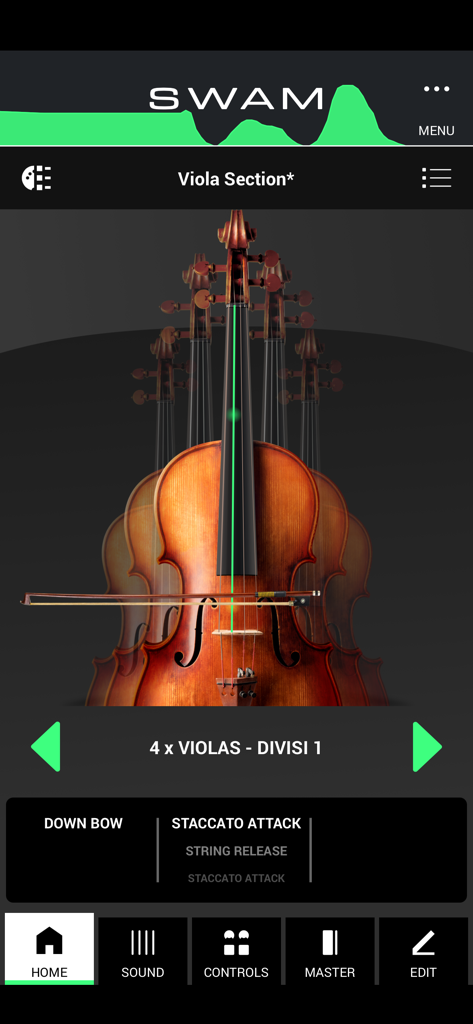
La pantalla de inicio de la aplicación SWAM Viola Section que muestra un conjunto de violas y configuraciones de interpretación.
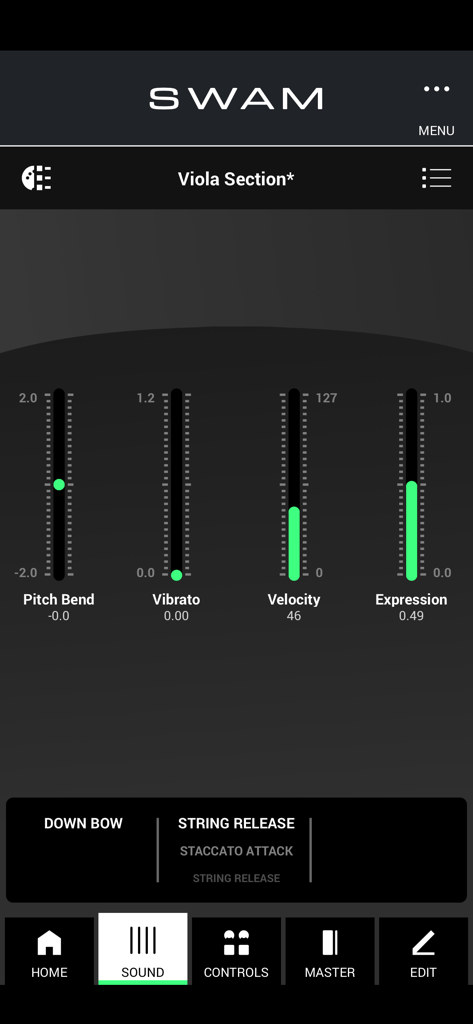
Interfaz de la aplicación móvil SWAM Viola Section que muestra controles deslizantes en tiempo real para pitch bend, vibrato, velocidad y expresión.
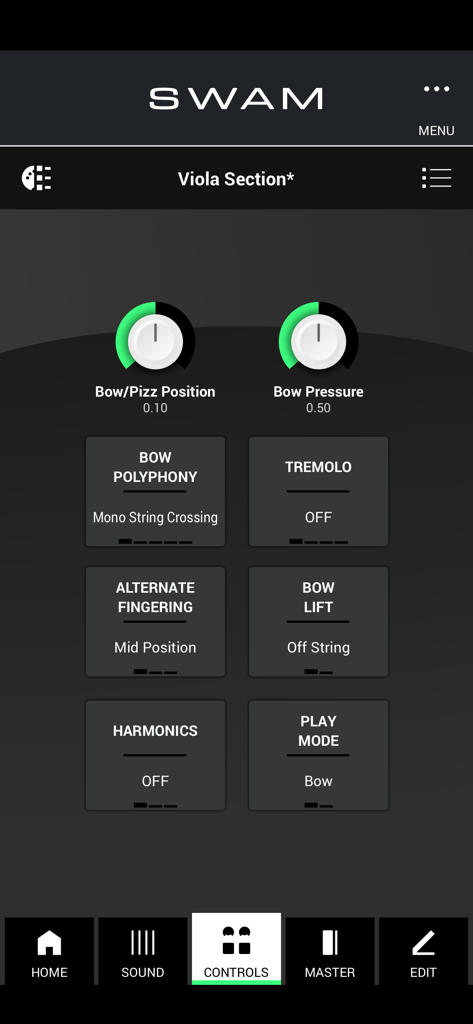
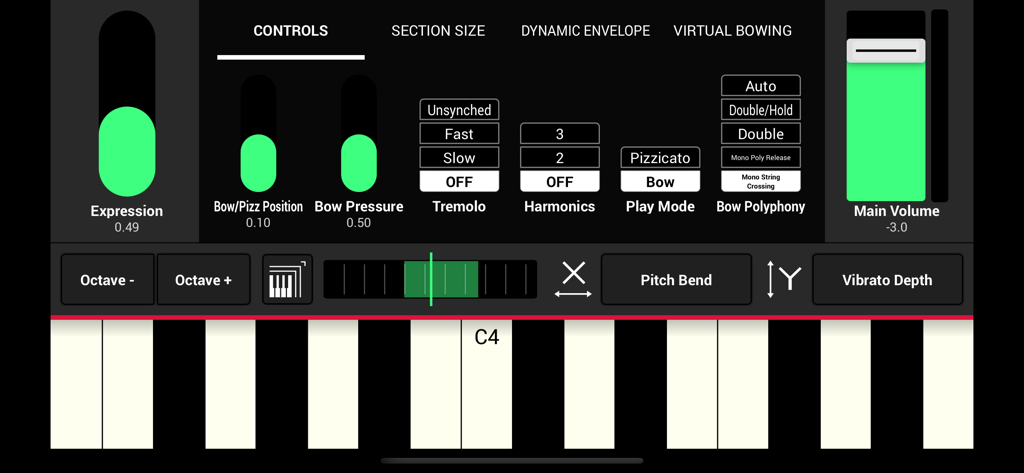
Interfaz de la aplicación SWAM Viola Section que muestra controles de interpretación expresiva como la presión y posición del arco.
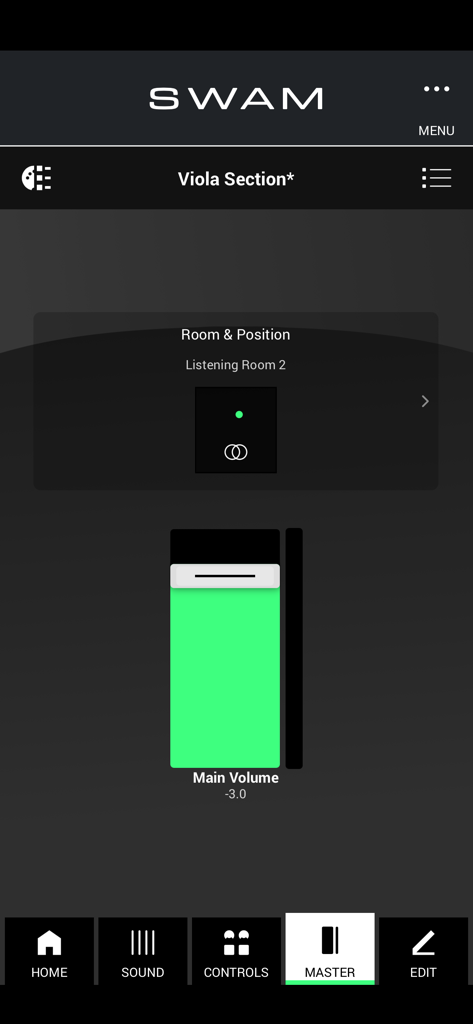
Interfaz de configuración maestra de la aplicación SWAM Viola Section que muestra controles de volumen y posición de sala.
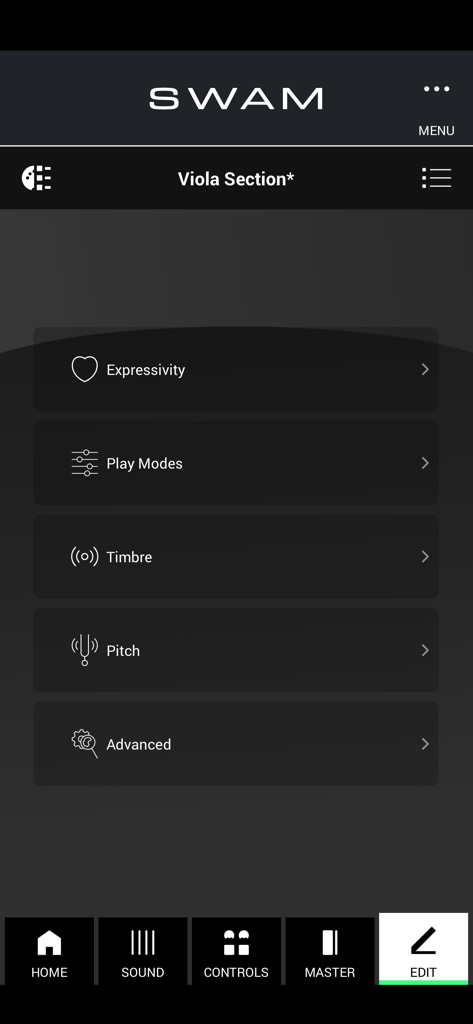
El menú de edición de la aplicación SWAM Viola Section que muestra opciones de personalización para modos de interpretación expresiva, timbre y tono.
Interfaz de usuario de la aplicación SWAM Viola Section que muestra deslizadores de expresión y controles de teclado MIDI.
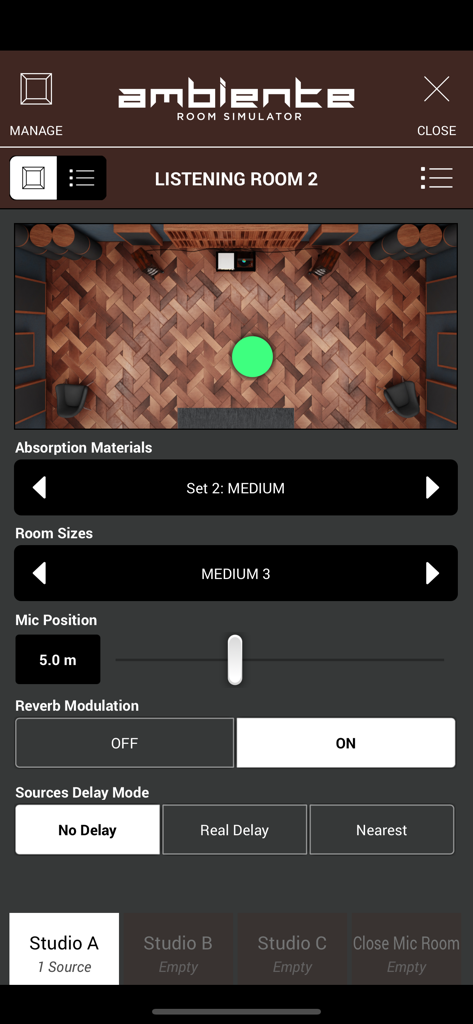
Interfaz del Simulador de Sala Ambiente en SWAM Viola Section que muestra la acústica de la sala y los controles de posicionamiento del micrófono.
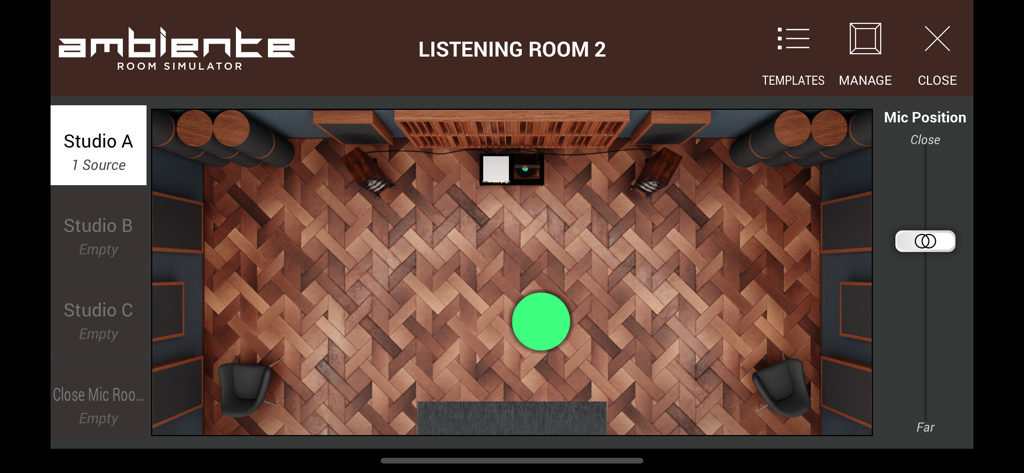
Interfaz del Simulador de Sala Ambiente en SWAM Viola Section que muestra una disposición de estudio virtual y controles de posición del micrófono.
Potencia Orquestal Profesional en Tu Bolsillo
Las herramientas que hacen destacar esta app, elegida por 600 usuarios.
🎻
Realismo de Interpretación
Da vida a tus composiciones con control en tiempo real sobre la presión del arco, la posición y el vibrato. Modela cada nota dinámicamente sin cambiar entre conjuntos de articulaciones limitados.
🔌
Integración AUv3 sin Fisuras
Diseñado para el profesional móvil, SWAM se integra sin esfuerzo como un plugin AUv3 en Logic Pro para iPad, Cubasis y AUM, convirtiendo tu configuración portátil en un estudio de clase mundial.
⚡
Tecnología de Modelado Ligera
Reemplaza gigabytes de bibliotecas de samples pesadas con un motor de alto rendimiento de 161 MB. Obtén tiempos de carga instantáneos y una jugabilidad hiperreactiva optimizada para Apple Silicon.
Sobre la app
Todo lo que necesitas saber sobre SWAM Viola Section.
Descripción
SWAM Viola Section for iOS: The Next-Level String Section Experience
SWAM Viola Section for iOS brings the power of Physical Modeling technology to your mobile device, allowing you to create realistic, expressive, and fully customizable viola section performances on the go. Whether you’re a composer, producer, or live performer, this revolutionary app delivers unmatched realism, efficiency, and flexibility in a lightweight and intuitive package.
Unlike traditional sample libraries, SWAM Viola Section doesn’t rely on pre-recorded articulations. Instead, it generates the sound in real time, reacting dynamically to your playing style, whether you're working in classical, cinematic, jazz, or modern electronic music.
Why Choose SWAM Viola Section for iOS?
Unparalleled Realism – Each viola section is fully controllable in terms of expression, vibrato, bow pressure, bow position, tremolo, and more. No need to switch between different articulations—just play and shape the sound in real time.
Enhanced Efficiency – No more endless searching for the right articulation or sample. With SWAM Viola Section, you have immediate access to every possible playing technique at your fingertips.
Faster Workflow – Control velocity, expression, and phrasing seamlessly while switching effortlessly between staccato, legato, spiccato, or pizzicato just by playing.
Smart Room Simulator “Ambiente” – The built-in room simulator ensures that all viola sections in your mix interact naturally, allowing for a centralized UI to position every section in a shared acoustic space without tweaking each plugin separately.
Top Features at a Glance
Individual Section Control – Adjust the expressivity of each viola section independently, fine-tuning vibrato, bowing techniques, dynamics, and more.
Standalone & AUv3 Plugin – Use SWAM Viola Section as a standalone app for real-time performances or integrate it as an AUv3 plugin in your favorite DAW.
Customizable Sound & Playability – Personalize the tone, resonance, and bowing articulation to match any genre or style.
MIDI & MPE Compatibility – Play expressively with MIDI controllers, MPE devices, wind controllers, or even directly from your iOS device’s touchscreen.
Seamless Integration with DAWs – Perfect for mobile music production, SWAM Viola Section works effortlessly in Logic Pro for iPad, Cubasis, AUM, GarageBand, Camelot Pro and more.
Lightweight & Powerful – Thanks to state-of-the-art Physical Modeling technology, you get a realistic and highly responsive string section without the need for massive sample libraries.
Who is SWAM Viola Section for iOS Designed For?
Film & Game Composers – Achieve lifelike, expressive viola section performances directly from your iPad or iPhone.
Music Producers – Use real-time expressivity to shape your sound instantly, without limitations.
Live Performers – Integrate SWAM Viola Section into your live setup for dynamic, high-quality string section performances on the go.
Orchestrators & Arrangers – Create and refine rich, full orchestral arrangements with deep control over every section’s expressivity.
Important Notes
For the best experience, we recommend using a device with an Apple Silicon chip (M1, M2, M3, or later) for optimal responsiveness and real-time performance.
Like the solo SWAM Strings instruments, SWAM Viola Section is monophonic, as it accurately replicates real bowed string instruments, allowing only double stops where realistic fingerings permit.
To fully explore the expressive power of SWAM Viola Section, a MIDI controller capable of continuous expression (such as an MPE device, breath controller, or expression pedal) is recommended.
Take your string section to the next level with SWAM Viola Section for iOS and redefine the way you create, perform, and produce music—anytime, anywhere.
Última versión
1.5.0
Tamaño
154.4 MB
Fecha de lanzamiento
13 feb 2025
Eleva Tu Experiencia de Partituras Móviles
Únete a las filas de compositores de élite. Descarga SWAM Viola Section ahora para llevar el modelado físico en tiempo real y el realismo de cuerdas incomparable a tu iPad o iPhone.
App information, icons, screenshots, and descriptions displayed on this page are sourced from the Apple App Store and are the property of their respective developers. Download estimates and rankings are based on MWM's proprietary models and may not reflect actual figures. This page is provided for informational and analytical purposes only.
Believe this page infringes your intellectual property? File a dispute