SyncGene Sync Contact Calendar

SyncGene Sync Contact Calendar


Descargar en App Store
Logo de SyncGene Sync Contact Calendar

SyncGene: Sincroniza sin problemas tus Contactos, Calendarios y Tareas entre todas las Plataformas

Cierra la brecha entre iCloud, Google y Outlook. Unifica automáticamente tu vida laboral y personal con sincronización en segundo plano de nivel empresarial, adaptada al profesional ocupado.

Descargar en App Store

Editor

Cira Apps Limited

Categoría

Productivity

Descargas

9K+

Valoración

1.9/5

Total valoraciones

0

Idiomas

3

Eficiencia en Movimiento

Descubre la interfaz utilizada por 9K+ usuarios.
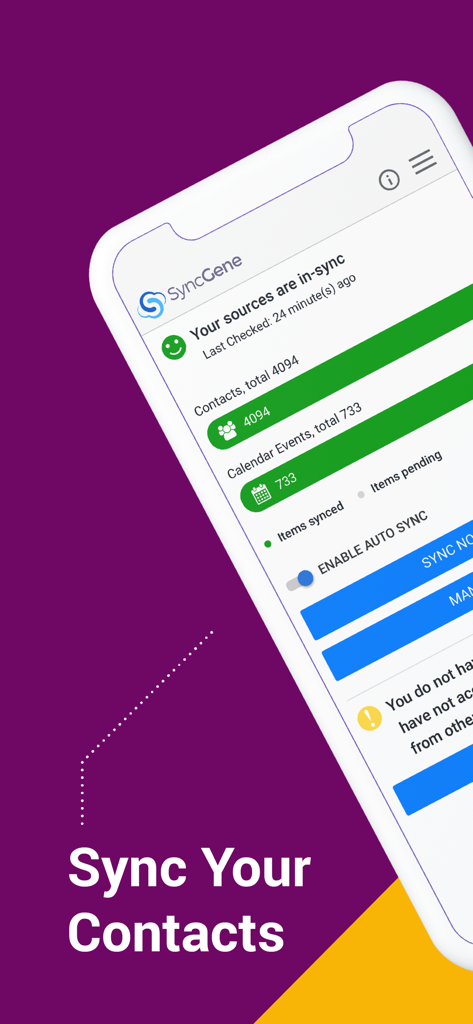
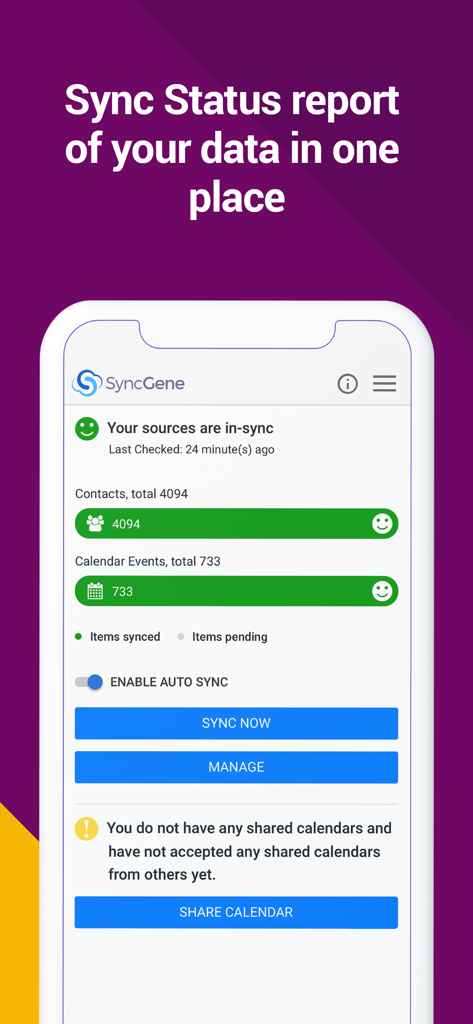
Panel de la aplicación SyncGene mostrando contactos y eventos de calendario sincronizados.

Panel de la aplicación SyncGene mostrando contactos y eventos de calendario sincronizados.

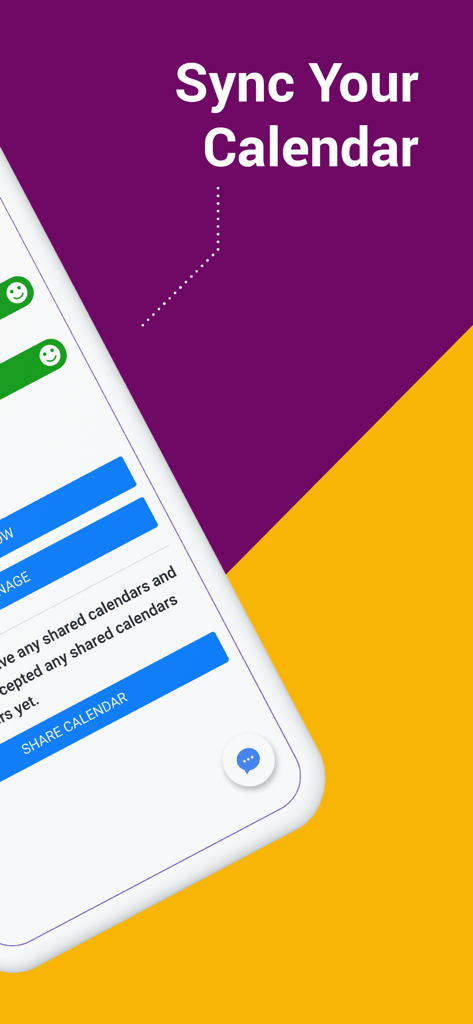
Pantalla de Sincronización de Calendario de la aplicación SyncGene

Pantalla de Sincronización de Calendario de la aplicación SyncGene

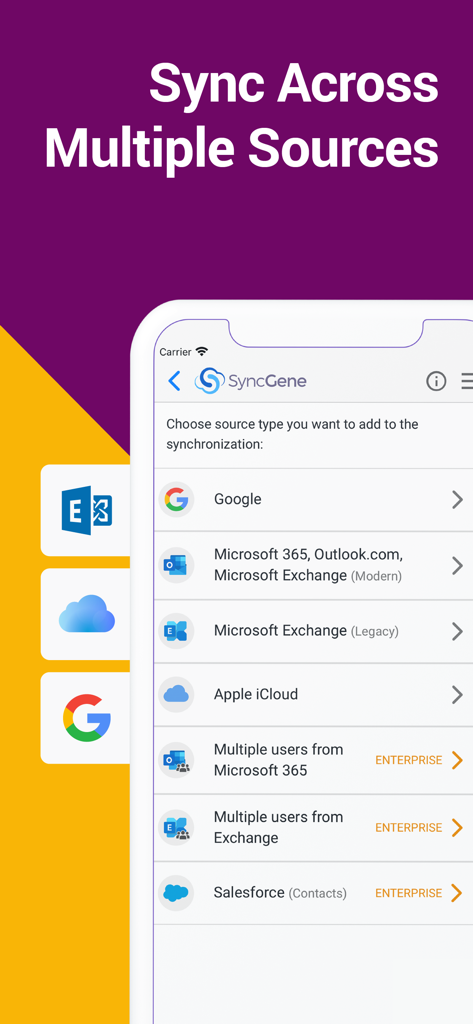
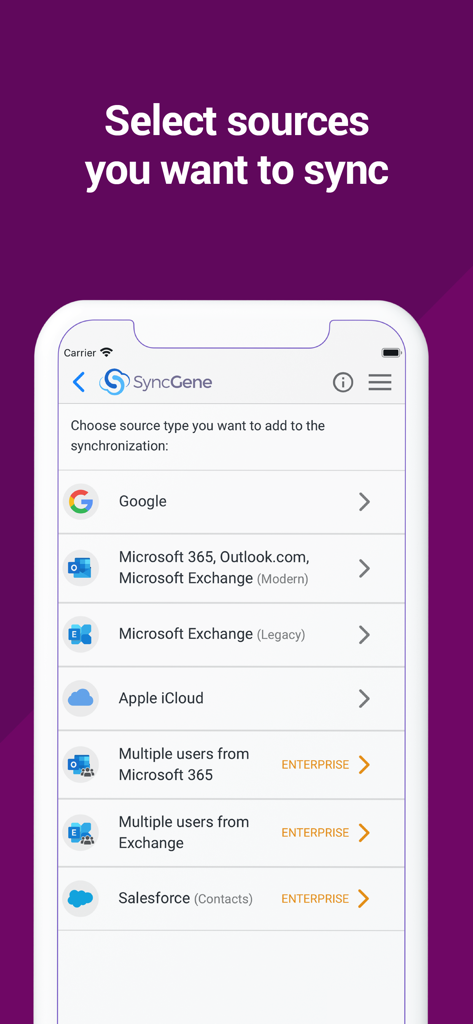
Pantalla de la aplicación SyncGene mostrando opciones para sincronizar cuentas de Google, Microsoft 365, iCloud y Salesforce.

Pantalla de la aplicación SyncGene mostrando opciones para sincronizar cuentas de Google, Microsoft 365, iCloud y Salesforce.

Panel de SyncGene mostrando el estado de sincronización de datos para contactos y calendario

Panel de SyncGene mostrando el estado de sincronización de datos para contactos y calendario

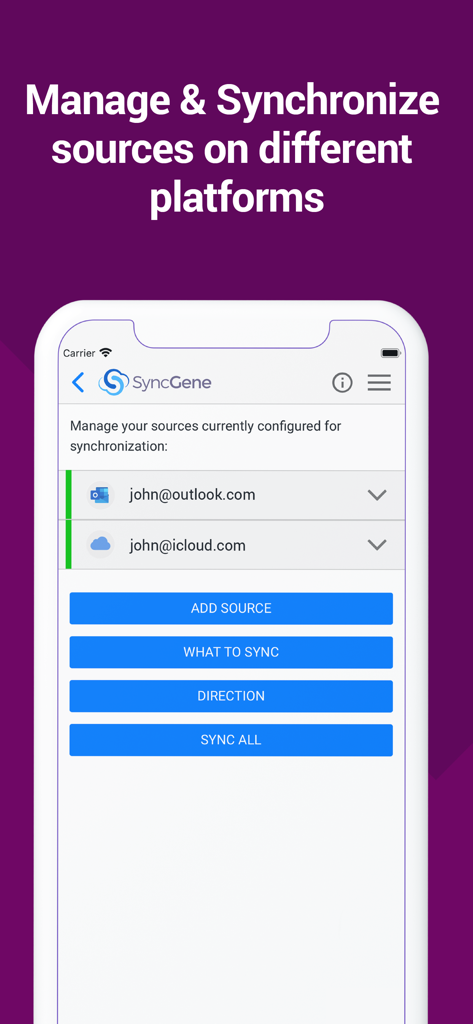
Interfaz de la aplicación móvil SyncGene mostrando cuentas configuradas de Outlook e iCloud para sincronización.

Interfaz de la aplicación móvil SyncGene mostrando cuentas configuradas de Outlook e iCloud para sincronización.

Pantalla de la aplicación SyncGene mostrando opciones para sincronizar Google, Microsoft Outlook e iCloud de Apple

Pantalla de la aplicación SyncGene mostrando opciones para sincronizar Google, Microsoft Outlook e iCloud de Apple

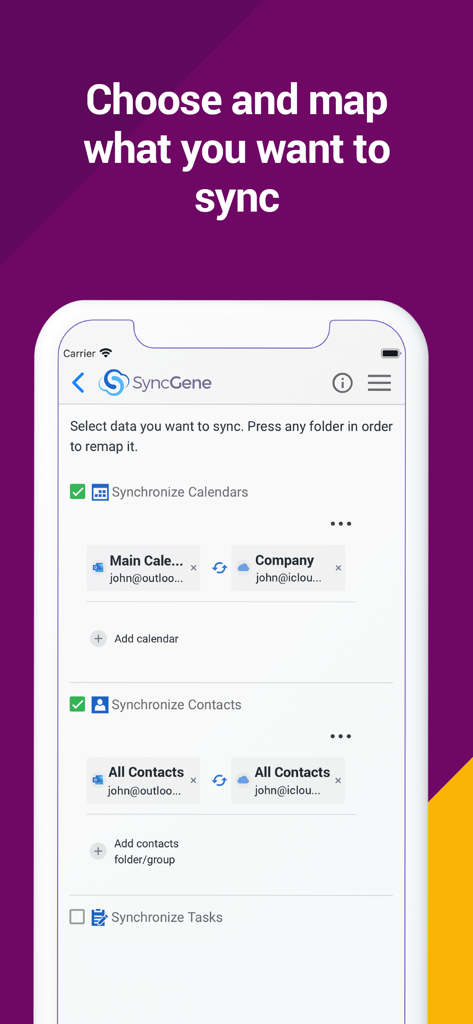
Interfaz de la aplicación móvil SyncGene mostrando opciones para elegir y mapear la sincronización de calendarios y contactos entre Outlook e iCloud

Interfaz de la aplicación móvil SyncGene mostrando opciones para elegir y mapear la sincronización de calendarios y contactos entre Outlook e iCloud

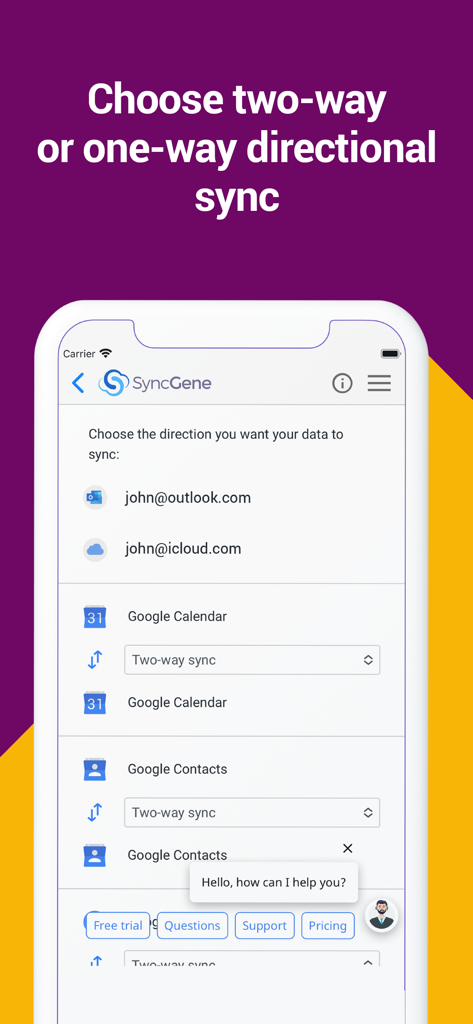
Interfaz de la aplicación móvil SyncGene mostrando la configuración de sincronización direccional para Google Calendar y Contactos

Interfaz de la aplicación móvil SyncGene mostrando la configuración de sincronización direccional para Google Calendar y Contactos

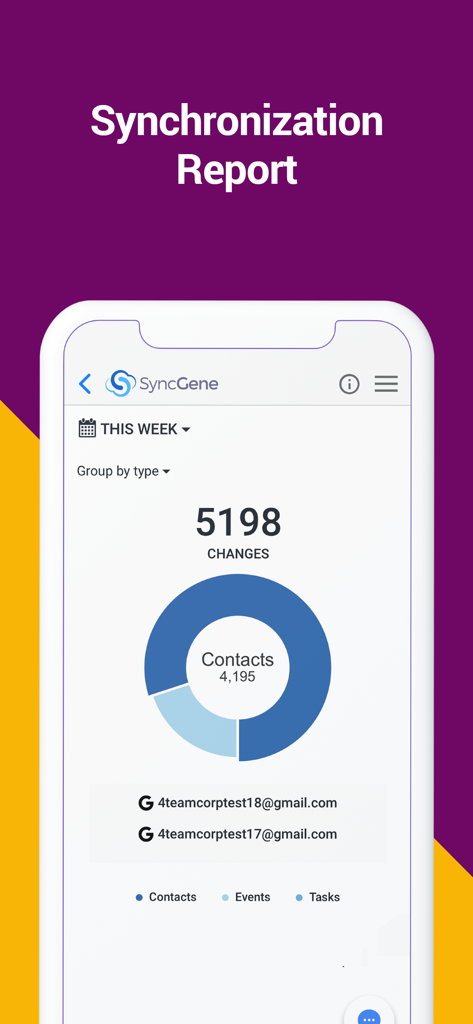
Panel del informe de sincronización de la aplicación SyncGene mostrando cambios en contactos, eventos y tareas

Panel del informe de sincronización de la aplicación SyncGene mostrando cambios en contactos, eventos y tareas

Domina tu Flujo de Trabajo Digital

Las herramientas que hacen destacar esta app, elegida por 9K+ usuarios.

🔄

Automatización "Configúralo y Olvídalo"

Actualiza un contacto en tu iPhone y lo verás al instante en Outlook. Nuestra sincronización en segundo plano asegura que tu mundo digital se refleje siempre sin que tengas que mover un dedo.

🌉

Conecta Todos los Ecosistemas

La solución definitiva para los 'Nómadas de Ecosistemas'. Conecta sin problemas Google Calendar, iCloud Contacts y Microsoft Exchange en una vista unificada.

🛠️

Control Granular de Mapeo

Mantén el control total de tus datos. Personaliza las direcciones de sincronización unidireccional o bidireccional y utiliza el mapeo de carpetas para mantener tus entradas de trabajo y personales perfectamente organizadas.

Sobre la app

Todo lo que necesitas saber sobre SyncGene Sync Contact Calendar.

Descripción

Free Cloud synchronization service to sync your Calendar, Contacts and Tasks with another iPhone, iPad, Mac, iCloud account, as well as Google and Microsoft devices and services. Sync Contacts, Calendar Events, and Tasks between your iPhone/iPad via iCloud with Google Gmail, Outlook 365, Outlook.com, Hotmail and Exchange. With SyncGene you can sync iCloud Calendar and Contacts with Google Calendar and Gmail Contacts. You can sync Calendar and Contacts using SyncGene app or online. Main features of SyncGene sync service: SYNC CONTACTS, CALENDAR, AND TASKS Sync Contacts, Calendar Events, and Tasks automatically across multiple devices, email accounts, Web Apps, and services. No more manual exporting, importing, double-entry, and data duplication. SYNC MULTIPLE SOURCES One tool to sync iCloud, Google Calendar, Gmail Contacts and Tasks, Outlook.com/Hotmail, Office 365 and Microsoft Exchange sources, and more coming soon. Any changes you make in your Contacts, Calendars and Tasks will appear on all your connected devices and services used. AUTO & CONSTANT SYNCHRONIZATION SyncGene stands out for its auto-sync, which is happening in the background. If you change anything in your data, SyncGene will automatically & constantly update all the sources and devices with the latest changes. MERGE PERSONAL INFORMATION. SAVE YOUR TIME One Calendar, one Address Book, and one To-do list for your hassle-free management. No more lost, duplicate or incomplete entries. MAPPING With SyncGene you can map folders and groups on the “What to sync” page. Use Folder Mapping to sync data between any chosen Folders or Groups. For example, you can sync your contacts from the “All People” group in Google Contacts with the “Contacts from Google” folder on Microsoft Exchange. SYNC DIRECTIONS You also can change sync direction - choose between one-way or two-way sync; & also free to busy sync; • You can change synchronization “Direction” when there are 2 sources configured. • To keep things simple, when adding 3rd and more sources it will inherit one-way/two-way settings from the first 2 sources automatically. • In case you have 3 or more sources and you still need to change sync directions' setup, please contact our support and they will help you. SyncGene PREMIUM Keep your digital life up to date across all devices and services. With SyncGene Premium you can: • Sync your data automatically • Sync an unlimited number of Contacts • Sync up to 5 different sources Compatible with: iPhone, iPad, Mac. Time saver: easy automation tool for busy people. SyncGene will sync your web apps, email accounts and devices automatically. No need to enter the same information on multiple devices or services. Synchronization is performed without you ever noticing, just set up SyncGene once and you can forget about it. Safe, secure and reliable: all your data is backed up to your Google Drive and can be easily restored. We never keep your synchronized information. SyncGene is hosted on Microsoft Azure – the most trusted cloud service. Every SyncGene service user has easy & fast access to our free 5 Star Live Chat and Email support. Terms of use - https://www.syncgene.com/terms-of-use

Última versión

2.6

Tamaño

3.2 MB

Fecha de lanzamiento

21 dic 2016

¿Listo para poner tu productividad en piloto automático?

Termina con la frustración de calendarios y contactos fragmentados. Comienza hoy mismo tu sincronización automática entre iCloud, Google y Office 365, porque tu tiempo es demasiado valioso para la entrada manual.

Descargar en App Store

App information, icons, screenshots, and descriptions displayed on this page are sourced from the Apple App Store and are the property of their respective developers. Download estimates and rankings are based on MWM's proprietary models and may not reflect actual figures. This page is provided for informational and analytical purposes only.

Believe this page infringes your intellectual property? File a dispute