tcCalc - timecode & frame calc

tcCalc - timecode & frame calc

Descargar en App Store
Logo de tcCalc - timecode & frame calc

tcCalc - Cálculos Precisos de Código de Tiempo y Cuadros

La utilidad esencial para editores de video y DITs. Realiza cálculos precisos en todas las velocidades de cuadros estándar de la industria, incluyendo Drop Frame y NDF, con una interfaz diseñada para la velocidad de la postproducción.

Descargar en App Store

Editor

RYUICHIROU SHIMONO

Categoría

Photo & Video

Descargas

4K+

Valoración

4.8/5

Total valoraciones

200

Idiomas

1

Precisión en Cada Cuadro

Descubre la interfaz utilizada por 4K+ usuarios.
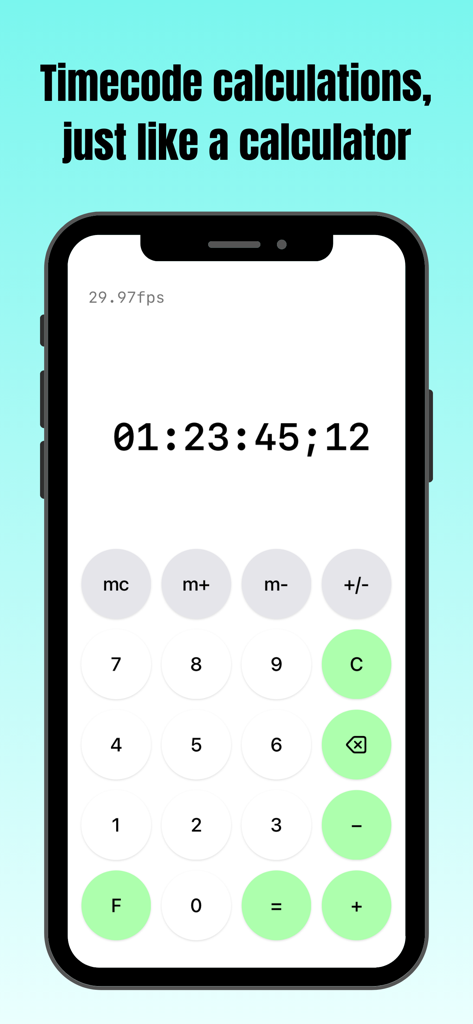
Captura de pantalla de la aplicación tcCalc mostrando la interfaz de cálculo de código de tiempo en un iPhone

Captura de pantalla de la aplicación tcCalc mostrando la interfaz de cálculo de código de tiempo en un iPhone

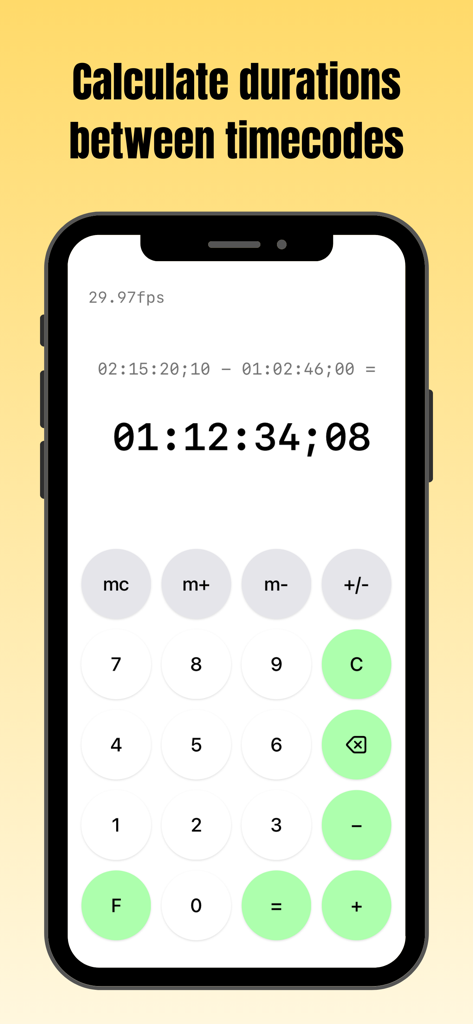
Pantalla de la aplicación tcCalc en iPhone mostrando un cálculo de duración entre dos códigos de tiempo a 29.97fps

Pantalla de la aplicación tcCalc en iPhone mostrando un cálculo de duración entre dos códigos de tiempo a 29.97fps

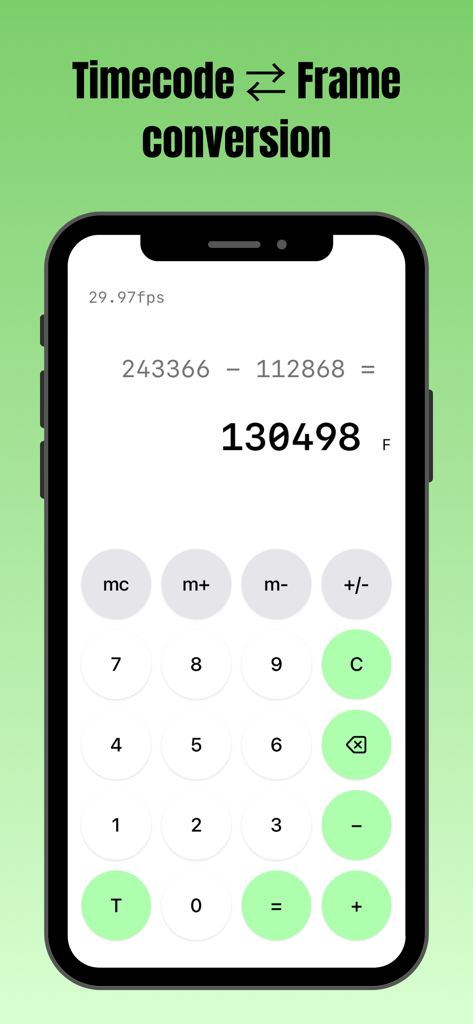
Interfaz de la aplicación tcCalc realizando una resta de conteo de cuadros en un iPhone

Interfaz de la aplicación tcCalc realizando una resta de conteo de cuadros en un iPhone

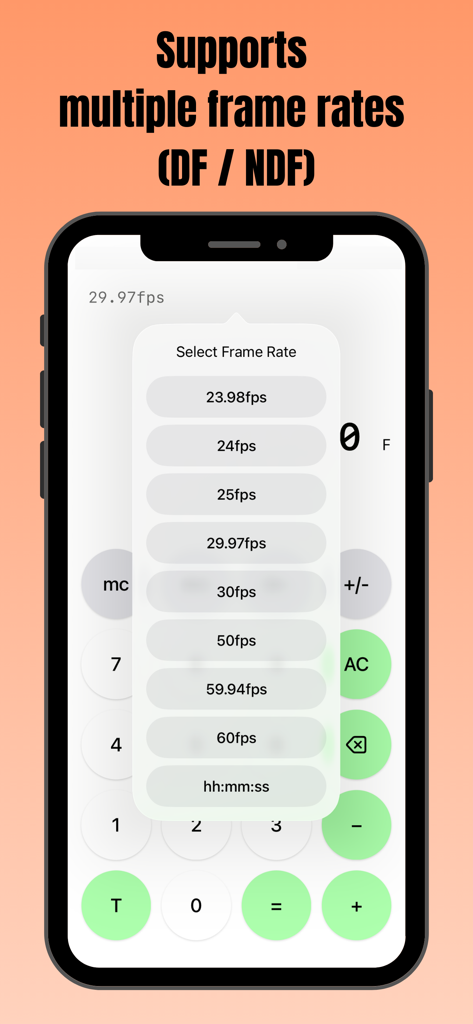
Pantalla de smartphone mostrando la aplicación tcCalc con un menú emergente para seleccionar múltiples velocidades de cuadros, incluyendo opciones DF y NDF.

Pantalla de smartphone mostrando la aplicación tcCalc con un menú emergente para seleccionar múltiples velocidades de cuadros, incluyendo opciones DF y NDF.

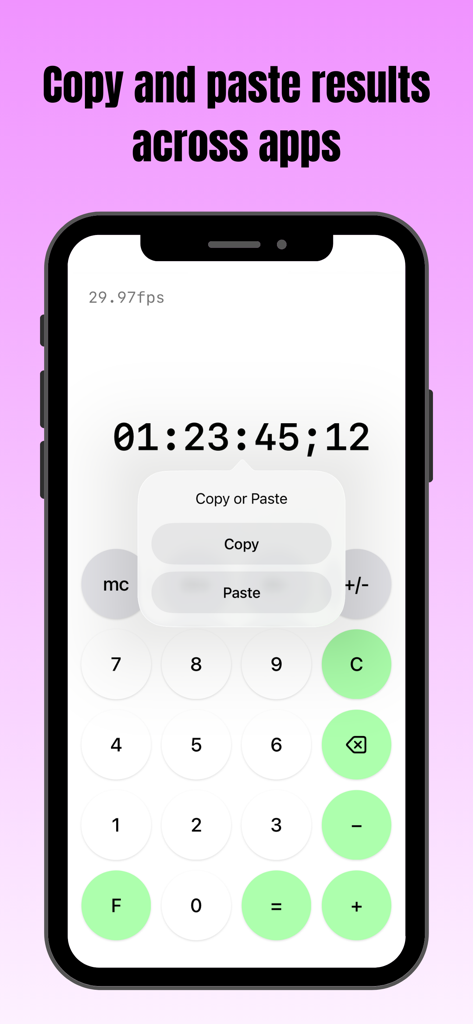
Pantalla de smartphone mostrando la aplicación tcCalc con un menú de copiar y pegar sobre un resultado de código de tiempo

Pantalla de smartphone mostrando la aplicación tcCalc con un menú de copiar y pegar sobre un resultado de código de tiempo

Herramientas de Precisión para Profesionales de Postproducción

Las herramientas que hacen destacar esta app, elegida por 4K+ usuarios.

🎬

Soporte Multi-Estándar de Velocidad de Cuadros

Cambia instantáneamente entre 23.98, 29.97 DF/NDF, 59.94 y 60fps. Asegura que tus duraciones estén perfectamente sincronizadas, independientemente de las especificaciones técnicas de tu proyecto.

📋

Integración de Flujo de Trabajo Sin Interrupciones

Copia y pega directamente los resultados del cálculo en tus hojas de entrega, EDLs o notas. Mueve datos entre tcCalc y otras aplicaciones iOS para acelerar tu registro técnico.

⏱️

Conversión Nativa de Código de Tiempo y Cuadros

Alterna entre el código de tiempo SMPTE y el recuento total de cuadros con un solo toque. Realiza cálculos complejos de duración utilizando una interfaz familiar diseñada para salas de edición de alta presión.

Sobre la app

Todo lo que necesitas saber sobre tcCalc - timecode & frame calc.

Descripción

Overview This app is a calculator designed for timecode and frame-based calculations. Features • Perform timecode calculations with the familiar operation of a standard calculator. • Convert between timecodes and frame counts in both directions. • Supports multiple frame rates. • Input values and calculation results are automatically adjusted to values between 0 and less than 24 hours. How to Use Input Timecodes and frame numbers are entered using the numeric buttons (0–9). The AC button clears the displayed value and all calculation history. The C button clears only the current input value and calculation result. To delete the displayed value one character at a time, use the delete button. Up to 8 digits can be entered. Calculation Calculations are performed in the same way as a standard calculator, using the symbol buttons (+, −, =). For example, the − button can be used to calculate the duration between two timecodes. Display Mode Press the F button to convert the displayed value to frames. Press the T button to convert the displayed value to a timecode. The display format can be changed at any time, even during a calculation. Frame Rate Selection Tap the fps indicator in the upper-left corner of the screen to open the frame rate selection screen. You can choose from the following frame rates: 23.98fps / 24fps / 25fps / 29.97fps / 30fps / 50fps / 59.94fps / 60fps 29.97fps and 59.94fps use the Drop Frame (DF) counting method. All other frame rates use the Non-Drop Frame (NDF) counting method. When hh:mm:ss is selected, calculations can be performed using time values (hours, minutes, seconds) without frames. Copy & Paste Long-press a calculation result to display a menu where you can choose to copy or paste the value. By selecting an option from the menu, you can copy the value or paste a previously copied value. This allows numeric values to be copied and pasted between this app and standard iOS apps such as the Calculator and Notes. If a pasted string contains non-numeric characters, only the numeric portions are entered in order. In frame display mode, any decimal portion is truncated when pasting. Other The m+, m−, and mc buttons provide a memory function. Stored values are displayed in the upper-right corner of the screen and can be tapped to use them as input values. This behavior is equivalent to the mr button on a standard calculator. Pressing the +/− button toggles the sign of the input value and calculation result. Negative values are displayed as the result of subtracting the value from 24 hours. Timecode calculations are primarily based on the SMPTE 12M-1 standard. For 59.94fps, the counting method is based on commonly used behavior in applications such as Adobe Premiere Pro.

Última versión

3.0

Tamaño

0.4 MB

Fecha de lanzamiento

9 sept 2016

Domina Tu Línea de Tiempo con Precisión de Cuadros

Detén el cálculo mental y elimina errores de sincronización. Únete a miles de profesionales de postproducción que usan tcCalc para conversiones de código de tiempo sin interrupciones y eficiencia en el flujo de trabajo.

Descargar en App Store

App information, icons, screenshots, and descriptions displayed on this page are sourced from the Apple App Store and are the property of their respective developers. Download estimates and rankings are based on MWM's proprietary models and may not reflect actual figures. This page is provided for informational and analytical purposes only.

Believe this page infringes your intellectual property? File a dispute