Text Simplifier

Text Simplifier

Descargar en App Store
Logo de Text Simplifier

Simplificador de Texto: Convierte Textos Complicados en Lenguaje Claro y Fácil de Leer

La herramienta de accesibilidad definitiva para estudiantes, profesores y aprendices permanentes. Simplifica instantáneamente hojas de trabajo, sitios web y libros usando IA para eliminar barreras y fomentar la confianza en la lectura.

Descargar en App Store

Editor

Christian Urff

Categoría

Education

Descargas

4K+

Valoración

4.3/5

Total valoraciones

0

Idiomas

4

Experimenta la Claridad

Descubre la interfaz utilizada por 4K+ usuarios.
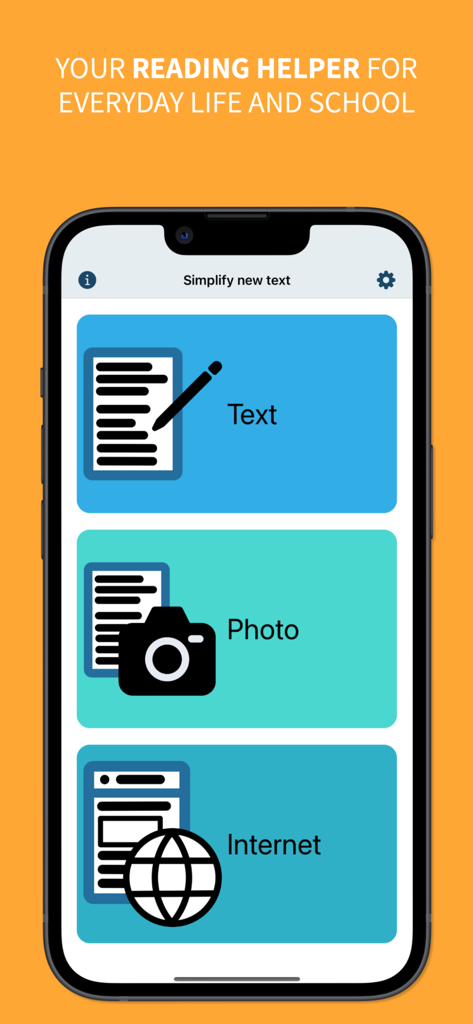
Menú principal de la aplicación Simplificador de Texto con botones para simplificar texto mediante entrada manual, fotos o internet

Menú principal de la aplicación Simplificador de Texto con botones para simplificar texto mediante entrada manual, fotos o internet

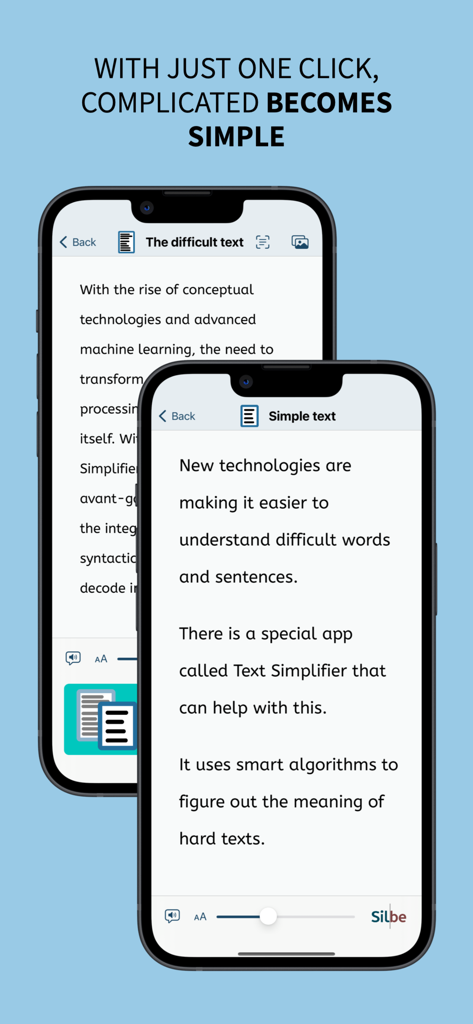
Comparación de texto difícil y su versión simplificada en pantallas de teléfonos móviles.

Comparación de texto difícil y su versión simplificada en pantallas de teléfonos móviles.

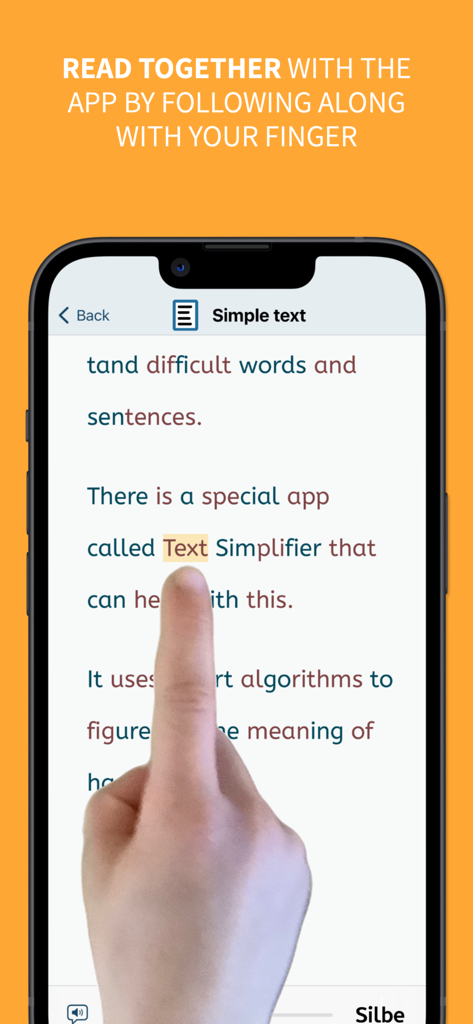
Una pantalla de smartphone que muestra la función del dedo lector, donde un usuario sigue el texto con el dedo mientras la aplicación lo simplifica.

Una pantalla de smartphone que muestra la función del dedo lector, donde un usuario sigue el texto con el dedo mientras la aplicación lo simplifica.

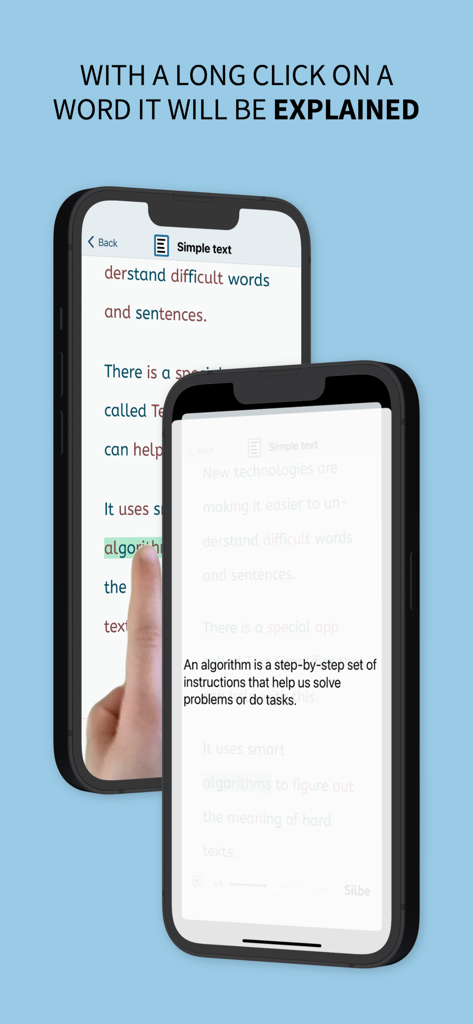
La aplicación Simplificador de Texto mostrando una definición simple de una palabra difícil después de una pulsación larga.

La aplicación Simplificador de Texto mostrando una definición simple de una palabra difícil después de una pulsación larga.

Potencia a Cada Lector

Las herramientas que hacen destacar esta app, elegida por 4K+ usuarios.

🪄

Simplificación con IA con un Solo Toque

Nuestra IA avanzada traduce instantáneamente jerga densa y párrafos difíciles a un lenguaje claro y simple, personalizado según tu nivel de lectura específico.

📸

Escanea y Lee Hojas de Trabajo

Convierte libros de texto físicos y folletos del aula en contenido digital accesible. Simplemente toma una foto para simplificar el texto y escucharlo leer en voz alta de inmediato.

☝️

Soporte de Lectura Guiada

Mejora la fluidez con el resaltado de palabras sincronizado y la herramienta de 'dedo lector', ayudando a los usuarios con dislexia o TDAH a mantenerse enfocados en cada palabra.

Sobre la app

Todo lo que necesitas saber sobre Text Simplifier.

Descripción

You're facing difficult texts and wish they were easier to understand? This app is exactly what you need! Whether in inclusive education, for beginning readers, or for anyone who appreciates clear and understandable language - with just one click, complicated becomes simple. The Text Simplifier app makes difficult texts easier and translates them to plain language and easy read. Then the texts are easier to read and understand. And if you need help reading, the app can also read words to you. To do this, just follow along under the words with your finger. This app is for people with reading difficulties or beginning readers. It can also be very helpful in inclusive classroom instruction. There are then fewer barriers due to difficult texts. You have several options for simplifying texts: 1. Enter text: You can write a text, speak (dictate) or copy from another source. When you press the "Simplify Text" button, the text becomes simpler. 2. Take a picture of a text: You can take a photo of a text, for example from a book or worksheet. Then the app can read you the text or simplify it. 3. Internet texts: If you are reading on the internet and want a easy to read text, just press the "Simplify Texts" button. The app is actually very suitable for children and beginning readers, but due to the integrated browser, Apple recommends it only from age 17+, as any web page can be accessed. The app can do even more: - The app can read along with you. For this you have to use your reading finger. Move your finger along under the text as you read. And turn on the speaker. The app will then help you read. - The app can also read the entire text to you. If you want, the words are even highlighted as they are read. - You can long press on a word if you don't understand it. An explanation will then be displayed and read aloud (please turn on speaker). - You can make the letters bigger or smaller. - You can decide how simple the text should be. This is done in the settings. - Web pages can be displayed in "Reader Mode". Only the text and images are shown (without text simplification). Ads and menus are not shown. ## Tip: How to improve the voice! ## The iOS voice sometimes doesn't sound very good. You can simply use a different voice. To do this, go to the "Settings" app. Then to "Accessibility". Then select "Spoken Content" and then "Voices". Now you can select and download other voices. The enhanced voices sound especially good. ## What does it cost? ## The app is ad-free. It uses artificial intelligence (choose your preferred model) to simplify texts. The texts are sent over the internet for simplification. Each simplification costs some money. That's why the app costs something. Once you've purchased the app, you can simplify about 250 texts (depending on length). If you need more, you have to pay more via in-app-purchase.

Última versión

2.0

Tamaño

10.1 MB

Fecha de lanzamiento

22 ago 2023

¿Listo para Simplificar Lecturas Complicadas?

Únete a miles de estudiantes, padres y educadores que utilizan Simplificador de Texto para convertir textos difíciles en un lenguaje claro y fácil de leer. Descarga ahora y comienza tu viaje hacia la independencia lectora.

Descargar en App Store

App information, icons, screenshots, and descriptions displayed on this page are sourced from the Apple App Store and are the property of their respective developers. Download estimates and rankings are based on MWM's proprietary models and may not reflect actual figures. This page is provided for informational and analytical purposes only.

Believe this page infringes your intellectual property? File a dispute