
Esta página no es una página oficial de la aplicación ni de su desarrollador, sino una publicación editorial independiente creada con fines informativos y de comentario. Salvo que se indique expresamente lo contrario, ni la aplicación ni su desarrollador están afiliados, respaldados, patrocinados, autorizados ni conectados oficialmente con MWM, Apple, Google Play, el editor de la aplicación ni su desarrollador, y nada en esta página implica que la aplicación haya sido desarrollada utilizando los servicios de MWM. Todas las marcas comerciales, logotipos, capturas de pantalla y demás contenidos son propiedad de sus respectivos propietarios.

Thermo Watch for Nest & Ecobee
Controla tu hogar con Atajos de voz de Siri y tu Apple Watch. Disfruta de un control rápido, privado y totalmente independiente de tu termostato, incluso cuando dejas tu iPhone atrás.
Descargas
114K+Valoración
Total valoraciones
500Editor
Categoría
LifestyleIdiomas
1Última versión
15.9Tamaño
63.7 MBFecha de lanzamiento
21 mar 2016Domina tu clima de forma natural
El eslabón perdido entre tus termostatos inteligentes y el ecosistema Apple que amas. Rápido, privado y potente.
Integración fluida con Siri
Por fin controla tu Nest con comandos de voz naturales. Usa atajos personalizados como "Oye Siri, tengo frío" en tu Watch, iPhone o HomePod.
Control optimizado para la muñeca
Ajusta la temperatura de tu hogar con un simple giro de la Digital Crown o monitoriza el estado de tu sistema de climatización al instante mediante complicaciones en la esfera del reloj.
Las siguientes capturas de pantalla y la descripción provienen directamente del listado oficial de la tienda de la aplicación y son propiedad del desarrollador.
App Store
Capturas
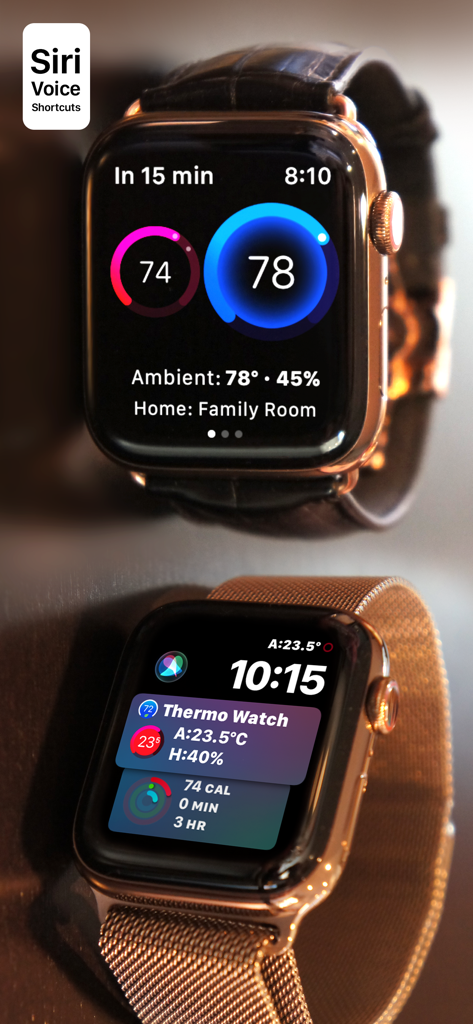
Interfaz de la aplicación Thermo Watch en Apple Watch mostrando controles de termostato inteligente para Nest y Ecobee
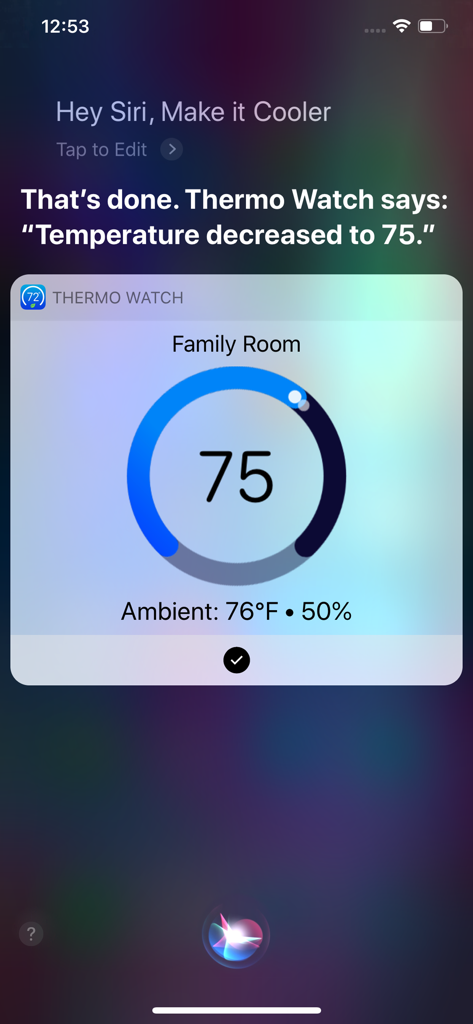
Interfaz de comando de voz de Siri mostrando el ajuste de temperatura con Thermo Watch en un iPhone
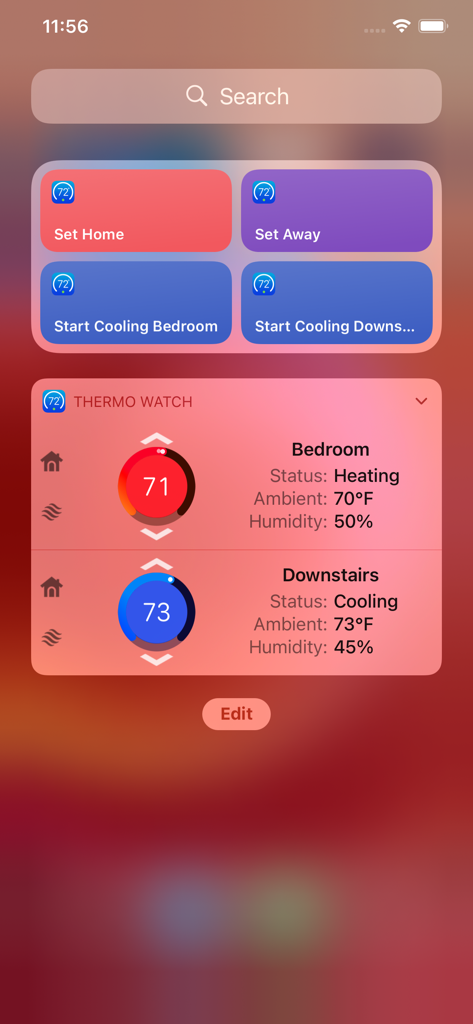
Widget de la aplicación Thermo Watch en iPhone mostrando temperatura y estado para múltiples zonas del hogar
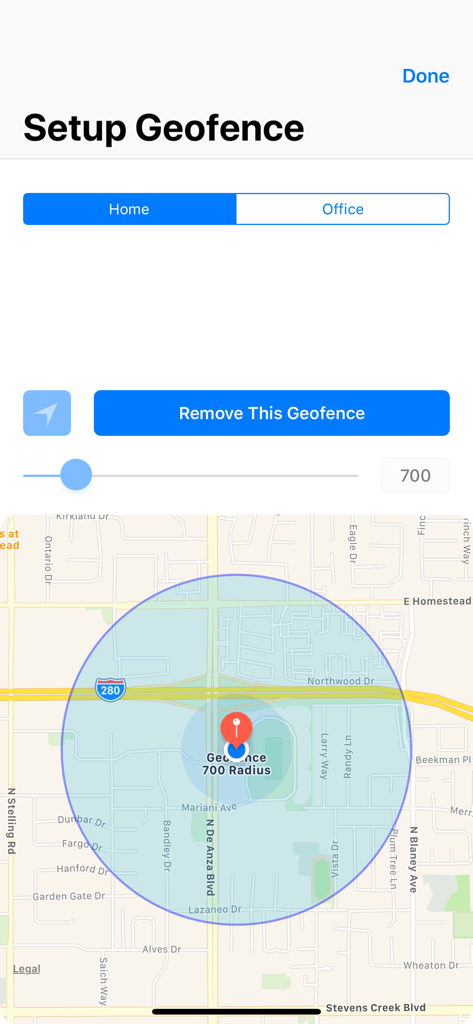
Pantalla de configuración de geovalla mostrando un mapa con un radio circular para ubicaciones de casa y oficina
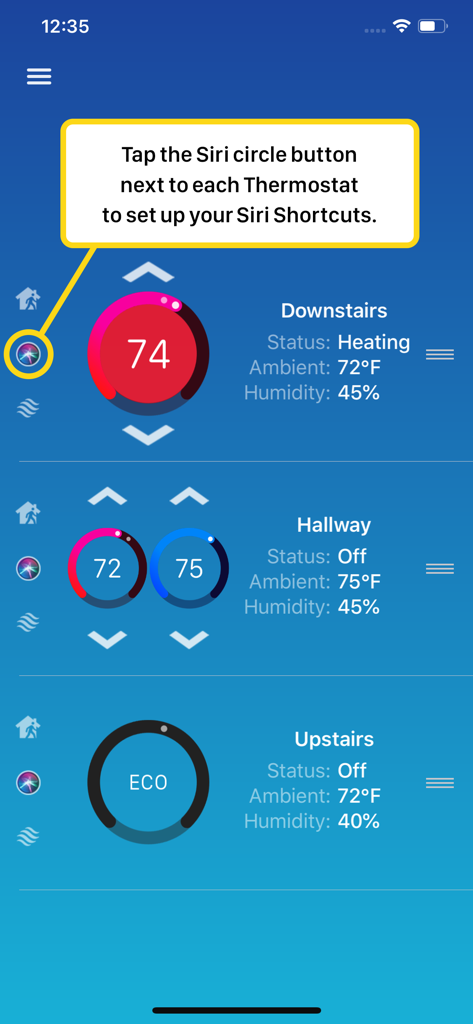
Interfaz de la aplicación Thermo Watch que muestra cómo configurar Atajos de Siri para múltiples termostatos inteligentes
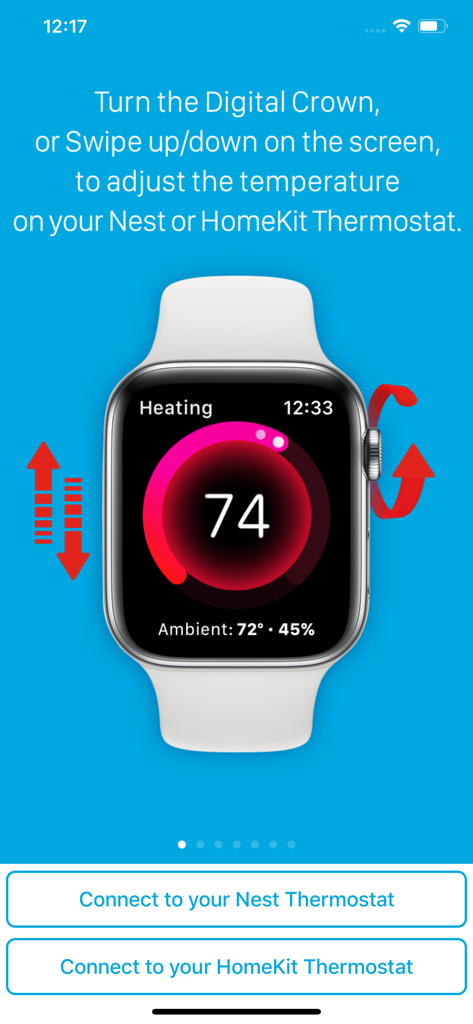
Interfaz de Apple Watch mostrando el control de temperatura para termostatos Nest y HomeKit a través de la corona digital y gestos de deslizamiento
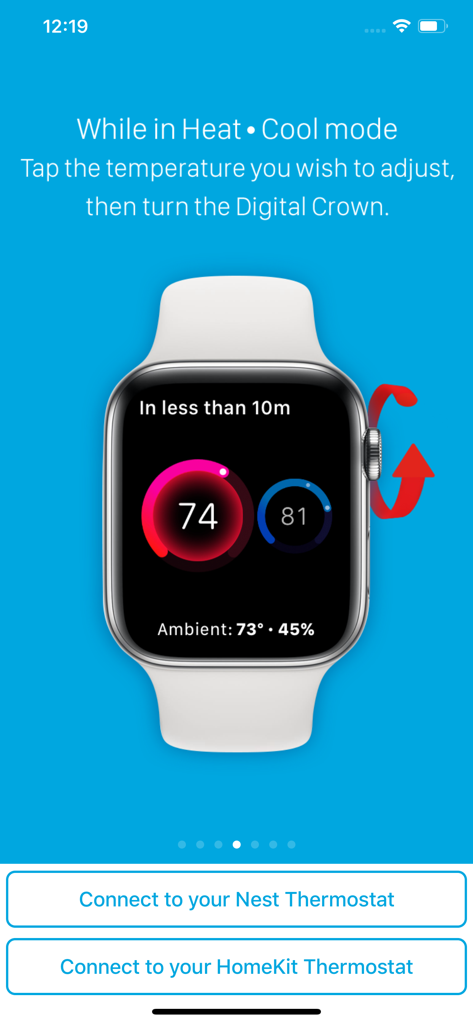
Interfaz de Apple Watch mostrando el ajuste de temperatura para termostatos Nest y HomeKit usando la Digital Crown
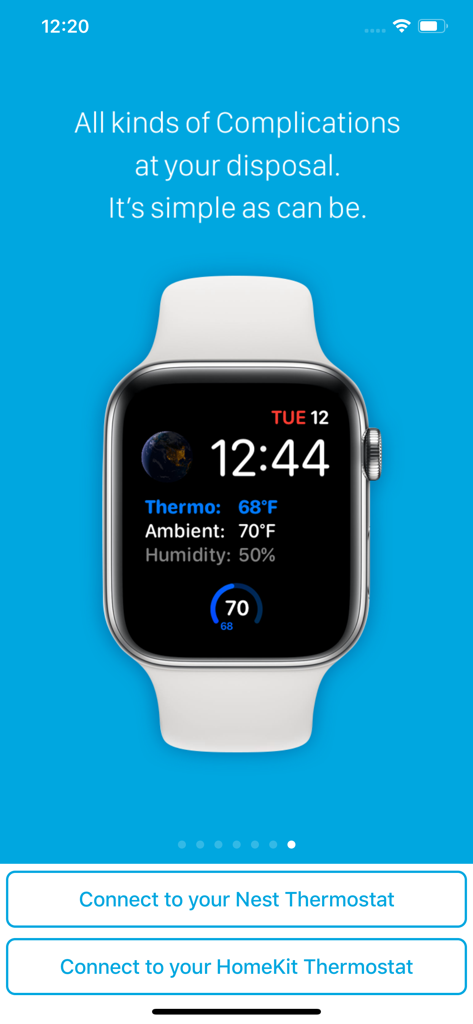
Esfera de Apple Watch mostrando complicaciones de temperatura del termostato, temperatura ambiente y humedad de la aplicación Thermo Watch.
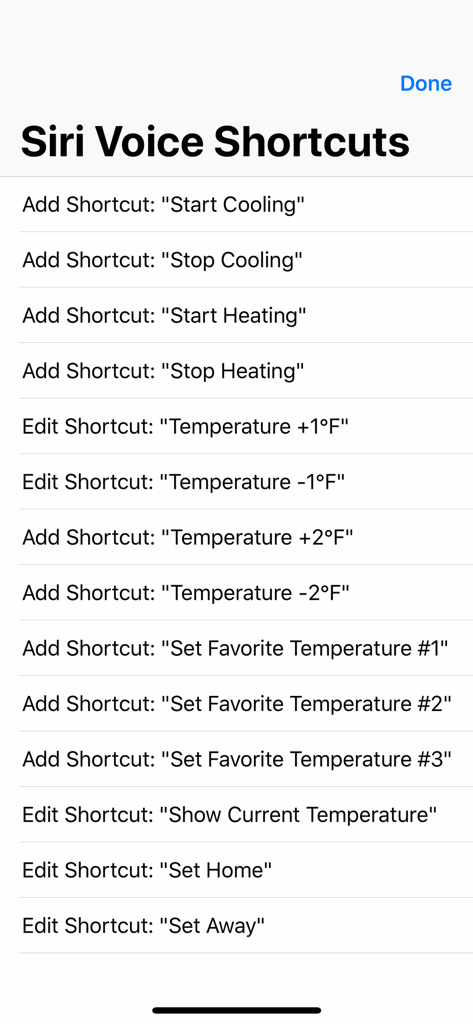
Una lista de Atajos de voz de Siri en la aplicación Thermo Watch para controlar termostatos Nest y Ecobee.
Descripción
Download
Apps Similares
Apps mejor clasificadas en la misma categoría

Pinterest, Inc.

Alipay - Simplify Your Life
Alipay (Hangzhou) Technology Co., Ltd.

Dianping: Discover Good Places
Hanhai Information Technology (Shanghai) Co.Ltd

美团-美好生活小帮手
Sankuai Technology Co., Ltd.

Lemon8 - Lifestyle Community
TIKTOK PTE. LTD.

Xiaomi Home
Beijing Xiaomi Co., Ltd

Tinder Dating App: Date & Chat
Tinder LLC

SmartThings
Samsung Electronics Co., Ltd.

VNeTraffic
GLOBAL TECHNOLOGY - TELECOMMUNICATIONS CORPORATION
Esta página no es una página oficial de la aplicación ni de su desarrollador, sino una publicación editorial independiente creada con fines informativos y de comentario. Salvo que se indique expresamente lo contrario, ni la aplicación ni su desarrollador están afiliados, respaldados, patrocinados, autorizados ni conectados oficialmente con MWM, Apple, Google Play, el editor de la aplicación ni su desarrollador, y nada en esta página implica que la aplicación haya sido desarrollada utilizando los servicios de MWM. Todas las marcas comerciales, logotipos, capturas de pantalla y demás contenidos son propiedad de sus respectivos propietarios.