TslaMirror

TslaMirror

Descargar en App Store
Logo de TslaMirror

TslaMirror: Refleja tus aplicaciones de iPhone directamente en la pantalla de tu Tesla

La solución definitiva para el propietario de Tesla con conocimientos tecnológicos. Transforma tus sesiones de carga en una experiencia de alta productividad transmitiendo tus aplicaciones favoritas de iOS al salpicadero con streaming H.265 de baja latencia, sin necesidad de hardware adicional.

Descargar en App Store

Editor

Wuhan TrustComputing IT Co., Ltd.

Categoría

Utilities

Descargas

62K+

Valoración

2.4/5

Total valoraciones

200

Idiomas

2

Tus aplicaciones en la gran pantalla

Descubre la interfaz utilizada por 62K+ usuarios.
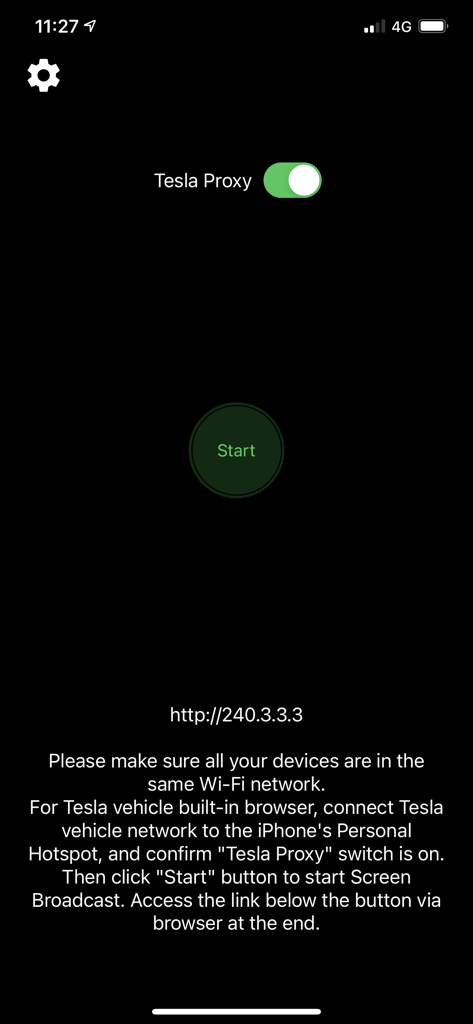
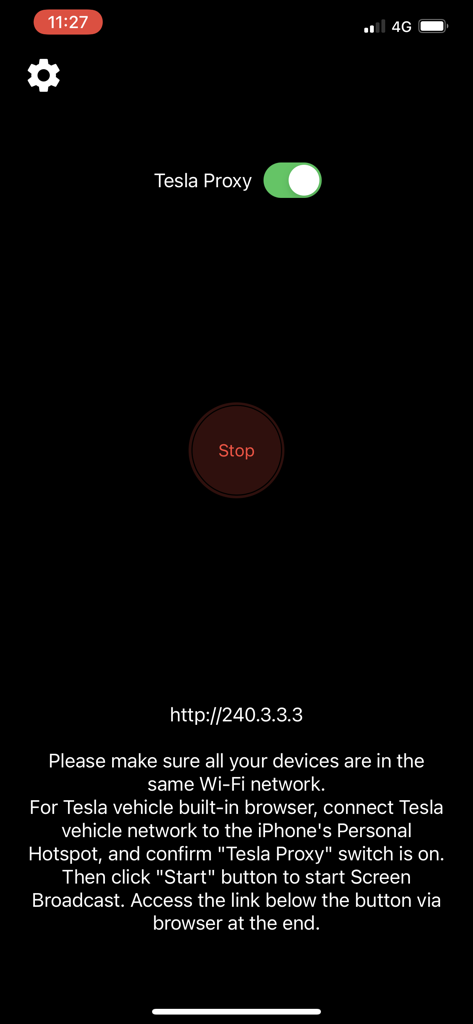
Interfaz de la aplicación TslaMirror con el interruptor Tesla Proxy y el botón de inicio

Interfaz de la aplicación TslaMirror con el interruptor Tesla Proxy y el botón de inicio

Interfaz de la aplicación TslaMirror que muestra el proxy de Tesla habilitado e instrucciones de conexión.

Interfaz de la aplicación TslaMirror que muestra el proxy de Tesla habilitado e instrucciones de conexión.

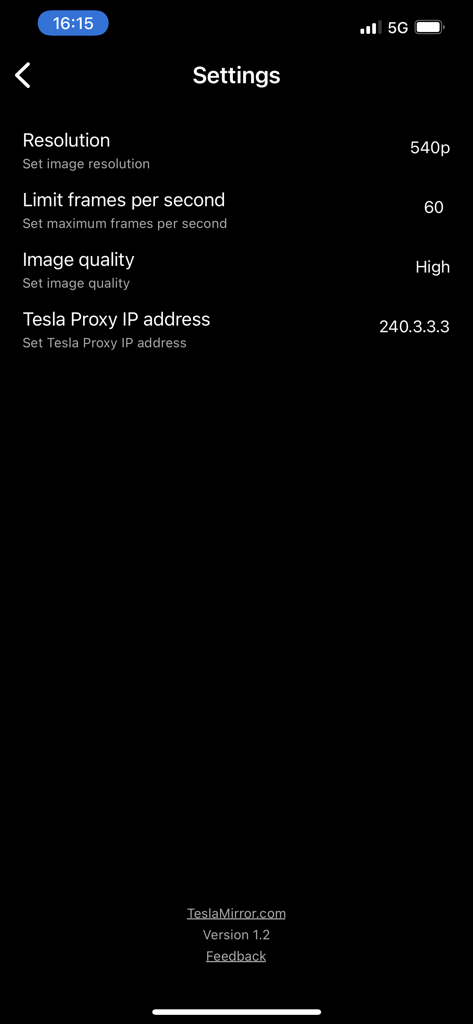
Menú de configuración de la aplicación TslaMirror que muestra opciones para la resolución, la velocidad de fotogramas y la dirección IP del proxy.

Menú de configuración de la aplicación TslaMirror que muestra opciones para la resolución, la velocidad de fotogramas y la dirección IP del proxy.

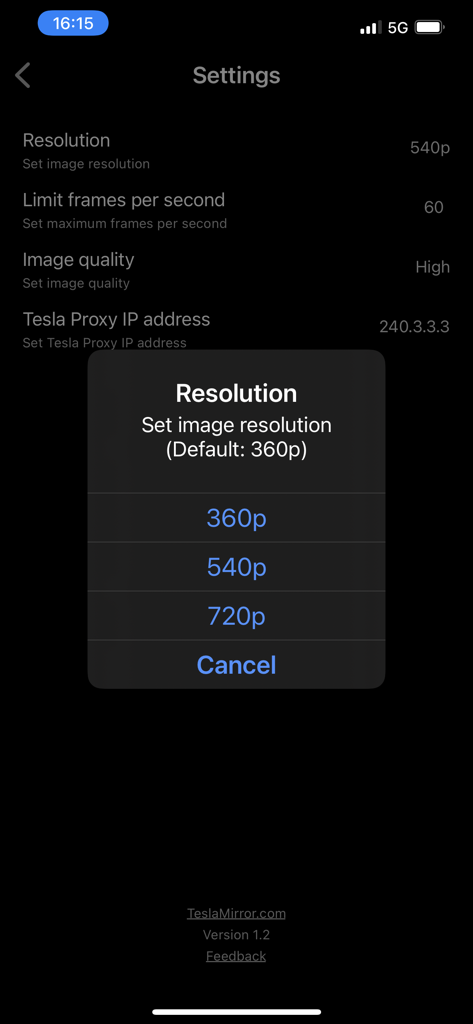
Menú de configuración de la aplicación TslaMirror con una ventana emergente de selección de resolución que muestra opciones para 360p, 540p y 720p

Menú de configuración de la aplicación TslaMirror con una ventana emergente de selección de resolución que muestra opciones para 360p, 540p y 720p

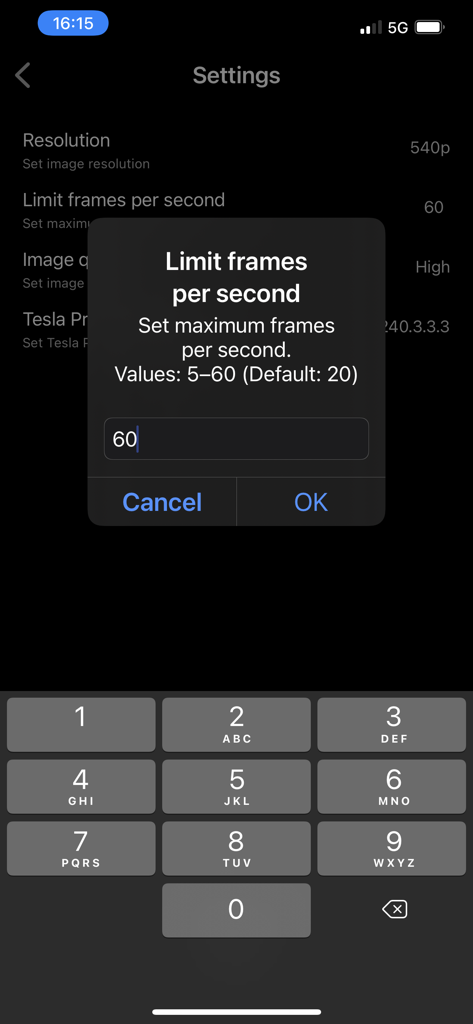
Interfaz de configuración de la aplicación TslaMirror para limitar los fotogramas por segundo

Interfaz de configuración de la aplicación TslaMirror para limitar los fotogramas por segundo

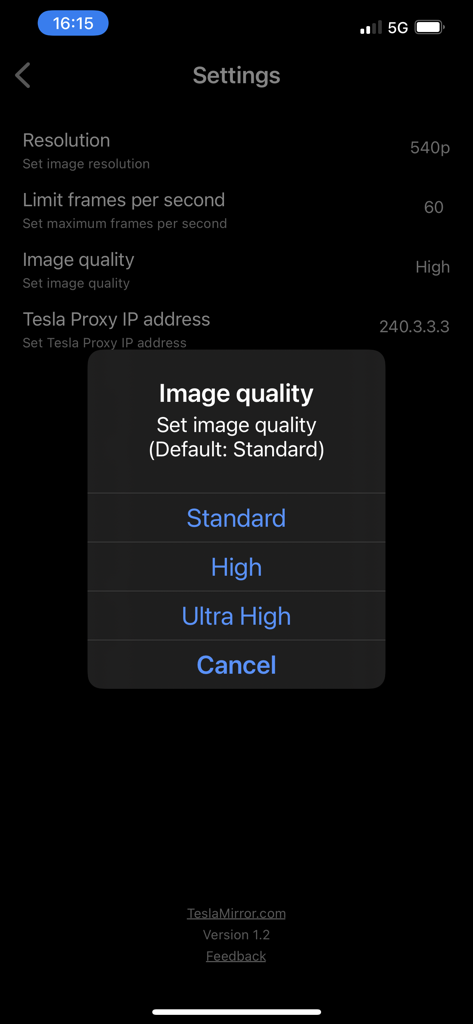
Pantalla de configuración de la aplicación TslaMirror que muestra un menú emergente para seleccionar la calidad de imagen de Estándar, Alta o Ultra Alta.

Pantalla de configuración de la aplicación TslaMirror que muestra un menú emergente para seleccionar la calidad de imagen de Estándar, Alta o Ultra Alta.

Desbloquea el potencial de tu salpicadero

Las herramientas que hacen destacar esta app, elegida por 62K+ usuarios.

📱

Reflejo de aplicaciones a gran escala

Deja de entrecerrar los ojos a tu teléfono. Utiliza la masiva pantalla de 15 pulgadas de tu Tesla para ver tus aplicaciones favoritas de iPhone y herramientas de productividad mientras esperas en el Supercharger.

🛡️

Conexión privada y segura

Tus datos nunca abandonan tu punto de acceso personal. Disfruta de una transmisión directa y segura al navegador de tu coche sin servidores externos, sin seguimiento y sin costes de datos ocultos.

Optimizado para hardware Tesla

Diseñado específicamente para sistemas MCU2 y MCU3, compatible con streaming H.265 de alta fidelidad y hasta 1080p de resolución para procesadores Intel Atom y AMD Ryzen.

Sobre la app

Todo lo que necesitas saber sobre TslaMirror.

Descripción

One-week free trial. TslaMirror is an app designed to mirror your iPhone apps to your Tesla’s built-in browser. Instructions for the Tesla built-in browser: 1. If possible, update your Tesla’s infotainment system to the most recent version. 2. Make sure the vehicle is PARKED (0 mph / 0 km/h). 3. Connect your Tesla to your iPhone Personal Hotspot (cellular data required). MCU2 or MCU3 hardware is required: available on Model 3 and Model Y, Model S built after March 2018, Model X built after March 2018, or vehicles upgraded from MCU1 to MCU2/3. 4. Ensure the iPhone is not in Low Power Mode. Launch the TslaMirror app and toggle on “Proxy.” 5. Tap “Start,” then select “Start Broadcast” to begin screen broadcast. 6. In your Tesla’s built-in browser, go to https://TslaMirror.com 7. Pinch in the browser to zoom in or out. 8. In H.264/H.265 mode, lossless audio playback is supported in the browser. 9. In MJPEG mode, only video is mirrored. For audio, use a Bluetooth connection from your iPhone to the Tesla’s speakers. 10. Keep your iPhone unlocked; due to Screen Broadcast API limitations, locking the screen stops casting and requires restarting the broadcast. Key Features 1. No additional internet traffic is used for mirroring; traffic stays on the iPhone’s Personal Hotspot. However, while the Tesla is connected to the hotspot, the vehicle may use your cellular data for its own internet access. 2. Private: the screencast is only available to devices connected to the iPhone Personal Hotspot Wi-Fi network. 3. A 5 GHz Personal Hotspot (supported from the iPhone 12 series) is highly recommended. Do not enable “Maximize Compatibility” on iPhone 12 models; enabling it forces a 2.4 GHz hotspot. 4. H.264/H.265 mirroring recommendations: – MCU3 (AMD Ryzen): H.265 mode with 720p@60 fps recommended, as 1080p requires higher bandwidth. MCU3 supports up to 1080p@60fps (H.264 and H.265). - H.265 playback is supported only on MCU3 or newer hardware. If your browser runs on MCU3 or higher-performance hardware, we recommend choosing H.265. H.265 delivers the best video quality. – MCU2 (Intel Atom): H.264 mode with 540p@30fps recommended. FAQ 1. This is not CarPlay. 2. iOS apps that use the AVPlayer framework (e.g., Apple Music, Netflix) are not supported. 3. Netflix is not supported. Privacy/Security Notice: This app does not collect usage statistics, personal information, or analytics. On iOS 13 and later, it uses Location Services only to read the Wi-Fi network name (SSID). Location data is never stored or collected. No information is stored by us. Disclaimer: This software and documentation are not affiliated with or endorsed by Tesla, Inc. Use at your own risk. We do not guarantee proper functioning. Some features require specific vehicle options (e.g., MCU2 or newer). The app uses interfaces similar to those used by official Tesla apps, but you are responsible for any changes to your car resulting from use. Use requires the vehicle’s built-in browser. We are not liable for any damages to you, your car, or any other property in conjunction with the use of this app. Warning and Legal Disclaimer: Use only while PARKED (0 mph / 0 km/h). Local laws may restrict the use of a built-in web browser in a vehicle. Terms of Use (EULA): https://teslamirror.com/terms.html Privacy Policy: https://teslamirror.com/privacy.html

Última versión

9.56

Tamaño

13.1 MB

Fecha de lanzamiento

11 dic 2020

Desbloquea el salpicadero que mereces

Únete a más de 62.000 entusiastas de Tesla. Comienza tu prueba gratuita de una semana hoy mismo y experimenta el reflejo perfecto de iPhone durante tu próxima sesión de Supercharger.

Descargar en App Store

App information, icons, screenshots, and descriptions displayed on this page are sourced from the Apple App Store and are the property of their respective developers. Download estimates and rankings are based on MWM's proprietary models and may not reflect actual figures. This page is provided for informational and analytical purposes only.

Believe this page infringes your intellectual property? File a dispute