TV Remote Control - Universal

TV Remote Control - Universal

Descargar en App Store
Logo de TV Remote Control - Universal

Control Remoto TV - Universal: Una Aplicación Potente para Cada Pantalla de tu Hogar

Deja de buscar controles remotos perdidos y deshazte del desorden. Controla todos tus Smart TVs y reproductores de streaming desde tu iPhone con escritura rápida de teclado y conexiones locales 100% privadas.

Descargar en App Store

Editor

Oleksandr Bilyk

Categoría

Utilities

Descargas

600

Valoración

1.0/5

Total valoraciones

0

Idiomas

20

Tu Control Remoto, Reimaginado

Descubre la interfaz utilizada por 600 usuarios.
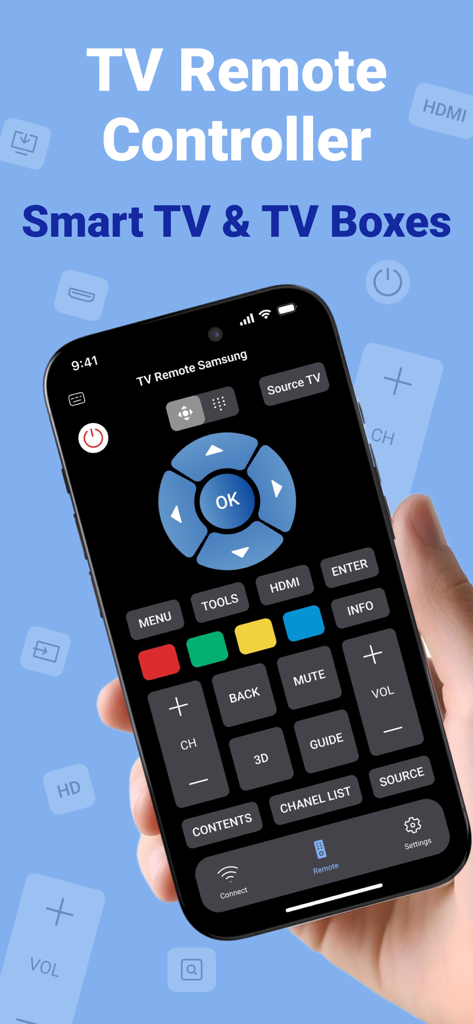
Pantalla de smartphone que muestra la interfaz de usuario de una aplicación de control remoto de TV universal para Smart TVs y cajas de TV.

Pantalla de smartphone que muestra la interfaz de usuario de una aplicación de control remoto de TV universal para Smart TVs y cajas de TV.

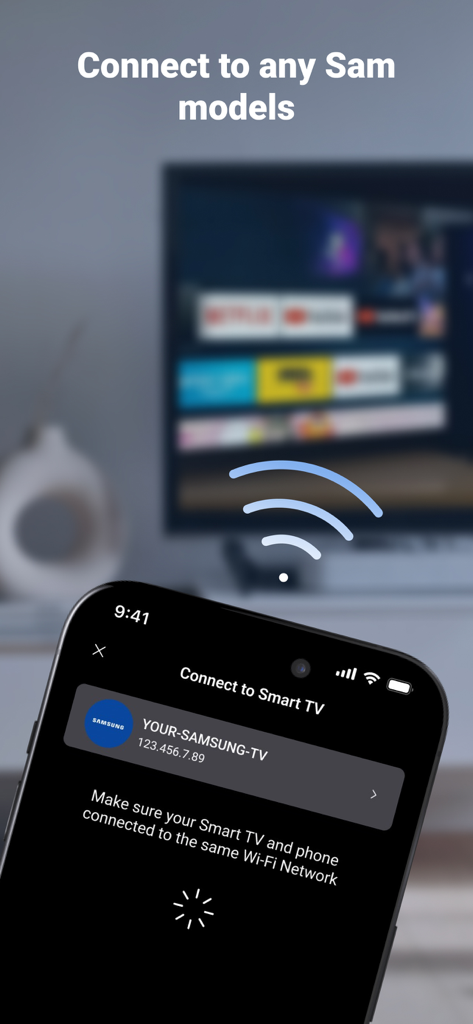
Interfaz de la aplicación de smartphone conectándose a un Smart TV Samsung en una red Wi-Fi local

Interfaz de la aplicación de smartphone conectándose a un Smart TV Samsung en una red Wi-Fi local

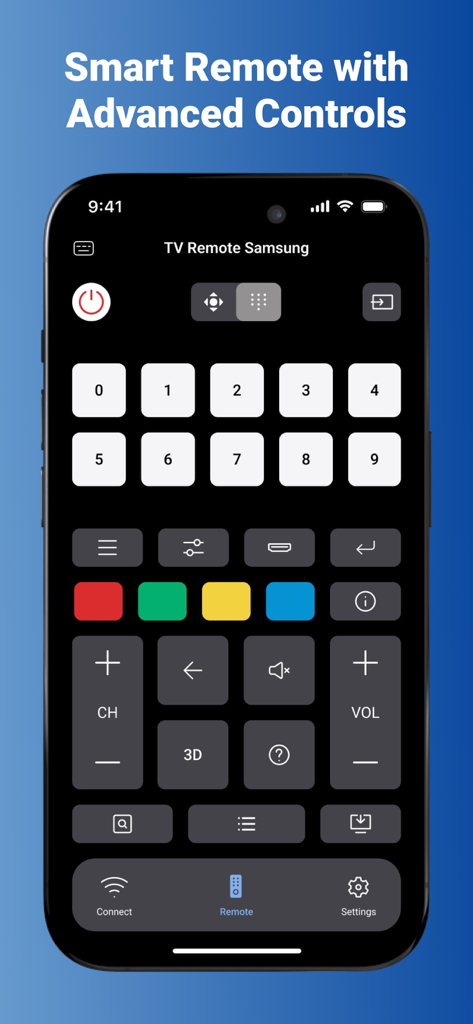
Interfaz de aplicación de control remoto de Smart TV con teclado numérico y botones de control avanzados en una pantalla de smartphone.

Interfaz de aplicación de control remoto de Smart TV con teclado numérico y botones de control avanzados en una pantalla de smartphone.

Domina tu Entretenimiento en Casa

Las herramientas que hacen destacar esta app, elegida por 600 usuarios.

📱

Control Universal

Elimina el desorden de la mesa de centro. Controla múltiples marcas de TV y reproductores de streaming desde una única interfaz intuitiva en tu iPhone.

⌨️

Escritura sin Esfuerzo

Olvídate del frustrante mando direccional. Usa el teclado de tu teléfono para buscar películas al instante, ingresar contraseñas y navegar por las aplicaciones.

🔒

Local y Privado

Tu seguridad importa. Utilizamos conexiones de red locales que nunca salen de tu dispositivo, manteniendo tus datos alejados de terceros.

Sobre la app

Todo lo que necesitas saber sobre TV Remote Control - Universal.

Descripción

Connect to any Smart TV models and TV Boxes with the Universal TV Remote Control - Smart TV app. How it works: 1. Allow access to your local network. 2. Find your Smart TV or TV Box in the list and connect to it. 3. Enjoy watching TV. Features: - Stable setting for any Smart TV models or TV Boxes. - Connect to any Smart TV models or TV Boxes. - Full Remote Control. - Unlimited TV connections. - More channels. - Access to apps on Smart TV models or TV Boxes. - Advanced controls. - No ads in the app. Local connection security: All connections to your local network and TV locally on your device, they are not available to us, nor to third parties. ** DISCLAIMER ** - This app is independently developed with the goal of enhancing the user experience for Samsung TV owners or any other brand.. - It is important to note that this app is not the official Samsung TV remote app or any other brand remote app. - This app and its developer, Oleksandr Bilyk Inc., are not affiliated with or endorsed by Samsung Electronics in any way. - TV Remote Control is also not affiliated with or endorsed by any of the companies featured in the App bar. Subscription pricing and terms: Premium subscriptions are available to get full access in the app with flexible plans with a 3 days trial period and one lifetime in-app purchase. This app includes an auto-renewable subscription (Premium Subscription): Premium Subscription provides all features. And you get full access to the app. Payment will be charged to your Apple account at confirmation of purchase and will automatically renew (at the duration/price selected) unless auto-renew is turned off at least 24 hours before the end of the current period. Account will be charged for renewal within 24-hours prior to the end of the current period. Current subscription may not be cancelled during the active subscription period. You can manage your subscription and/or turn off auto-renewal by visiting your Apple Account Settings after purchase. Also you can tap the "Manage Subscription" menu option in the App Settings. Any unused portion of the free initial period will be forfeited when you purchase a subscription. Manage Subscription: https://docs.google.com/document/d/1_yoehhGaH0NVu2F397yXGHk6W0nMWVMgpUWlcGNT0v0/edit?usp=sharing Privacy Policy: https://docs.google.com/document/d/1_msWIFjybOXmRl4PlxXF2E_If9OF9SIT8aIP4MYHSeE/edit?usp=sharing Terms of Use: https://docs.google.com/document/d/1bKQBYiMNf7crCuTuxwxNSC1Pe0hrVg_2MX0MLD3gksA/edit?usp=sharing

Última versión

1.3.0

Tamaño

26.7 MB

Fecha de lanzamiento

12 ago 2024

Toma el Control de Cada Pantalla en tu Hogar

Deshazte del desorden y deja de buscar el control remoto. Descarga el control universal más seguro y sin anuncios para tu iPhone y empieza a ver en segundos.

Descargar en App Store

App information, icons, screenshots, and descriptions displayed on this page are sourced from the Apple App Store and are the property of their respective developers. Download estimates and rankings are based on MWM's proprietary models and may not reflect actual figures. This page is provided for informational and analytical purposes only.

Believe this page infringes your intellectual property? File a dispute