Vocal Gauge: Range Transposer

Vocal Gauge: Range Transposer


Descargar en App Store
Logo de Vocal Gauge: Range Transposer

Vocal Gauge: Encuentra Tu Tono Perfecto Para Cada Canción en Segundos

La herramienta profesional para líderes de adoración, streamers y músicos de conciertos para transponer pistas al instante, proteger su voz y actuar con total confianza.

Descargar en App Store

Editor

Pirone Entertainment, LLC

Categoría

Music

Descargas

2K+

Valoración

4.8/5

Total valoraciones

0

Idiomas

1

Tu Voz, Visualizada

Descubre la interfaz utilizada por 2K+ usuarios.
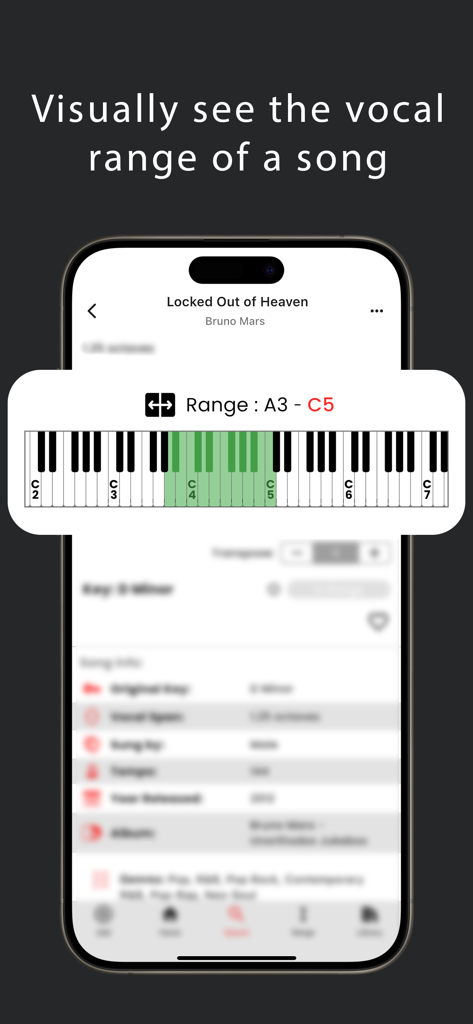
La aplicación Vocal Gauge mostrando el rango vocal de Locked Out of Heaven de Bruno Mars en un teclado de piano

La aplicación Vocal Gauge mostrando el rango vocal de Locked Out of Heaven de Bruno Mars en un teclado de piano

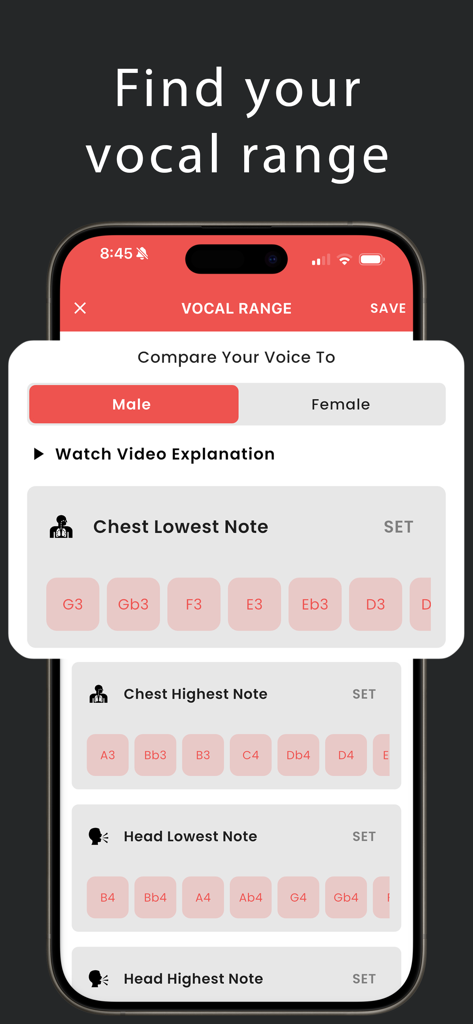
Interfaz de la aplicación Vocal Gauge mostrando la pantalla Encontrar Rango Vocal con configuraciones para notas de voz de pecho y cabeza

Interfaz de la aplicación Vocal Gauge mostrando la pantalla Encontrar Rango Vocal con configuraciones para notas de voz de pecho y cabeza

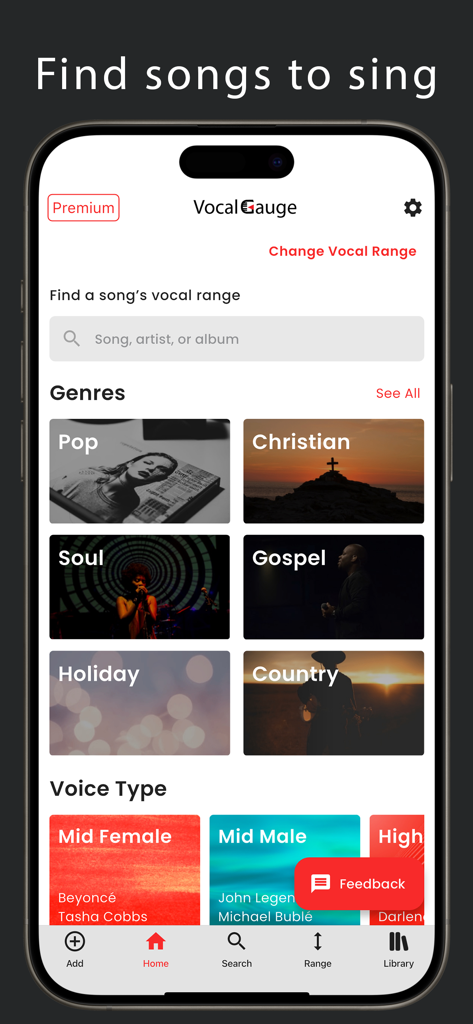
Pantalla de inicio de la aplicación Vocal Gauge mostrando géneros musicales y categorías de tipo de voz para el descubrimiento de canciones

Pantalla de inicio de la aplicación Vocal Gauge mostrando géneros musicales y categorías de tipo de voz para el descubrimiento de canciones

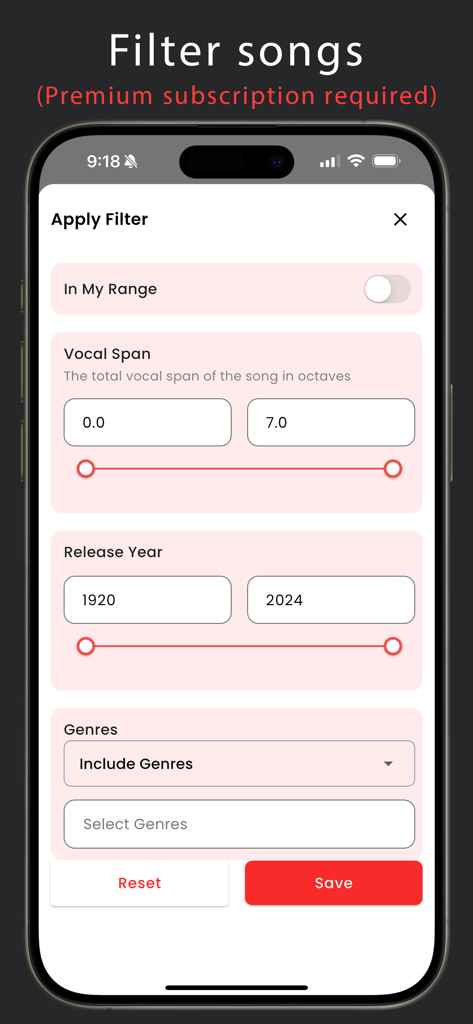
Filtrar canciones en Vocal Gauge por extensión vocal, año de lanzamiento y género.

Filtrar canciones en Vocal Gauge por extensión vocal, año de lanzamiento y género.

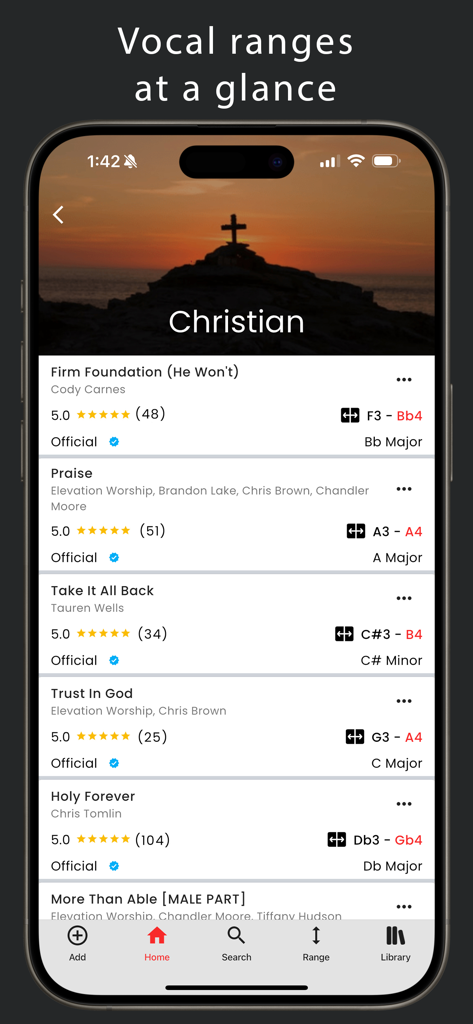
La aplicación Vocal Gauge mostrando una lista de canciones de adoración cristianas con sus respectivos rangos vocales y tonos musicales

La aplicación Vocal Gauge mostrando una lista de canciones de adoración cristianas con sus respectivos rangos vocales y tonos musicales

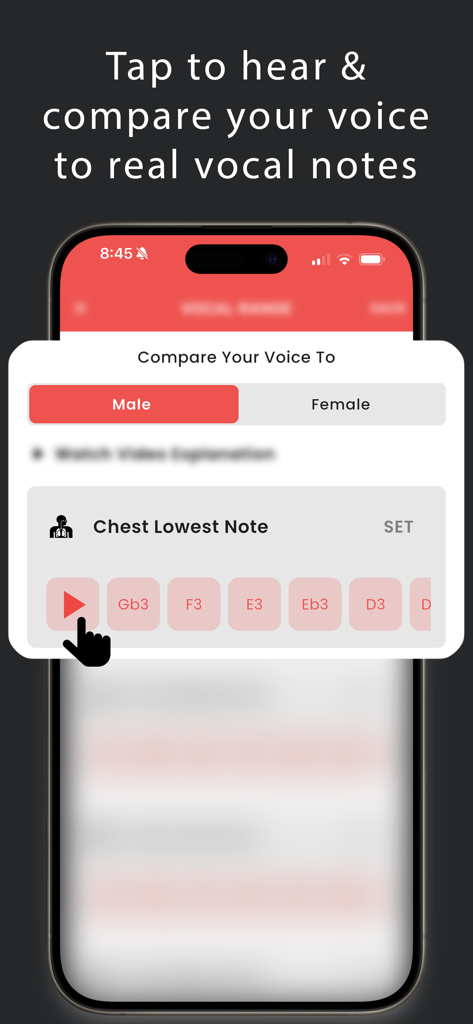
Interfaz para comparar el rango vocal con notas vocales reales de hombre o mujer

Interfaz para comparar el rango vocal con notas vocales reales de hombre o mujer

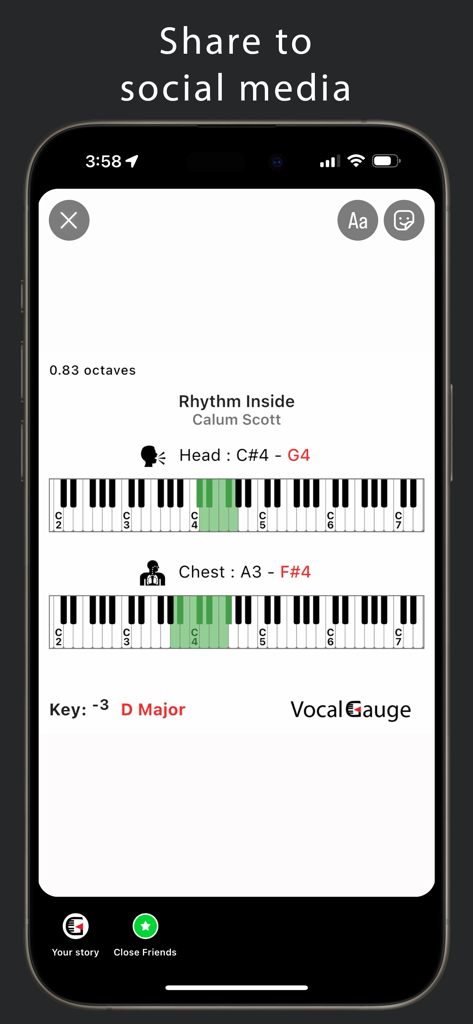
Captura de pantalla de la aplicación Vocal Gauge que muestra el rango vocal y el tono de una canción preparados para compartir en redes sociales con visualizaciones de teclado.

Captura de pantalla de la aplicación Vocal Gauge que muestra el rango vocal y el tono de una canción preparados para compartir en redes sociales con visualizaciones de teclado.

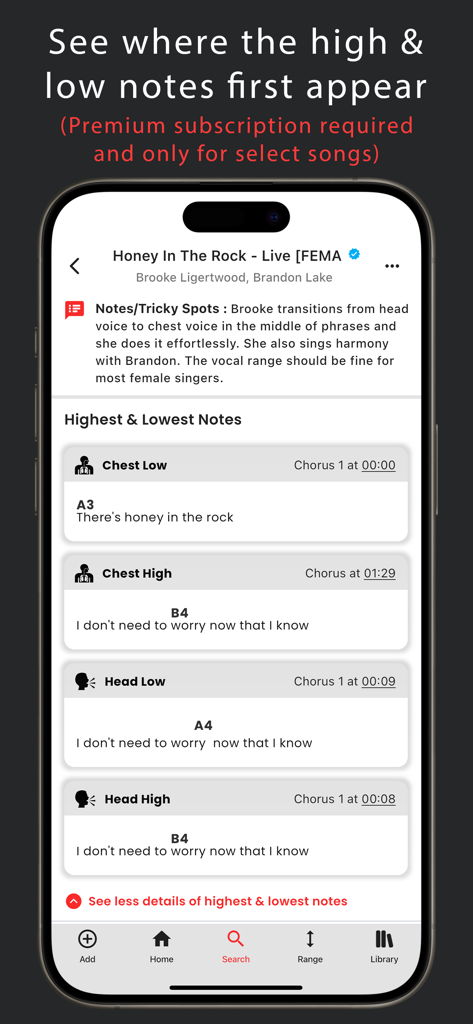
Una pantalla de aplicación móvil que muestra información detallada del rango vocal de una canción, incluyendo marcas de tiempo para las notas más altas y bajas de voz de pecho y cabeza.

Una pantalla de aplicación móvil que muestra información detallada del rango vocal de una canción, incluyendo marcas de tiempo para las notas más altas y bajas de voz de pecho y cabeza.

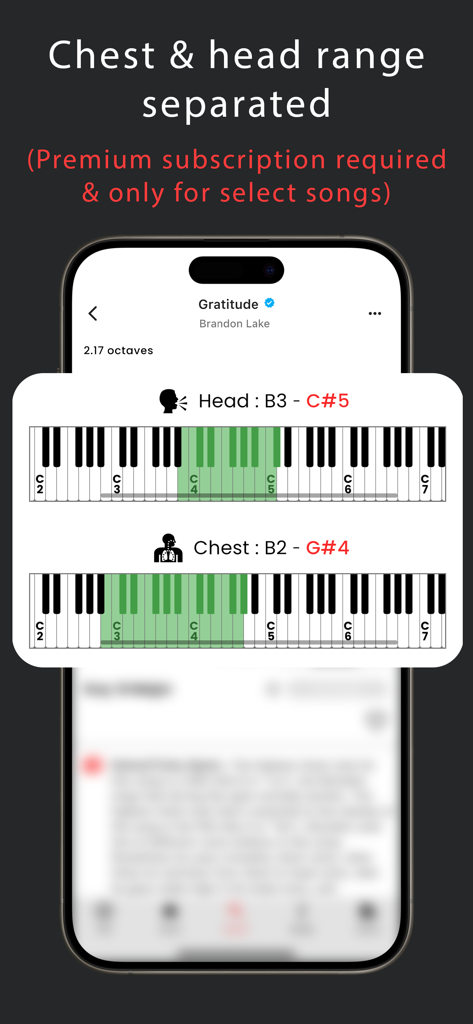
La aplicación Vocal Gauge mostrando rangos separados de voz de pecho y cabeza en un teclado de piano virtual para una canción.

La aplicación Vocal Gauge mostrando rangos separados de voz de pecho y cabeza en un teclado de piano virtual para una canción.

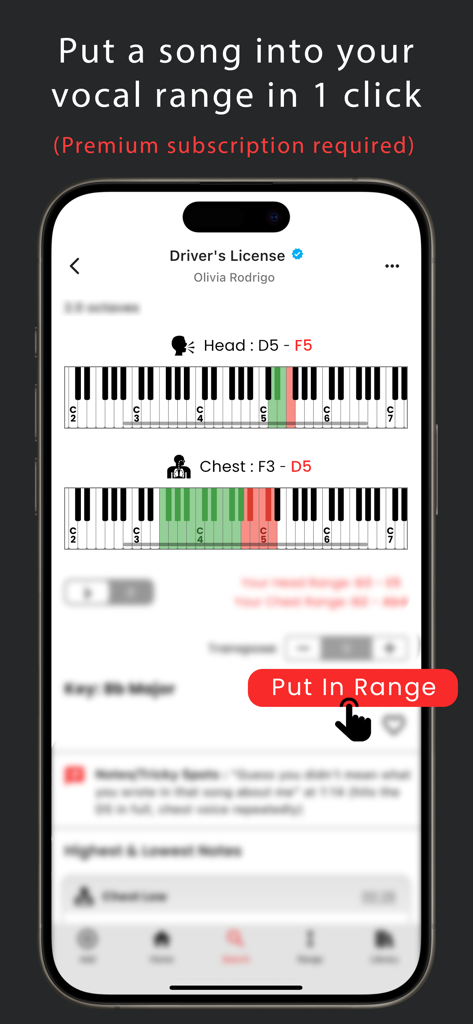
Un teléfono móvil mostrando la interfaz de la aplicación Vocal Gauge resaltando la función Poner en Rango para cantantes.

Un teléfono móvil mostrando la interfaz de la aplicación Vocal Gauge resaltando la función Poner en Rango para cantantes.

Canta con Total Confianza

Las herramientas que hacen destacar esta app, elegida por 2K+ usuarios.

🎯

Poner en Rango al Instante

Elimina las matemáticas. Un toque transpón cualquier canción para que se ajuste perfectamente a tu voz, para que puedas concentrarte en la actuación, no en la teoría.

🎹

Mapeo Visual del Rango

Visualiza tus límites vocales mapeados contra cualquier canción. Nuestro teclado verde y rojo te ayuda a evitar la tensión y a mantenerte en tu zona de potencia.

🎤

Diseñado para Actuaciones en Vivo

Desde sets de adoración hasta solicitudes de transmisión en vivo, organiza tu repertorio en carpetas y accede a tus tonos transpuestos en segundos.

Sobre la app

Todo lo que necesitas saber sobre Vocal Gauge: Range Transposer.

Descripción

Discover your vocal range and place a song into your range FAST! Vocal Gauge helps you find the perfect key to sing a song in so you can spend more time practicing and less time figuring out which key to sing in. Visually see on a keyboard where your vocal range is and where a song’s vocal range is. If the keys are green, those notes are in your vocal range and if the keys are red, those notes are out of your vocal range. Tap the key of the song and a piano chord will play to establish the key. Tap the highest and lowest notes of the song and hear it played back on piano. Search for a song and see a list of results with each song’s vocal range and key neatly displayed. For finding your vocal range, you’ll be able to compare your voice to real vocal notes (male or female) instead of piano sounds so you can make sure you’re in the correct octave. CREATE SET LISTS AND FOLDERS Add songs from our database to a set list so you’ll be ready for your next rehearsal or gig. ADD With our Add feature, experienced musicians/singers have the ability to submit vocal ranges of songs to our database and once approved, these songs will be added to our public catalog. SHARE TO SOCIAL MEDIA Share the vocal range of a song with friends on social media PREMIUM SUBSCRIPTION FEATURES: Access to the “Put In Range” button which puts a song into your vocal range instantly and the new key is displayed. Transpose up or down by half step increments and see the new key displayed. Find songs to sing using filters like "In Your Range", vocal span, release year, and/or genres. For Official songs only, you’ll see where the highest & lowest notes first appear and at what lyric. Our “Notes/Tricky Spots” section will give you additional information on singing the song. We're constantly adding new songs and improving our database every month! Disclaimer: Song playback is not currently supported in Vocal Gauge, but this is something we would like to add in the future with your ongoing support of our Premium subscription plan. HOW SUBSCRIPTIONS WORK: - All recurring subscriptions will auto-renew unless auto-renewal is turned off at least 24 hours before the end of the current period. - Account will be charged for renewal within 24-hours prior to the end of the current period, at the cost of the chosen package. - Any unused portion of a free trial period, if offered, will be forfeited when the user purchases a subscription to that plan, where applicable. - Subscriptions may be managed by the user and auto-renewal may be turned off by going to the user's iTunes Account Settings after purchase. - Your subscription is for your iTunes account and can be used on your iOS device. - Payments will be charged to your iTunes account at confirmation of purchase. - Subscriptions cannot be cancelled during the active subscription period. WHO IS THIS APP FOR? Vocal Gauge is a great tool for live streamers and live musicians who get requests to sing songs on the fly and they need to quickly put the song into their vocal range. Vocal Gauge is also a great tool for Christian musicians who need to put a song into their vocal range quickly so they can spend more time rehearsing and worshipping in church and less time figuring out which key to sing a song in. Beginner singers may get something out of this app, but this app was designed with the intermediate to advanced singer in mind. Send us your feedback at: support@vocalgauge.com https://vocalgauge.com/terms-and-conditions/ https://vocalgauge.com/privacy-policy/

Última versión

1.0.32

Tamaño

114.7 MB

Fecha de lanzamiento

24 ago 2022

Deja de Adivinar. Empieza a Cantar.

Únete a miles de artistas y líderes de adoración que usan Vocal Gauge para encontrar su tono perfecto al instante. Protege tu voz y domina tu setlist hoy mismo.

Descargar en App Store

App information, icons, screenshots, and descriptions displayed on this page are sourced from the Apple App Store and are the property of their respective developers. Download estimates and rankings are based on MWM's proprietary models and may not reflect actual figures. This page is provided for informational and analytical purposes only.

Believe this page infringes your intellectual property? File a dispute