Watch Cam for Nest Cam

Watch Cam for Nest Cam

Descargar en App Store
Logo de Watch Cam for Nest Cam

Watch Cam para Nest Cam: Su hogar, justo en su muñeca

Supervise transmisiones en vivo sin problemas, use atajos de Siri y gestione el estado En casa/Ausente directamente desde su Apple Watch. Manténgase conectado con el soporte LTE y capturas rápidas en su esfera de reloj: privado, seguro y diseñado para su estilo de vida activo.

Descargar en App Store

Editor

Marko Radakovic

Categoría

Lifestyle

Descargas

122K+

Valoración

3.8/5

Total valoraciones

100

Idiomas

1

Seguridad de un vistazo

Descubre la interfaz utilizada por 122K+ usuarios.
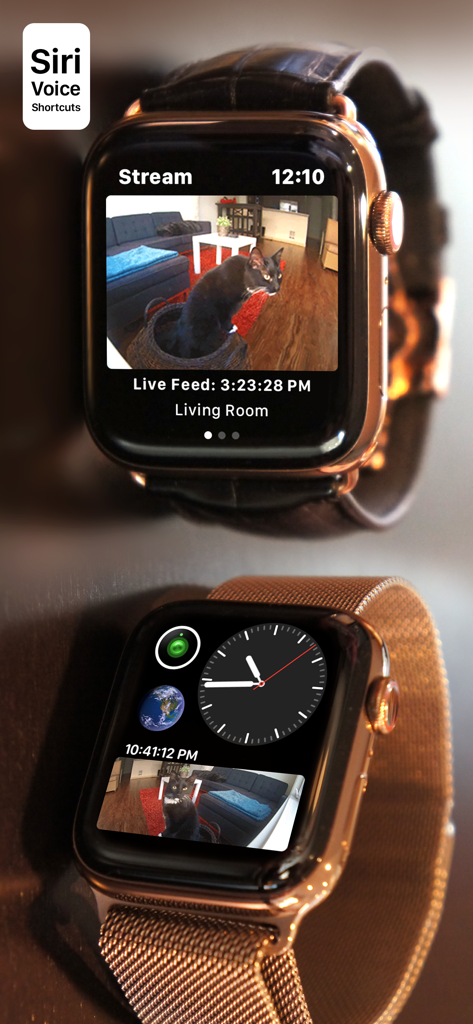
Apple Watch que muestra una transmisión de cámara Nest en vivo y una complicación en la esfera del reloj

Apple Watch que muestra una transmisión de cámara Nest en vivo y una complicación en la esfera del reloj

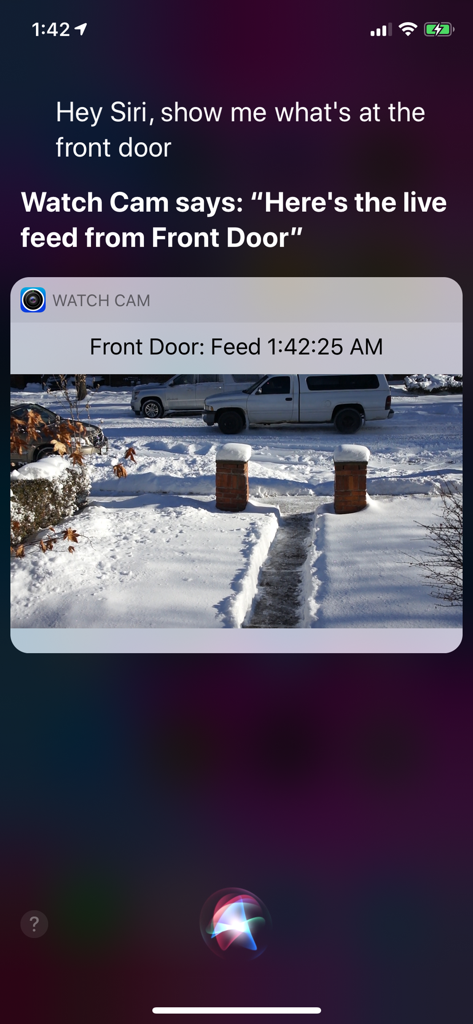
Pantalla de iPhone que muestra a Siri visualizando una transmisión en vivo de la cámara Nest a través de la aplicación Watch Cam.

Pantalla de iPhone que muestra a Siri visualizando una transmisión en vivo de la cámara Nest a través de la aplicación Watch Cam.

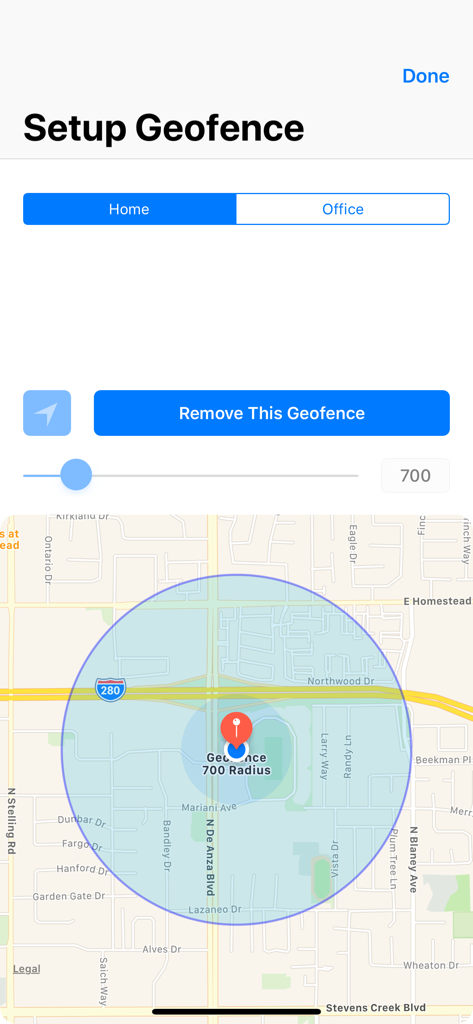
Interfaz para configurar una geovalla doméstica con un mapa y control de radio

Interfaz para configurar una geovalla doméstica con un mapa y control de radio

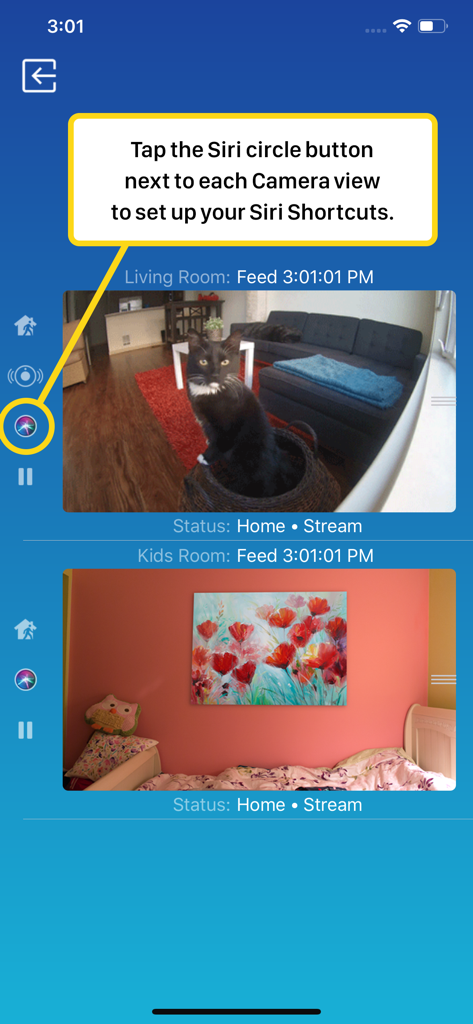
Interfaz de teléfono inteligente de Watch Cam para Nest Cam que muestra transmisiones de cámara en vivo y configuración de atajos de Siri

Interfaz de teléfono inteligente de Watch Cam para Nest Cam que muestra transmisiones de cámara en vivo y configuración de atajos de Siri

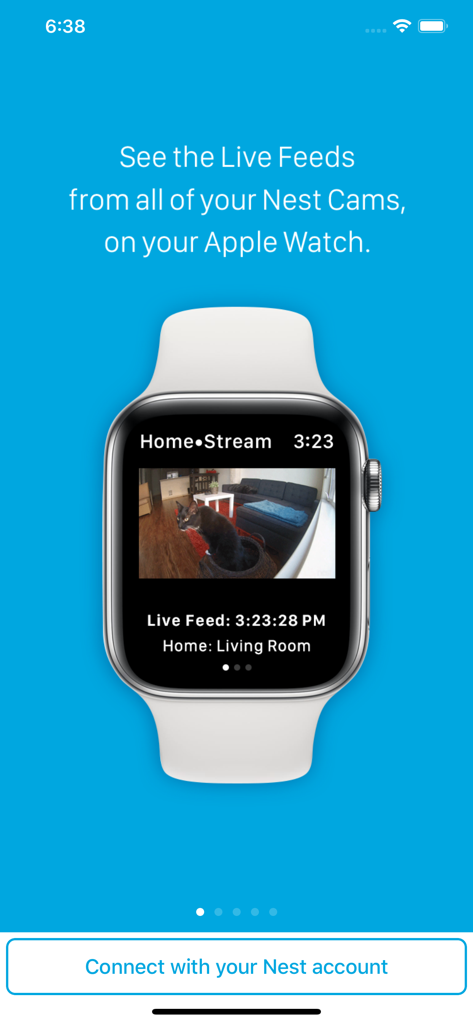
Un Apple Watch que muestra una transmisión de video en vivo de una cámara de seguridad Nest mostrando a un gato en una sala de estar

Un Apple Watch que muestra una transmisión de video en vivo de una cámara de seguridad Nest mostrando a un gato en una sala de estar

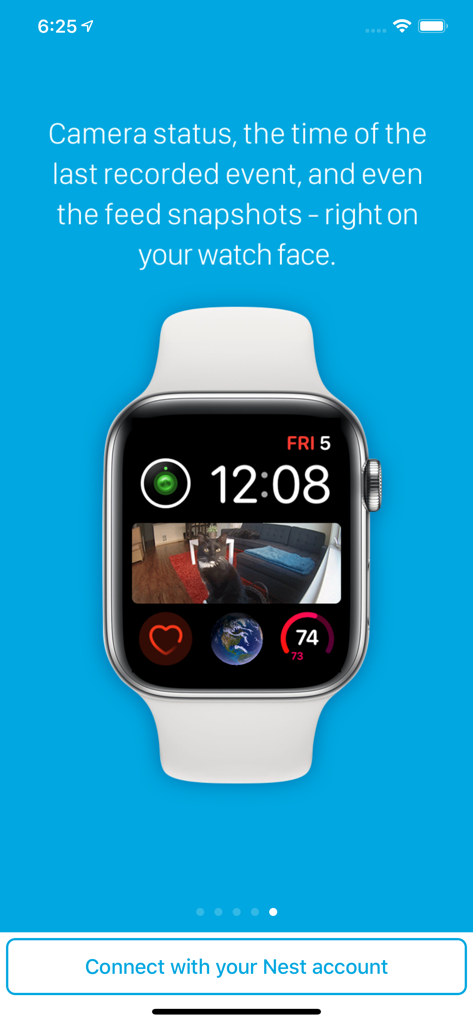
Esfera de Apple Watch que muestra una complicación de captura de cámara Nest de un gato en un sofá

Esfera de Apple Watch que muestra una complicación de captura de cámara Nest de un gato en un sofá

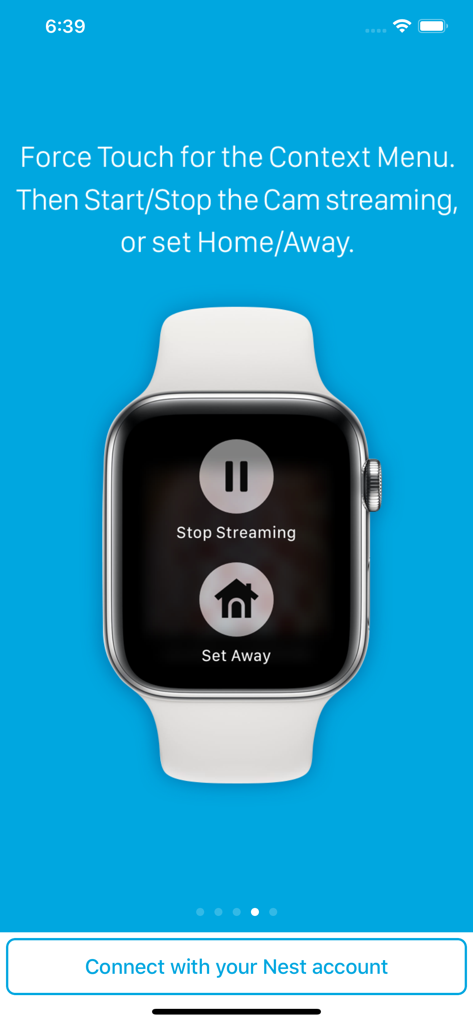
Apple Watch que muestra los botones Detener transmisión y Establecer como ausente para cámaras Nest

Apple Watch que muestra los botones Detener transmisión y Establecer como ausente para cámaras Nest

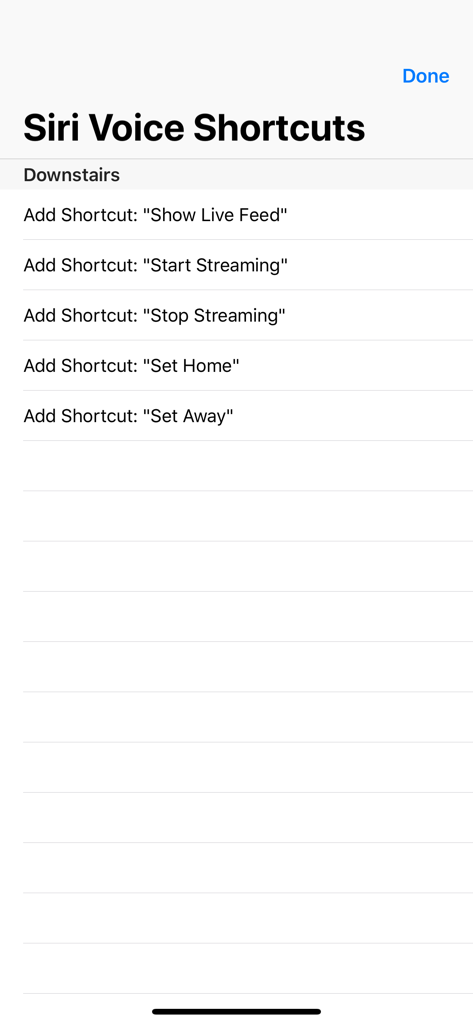
Una lista de opciones de atajos de voz de Siri para controlar cámaras Nest, que incluye mostrar transmisión en vivo y establecer el estado en casa o ausente

Una lista de opciones de atajos de voz de Siri para controlar cámaras Nest, que incluye mostrar transmisión en vivo y establecer el estado en casa o ausente

Su hogar, a solo un vistazo

Las herramientas que hacen destacar esta app, elegida por 122K+ usuarios.

Verdadera libertad sin teléfono

Manténgase conectado incluso cuando deje su iPhone. Nuestro soporte LTE completo le permite ver transmisiones en vivo directamente en su Apple Watch mientras corre o hace recados.

🖼️

Seguridad de un vistazo

Deje de buscar su teléfono. Agregue complicaciones personalizadas a su esfera de reloj para ver capturas instantáneas de la cámara en el momento en que levante la muñeca.

🗣️

Control de Siri manos libres

Multitarea simplificada. Use atajos de voz de Siri para ver transmisiones en vivo o cambiar los estados En casa/Ausente cuando tenga las manos ocupadas con las compras o los niños.

Sobre la app

Todo lo que necesitas saber sobre Watch Cam for Nest Cam.

Descripción

Apple Watch, Nest Cam, and Siri together. What a sight! The app has Siri Voice shortcuts, and they can be used to set your home into Away or Home state using Siri on your Watch or iPhone, as well as to display the live feeds from your cameras. The app supports Apple Watch LTE, and can work when the iPhone is not around - as long as the watch itself has internet access (either LTE or WiFi). The app is fully functional with the initial purchase. In-app purchases are available only for tipping the developer. Watch Cam lets you monitor all your Nest Cams from the Apple Watch. • From the watch face, tap on the Watch Cam complication to open the app. Swipe left and right to view life feeds from all your Nest Cams. • One of the watch complications shows you the snapshot from the camera of your choice, right on the watch face. • View the continuously updated Live Feed from the camera in the watch app, iOS app, or with Siri. Newer cameras show live video in the iOS app and Siri. Older cameras show snapshot images that update every second. The feed updates with a new snapshot image every few seconds on the Watch - may be faster or slower, depending on your network speed. • Use the digital crown on the Watch to zoom in and out, or tap the screen to toggle zoom levels. • Use the pinch gesture on the camera views in the iOS app to zoom in and out. Single tap toggles the zoom level in the iOS app and the iOS widget. • Turn the device to landscape mode to increase the camera views sizes. • Double tap on the Live Feed view in the iOS app or the widget to launch the Nest app. • Set Geofence around your home to reliably set the Home and Away state when you come and go. Watch Face Complications can display the following: • Snapshot from the camera of your choice. • Camera icon that opens the app. You can long-press the Watch screen for additional functions, like setting the home/away status, or turning the camera streaming on and off. While the app's minimalist looks betray the simplicity of its operation, what they don't show is the amount of planning, design, development and refinement that went into it, ensuring it becomes something that is enjoyable to use and experience. Please Note: Watch Cam does not collect any of your data. Your login information, camera feeds, and any activity - all of it flows exclusively between your devices and Nest. Author of Watch Cam does not receive any of it, at any point. This app and its developer are unaffiliated with Google Inc. or Google Nest. Nest is a trademark of Google Inc.

Última versión

8.7.1

Tamaño

16.7 MB

Fecha de lanzamiento

22 nov 2016

Su hogar, a solo un vistazo

Únase a más de 122,000 usuarios que han cerrado la brecha entre Nest y el Apple Watch. Descárguelo ahora para un monitoreo privado, sin teléfono y un control de Siri perfecto.

Descargar en App Store

App information, icons, screenshots, and descriptions displayed on this page are sourced from the Apple App Store and are the property of their respective developers. Download estimates and rankings are based on MWM's proprietary models and may not reflect actual figures. This page is provided for informational and analytical purposes only.

Believe this page infringes your intellectual property? File a dispute