WhatsAgain for WhatsApp
Descargar en App Store

Esta página no es una página oficial de la aplicación ni de su desarrollador, sino una publicación editorial independiente creada con fines informativos y de comentario. Salvo que se indique expresamente lo contrario, ni la aplicación ni su desarrollador están afiliados, respaldados, patrocinados, autorizados ni conectados oficialmente con MWM, Apple, Google Play, el editor de la aplicación ni su desarrollador, y nada en esta página implica que la aplicación haya sido desarrollada utilizando los servicios de MWM. Todas las marcas comerciales, logotipos, capturas de pantalla y demás contenidos son propiedad de sus respectivos propietarios.


Logo de WhatsAgain for WhatsApp
Descargar en App Store

WhatsAgain for WhatsApp

Sincroniza sin problemas múltiples cuentas en tu iPhone y disfruta de la experiencia a pantalla completa que tu iPad ha estado extrañando. La herramienta definitiva para profesionales y multitarea para tender el puente entre el trabajo y la vida.

Cifras Clave

Descargas

228K+

Valoración

4.3/5

Total valoraciones

1K+

Editor

PGD Mobile Development, S.L.

Categoría

Social Networking

Idiomas

1

Última versión

1.21

Tamaño

10.9 MB

Fecha de lanzamiento

3 feb 2019
Funciones

Potencia tu Productividad

Administra múltiples cuentas de WhatsApp sin esfuerzo en tu iPhone y iPad con una interfaz profesional diseñada para tu ajetreado estilo de vida.

Libertad de Doble Cuenta

Elimina la necesidad de dos teléfonos. Ejecuta tus cuentas personales y de trabajo simultáneamente en un solo dispositivo.

Experiencia Nativa de iPad

No más pestañas del navegador. Disfruta de una interfaz de WhatsApp dedicada y a pantalla completa diseñada específicamente para tu flujo de trabajo en iPad.

Las siguientes capturas de pantalla y la descripción provienen directamente del listado oficial de la tienda de la aplicación y son propiedad del desarrollador.

App Store

Capturas
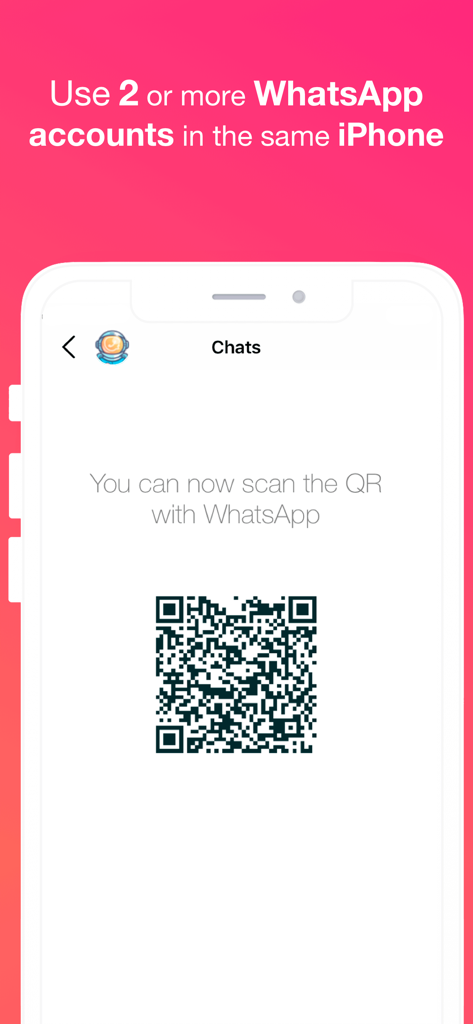
WhatsAgain for WhatsApp - La aplicación WhatsAgain muestra un código QR para sincronizar múltiples cuentas de WhatsApp en un solo iPhone.
La aplicación WhatsAgain muestra un código QR para sincronizar múltiples cuentas de WhatsApp en un solo iPhone.

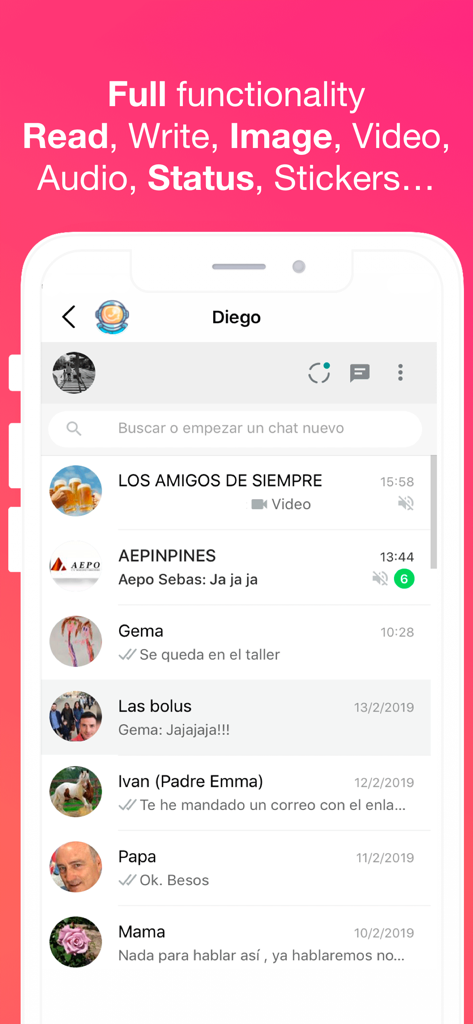
WhatsAgain for WhatsApp - La interfaz de la aplicación WhatsAgain muestra múltiples conversaciones de chat de WhatsApp y funciones compatibles.
La interfaz de la aplicación WhatsAgain muestra múltiples conversaciones de chat de WhatsApp y funciones compatibles.

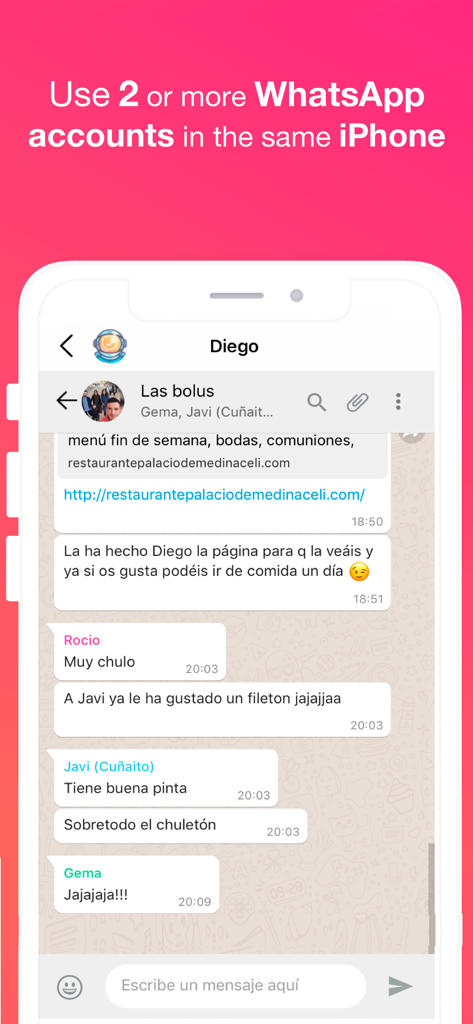
WhatsAgain for WhatsApp - Captura de pantalla de la aplicación WhatsAgain mostrando un chat grupal de WhatsApp en un iPhone con texto sobre el uso de múltiples cuentas.
Captura de pantalla de la aplicación WhatsAgain mostrando un chat grupal de WhatsApp en un iPhone con texto sobre el uso de múltiples cuentas.

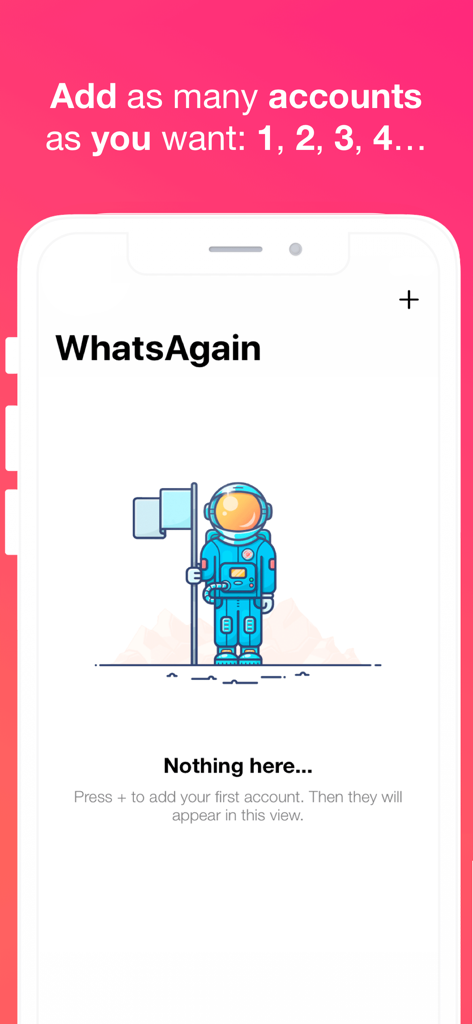
WhatsAgain for WhatsApp - La interfaz de la aplicación WhatsAgain muestra un estado vacío con una ilustración de astronauta e instrucciones para agregar múltiples cuentas de WhatsApp.

La interfaz de la aplicación WhatsAgain muestra un estado vacío con una ilustración de astronauta e instrucciones para agregar múltiples cuentas de WhatsApp.

Descripción

Welcome to WhatsAgain, the application that synchronizes your WhatsApp Web accounts. Yes, you have read well, YOUR ACCOUNTS, in plural, double accounts or multi accounts. And full screen! Read more to learn how to have more than one WhatsApp account on your iPhone, or WhatsApp on iPad, like Whatscan but working xD WhatsAgain allows you to access, through WhatsWeb, all the accounts that you have or need to manage. And also, with all the features you already have, like Whatscan but working xD And, why am I going to need something like that? Well, it's easy. We present to you several scenarios that we use now WhatsAgain. · I have two or more phones with WhatsApp: In this case, WhatsAgain, allows you to have all the WhatsApp accounts on the same device. For example, if you have a personal account, a professional account, and another technical support account. With WhatsAgain, you can access them from a single device. Great, right? How does WhatsAgain work? WhatsAgain works by pairing the official WhatsApp accounts through the WhatsWeb platform. How to match a WhatsApp account with WhatsAgain? · Open WhatsAgain and follow the steps until you see a QR code on the screen. · On the mobile with the WhatsApp account, navigate to 'Settings' -> 'WhatsApp Web / Desktop' -> 'Scan QR code'. · Scan the QR code of the mobile screen with WhatsAgain and wait for the account to load. AND READY!!! Can I stop using my official WhatsApp account on WhatsAgain? Yes of course. You simply have to close the session or the WhatsWeb sessions that you want from your WhatsApp app. SUBSCRIPTION PRICING AND TERMS You can find all related information in these links: PGDMobile / iWazowski.com Terms of Service: https://pgdmobile.com/legal/pdf/Terms_of_Service.pdf PGDMobile / iWazowski.com Privacy Policy: http://pgdmobile.com/legal/pdf/Privacy_Policy.pdf 1) About Subscription: WhatsAgain offers you the following subscription: Monthly Membership offers a monthly subscription for $0.99 after a 3-day free trial. After buying this subscription, you will unlock the following features: Send audio messages, you will be able to signin the app with your Google account, you will be able to save your WhatsApp Web session in the cloud, you will be able to open your stored sessions in other device signing in with your Google account. 2) About end of trial and subscription renewal: This price is for United States customers. Pricing in other countries may vary, and actual charges may be converted to your local currency depending on the country of residence. Your subscription will be charged to your iTunes Account at confirmation of purchase. Subscription automatically renews unless auto-renew is turned off at least 24-hours before the end of the current period. Account will be charged for renewal within 24-hours prior to the end of the current period, and identify the cost of the renewal. Subscriptions may be managed by the user and auto-renewal may be turned off by going to the user's Account Settings after purchase. Any unused portion of a free trial period, if offered, will be forfeited when the user purchases a subscription to that publication, where applicable. 3) About canceling trial or subscription: You can turn off the auto-renew for the subscription whenever you want to through iTunes. Check https://support.apple.com/HT202039. When your current trial/subscription period expires, you will be unsubscribed. The current active subscription period can not be canceled. After your subscription expires, you will no longer have access to premium features. If you have any questions or comments, feel free to contact us at support@iwazowski.com Disclaimer: WhatsAgain is a third-party app for WhatsApp. It does not have, nor does it exist, any commercial relationship, nor is it endorsed or endorsed by WhatsApp, Facebook Inc. or any of its affiliates. The application connects to your official WhatsApp Web account and complies with the terms of use of WhatsApp.

Download

Descargar en App Store

Esta página no es una página oficial de la aplicación ni de su desarrollador, sino una publicación editorial independiente creada con fines informativos y de comentario. Salvo que se indique expresamente lo contrario, ni la aplicación ni su desarrollador están afiliados, respaldados, patrocinados, autorizados ni conectados oficialmente con MWM, Apple, Google Play, el editor de la aplicación ni su desarrollador, y nada en esta página implica que la aplicación haya sido desarrollada utilizando los servicios de MWM. Todas las marcas comerciales, logotipos, capturas de pantalla y demás contenidos son propiedad de sus respectivos propietarios.