WiFi QR Connect

WiFi QR Connect

Descargar en App StoreDescargar en Google Play
Logo de WiFi QR Connect

WiFi QR Connect: La Forma Más Rápida de Escanear, Conectar y Gestionar WiFi

Conéctate a cualquier red en segundos sin escribir ni un solo carácter. Escanea códigos QR desde tu cámara o galería, ve contraseñas guardadas y gestiona tu historial de conexión con facilidad.

Editor

David Serrano Canales

Categoría

Utilities

Descargas

301K+

Valoración

4.7/5

Total valoraciones

600

Idiomas

9

Conéctate en un Instante

Descubre la interfaz utilizada por 301K+ usuarios.
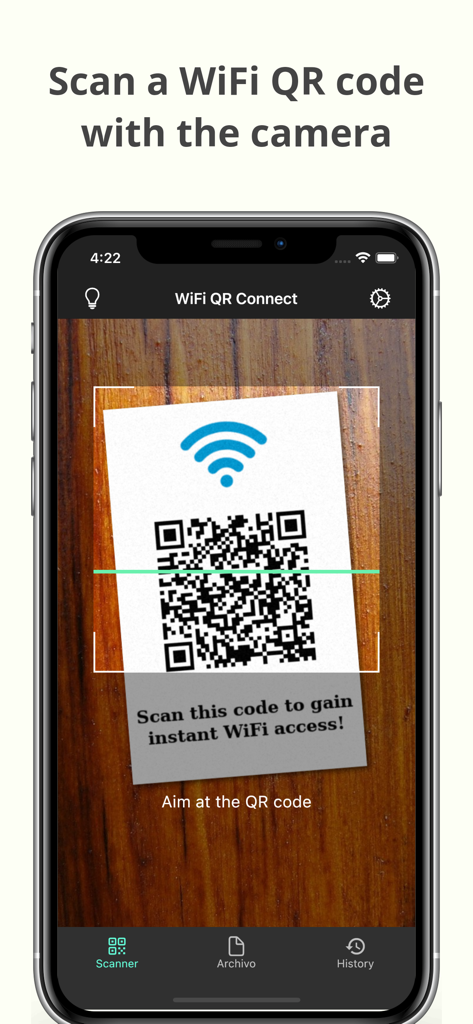
Una pantalla de smartphone mostrando la aplicación WiFi QR Connect escaneando un código QR para acceso WiFi instantáneo.

Una pantalla de smartphone mostrando la aplicación WiFi QR Connect escaneando un código QR para acceso WiFi instantáneo.

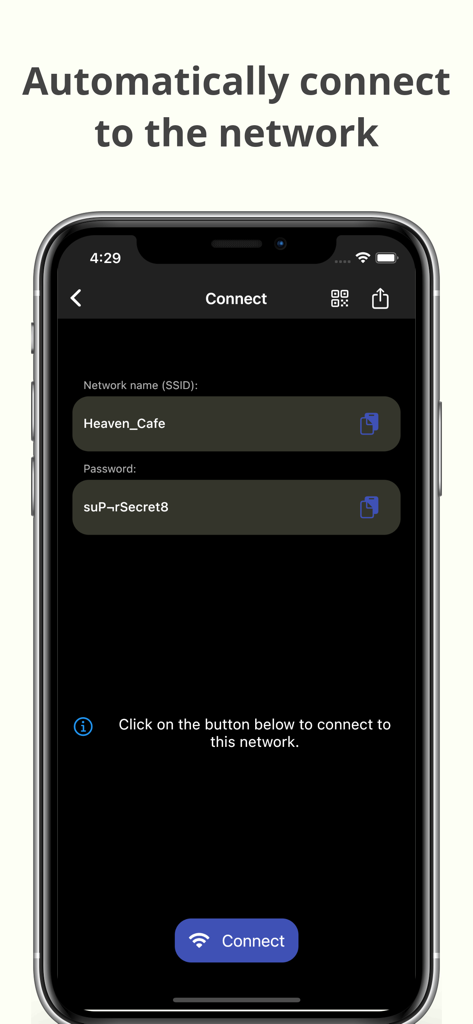
Interfaz de la aplicación WiFi QR Connect mostrando SSID y contraseña para conexión automática a la red

Interfaz de la aplicación WiFi QR Connect mostrando SSID y contraseña para conexión automática a la red

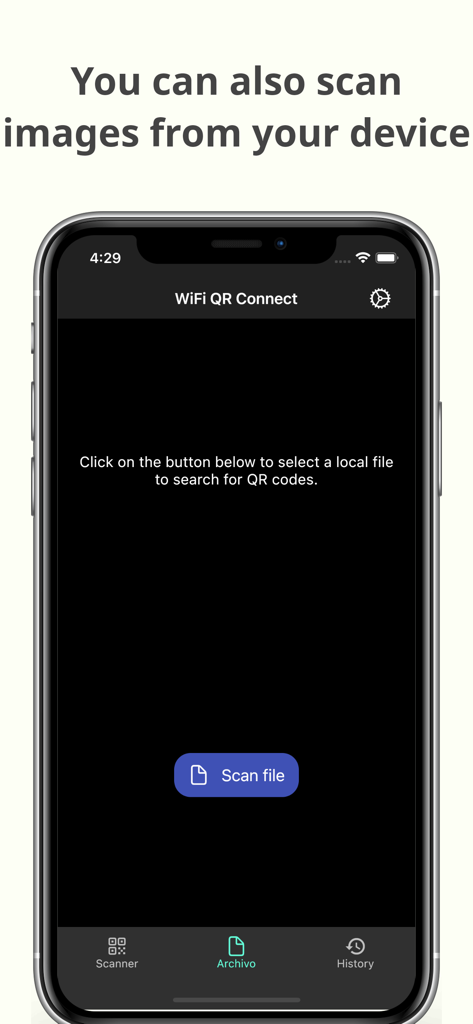
Interfaz de la aplicación WiFi QR Connect para escanear códigos QR desde archivos de imagen guardados.

Interfaz de la aplicación WiFi QR Connect para escanear códigos QR desde archivos de imagen guardados.

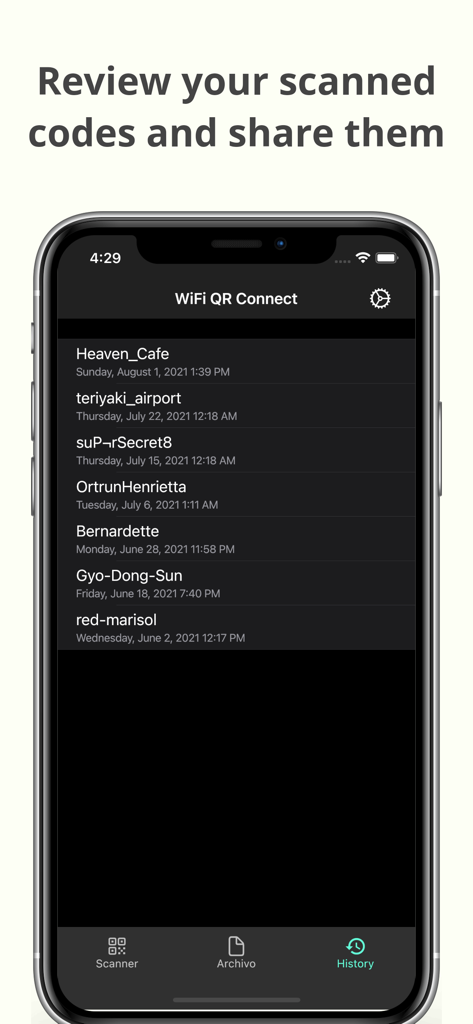
Una lista del historial de redes Wi-Fi escaneadas previamente dentro de la aplicación móvil WiFi QR Connect.

Una lista del historial de redes Wi-Fi escaneadas previamente dentro de la aplicación móvil WiFi QR Connect.

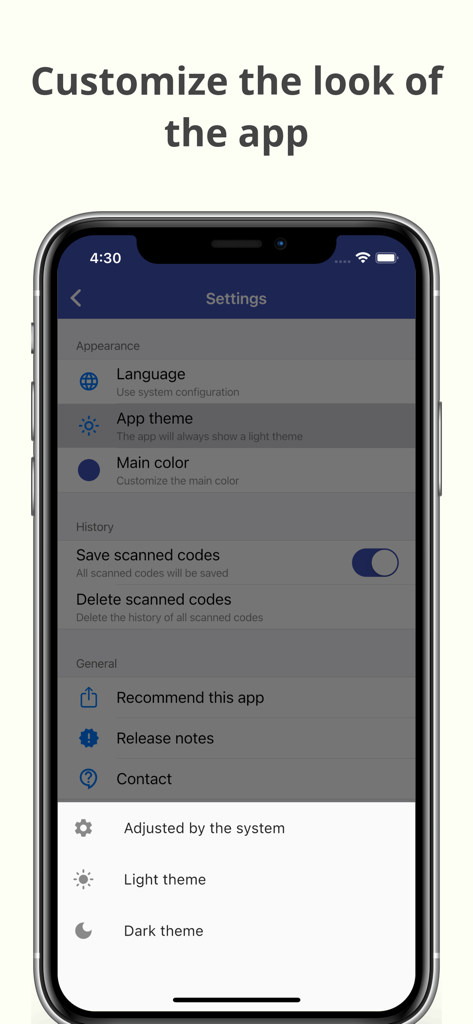
Pantalla de configuración para personalizar el aspecto y el tema de la aplicación WiFi QR Connect.

Pantalla de configuración para personalizar el aspecto y el tema de la aplicación WiFi QR Connect.

Acceso WiFi sin Esfuerzo en Segundos

Las herramientas que hacen destacar esta app, elegida por 301K+ usuarios.

Escaneo y Conexión Instantáneos

Omite la entrada manual. Apunta tu cámara a cualquier código QR para unirte a redes automáticamente sin escribir un solo carácter.

📂

Historial de Conexiones Inteligente

Perfecto para nómadas digitales. Guarda cada red que escanees para reconectarte rápidamente durante tu próxima visita a tu cafetería u hotel favorito.

🔑

Ver y Compartir Contraseñas

Cierra la brecha entre dispositivos. Recupera contraseñas guardadas para ayudar a invitados o conectar tu portátil cuando el uso compartido de WiFi falla.

Sobre la app

Todo lo que necesitas saber sobre WiFi QR Connect.

Descripción

WiFi QR Connect allows you to connect to a Wi-Fi network by scanning a QR code. Just open the app and point your device's rear camera at the code you want. The app will scan it and allow you to join that network without the need to enter any data manually. Features: - Automatic connection to Wi-Fi networks by scanning QR codes - You can also scan an image file from your device that contains a code - Quickly retrieve all scanned codes in History section - Ability to view the password of the network > Where can I found the QR codes? You can find QR codes with Wi-Fi network information in various places, for example on the bottom of routers (to be able to connect to the network they provide) or in public places such as cafes or restaurants where the owners have printed these codes so that customers can easily connect to the network that these places provide. > Is it possible to generate these types of codes myself for guests to connect to my home network? Yeah! You can use a code generation tool to create these codes. You can then print them out or simply show them to your guests right from your phone to get them connected. An example of an online generation tool is QiFi: https://qifi.org/ > How to use this application? Once you have opened the application, the code scanner that uses your device's camera will be activated automatically. Frame the code to scan and the application will automatically detect it. Alternatively, you can also choose an image file that contains a QR code from your local file system. Once the code has been scanned you will be presented with information regarding it, along with the option to connect automatically. Press the connect button and the app will automatically try to connect to the provided network. Please note that for the connection to be established correctly the network must be available, your device must be within range, and the data provided in the code must be correct. > What else can this app do? In addition to what is mentioned above, this app also allows you to recover any codes that you have previously scanned. You will be able to see its data just as if you had just scanned it. In addition, it also has several additional options such as sharing the code or viewing the network password. --- In short, WiFi QR Connect is your ideal tool to connect to Wi-Fi networks easily and quickly by scanning a QR code. It has been designed with simplicity in mind so that its use is agile and natural. Download now and simplify the way you connect to wireless networks!

Última versión

2.38.0

Tamaño

66.8 MB

Fecha de lanzamiento

23 jul 2021

Deja de Escribir Contraseñas. Empieza a Conectar.

Únete a más de 300.000 usuarios que han eliminado la fricción de WiFi. Descarga WiFi QR Connect hoy mismo y disfruta de la máxima comodidad de acceso a la red instantáneo y sin errores.

Descargar en App StoreDescargar en Google Play

App information, icons, screenshots, and descriptions displayed on this page are sourced from the Apple App Store and are the property of their respective developers. Download estimates and rankings are based on MWM's proprietary models and may not reflect actual figures. This page is provided for informational and analytical purposes only.

Believe this page infringes your intellectual property? File a dispute